
How to Use raspberr pi zero w v1.1: Examples, Pinouts, and Specs
 Design with raspberr pi zero w v1.1 in Cirkit Designer
Introduction
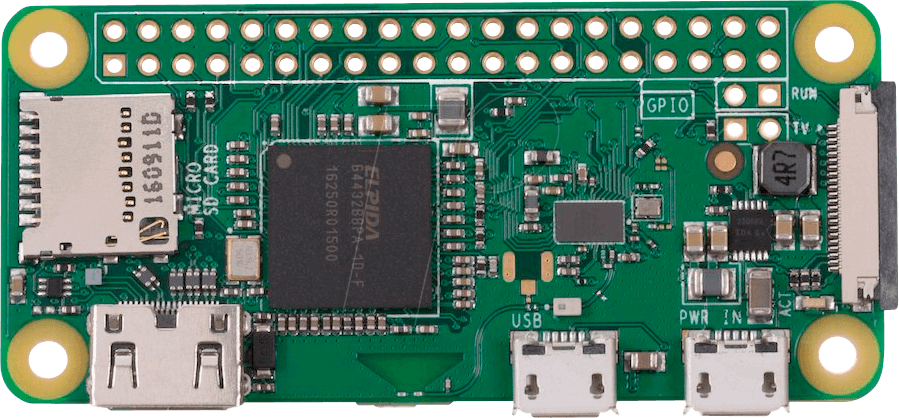
The Raspberry Pi Zero W v1.1 is a compact, low-cost single-board computer designed for lightweight applications and Internet of Things (IoT) projects. It features built-in Wi-Fi and Bluetooth connectivity, making it an excellent choice for wireless communication and remote control tasks. Despite its small size, the Raspberry Pi Zero W is capable of running a full Linux operating system and supports a wide range of programming languages and libraries.
Explore Projects Built with raspberr pi zero w v1.1
 Open Project in Cirkit Designer
 Open Project in Cirkit Designer
 Open Project in Cirkit Designer
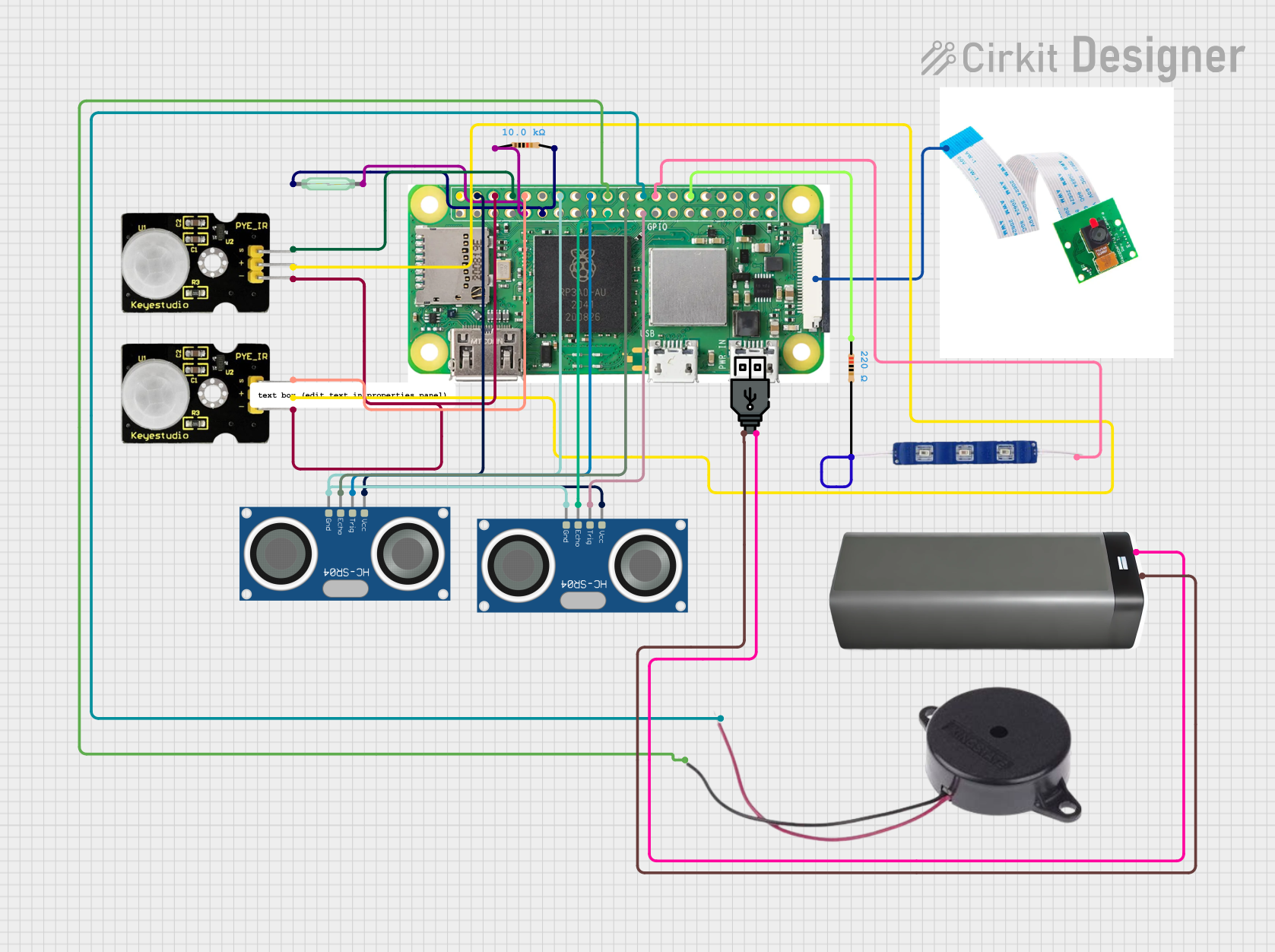 Open Project in Cirkit Designer
Explore Projects Built with raspberr pi zero w v1.1
Open Project in Cirkit DesignerOpen Project in Cirkit DesignerOpen Project in Cirkit DesignerOpen Project in Cirkit DesignerCommon Applications and Use Cases
- IoT devices and smart home automation
- Portable media streaming devices
- Robotics and embedded systems
- Network monitoring and security tools
- Educational projects and prototyping
- Lightweight web servers
Technical Specifications
The Raspberry Pi Zero W v1.1 is equipped with the following key features:
| Specification | Details |
|---|---|
| Processor | Broadcom BCM2835, 1GHz single-core ARM1176JZF-S CPU |
| RAM | 512MB LPDDR2 SDRAM |
| Wireless Connectivity | 802.11 b/g/n Wi-Fi, Bluetooth 4.1, Bluetooth Low Energy (BLE) |
| GPIO | 40-pin GPIO header (unpopulated) |
| Video Output | Mini HDMI port, supports up to 1080p at 60fps |
| USB Ports | 1 Micro USB for data, 1 Micro USB for power |
| Camera Interface | CSI camera connector (requires adapter for standard Raspberry Pi cameras) |
| Storage | MicroSD card slot for OS and data storage |
| Power Supply | 5V/2.5A via Micro USB |
| Dimensions | 65mm × 30mm × 5mm |
| Weight | Approximately 9g |
Pin Configuration and Descriptions
The Raspberry Pi Zero W v1.1 features a 40-pin GPIO header. Below is a summary of the pin configuration:
| Pin Number | Pin Name | Description |
|---|---|---|
| 1 | 3.3V Power | 3.3V power supply |
| 2 | 5V Power | 5V power supply |
| 3 | GPIO2 (SDA1) | I2C Data |
| 4 | 5V Power | 5V power supply |
| 5 | GPIO3 (SCL1) | I2C Clock |
| 6 | Ground | Ground |
| 7 | GPIO4 | General-purpose I/O |
| 8 | GPIO14 (TXD) | UART Transmit |
| 9 | Ground | Ground |
| 10 | GPIO15 (RXD) | UART Receive |
| ... | ... | ... |
| 39 | Ground | Ground |
| 40 | GPIO21 | General-purpose I/O |
For a complete GPIO pinout, refer to the official Raspberry Pi documentation.
Usage Instructions
How to Use the Raspberry Pi Zero W v1.1 in a Circuit
- Powering the Board: Connect a 5V/2.5A power supply to the Micro USB power port.
- Connecting Peripherals: Use a Mini HDMI adapter for video output and a USB OTG adapter to connect peripherals like a keyboard or mouse.
- Booting the OS: Flash a compatible operating system (e.g., Raspberry Pi OS) onto a MicroSD card, insert it into the MicroSD card slot, and power on the board.
- Accessing GPIO Pins: Solder a 40-pin header to the GPIO pads if required, and connect sensors, actuators, or other components as needed.
Important Considerations and Best Practices
- Use a high-quality MicroSD card (Class 10 or higher) for optimal performance.
- Ensure proper heat dissipation if running resource-intensive applications.
- Avoid powering the board through GPIO pins unless you are experienced with power management.
- Use a case to protect the board from physical damage and static electricity.
Example: Blinking an LED with GPIO and Python
The following example demonstrates how to blink an LED connected to GPIO17 (pin 11) using Python:
Import the GPIO and time libraries
import RPi.GPIO as GPIO import time
Set up GPIO mode and pin
GPIO.setmode(GPIO.BCM) # Use Broadcom pin numbering GPIO.setup(17, GPIO.OUT) # Set GPIO17 as an output pin
try: while True: GPIO.output(17, GPIO.HIGH) # Turn the LED on time.sleep(1) # Wait for 1 second GPIO.output(17, GPIO.LOW) # Turn the LED off time.sleep(1) # Wait for 1 second except KeyboardInterrupt: # Clean up GPIO settings on exit GPIO.cleanup()
Connecting to an Arduino UNO
The Raspberry Pi Zero W can communicate with an Arduino UNO via serial communication. Use the GPIO14 (TXD) and GPIO15 (RXD) pins for UART communication. Ensure proper voltage level shifting if required.
Troubleshooting and FAQs
Common Issues and Solutions
The Raspberry Pi Zero W does not boot:
- Ensure the MicroSD card is properly inserted and contains a valid OS image.
- Check the power supply for sufficient voltage and current (5V/2.5A recommended).
Wi-Fi or Bluetooth is not working:
- Verify that the correct drivers are installed and the wireless interface is enabled.
- Check for interference from other devices or networks.
GPIO pins are not responding:
- Confirm that the correct pin numbering mode (BCM or BOARD) is used in your code.
- Check for loose connections or soldering issues.
Overheating:
- Use a heatsink or active cooling if the board is running under heavy load for extended periods.
FAQs
Q: Can I power the Raspberry Pi Zero W via GPIO pins?
A: Yes, but it is not recommended unless you are experienced with power management. Always ensure proper voltage and current levels.
Q: What operating systems are compatible with the Raspberry Pi Zero W?
A: The Raspberry Pi Zero W supports Raspberry Pi OS, as well as other Linux-based distributions like Ubuntu, and lightweight OS options like DietPi.
Q: Can I connect a camera to the Raspberry Pi Zero W?
A: Yes, the board has a CSI camera connector, but you will need an adapter to use standard Raspberry Pi cameras.
Q: How do I enable SSH for headless setup?
A: Place an empty file named ssh (without any extension) in the boot partition of the MicroSD card before booting the Raspberry Pi.
By following this documentation, you can effectively utilize the Raspberry Pi Zero W v1.1 for a wide range of projects and applications.