
How to Use Micro SD Card Reader Module: Examples, Pinouts, and Specs
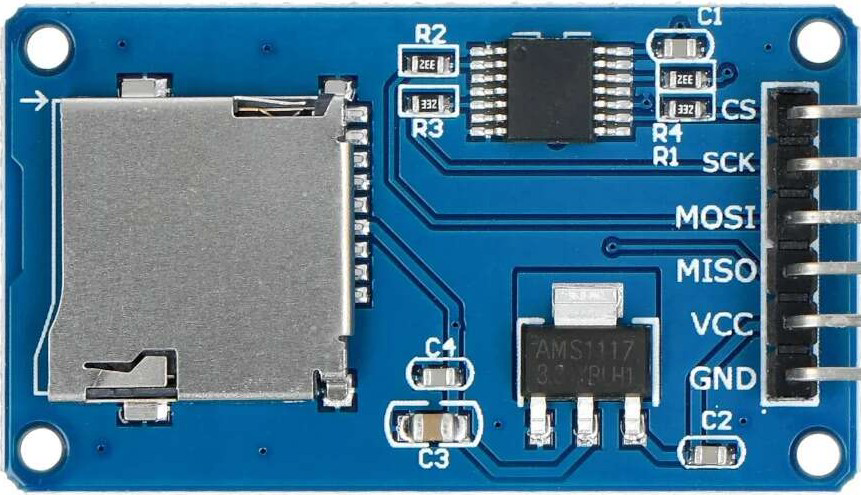
 Design with Micro SD Card Reader Module in Cirkit Designer
Introduction
The Micro SD Card Reader Module by Modules (Part ID: micro SD card Reader) is a compact and versatile device designed for reading and writing data to and from micro SD cards. It is widely used in electronics projects that require external data storage, such as logging sensor data, storing configuration files, or managing multimedia files. This module is compatible with microcontrollers like Arduino, Raspberry Pi, and other development boards, making it an essential component for hobbyists and professionals alike.
Explore Projects Built with Micro SD Card Reader Module
 Open Project in Cirkit Designer
 Open Project in Cirkit Designer
 Open Project in Cirkit Designer
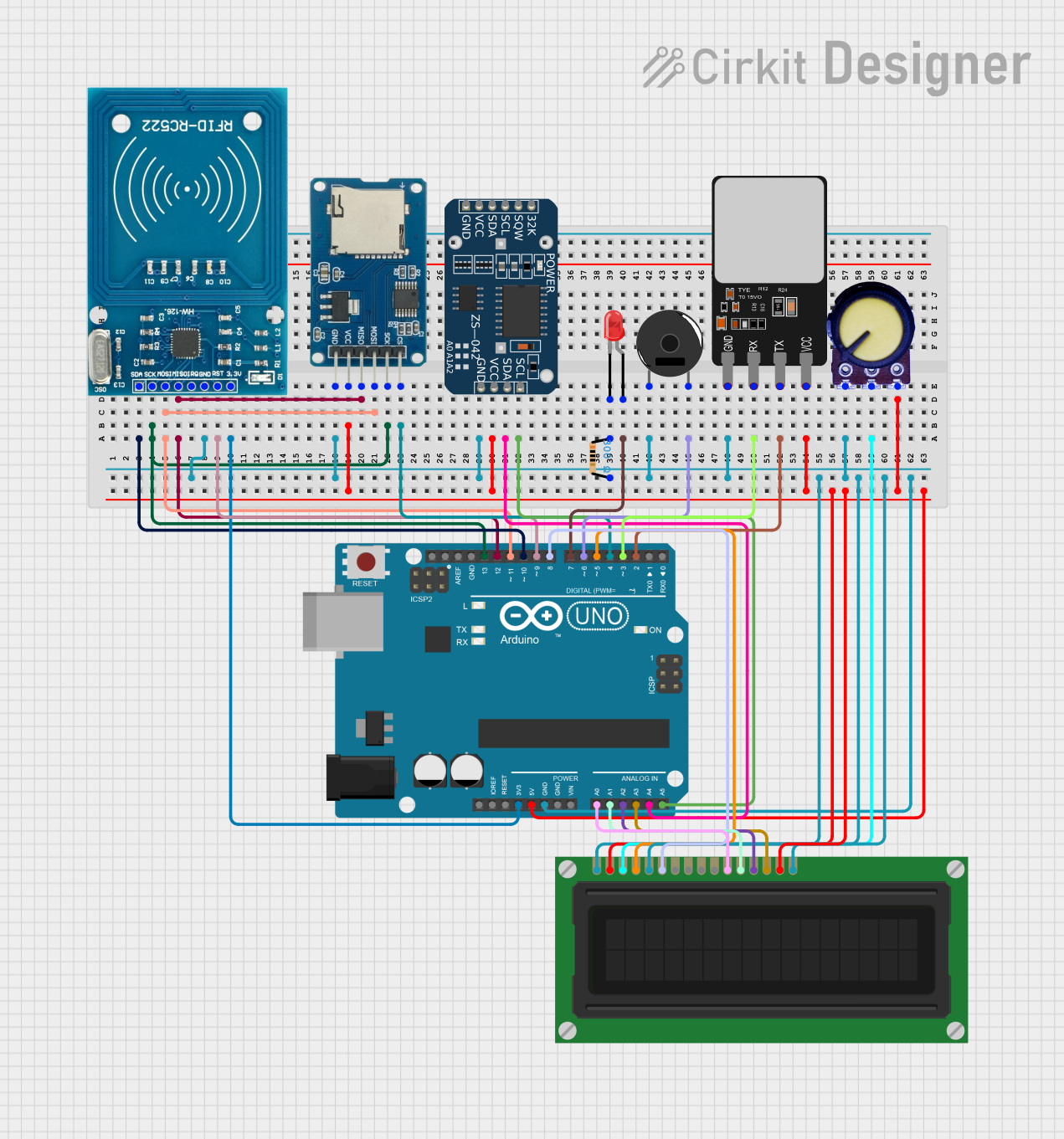 Open Project in Cirkit Designer
Explore Projects Built with Micro SD Card Reader Module
Open Project in Cirkit DesignerOpen Project in Cirkit DesignerOpen Project in Cirkit DesignerOpen Project in Cirkit DesignerCommon Applications
- Data logging (e.g., temperature, humidity, GPS data)
- Storing multimedia files (e.g., images, audio, video)
- Bootloading operating systems for embedded systems
- File storage for IoT devices
- Configuration file management in embedded systems
Technical Specifications
The following table outlines the key technical details of the Micro SD Card Reader Module:
| Parameter | Specification |
|---|---|
| Operating Voltage | 3.3V to 5V |
| Communication Protocol | SPI (Serial Peripheral Interface) |
| Supported Card Types | micro SD, micro SDHC |
| Maximum Card Capacity | 32GB (FAT16/FAT32 file systems) |
| Dimensions | ~42mm x 24mm x 12mm |
| Operating Temperature | -25°C to 85°C |
Pin Configuration and Descriptions
The Micro SD Card Reader Module typically has six pins. The table below describes each pin:
| Pin Name | Pin Type | Description |
|---|---|---|
| VCC | Power | Connect to 3.3V or 5V power supply. Provides power to the module. |
| GND | Ground | Connect to the ground of the power supply. |
| MISO | Output | Master In Slave Out - SPI data output from the module to the microcontroller. |
| MOSI | Input | Master Out Slave In - SPI data input from the microcontroller to the module. |
| SCK | Input | Serial Clock - SPI clock signal provided by the microcontroller. |
| CS | Input | Chip Select - Used to enable or disable the module during SPI communication. |
Usage Instructions
How to Use the Micro SD Card Reader Module in a Circuit
- Power the Module: Connect the
VCCpin to a 3.3V or 5V power source and theGNDpin to the ground. - Connect SPI Pins:
- Connect the
MISO,MOSI,SCK, andCSpins to the corresponding SPI pins on your microcontroller. - For Arduino UNO, the SPI pins are:
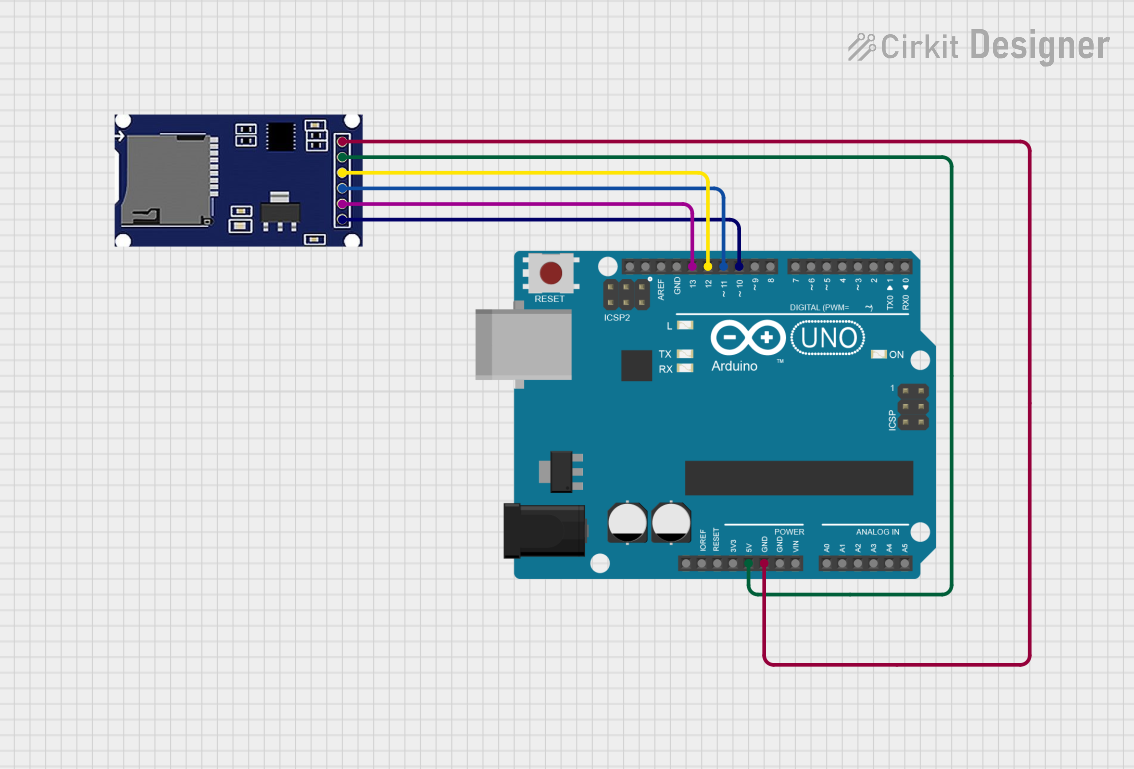
MISO: Pin 12MOSI: Pin 11SCK: Pin 13CS: Any digital pin (commonly Pin 10)
- Connect the
- Insert the micro SD Card: Ensure the micro SD card is formatted to FAT16 or FAT32 before inserting it into the module.
- Load the Required Libraries: If using Arduino, include the
SDlibrary in your code to manage file operations.
Example Code for Arduino UNO
Below is an example code snippet to initialize the Micro SD Card Reader Module and write data to a file:
#include <SPI.h>
#include <SD.h>

// Define the Chip Select (CS) pin for the SD card module
const int chipSelect = 10;

void setup() {
  // Initialize serial communication for debugging
  Serial.begin(9600);
  while (!Serial) {
    ; // Wait for the serial port to connect (for native USB boards)
  }

  Serial.println("Initializing SD card...");

  // Check if the SD card is present and can be initialized
  if (!SD.begin(chipSelect)) {
    Serial.println("Card failed, or not present");
    // Don't proceed if the card is not detected
    while (1);
  }
  Serial.println("Card initialized successfully!");

  // Open a file for writing
  File dataFile = SD.open("data.txt", FILE_WRITE);

  // If the file is available, write to it
  if (dataFile) {
    dataFile.println("Hello, SD card!");
    dataFile.close(); // Close the file to save changes
    Serial.println("Data written to file.");
  } else {
    // If the file couldn't be opened, print an error
    Serial.println("Error opening file for writing.");
  }
}

void loop() {
  // Nothing to do here
}
Important Considerations and Best Practices
- Voltage Compatibility: Ensure the module is powered with the correct voltage (3.3V or 5V). Using incorrect voltage levels may damage the module or the micro SD card.
- File System: Format the micro SD card to FAT16 or FAT32 before use. Other file systems may not be supported.
- Chip Select Pin: If using multiple SPI devices, ensure each device has a unique
CSpin and manage their states appropriately. - Avoid Hot-Swapping: Do not insert or remove the micro SD card while the module is powered, as this may corrupt the data or damage the card.
Troubleshooting and FAQs
Common Issues and Solutions
SD Card Not Detected
- Cause: Incorrect wiring or incompatible file system.
- Solution: Double-check the wiring and ensure the micro SD card is formatted to FAT16 or FAT32.
File Not Opening
- Cause: Incorrect file name or file mode.
- Solution: Ensure the file name matches exactly (case-sensitive) and use the correct mode (
FILE_WRITEorFILE_READ).
Data Corruption
- Cause: Removing the card while writing data or power interruptions.
- Solution: Always close files after writing and avoid removing the card while the module is powered.
Module Overheating
- Cause: Prolonged use at high temperatures or incorrect voltage.
- Solution: Operate the module within the specified temperature range and voltage limits.
FAQs
Q: Can this module work with a 64GB micro SD card?
A: No, the module supports micro SD cards up to 32GB formatted in FAT16 or FAT32.
Q: Is the module compatible with 3.3V logic microcontrollers?
A: Yes, the module is compatible with both 3.3V and 5V logic levels.
Q: Can I use this module with a Raspberry Pi?
A: Yes, the module can be used with a Raspberry Pi. Connect the SPI pins accordingly and use the appropriate libraries (e.g., spidev in Python).
Q: How do I check if the SD card is full?
A: Use the SD.exists() function to check for available space or manage file sizes programmatically.
By following this documentation, you can effectively integrate the Micro SD Card Reader Module into your projects for reliable data storage and retrieval.