
How to Use DS18B20: Examples, Pinouts, and Specs
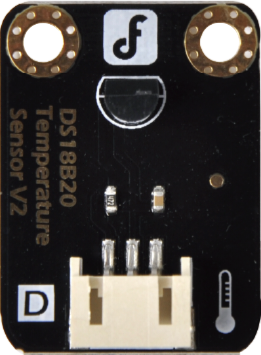
 Design with DS18B20 in Cirkit Designer
Introduction
The DS18B20, manufactured by DFRobot (Part ID: DFR0024), is a digital temperature sensor that communicates using a 1-Wire interface. It is capable of providing temperature readings with a resolution of 9 to 12 bits, offering a measurement range from -55°C to +125°C. This sensor is widely used in applications requiring precise temperature monitoring, such as HVAC systems, weather stations, industrial automation, and home automation projects.
Explore Projects Built with DS18B20
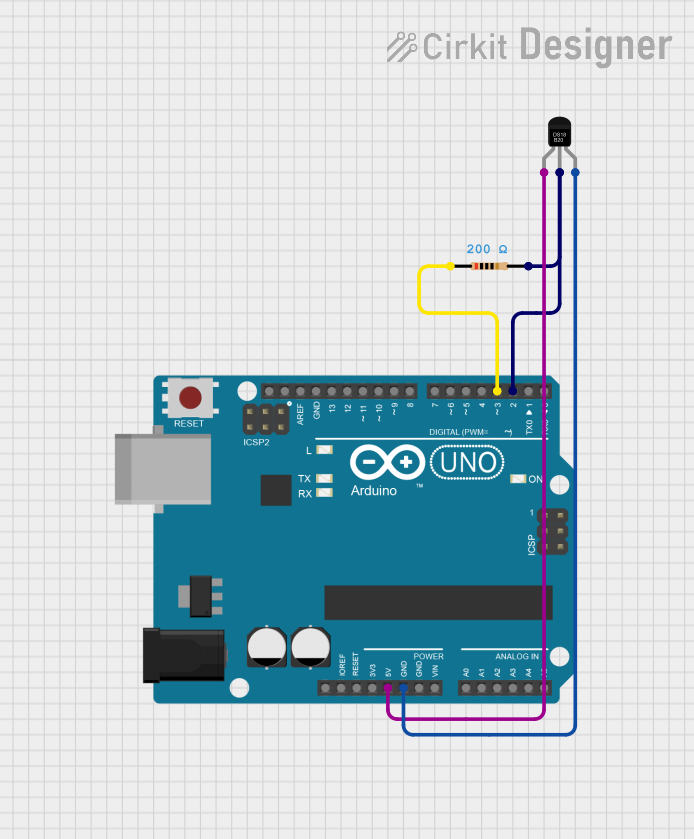 Open Project in Cirkit Designer
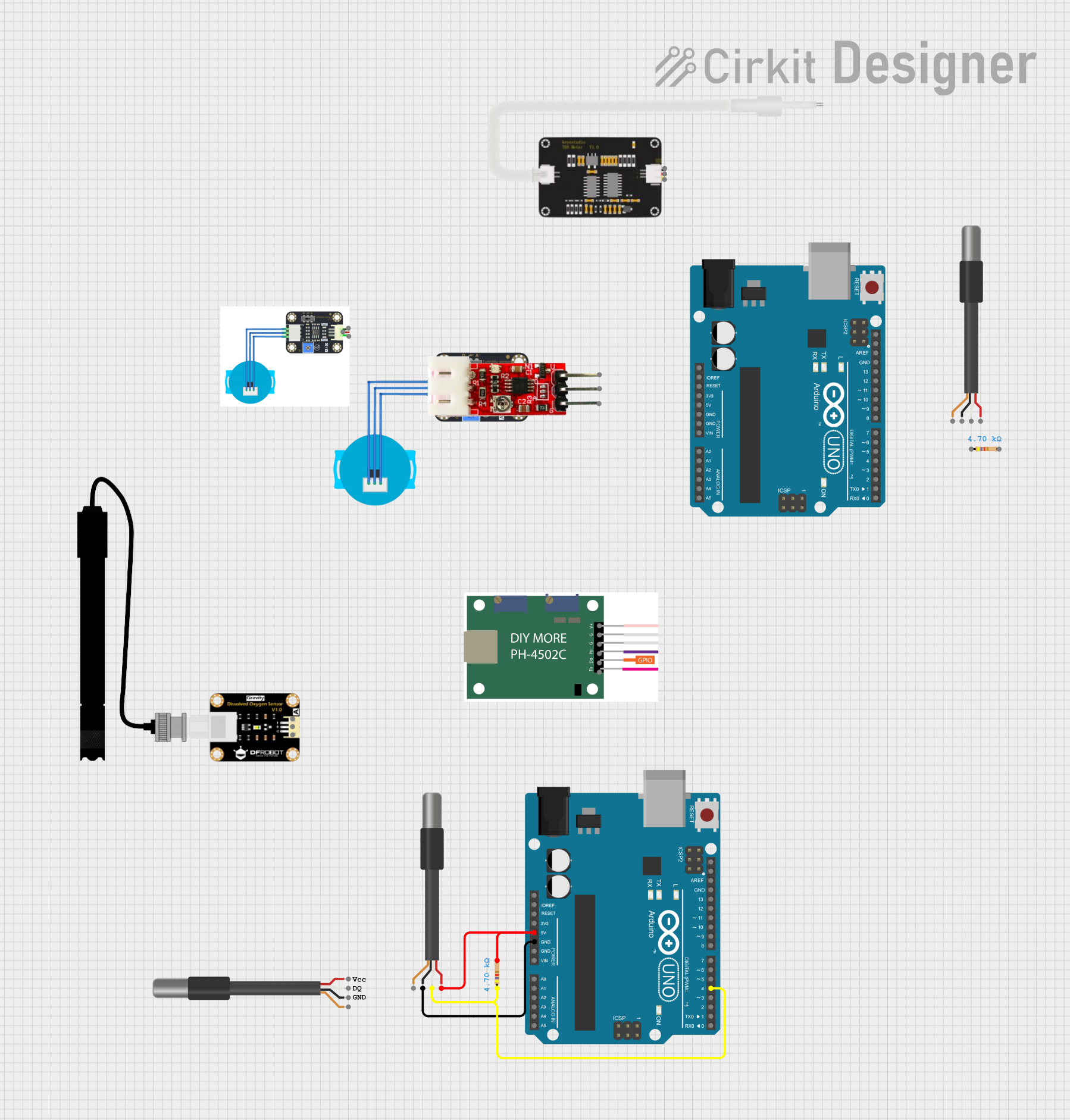 Open Project in Cirkit Designer
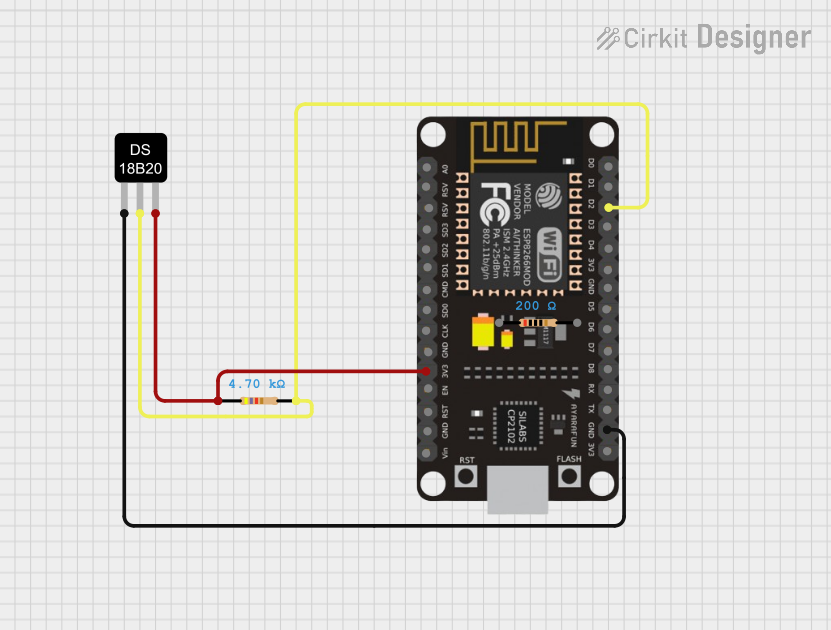 Open Project in Cirkit Designer
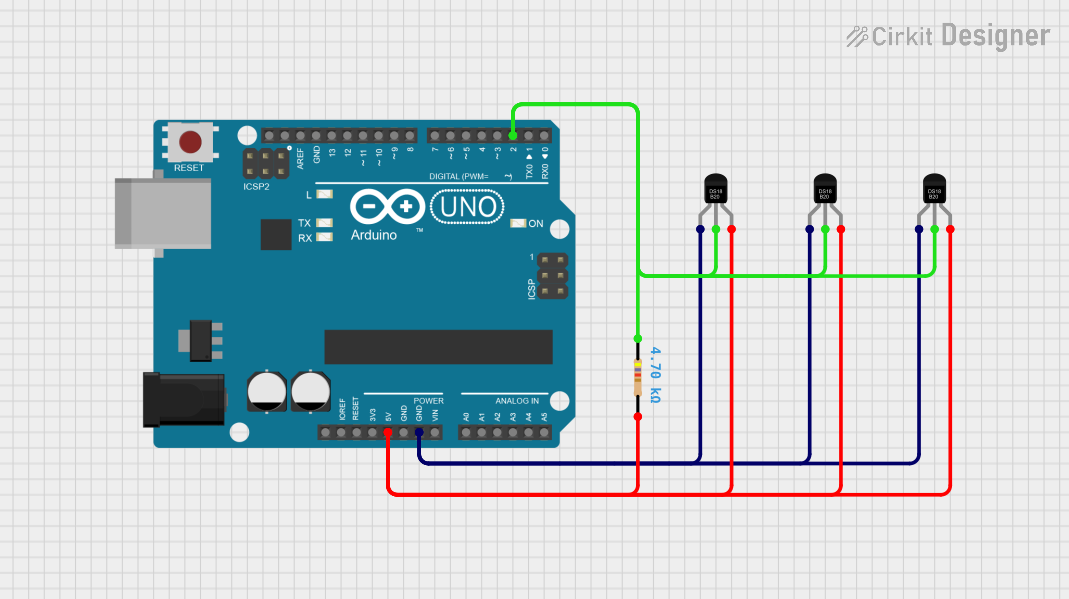 Open Project in Cirkit Designer
Explore Projects Built with DS18B20
Open Project in Cirkit DesignerOpen Project in Cirkit DesignerOpen Project in Cirkit DesignerOpen Project in Cirkit DesignerCommon Applications:
- Environmental monitoring systems
- Temperature control in industrial processes
- Data logging for scientific experiments
- Smart home temperature sensing
- Arduino and microcontroller-based projects
Technical Specifications
Key Technical Details:
| Parameter | Value |
|---|---|
| Operating Voltage | 3.0V to 5.5V |
| Temperature Range | -55°C to +125°C |
| Accuracy | ±0.5°C (from -10°C to +85°C) |
| Resolution | Configurable: 9 to 12 bits |
| Interface | 1-Wire |
| Maximum Current Draw | 1.5mA during conversion |
| Conversion Time | 93.75ms (9-bit) to 750ms (12-bit) |
| Unique 64-bit Address | Yes |
Pin Configuration:
The DS18B20 is available in a 3-pin TO-92 package. Below is the pinout:
| Pin Number | Pin Name | Description |
|---|---|---|
| 1 | GND | Ground (0V reference) |
| 2 | DQ | Data line for 1-Wire communication |
| 3 | VDD | Power supply (3.0V to 5.5V) |
Usage Instructions
Connecting the DS18B20 to a Circuit:
- Power Supply: Connect the VDD pin to a 3.3V or 5V power source and the GND pin to ground.
- Data Line: Connect the DQ pin to a digital I/O pin on your microcontroller. Use a 4.7kΩ pull-up resistor between the DQ pin and the VDD pin to ensure proper communication.
- 1-Wire Communication: The DS18B20 uses a single data line for communication. Multiple sensors can be connected to the same data line, as each sensor has a unique 64-bit address.
Important Considerations:
- Ensure the pull-up resistor is properly connected to the data line to avoid communication errors.
- The sensor can operate in "parasitic power mode" (using only the DQ and GND pins), but this requires careful timing and is not recommended for beginners.
- Avoid exposing the sensor to temperatures beyond its specified range to prevent damage.
Example Code for Arduino UNO:
Below is an example of how to use the DS18B20 with an Arduino UNO. This code reads the temperature and displays it on the Serial Monitor.
#include <OneWire.h>
#include <DallasTemperature.h>

// Pin connected to the DS18B20 data line
#define ONE_WIRE_BUS 2

// Setup a oneWire instance to communicate with any 1-Wire devices
OneWire oneWire(ONE_WIRE_BUS);

// Pass the oneWire reference to DallasTemperature library
DallasTemperature sensors(&oneWire);

void setup() {
  Serial.begin(9600); // Initialize serial communication
  sensors.begin();    // Start the DS18B20 sensor
}

void loop() {
  sensors.requestTemperatures(); // Send command to get temperature readings
  float temperatureC = sensors.getTempCByIndex(0); // Get temperature in Celsius

  // Check if the reading is valid
  if (temperatureC != DEVICE_DISCONNECTED_C) {
    Serial.print("Temperature: ");
    Serial.print(temperatureC);
    Serial.println(" °C");
  } else {
    Serial.println("Error: Sensor not detected!");
  }

  delay(1000); // Wait 1 second before the next reading
}
Troubleshooting and FAQs
Common Issues:
No Temperature Reading:
- Cause: The pull-up resistor is missing or incorrectly connected.
- Solution: Ensure a 4.7kΩ resistor is connected between the DQ pin and VDD.
Incorrect Temperature Values:
- Cause: Noise on the data line or incorrect wiring.
- Solution: Use shorter wires and ensure proper connections. Verify the power supply voltage.
Sensor Not Detected:
- Cause: The sensor is not properly connected or damaged.
- Solution: Check all connections and replace the sensor if necessary.
Slow Response Time:
- Cause: The resolution is set to 12 bits, which increases conversion time.
- Solution: Reduce the resolution to 9 or 10 bits if faster readings are required.
FAQs:
Q: Can I connect multiple DS18B20 sensors to the same data line?
A: Yes, the DS18B20 supports multiple sensors on the same 1-Wire bus. Each sensor has a unique 64-bit address for identification.Q: What is the maximum cable length for the DS18B20?
A: The maximum cable length depends on the power supply and pull-up resistor value. Typically, lengths up to 30 meters are achievable with proper wiring.Q: Can the DS18B20 operate without a dedicated power supply?
A: Yes, it can operate in parasitic power mode, but this requires careful timing and is less reliable.Q: How do I change the resolution of the DS18B20?
A: The resolution can be configured by writing to the sensor's configuration register. Refer to the datasheet for detailed instructions.
This concludes the documentation for the DS18B20 digital temperature sensor. For further details, refer to the DFRobot datasheet or contact technical support.