
How to Use Do Sensor: Examples, Pinouts, and Specs
 Design with Do Sensor in Cirkit Designer
Introduction
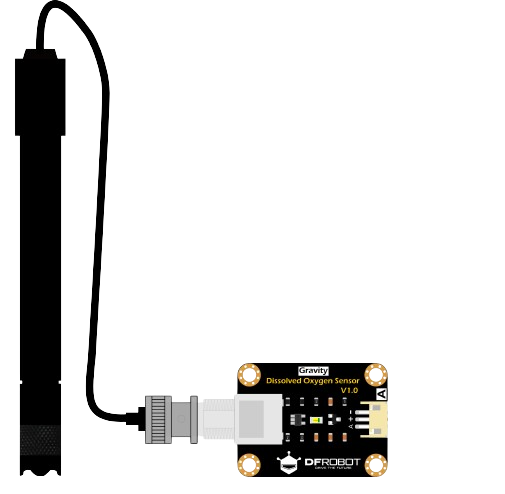
The DO Sensor, manufactured by DF Robot (Part ID: DO SENSOR), is a versatile sensor designed to detect and measure specific physical properties or environmental conditions. It is commonly used in automation and control systems to provide real-time feedback for decision-making processes. This sensor is particularly useful in applications requiring precise monitoring of dissolved oxygen levels in liquids, making it ideal for water quality testing, aquaculture, and environmental monitoring.
Explore Projects Built with Do Sensor
 Open Project in Cirkit Designer
 Open Project in Cirkit Designer
 Open Project in Cirkit Designer
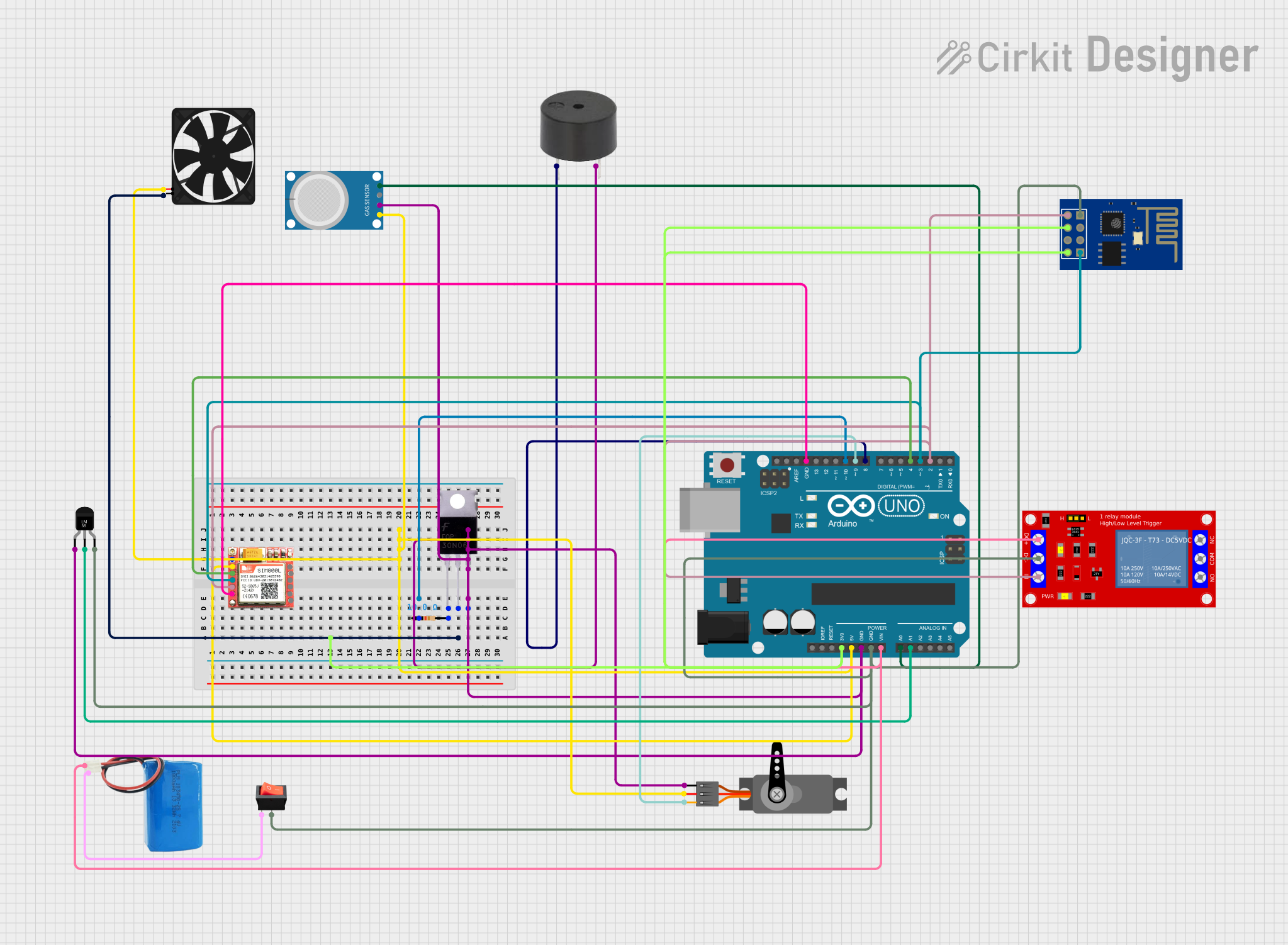 Open Project in Cirkit Designer
Explore Projects Built with Do Sensor
Open Project in Cirkit DesignerOpen Project in Cirkit DesignerOpen Project in Cirkit DesignerOpen Project in Cirkit DesignerCommon Applications
- Water quality monitoring in laboratories and field environments
- Aquaculture systems to maintain optimal oxygen levels
- Environmental monitoring for lakes, rivers, and reservoirs
- Industrial process control in wastewater treatment plants
- Educational projects and prototyping with microcontrollers like Arduino
Technical Specifications
The DO Sensor is engineered for reliability and accuracy in a variety of environments. Below are its key technical details:
Key Technical Details
| Parameter | Specification |
|---|---|
| Operating Voltage | 3.3V - 5.0V |
| Output Signal | Analog voltage (0-3.0V) |
| Measurement Range | 0 - 20 mg/L (ppm) |
| Accuracy | ±0.1 mg/L |
| Response Time | < 60 seconds |
| Operating Temperature | 0°C to 50°C |
| Storage Temperature | -10°C to 60°C |
| Waterproof Probe | Yes |
| Cable Length | 2 meters |
Pin Configuration
The DO Sensor module has a simple pinout for easy integration with microcontrollers. Below is the pin configuration:
| Pin Name | Description |
|---|---|
| VCC | Power supply input (3.3V - 5.0V) |
| GND | Ground |
| AOUT | Analog output signal |
Usage Instructions
The DO Sensor is straightforward to use and can be easily integrated into a circuit. Follow the steps below to get started:
Connecting the DO Sensor
- Power Supply: Connect the
VCCpin to a 3.3V or 5.0V power source and theGNDpin to the ground of your circuit. - Signal Output: Connect the
AOUTpin to an analog input pin on your microcontroller (e.g., Arduino UNO). - Calibration: Before using the sensor, calibrate it using a standard solution to ensure accurate readings.
Example Circuit with Arduino UNO
Below is an example of how to connect the DO Sensor to an Arduino UNO:
| DO Sensor Pin | Arduino UNO Pin |
|---|---|
| VCC | 5V |
| GND | GND |
| AOUT | A0 |
Sample Arduino Code
The following Arduino code demonstrates how to read data from the DO Sensor and display it on the Serial Monitor:
// Define the analog pin connected to the DO Sensor
const int DO_SENSOR_PIN = A0;

void setup() {
  // Initialize the Serial Monitor for debugging
  Serial.begin(9600);
}

void loop() {
  // Read the analog value from the DO Sensor
  int sensorValue = analogRead(DO_SENSOR_PIN);

  // Convert the analog value to voltage (assuming 5V reference)
  float voltage = sensorValue * (5.0 / 1023.0);

  // Convert the voltage to dissolved oxygen concentration (mg/L)
  // Note: Replace the formula below with the calibration equation
  float doConcentration = voltage * 6.67; // Example conversion factor

  // Print the results to the Serial Monitor
  Serial.print("Voltage: ");
  Serial.print(voltage);
  Serial.print(" V, DO Concentration: ");
  Serial.print(doConcentration);
  Serial.println(" mg/L");

  // Wait for 1 second before the next reading
  delay(1000);
}
Important Considerations
- Calibration: Always calibrate the sensor before use to ensure accurate measurements. Use a standard solution with a known dissolved oxygen concentration.
- Temperature Compensation: The sensor does not include built-in temperature compensation. For precise measurements, consider using a temperature sensor to adjust the readings.
- Probe Maintenance: Clean the waterproof probe regularly to prevent fouling and ensure consistent performance.
- Power Supply: Ensure a stable power supply to avoid fluctuations in the sensor's output.
Troubleshooting and FAQs
Common Issues and Solutions
Inaccurate Readings
- Cause: The sensor is not calibrated.
- Solution: Calibrate the sensor using a standard solution before taking measurements.
No Output Signal
- Cause: Incorrect wiring or loose connections.
- Solution: Verify that the
VCC,GND, andAOUTpins are properly connected to the microcontroller.
Fluctuating Readings
- Cause: Electrical noise or unstable power supply.
- Solution: Use a decoupling capacitor (e.g., 0.1 µF) between
VCCandGNDto stabilize the power supply.
Slow Response Time
- Cause: Probe fouling or contamination.
- Solution: Clean the probe with distilled water and a soft cloth.
FAQs
Q: Can the DO Sensor be used underwater for extended periods?
A: Yes, the waterproof probe is designed for underwater use. However, ensure proper maintenance to prevent fouling.
Q: How do I calibrate the DO Sensor?
A: Immerse the probe in a standard solution with a known dissolved oxygen concentration and adjust the readings using the calibration formula provided by the manufacturer.
Q: Can I use the DO Sensor with a 3.3V microcontroller?
A: Yes, the sensor operates within a voltage range of 3.3V to 5.0V, making it compatible with 3.3V microcontrollers like the ESP32.
Q: Does the sensor include temperature compensation?
A: No, the sensor does not have built-in temperature compensation. For accurate results, use an external temperature sensor to adjust the readings.
By following this documentation, you can effectively integrate and use the DF Robot DO Sensor in your projects.