
How to Use ESP32 Wroom 32: Examples, Pinouts, and Specs
 Design with ESP32 Wroom 32 in Cirkit Designer
Introduction
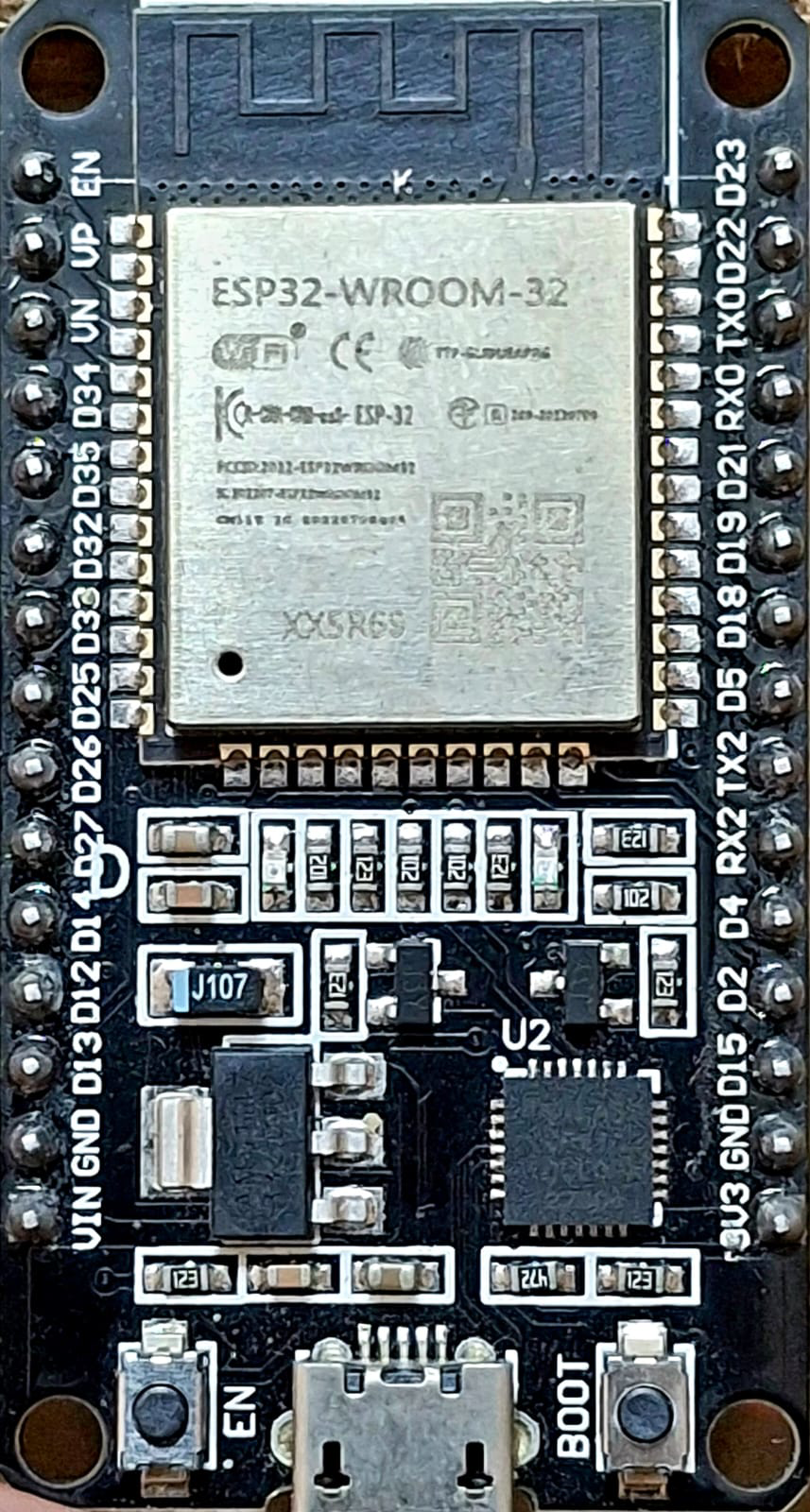
The ESP32 Wroom 32 is a powerful microcontroller module manufactured by Arduino, featuring integrated Wi-Fi and Bluetooth capabilities. It is designed for Internet of Things (IoT) applications and projects requiring robust wireless connectivity. With its dual-core processor, low power consumption, and extensive GPIO options, the ESP32 Wroom 32 is a versatile solution for a wide range of embedded systems.
Explore Projects Built with ESP32 Wroom 32
 Open Project in Cirkit Designer
 Open Project in Cirkit Designer
 Open Project in Cirkit Designer
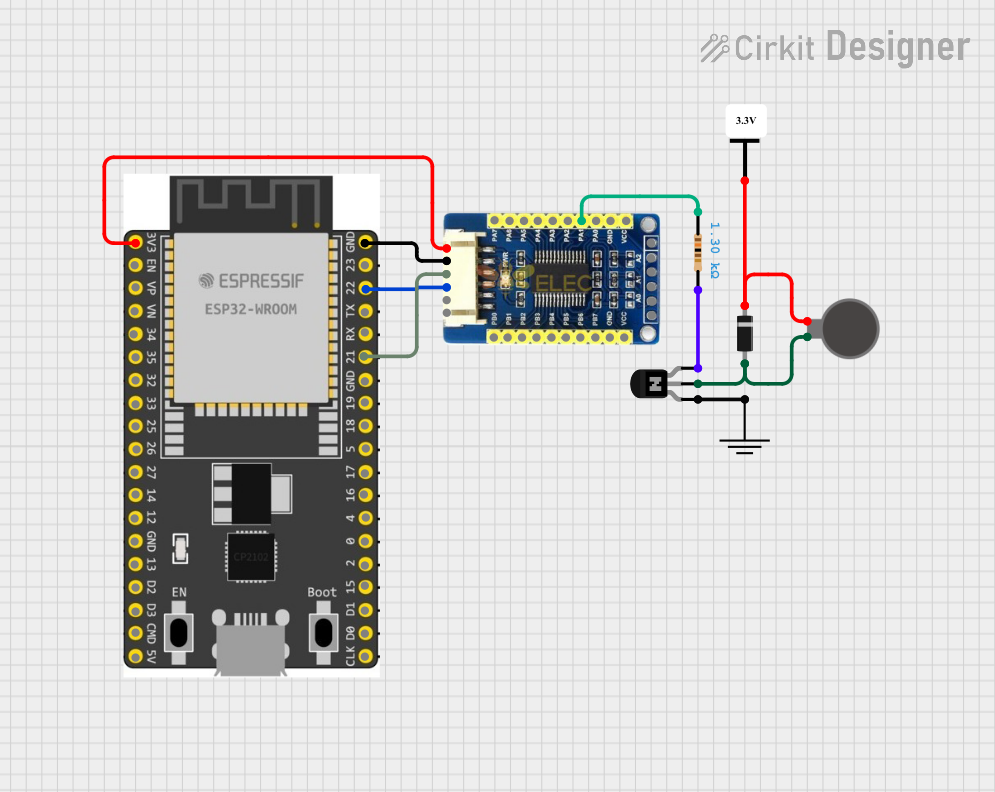 Open Project in Cirkit Designer
Explore Projects Built with ESP32 Wroom 32
Open Project in Cirkit DesignerOpen Project in Cirkit DesignerOpen Project in Cirkit DesignerOpen Project in Cirkit DesignerCommon Applications and Use Cases
- IoT devices and smart home automation
- Wireless sensor networks
- Wearable technology
- Industrial automation
- Robotics and drones
- Real-time data monitoring and logging
Technical Specifications
The ESP32 Wroom 32 module is built for performance and flexibility. Below are its key technical details:
Key Technical Details
| Specification | Value |
|---|---|
| Microcontroller | Tensilica Xtensa LX6 Dual-Core Processor |
| Clock Speed | Up to 240 MHz |
| Flash Memory | 4 MB (varies by model) |
| SRAM | 520 KB |
| Wi-Fi Standard | 802.11 b/g/n |
| Bluetooth Version | Bluetooth 4.2 + BLE |
| Operating Voltage | 3.3V |
| Input Voltage Range | 3.0V - 3.6V |
| GPIO Pins | 34 (multipurpose) |
| ADC Channels | 18 (12-bit resolution) |
| DAC Channels | 2 |
| Communication Interfaces | UART, SPI, I2C, I2S, CAN, PWM |
| Power Consumption | Ultra-low power (deep sleep: ~10 µA) |
| Operating Temperature | -40°C to 85°C |
Pin Configuration and Descriptions
The ESP32 Wroom 32 module has a total of 38 pins. Below is a summary of the pin configuration:
| Pin Number | Pin Name | Description |
|---|---|---|
| 1 | EN | Enable pin (active high) |
| 2 | IO0 | GPIO0, used for boot mode selection |
| 3 | IO1 | GPIO1, UART TXD |
| 4 | IO2 | GPIO2, general-purpose I/O |
| 5 | IO3 | GPIO3, UART RXD |
| ... | ... | ... (Refer to the full datasheet for all) |
| 37 | GND | Ground |
| 38 | 3V3 | 3.3V power supply |
Note: Some GPIO pins have specific functions or limitations. Refer to the official datasheet for detailed pin mappings and restrictions.
Usage Instructions
The ESP32 Wroom 32 is easy to integrate into a variety of projects. Below are the steps and best practices for using the module effectively.
How to Use the ESP32 Wroom 32 in a Circuit
- Power Supply: Ensure the module is powered with a stable 3.3V supply. Avoid exceeding the input voltage range (3.6V max).
- Boot Mode: To upload code, connect GPIO0 to GND during boot. Disconnect it after uploading.
- Connections: Use the UART pins (TXD and RXD) for serial communication with a computer or other devices.
- Programming: The ESP32 Wroom 32 can be programmed using the Arduino IDE or other compatible environments.
Example: Connecting to an Arduino UNO
The ESP32 Wroom 32 can be connected to an Arduino UNO for communication or as a standalone microcontroller. Below is an example of using the ESP32 to connect to a Wi-Fi network.
Arduino IDE Code Example
#include <WiFi.h> // Include the WiFi library for ESP32

// Replace with your network credentials
const char* ssid = "Your_SSID";
const char* password = "Your_PASSWORD";

void setup() {
  Serial.begin(115200); // Initialize serial communication at 115200 baud
  delay(1000); // Wait for a moment before starting

  Serial.println("Connecting to Wi-Fi...");
  WiFi.begin(ssid, password); // Start Wi-Fi connection

  // Wait until the ESP32 connects to Wi-Fi
  while (WiFi.status() != WL_CONNECTED) {
    delay(500);
    Serial.print(".");
  }

  Serial.println("\nWi-Fi connected!");
  Serial.print("IP Address: ");
  Serial.println(WiFi.localIP()); // Print the assigned IP address
}

void loop() {
  // Add your main code here
}
Important Considerations and Best Practices
- Voltage Levels: Ensure all connected devices operate at 3.3V logic levels to avoid damaging the ESP32.
- Heat Management: The module may heat up during operation. Ensure proper ventilation or heat dissipation.
- Deep Sleep Mode: Use deep sleep mode to conserve power in battery-powered applications.
- Firmware Updates: Keep the ESP32 firmware updated for optimal performance and security.
Troubleshooting and FAQs
Common Issues and Solutions
Issue: The ESP32 does not connect to Wi-Fi.
- Solution: Double-check the SSID and password. Ensure the router is within range and supports 2.4 GHz Wi-Fi (ESP32 does not support 5 GHz).
Issue: The module is not recognized by the Arduino IDE.
- Solution: Install the ESP32 board package in the Arduino IDE. Go to
File > Preferences, add the ESP32 board URL to the Additional Board Manager URLs, and install the package via the Board Manager.
- Solution: Install the ESP32 board package in the Arduino IDE. Go to
Issue: GPIO pins are not functioning as expected.
- Solution: Verify if the pins are being used for other functions (e.g., ADC, UART). Some pins have specific roles or limitations.
Issue: The ESP32 overheats during operation.
- Solution: Check for excessive current draw or short circuits. Ensure the power supply is within the recommended range.
FAQs
Q: Can the ESP32 Wroom 32 operate on 5V?
A: No, the ESP32 operates at 3.3V. Use a level shifter or regulator for 5V systems.Q: How do I reset the ESP32?
A: Press the EN (enable) button on the module to reset it.Q: Can I use the ESP32 for Bluetooth audio streaming?
A: Yes, the ESP32 supports Bluetooth audio via the A2DP profile.Q: What is the maximum range of the Wi-Fi connection?
A: The range depends on environmental factors but typically extends up to 50 meters indoors and 200 meters outdoors.
This concludes the documentation for the ESP32 Wroom 32. For further details, refer to the official datasheet and Arduino resources.