
How to Use Li-I BATTERY 7.4V 5200MAH : Examples, Pinouts, and Specs
 Design with Li-I BATTERY 7.4V 5200MAH in Cirkit Designer
Introduction
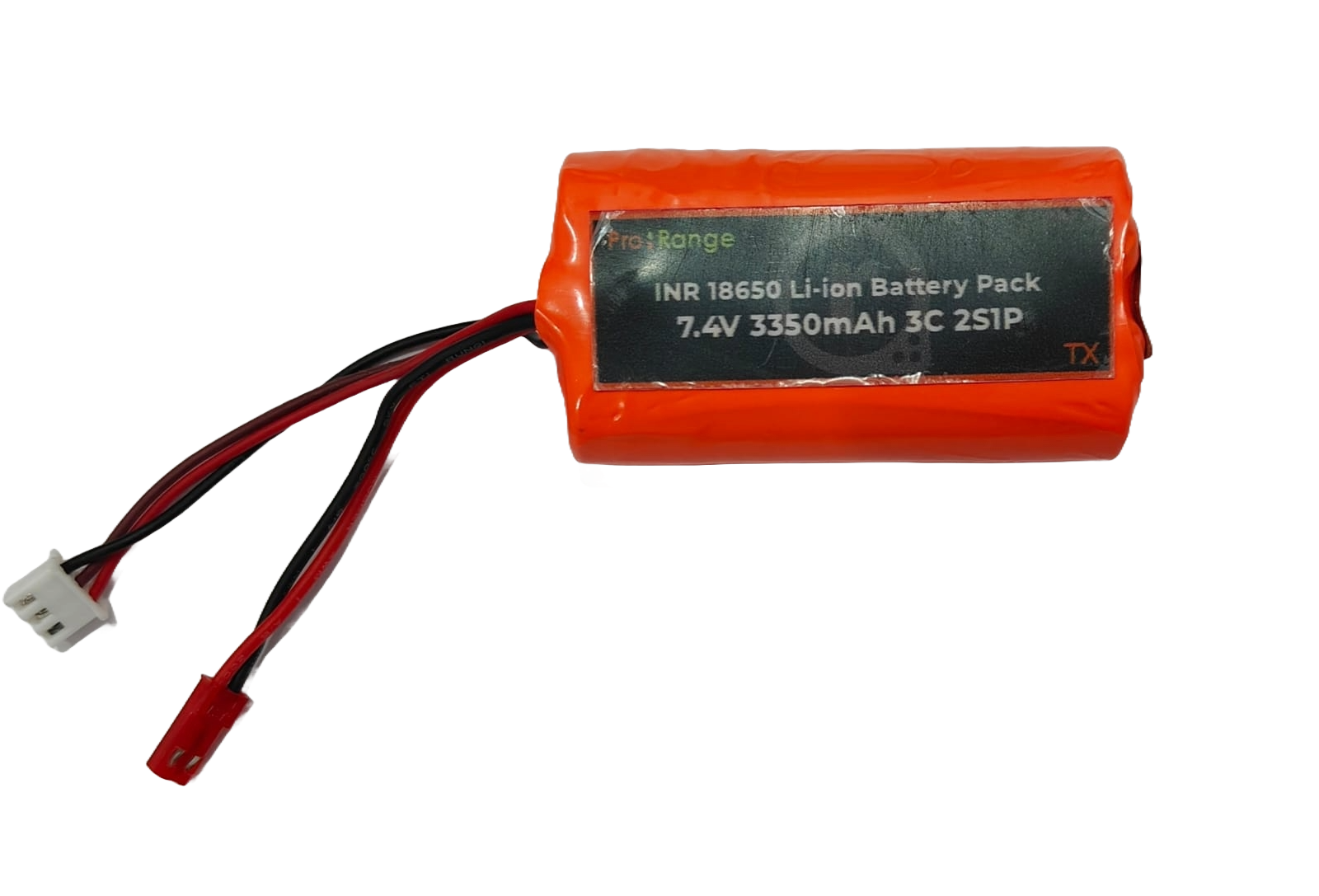
The Li-I Battery 7.4V 5200mAh is a lithium-ion rechargeable battery designed for reliable and efficient power delivery. With a nominal voltage of 7.4 volts and a capacity of 5200 milliamp-hours (mAh), this battery is ideal for powering a wide range of electronic devices, including robotics, drones, portable electronics, and DIY projects. Its lightweight and compact design make it a popular choice for applications requiring high energy density and long-lasting performance.
Explore Projects Built with Li-I BATTERY 7.4V 5200MAH
 Open Project in Cirkit Designer
 Open Project in Cirkit Designer
 Open Project in Cirkit Designer
 Open Project in Cirkit Designer
Explore Projects Built with Li-I BATTERY 7.4V 5200MAH
Open Project in Cirkit DesignerOpen Project in Cirkit DesignerOpen Project in Cirkit DesignerOpen Project in Cirkit DesignerCommon Applications
- Robotics and automation systems
- Drones and remote-controlled vehicles
- Portable electronic devices
- DIY electronics and prototyping
- Backup power supplies for small systems
Technical Specifications
Below are the key technical details of the Li-I Battery 7.4V 5200mAh:
| Parameter | Specification |
|---|---|
| Nominal Voltage | 7.4V |
| Capacity | 5200mAh |
| Chemistry | Lithium-Ion (Li-Ion) |
| Maximum Discharge Rate | 2C (10.4A) |
| Charging Voltage | 8.4V (max) |
| Charging Current | 1C (5.2A max recommended) |
| Dimensions | Varies by manufacturer |
| Weight | Approximately 200-300g |
| Connector Type | JST, XT60, or other (varies) |
Pin Configuration
The battery typically comes with two wires or a connector for easy integration into circuits. Below is a general description of the pin configuration:
| Pin/Lead | Description |
|---|---|
| Positive (+) | Red wire or positive terminal |
| Negative (-) | Black wire or negative terminal |
Note: Always verify the connector type and polarity before connecting the battery to your circuit.
Usage Instructions
How to Use the Battery in a Circuit
- Verify Voltage Requirements: Ensure the device or circuit you are powering is compatible with the 7.4V nominal voltage.
- Connect the Battery:
- Identify the positive (+) and negative (-) terminals of the battery.
- Use a compatible connector (e.g., JST or XT60) or solder the wires directly to your circuit, ensuring correct polarity.
- Charging the Battery:
- Use a dedicated lithium-ion battery charger with a maximum charging voltage of 8.4V.
- Set the charging current to 1C (5.2A) or lower to prevent overheating and prolong battery life.
- Monitor Battery Levels:
- Use a battery management system (BMS) or voltage monitoring circuit to prevent over-discharge (below 6.0V) and overcharging (above 8.4V).
Important Considerations and Best Practices
- Safety First: Avoid short-circuiting the battery terminals, as this can cause overheating or damage.
- Temperature Range: Operate the battery within the recommended temperature range (typically 0°C to 45°C for charging and -20°C to 60°C for discharging).
- Storage: Store the battery at a partial charge (around 40-60%) in a cool, dry place to maximize lifespan.
- Protection Circuit: Use a BMS to protect the battery from overcharging, over-discharging, and excessive current draw.
Example: Using the Battery with an Arduino UNO
To power an Arduino UNO with the Li-I Battery 7.4V 5200mAh, follow these steps:
- Connect the battery's positive (+) terminal to the VIN pin on the Arduino.
- Connect the battery's negative (-) terminal to the GND pin on the Arduino.
- Optionally, use a voltage regulator if your circuit requires precise voltage control.
Here is an example Arduino sketch to monitor the battery voltage using an analog pin:
// Arduino code to monitor battery voltage
const int batteryPin = A0;  // Analog pin connected to battery voltage divider
const float voltageDividerRatio = 2.0; // Adjust based on your resistor values
const float referenceVoltage = 5.0;   // Arduino's reference voltage (5V for UNO)

void setup() {
  Serial.begin(9600); // Initialize serial communication
}

void loop() {
  int rawValue = analogRead(batteryPin); // Read analog value
  float batteryVoltage = (rawValue / 1023.0) * referenceVoltage * voltageDividerRatio;

  // Print the battery voltage to the Serial Monitor
  Serial.print("Battery Voltage: ");
  Serial.print(batteryVoltage);
  Serial.println(" V");

  delay(1000); // Wait for 1 second before the next reading
}
Note: Use a voltage divider circuit to scale down the battery voltage to a safe range (0-5V) for the Arduino's analog input.
Troubleshooting and FAQs
Common Issues and Solutions
Battery Not Charging:
- Cause: Charger not compatible or damaged.
- Solution: Verify the charger specifications (8.4V output) and ensure proper connections.
Battery Overheating:
- Cause: Excessive charging/discharging current.
- Solution: Limit the current to the recommended levels (5.2A for charging, 10.4A for discharging).
Device Not Powering On:
- Cause: Incorrect polarity or insufficient charge.
- Solution: Check the battery's charge level and ensure correct wiring.
Battery Drains Quickly:
- Cause: High current draw or aging battery.
- Solution: Reduce the load on the battery or replace it if it has degraded.
FAQs
Q: Can I use this battery to power a 5V device?
A: Yes, but you will need a step-down voltage regulator to safely convert 7.4V to 5V.
Q: How long will the battery last on a full charge?
A: The runtime depends on the load. For example, a device drawing 1A will run for approximately 5.2 hours (5200mAh ÷ 1000mA).
Q: Is it safe to leave the battery connected to the charger?
A: No, always disconnect the battery once it is fully charged to prevent overcharging.
Q: Can I use this battery in parallel with another?
A: Yes, but ensure both batteries have the same voltage and capacity, and use a proper balancing circuit.
By following this documentation, you can safely and effectively use the Li-I Battery 7.4V 5200mAh in your projects.