
How to Use PCM1822IRTER: Examples, Pinouts, and Specs
 Design with PCM1822IRTER in Cirkit Designer
Introduction
The PCM1822IRTER is a high-performance, low-power stereo analog-to-digital converter (ADC) manufactured by Texas Instruments. It is designed specifically for audio applications, offering a 24-bit resolution and supporting sampling rates of up to 192 kHz. This makes it ideal for high-fidelity audio processing in consumer electronics, professional audio equipment, and other audio systems.
The PCM1822IRTER integrates advanced digital filters and a flexible digital audio interface, simplifying its integration into a wide range of audio designs. Its low power consumption and compact size make it suitable for portable and space-constrained applications.
Explore Projects Built with PCM1822IRTER
 Open Project in Cirkit Designer
 Open Project in Cirkit Designer
 Open Project in Cirkit Designer
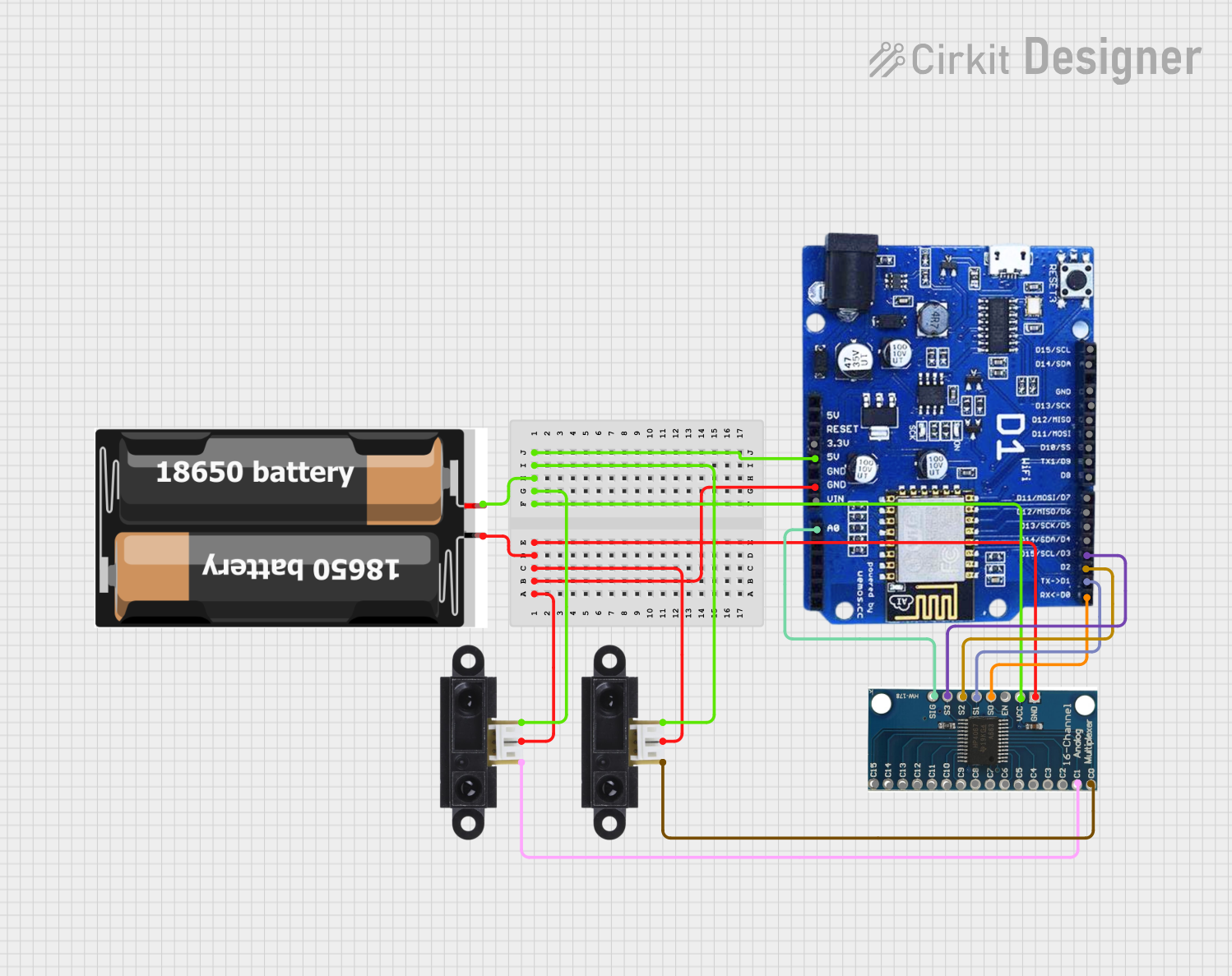 Open Project in Cirkit Designer
Explore Projects Built with PCM1822IRTER
Open Project in Cirkit DesignerOpen Project in Cirkit DesignerOpen Project in Cirkit DesignerOpen Project in Cirkit DesignerCommon Applications
- Audio recording devices
- Professional audio equipment
- Consumer electronics (e.g., TVs, soundbars, and home theater systems)
- Voice recognition systems
- Musical instruments and audio effects processors
Technical Specifications
Key Technical Details
| Parameter | Value |
|---|---|
| Resolution | 24-bit |
| Sampling Rate | Up to 192 kHz |
| Input Channels | 2 (Stereo) |
| Analog Input Type | Differential or Single-Ended |
| Signal-to-Noise Ratio (SNR) | 103 dB (typical) |
| Total Harmonic Distortion + Noise (THD+N) | -93 dB (typical) |
| Power Supply Voltage | 3.3 V (Digital), 3.3 V or 5 V (Analog) |
| Power Consumption | 14 mW (typical, at 3.3 V) |
| Digital Audio Interface | I²S, Left-Justified, or TDM |
| Package Type | 16-pin WQFN (RTE) |
Pin Configuration and Descriptions
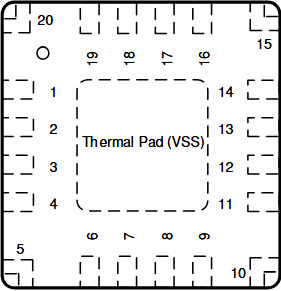
The PCM1822IRTER is available in a 16-pin WQFN package. Below is the pinout and description:
| Pin No. | Name | Type | Description |
|---|---|---|---|
| 1 | VREF | Analog | Reference voltage for ADC |
| 2 | VINL+ | Analog | Positive input for left channel |
| 3 | VINL- | Analog | Negative input for left channel |
| 4 | VINR+ | Analog | Positive input for right channel |
| 5 | VINR- | Analog | Negative input for right channel |
| 6 | GND | Ground | Ground connection |
| 7 | VDD | Power | Digital power supply (3.3 V) |
| 8 | LRCK | Digital I/O | Left/Right clock for I²S or TDM interface |
| 9 | BCK | Digital I/O | Bit clock for I²S or TDM interface |
| 10 | DIN | Digital I/O | Data input for TDM mode |
| 11 | DOUT | Digital O | Data output for I²S or TDM interface |
| 12 | SCK | Digital I | System clock input |
| 13 | SDA | Digital I/O | I²C data line |
| 14 | SCL | Digital I | I²C clock line |
| 15 | RESET | Digital I | Active-low reset input |
| 16 | VCCA | Power | Analog power supply (3.3 V or 5 V) |
Usage Instructions
How to Use the PCM1822IRTER in a Circuit
- Power Supply: Connect the digital power supply (VDD) to 3.3 V and the analog power supply (VCCA) to either 3.3 V or 5 V, depending on your design requirements. Ensure proper decoupling capacitors are placed near the power pins.
- Analog Inputs: Connect the audio signal to the differential or single-ended input pins (VINL+, VINL-, VINR+, VINR-). Use appropriate coupling capacitors to block DC components.
- Clock Configuration: Provide a stable system clock (SCK) to the device. The clock frequency should match the desired sampling rate and audio interface configuration.
- Digital Audio Interface: Configure the I²S, Left-Justified, or TDM interface using the LRCK, BCK, and DOUT pins. Ensure the host processor or microcontroller is configured to match the PCM1822IRTER's audio format.
- I²C Communication: Use the SDA and SCL pins to configure the device via the I²C interface. This allows you to set parameters such as sampling rate, input gain, and digital filter options.
- Reset: Use the RESET pin to initialize the device during power-up or after a fault condition.
Important Considerations and Best Practices
- Grounding: Ensure a solid ground plane to minimize noise and interference.
- Decoupling: Place decoupling capacitors (e.g., 0.1 µF and 10 µF) close to the power supply pins to ensure stable operation.
- Input Impedance: Match the input impedance of the ADC to the source impedance for optimal performance.
- Clock Jitter: Minimize clock jitter to maintain high audio quality.
- Thermal Management: Although the PCM1822IRTER has low power consumption, ensure adequate thermal dissipation in high-temperature environments.
Example: Connecting PCM1822IRTER to an Arduino UNO
Below is an example of how to interface the PCM1822IRTER with an Arduino UNO using the I²C interface:
#include <Wire.h> // Include the Wire library for I²C communication

#define PCM1822_I2C_ADDRESS 0x4C // Default I²C address of PCM1822IRTER

void setup() {
  Wire.begin(); // Initialize I²C communication
  Serial.begin(9600); // Initialize serial communication for debugging

  // Reset the PCM1822IRTER
  pinMode(7, OUTPUT); // Assume RESET pin is connected to Arduino pin 7
  digitalWrite(7, LOW); // Hold RESET low
  delay(10); // Wait for 10 ms
  digitalWrite(7, HIGH); // Release RESET
  delay(10); // Wait for the device to initialize

  // Configure the PCM1822IRTER via I²C
  Wire.beginTransmission(PCM1822_I2C_ADDRESS);
  Wire.write(0x00); // Write to a configuration register (example)
  Wire.write(0x01); // Example value to configure the device
  Wire.endTransmission();

  Serial.println("PCM1822IRTER initialized.");
}

void loop() {
  // Main loop can handle audio data processing
}
Troubleshooting and FAQs
Common Issues and Solutions
No Output Signal:
- Ensure the system clock (SCK) is stable and matches the required frequency.
- Verify that the RESET pin is properly initialized during startup.
- Check the I²C configuration to ensure the device is correctly set up.
Distorted Audio:
- Verify that the input signal levels do not exceed the maximum input range of the ADC.
- Check for proper grounding and minimize noise in the analog input path.
- Ensure the clock jitter is within acceptable limits.
I²C Communication Failure:
- Confirm the I²C address of the PCM1822IRTER matches the address used in the code.
- Check the pull-up resistors on the SDA and SCL lines.
High Noise or Low SNR:
- Ensure proper decoupling capacitors are used on the power supply pins.
- Verify that the input impedance matches the source impedance.
FAQs
Q: Can the PCM1822IRTER operate with a single-ended input?
A: Yes, the PCM1822IRTER supports both differential and single-ended inputs. For single-ended operation, connect the negative input pin (e.g., VINL-) to ground.
Q: What is the maximum sampling rate supported?
A: The PCM1822IRTER supports sampling rates of up to 192 kHz.
Q: Does the PCM1822IRTER require an external clock source?
A: Yes, the device requires a stable system clock (SCK) for proper operation. The clock frequency should match the desired sampling rate and audio interface configuration.
Q: Can the PCM1822IRTER be used in battery-powered devices?
A: Yes, its low power consumption (14 mW typical) makes it suitable for battery-powered applications.
This concludes the documentation for the PCM1822IRTER. For further details, refer to the official Texas Instruments datasheet.