
How to Use L298N DC motor driver: Examples, Pinouts, and Specs
 Design with L298N DC motor driver in Cirkit Designer
Introduction
The L298N is a dual H-bridge motor driver that allows control of the direction and speed of DC motors. It is capable of driving two DC motors simultaneously, making it an essential component in robotics and automation projects. The module can handle motors with operating voltages between 5V and 35V and currents up to 2A per channel. Its versatility and ease of use make it a popular choice for hobbyists and professionals alike.
Explore Projects Built with L298N DC motor driver
 Open Project in Cirkit Designer
 Open Project in Cirkit Designer
 Open Project in Cirkit Designer
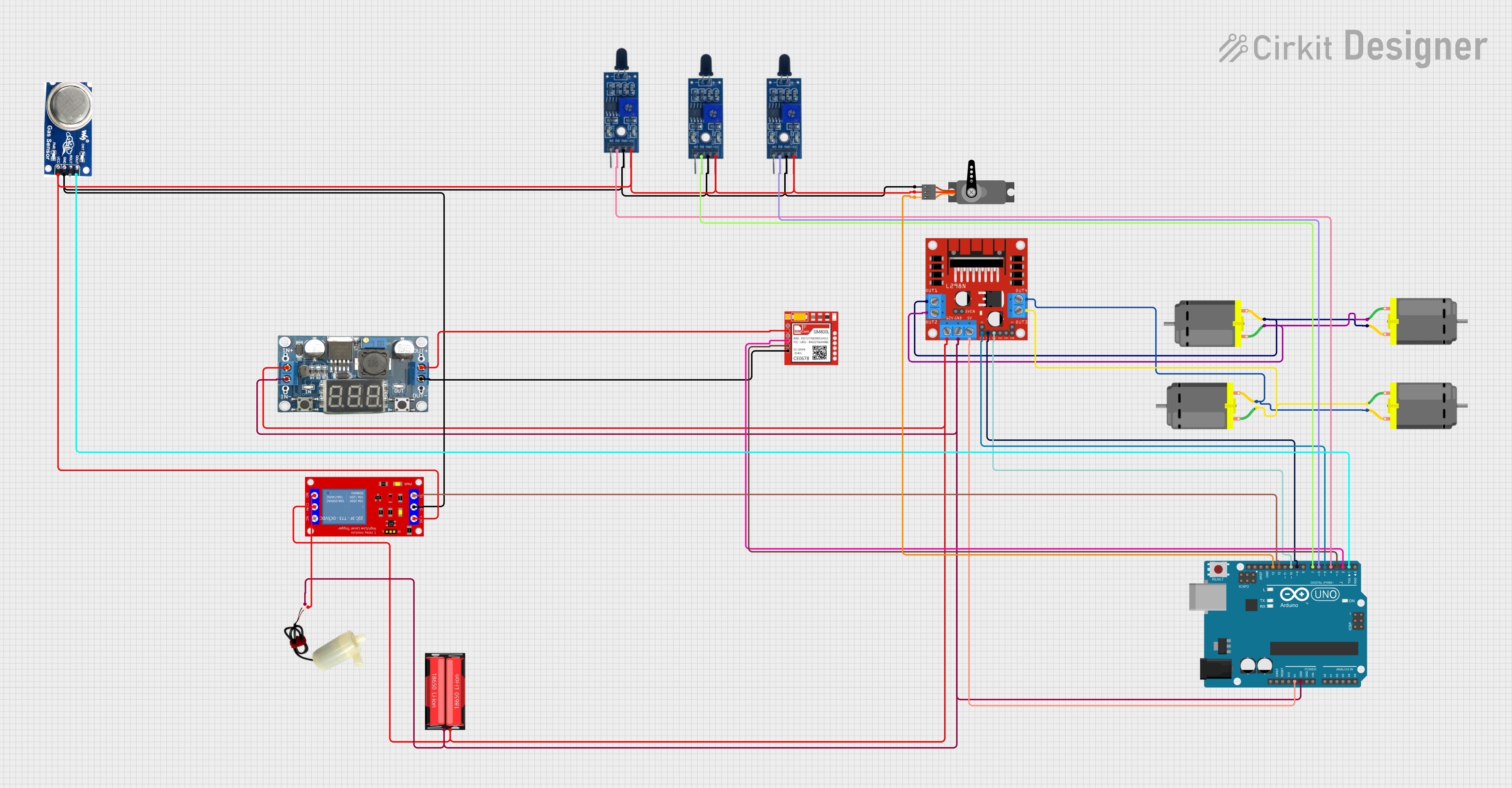 Open Project in Cirkit Designer
Explore Projects Built with L298N DC motor driver
Open Project in Cirkit DesignerOpen Project in Cirkit DesignerOpen Project in Cirkit DesignerOpen Project in Cirkit DesignerCommon Applications
- Robotics: Controlling wheels or tracks in mobile robots
- Automation: Driving conveyor belts or actuators
- DIY projects: Building remote-controlled cars or robotic arms
- Educational purposes: Learning motor control and H-bridge concepts
Technical Specifications
Below are the key technical details of the L298N motor driver module:
| Parameter | Value |
|---|---|
| Operating Voltage | 5V to 35V |
| Output Current | Up to 2A per channel |
| Logic Voltage | 5V |
| Logic Current | 0-36mA |
| Power Dissipation | 25W (with proper heat sinking) |
| Control Signal Voltage | 4.5V to 7V (high logic level) |
| Number of Channels | 2 (dual H-bridge) |
| Dimensions | 43mm x 43mm x 27mm |
Pin Configuration and Descriptions
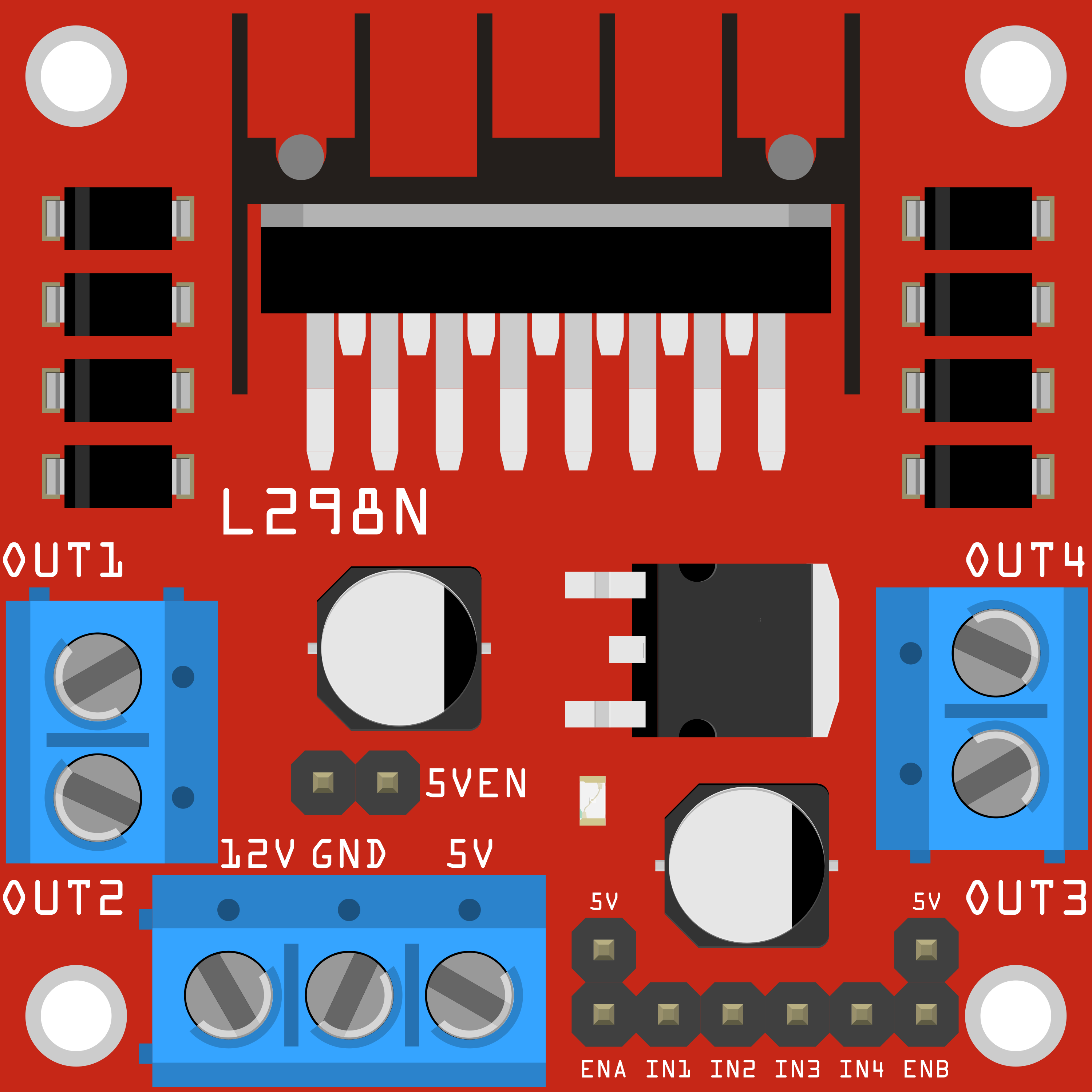
The L298N module has several pins and terminals for motor control and power input. Below is a detailed description:
Power and Motor Terminals
| Pin/Terminal | Description |
|---|---|
| VCC | Power supply for motors (5V to 35V) |
| GND | Ground connection |
| 5V | Regulated 5V output (used if onboard regulator is active) |
| OUT1 | Output for Motor A (positive terminal) |
| OUT2 | Output for Motor A (negative terminal) |
| OUT3 | Output for Motor B (positive terminal) |
| OUT4 | Output for Motor B (negative terminal) |
Control Pins
| Pin | Description |
|---|---|
| ENA | Enable pin for Motor A (PWM input for speed control) |
| IN1 | Input 1 for Motor A (direction control) |
| IN2 | Input 2 for Motor A (direction control) |
| ENB | Enable pin for Motor B (PWM input for speed control) |
| IN3 | Input 3 for Motor B (direction control) |
| IN4 | Input 4 for Motor B (direction control) |
Usage Instructions
How to Use the L298N in a Circuit
- Power the Module: Connect the motor power supply to the
VCCterminal and ground to theGNDterminal. If the motor voltage exceeds 12V, ensure the onboard 5V regulator is enabled by removing the jumper on the5Vpin. - Connect Motors: Attach the DC motors to the
OUT1,OUT2,OUT3, andOUT4terminals. Each motor requires two terminals. - Control Pins: Connect the control pins (
ENA,ENB,IN1,IN2,IN3,IN4) to a microcontroller or other control circuit. Use PWM signals onENAandENBfor speed control. - Direction Control: Use the
IN1/IN2pair for Motor A andIN3/IN4pair for Motor B to set the direction of rotation.
Important Considerations
- Heat Dissipation: The L298N can get hot during operation. Use a heat sink or active cooling for high-current applications.
- Power Supply: Ensure the motor power supply matches the voltage and current requirements of your motors.
- Logic Voltage: The control pins operate at 5V logic levels. Use level shifters if interfacing with 3.3V systems.
Example: Connecting to an Arduino UNO
Below is an example of how to control a single DC motor using the L298N and an Arduino UNO:
Circuit Connections
- Connect
ENAto Arduino pin 9 (PWM output). - Connect
IN1to Arduino pin 8. - Connect
IN2to Arduino pin 7. - Connect the motor to
OUT1andOUT2. - Connect the motor power supply to
VCCandGND.
Arduino Code
// Define control pins for Motor A
#define ENA 9  // PWM pin for speed control
#define IN1 8  // Direction control pin 1
#define IN2 7  // Direction control pin 2

void setup() {
  // Set motor control pins as outputs
  pinMode(ENA, OUTPUT);
  pinMode(IN1, OUTPUT);
  pinMode(IN2, OUTPUT);
}

void loop() {
  // Rotate motor forward at 50% speed
  analogWrite(ENA, 128); // Set speed (0-255)
  digitalWrite(IN1, HIGH); // Set direction
  digitalWrite(IN2, LOW);
  delay(2000); // Run for 2 seconds

  // Rotate motor backward at 75% speed
  analogWrite(ENA, 192); // Set speed (0-255)
  digitalWrite(IN1, LOW); // Set direction
  digitalWrite(IN2, HIGH);
  delay(2000); // Run for 2 seconds

  // Stop the motor
  analogWrite(ENA, 0); // Set speed to 0
  delay(2000); // Wait for 2 seconds
}
Troubleshooting and FAQs
Common Issues
Motor Not Spinning
- Cause: Incorrect wiring or insufficient power supply.
- Solution: Double-check all connections and ensure the power supply meets the motor's requirements.
Overheating
- Cause: High current draw or insufficient cooling.
- Solution: Add a heat sink or active cooling to the L298N module.
Motor Spins in One Direction Only
- Cause: Faulty or incorrect control signals.
- Solution: Verify the logic levels on the
IN1,IN2,IN3, andIN4pins.
PWM Speed Control Not Working
- Cause: Incorrect PWM signal or damaged
ENA/ENBpins. - Solution: Ensure the PWM signal is properly configured and test with a different pin.
- Cause: Incorrect PWM signal or damaged
FAQs
Can the L298N drive stepper motors? Yes, the L298N can control stepper motors by using both H-bridge channels. However, additional logic is required to sequence the motor phases.
What is the maximum motor voltage the L298N can handle? The module supports motor voltages up to 35V.
Can I use the L298N with a 3.3V microcontroller? The L298N requires 5V logic levels. Use a level shifter to interface with 3.3V systems.