Cirkit Designer Logo
Cirkit Designer
Your all-in-one circuit design IDE
Home / 
Component Documentation

How to Use LR44/AG13 Button Cell: Examples, Pinouts, and Specs
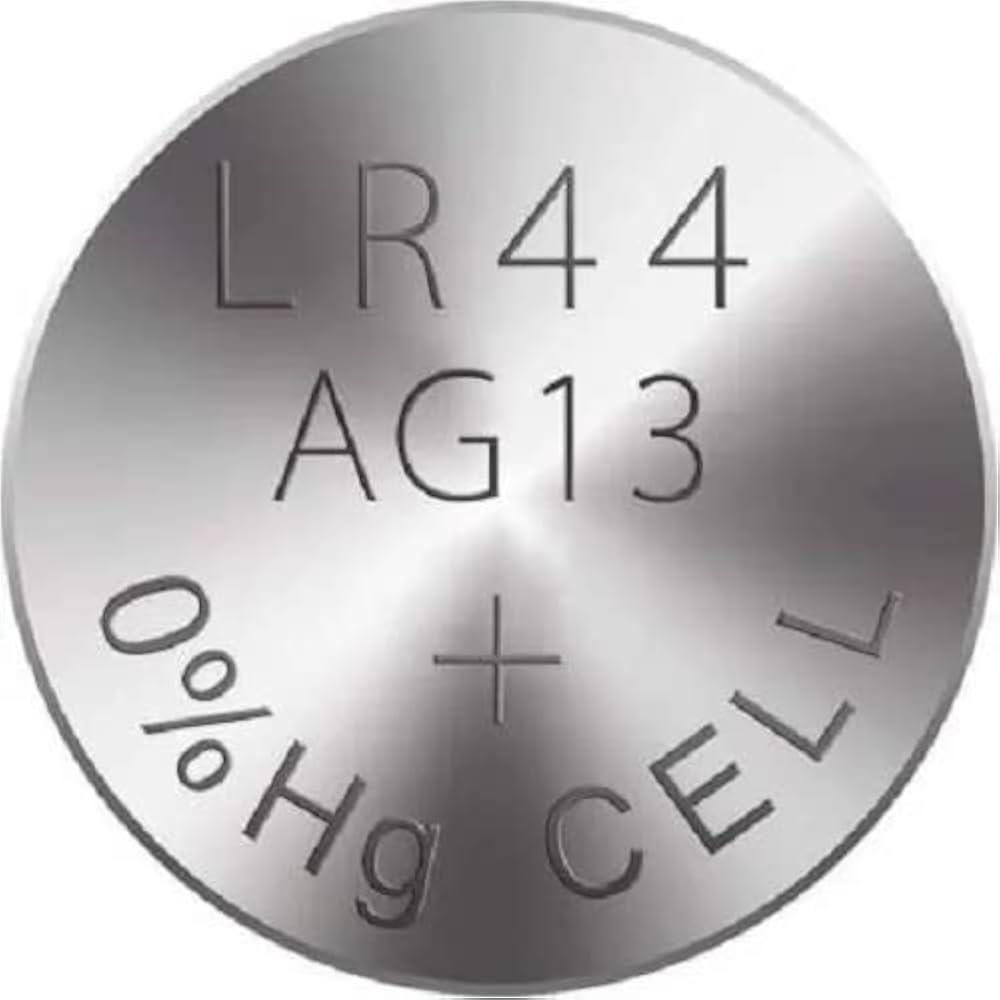

Image of LR44/AG13 Button Cell
Cirkit Designer LogoDesign with LR44/AG13 Button Cell in Cirkit Designer

Introduction

The LR44/AG13 button cell, manufactured by Duracell (Manufacturer Part ID: AG13), is a small, round, non-rechargeable battery widely used in compact electronic devices. It provides a nominal voltage of 1.5V and is known for its reliable performance and long shelf life. This battery is commonly found in devices such as watches, calculators, laser pointers, toys, and small medical instruments like digital thermometers.

Explore Projects Built with LR44/AG13 Button Cell
Use Cirkit Designer to design, explore, and prototype these projects online. Some projects support real-time simulation. Click "Open Project" to start designing instantly!
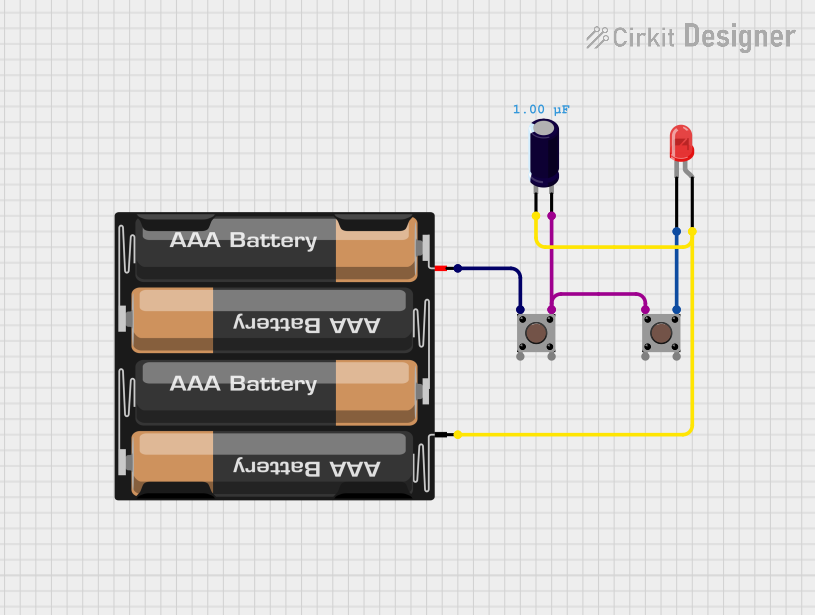
Battery-Powered LED Circuit with Pushbutton Control and Capacitance Smoothing
Image of Coding and Robotics activity 3: A project utilizing LR44/AG13 Button Cell in a practical application
This circuit consists of a 4 x AAA battery mount providing power, two pushbuttons acting as switches, an electrolytic capacitor for smoothing voltage fluctuations, and a red LED as an indicator. The LED lights up when either pushbutton is pressed, with the capacitor likely serving to debounce the pushbutton signal or provide a more stable LED operation. There is no microcontroller in this circuit, indicating a simple, direct-control user interface.
Cirkit Designer LogoOpen Project in Cirkit Designer
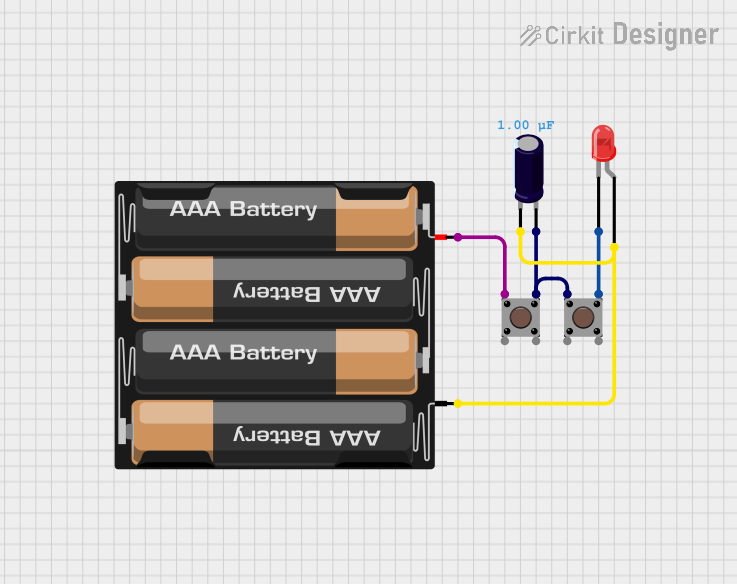
Battery-Powered LED Circuit with Pushbutton Control
Image of Coding Midterm Assignment 3: A project utilizing LR44/AG13 Button Cell in a practical application
This circuit consists of a 4 x AAA battery mount connected in series with two pushbuttons and an LED. The electrolytic capacitor is connected across the LED, likely for noise suppression or to prevent voltage spikes. The circuit is designed to light up the LED when both pushbuttons are pressed, with the capacitor providing some form of transient protection or smoothing.
Cirkit Designer LogoOpen Project in Cirkit Designer
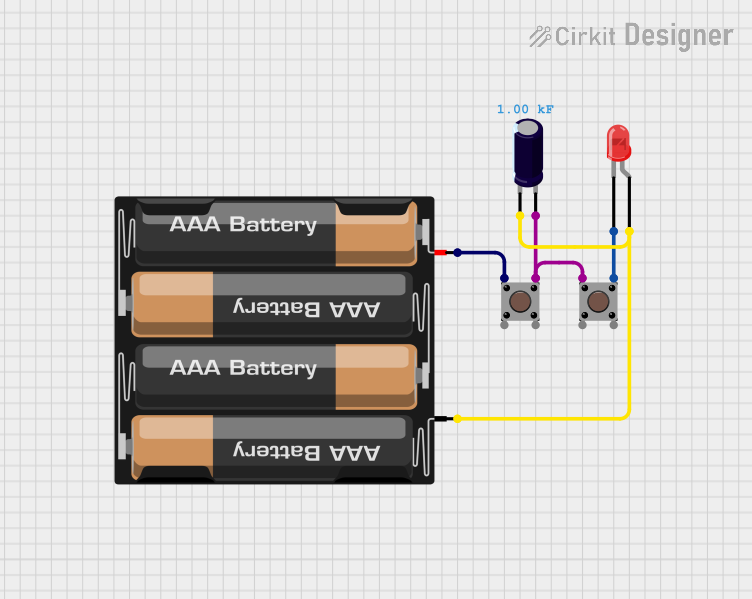
Pushbutton-Controlled LED Circuit with Capacitor Smoothing
Image of cirkit designer project3: A project utilizing LR44/AG13 Button Cell in a practical application
This is a simple pushbutton-controlled LED circuit with a voltage stabilization or power reserve feature provided by an electrolytic capacitor. Pressing either pushbutton will complete the circuit, allowing current to flow from the 4 x AAA batteries through the LED, causing it to illuminate.
Cirkit Designer LogoOpen Project in Cirkit Designer
Cellular-Enabled IoT Device with Real-Time Clock and Power Management
Image of LRCM PHASE 2 BASIC: A project utilizing LR44/AG13 Button Cell in a practical application
This circuit features a LilyGo-SIM7000G module for cellular communication and GPS functionality, interfaced with an RTC DS3231 for real-time clock capabilities. It includes voltage sensing through two voltage sensor modules, and uses an 8-channel opto-coupler for isolating different parts of the circuit. Power management is handled by a buck converter connected to a DC power source and batteries, with a fuse for protection and a rocker switch for on/off control. Additionally, there's an LED for indication purposes.
Cirkit Designer LogoOpen Project in Cirkit Designer

Explore Projects Built with LR44/AG13 Button Cell

Use Cirkit Designer to design, explore, and prototype these projects online. Some projects support real-time simulation. Click "Open Project" to start designing instantly!
Image of Coding and Robotics activity 3: A project utilizing LR44/AG13 Button Cell in a practical application
Battery-Powered LED Circuit with Pushbutton Control and Capacitance Smoothing
This circuit consists of a 4 x AAA battery mount providing power, two pushbuttons acting as switches, an electrolytic capacitor for smoothing voltage fluctuations, and a red LED as an indicator. The LED lights up when either pushbutton is pressed, with the capacitor likely serving to debounce the pushbutton signal or provide a more stable LED operation. There is no microcontroller in this circuit, indicating a simple, direct-control user interface.
Cirkit Designer LogoOpen Project in Cirkit Designer
Image of Coding Midterm Assignment 3: A project utilizing LR44/AG13 Button Cell in a practical application
Battery-Powered LED Circuit with Pushbutton Control
This circuit consists of a 4 x AAA battery mount connected in series with two pushbuttons and an LED. The electrolytic capacitor is connected across the LED, likely for noise suppression or to prevent voltage spikes. The circuit is designed to light up the LED when both pushbuttons are pressed, with the capacitor providing some form of transient protection or smoothing.
Cirkit Designer LogoOpen Project in Cirkit Designer
Image of cirkit designer project3: A project utilizing LR44/AG13 Button Cell in a practical application
Pushbutton-Controlled LED Circuit with Capacitor Smoothing
This is a simple pushbutton-controlled LED circuit with a voltage stabilization or power reserve feature provided by an electrolytic capacitor. Pressing either pushbutton will complete the circuit, allowing current to flow from the 4 x AAA batteries through the LED, causing it to illuminate.
Cirkit Designer LogoOpen Project in Cirkit Designer
Image of LRCM PHASE 2 BASIC: A project utilizing LR44/AG13 Button Cell in a practical application
Cellular-Enabled IoT Device with Real-Time Clock and Power Management
This circuit features a LilyGo-SIM7000G module for cellular communication and GPS functionality, interfaced with an RTC DS3231 for real-time clock capabilities. It includes voltage sensing through two voltage sensor modules, and uses an 8-channel opto-coupler for isolating different parts of the circuit. Power management is handled by a buck converter connected to a DC power source and batteries, with a fuse for protection and a rocker switch for on/off control. Additionally, there's an LED for indication purposes.
Cirkit Designer LogoOpen Project in Cirkit Designer

Technical Specifications

The LR44/AG13 button cell is designed to deliver consistent power for low-drain devices. Below are its key technical specifications:

Parameter Specification
Manufacturer Duracell
Manufacturer Part ID AG13
Battery Type Alkaline
Nominal Voltage 1.5V
Nominal Capacity ~110-130 mAh
Diameter 11.6 mm
Height 5.4 mm
Weight ~2 grams
Operating Temperature -10°C to 50°C
Shelf Life Up to 5 years

Pin Configuration and Descriptions

The LR44/AG13 button cell has two terminals:

Terminal Description
Positive (+) The flat side of the battery, marked with a "+" symbol.
Negative (-) The rounded side of the battery.

Usage Instructions

How to Use the LR44/AG13 Button Cell in a Circuit

  1. Identify the Terminals: Ensure you correctly identify the positive (+) and negative (-) terminals of the battery.
  2. Insert into Battery Holder: Place the battery into a compatible battery holder or device, ensuring proper polarity alignment.
  3. Connect to Circuit: If using in a custom circuit, connect the positive terminal to the positive rail and the negative terminal to the ground rail.
  4. Power the Device: Once connected, the battery will supply 1.5V to the circuit.

Important Considerations and Best Practices

  • Polarity: Always ensure the correct polarity when inserting the battery into a device or circuit. Reversing the polarity may damage the device.
  • Battery Holder: Use a secure and appropriately sized battery holder to prevent accidental disconnection.
  • Avoid Short Circuits: Do not short-circuit the terminals, as this can cause the battery to overheat or leak.
  • Storage: Store unused batteries in a cool, dry place to maximize shelf life.
  • Disposal: Dispose of used batteries responsibly, following local recycling regulations.

Example: Using LR44/AG13 with an Arduino UNO

While the LR44/AG13 is not directly compatible with Arduino UNO due to its low voltage, it can be used to power small peripheral devices like sensors or LEDs. Below is an example of using the LR44/AG13 to power an LED:

Circuit Diagram

  • Connect the positive terminal of the LR44/AG13 to the anode (+) of the LED.
  • Connect the cathode (-) of the LED to a 220-ohm resistor.
  • Connect the other end of the resistor to the negative terminal of the battery.

Code Example

No code is required for this simple circuit, as the LED is powered directly by the battery.

Troubleshooting and FAQs

Common Issues and Solutions

  1. Device Not Powering On:

    • Cause: Incorrect polarity or depleted battery.
    • Solution: Check the polarity and replace the battery if necessary.
  2. Battery Leaking:

    • Cause: Overuse or exposure to high temperatures.
    • Solution: Replace the battery immediately and clean the device contacts.
  3. Short Battery Life:

    • Cause: High-drain device or continuous use.
    • Solution: Use a battery with higher capacity or turn off the device when not in use.
  4. Corroded Terminals:

    • Cause: Prolonged exposure to moisture.
    • Solution: Clean the terminals with a dry cloth or isopropyl alcohol.

FAQs

Q1: Can the LR44/AG13 be recharged?
A1: No, the LR44/AG13 is a non-rechargeable alkaline battery. Attempting to recharge it may cause leakage or explosion.

Q2: What is the difference between LR44 and AG13?
A2: LR44 and AG13 are interchangeable names for the same battery type. "LR44" is the IEC designation, while "AG13" is a common manufacturer designation.

Q3: Can I use an LR44/AG13 in place of an SR44 battery?
A3: While both have the same size, the SR44 (silver oxide) battery has a higher capacity and more stable voltage. Use SR44 if your device requires it.

Q4: How do I know when the battery is depleted?
A4: Devices may stop functioning or display a low-battery warning. You can also measure the voltage with a multimeter; if it drops below 1.2V, the battery is near depletion.

By following this documentation, users can effectively utilize the LR44/AG13 button cell in their devices and circuits.