
How to Use Relay Omron MY2N: Examples, Pinouts, and Specs
 Design with Relay Omron MY2N in Cirkit Designer
Introduction
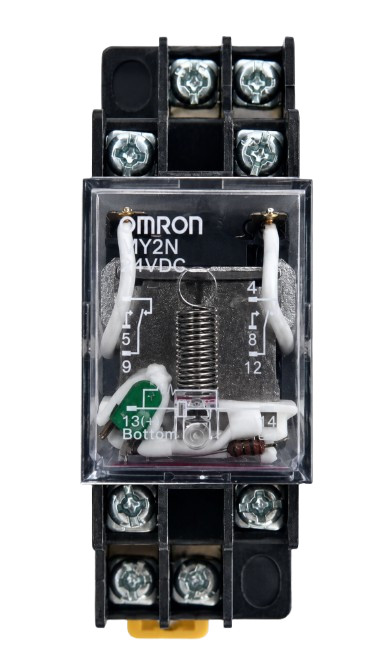
The Omron MY2N is a general-purpose electromagnetic relay with a Double Pole Double Throw (DPDT) configuration. It is designed to switch high currents and voltages while maintaining a compact and reliable form factor. This relay is widely used in automation, industrial control systems, and general-purpose switching applications. Its high durability and dependable performance make it a popular choice for engineers and hobbyists alike.
Explore Projects Built with Relay Omron MY2N
 Open Project in Cirkit Designer
 Open Project in Cirkit Designer
 Open Project in Cirkit Designer
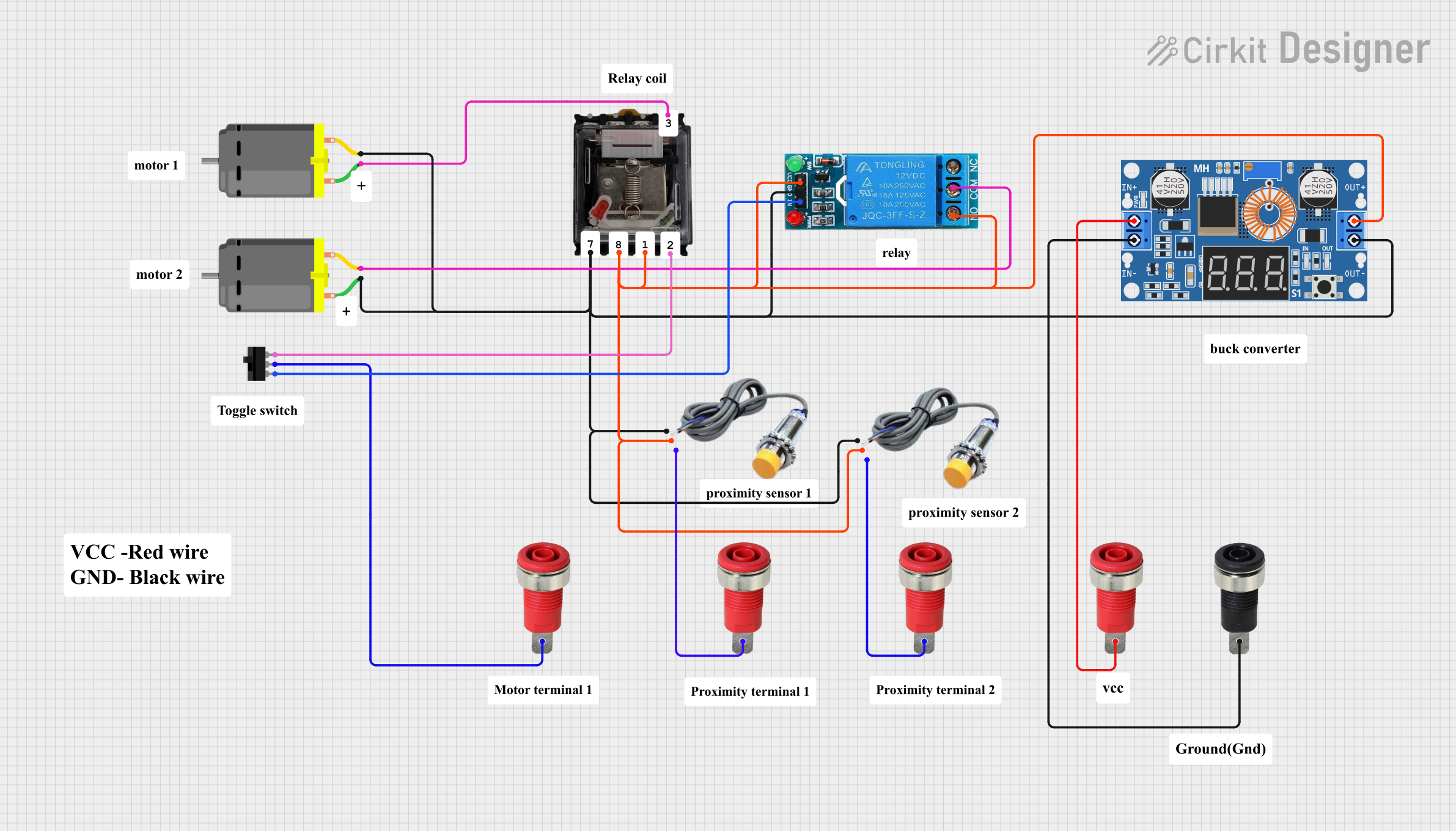 Open Project in Cirkit Designer
Explore Projects Built with Relay Omron MY2N
Open Project in Cirkit DesignerOpen Project in Cirkit DesignerOpen Project in Cirkit DesignerOpen Project in Cirkit DesignerCommon Applications
- Industrial automation and control systems
- Motor control circuits
- Signal switching in electronic devices
- Home automation projects
- Power distribution and load management
Technical Specifications
Below are the key technical details of the Omron MY2N relay:
| Parameter | Value |
|---|---|
| Coil Voltage | 6V, 12V, 24V, 48V, 110V, 220V DC/AC |
| Contact Configuration | DPDT (Double Pole Double Throw) |
| Contact Rating | 5A at 250VAC / 30VDC |
| Coil Resistance | Varies by coil voltage (e.g., 160Ω for 24V DC) |
| Operating Time | Approx. 20 ms |
| Release Time | Approx. 20 ms |
| Insulation Resistance | 100 MΩ minimum at 500VDC |
| Dielectric Strength | 2000VAC between coil and contacts |
| Mechanical Durability | 50 million operations |
| Electrical Durability | 500,000 operations (at rated load) |
| Ambient Operating Temperature | -55°C to 70°C |
| Dimensions | 28 x 21.5 x 36 mm |
Pin Configuration and Descriptions
The Omron MY2N relay has 8 pins, which are configured as follows:
| Pin Number | Description |
|---|---|
| 1 | Coil Terminal 1 |
| 2 | Coil Terminal 2 |
| 3 | Common Terminal for Pole 1 (COM1) |
| 4 | Normally Open Contact for Pole 1 (NO1) |
| 5 | Normally Closed Contact for Pole 1 (NC1) |
| 6 | Common Terminal for Pole 2 (COM2) |
| 7 | Normally Open Contact for Pole 2 (NO2) |
| 8 | Normally Closed Contact for Pole 2 (NC2) |
Usage Instructions
How to Use the Omron MY2N in a Circuit
- Power the Coil: Connect the relay's coil terminals (pins 1 and 2) to a DC or AC voltage source that matches the relay's rated coil voltage. Ensure the power supply can provide sufficient current to energize the coil.
- Connect the Load:
- For Pole 1: Connect the load to the common terminal (pin 3) and either the normally open (pin 4) or normally closed (pin 5) contact, depending on the desired switching behavior.
- For Pole 2: Similarly, connect the load to the common terminal (pin 6) and either the normally open (pin 7) or normally closed (pin 8) contact.
- Switching Behavior: When the coil is energized, the normally open (NO) contacts close, and the normally closed (NC) contacts open. When the coil is de-energized, the contacts return to their default state.
Important Considerations
- Flyback Diode: When using the relay with a DC coil, always connect a flyback diode across the coil terminals to protect the driving circuit from voltage spikes caused by the collapsing magnetic field.
- Driving the Relay: Use a transistor or MOSFET to drive the relay if the control signal cannot provide sufficient current. A base resistor is required when using a BJT transistor.
- Isolation: Ensure proper electrical isolation between the control circuit and the load circuit to prevent damage to sensitive components.
- Contact Ratings: Do not exceed the relay's contact ratings to avoid overheating or damage.
Example: Connecting the Omron MY2N to an Arduino UNO
Below is an example of how to control the Omron MY2N relay using an Arduino UNO:
Circuit Diagram
- Connect pin 1 of the relay coil to the collector of an NPN transistor (e.g., 2N2222).
- Connect pin 2 of the relay coil to the Arduino's GND.
- Place a flyback diode (e.g., 1N4007) across the coil terminals, with the cathode connected to pin 1.
- Connect the emitter of the transistor to GND.
- Connect the base of the transistor to an Arduino digital pin (e.g., pin 7) through a 1kΩ resistor.
- Connect the load to the relay's common and normally open contacts.
Arduino Code
// Define the relay control pin
const int relayPin = 7;

void setup() {
  pinMode(relayPin, OUTPUT); // Set the relay pin as an output
  digitalWrite(relayPin, LOW); // Ensure the relay is off at startup
}

void loop() {
  digitalWrite(relayPin, HIGH); // Turn the relay on
  delay(1000); // Keep the relay on for 1 second
  digitalWrite(relayPin, LOW); // Turn the relay off
  delay(1000); // Keep the relay off for 1 second
}
Troubleshooting and FAQs
Common Issues
Relay Not Switching:
- Cause: Insufficient voltage or current to the coil.
- Solution: Verify the power supply voltage and current match the relay's specifications.
Chattering or Unstable Operation:
- Cause: Noise or insufficient drive current.
- Solution: Use a decoupling capacitor near the relay coil and ensure the driving circuit provides adequate current.
Contacts Not Conducting Properly:
- Cause: Contacts may be worn or damaged.
- Solution: Check the contact surfaces and replace the relay if necessary.
Arduino Not Controlling the Relay:
- Cause: Incorrect wiring or missing flyback diode.
- Solution: Double-check the wiring and ensure a flyback diode is installed.
FAQs
Q: Can the Omron MY2N relay handle AC loads?
A: Yes, the relay can handle AC loads up to 250VAC, provided the current does not exceed 5A.
Q: Is the relay suitable for high-frequency switching?
A: No, the Omron MY2N is not designed for high-frequency switching. It is best suited for low to moderate switching frequencies.
Q: Can I use the relay without a transistor driver?
A: Only if the control signal can provide sufficient current to energize the coil. Otherwise, a transistor or MOSFET driver is recommended.
Q: What is the purpose of the flyback diode?
A: The flyback diode protects the driving circuit from voltage spikes generated when the relay coil is de-energized.