
How to Use inverter: Examples, Pinouts, and Specs
 Design with inverter in Cirkit Designer
Introduction
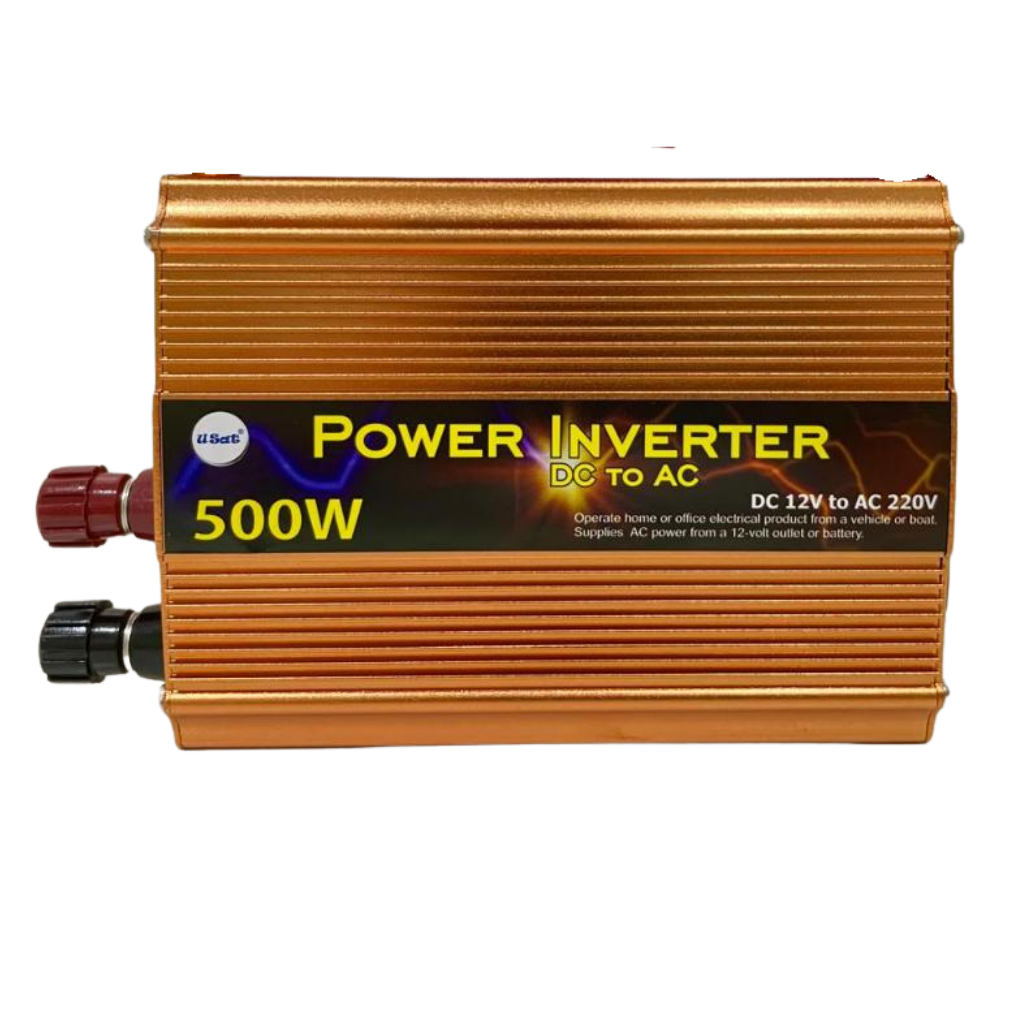
An inverter, manufactured by DEWA with the part ID AUDI VARIASI, is an electronic device designed to convert direct current (DC) into alternating current (AC). This functionality enables DC power sources, such as batteries or solar panels, to power AC devices commonly used in households, industries, and other applications.
Explore Projects Built with inverter
 Open Project in Cirkit Designer
 Open Project in Cirkit Designer
 Open Project in Cirkit Designer
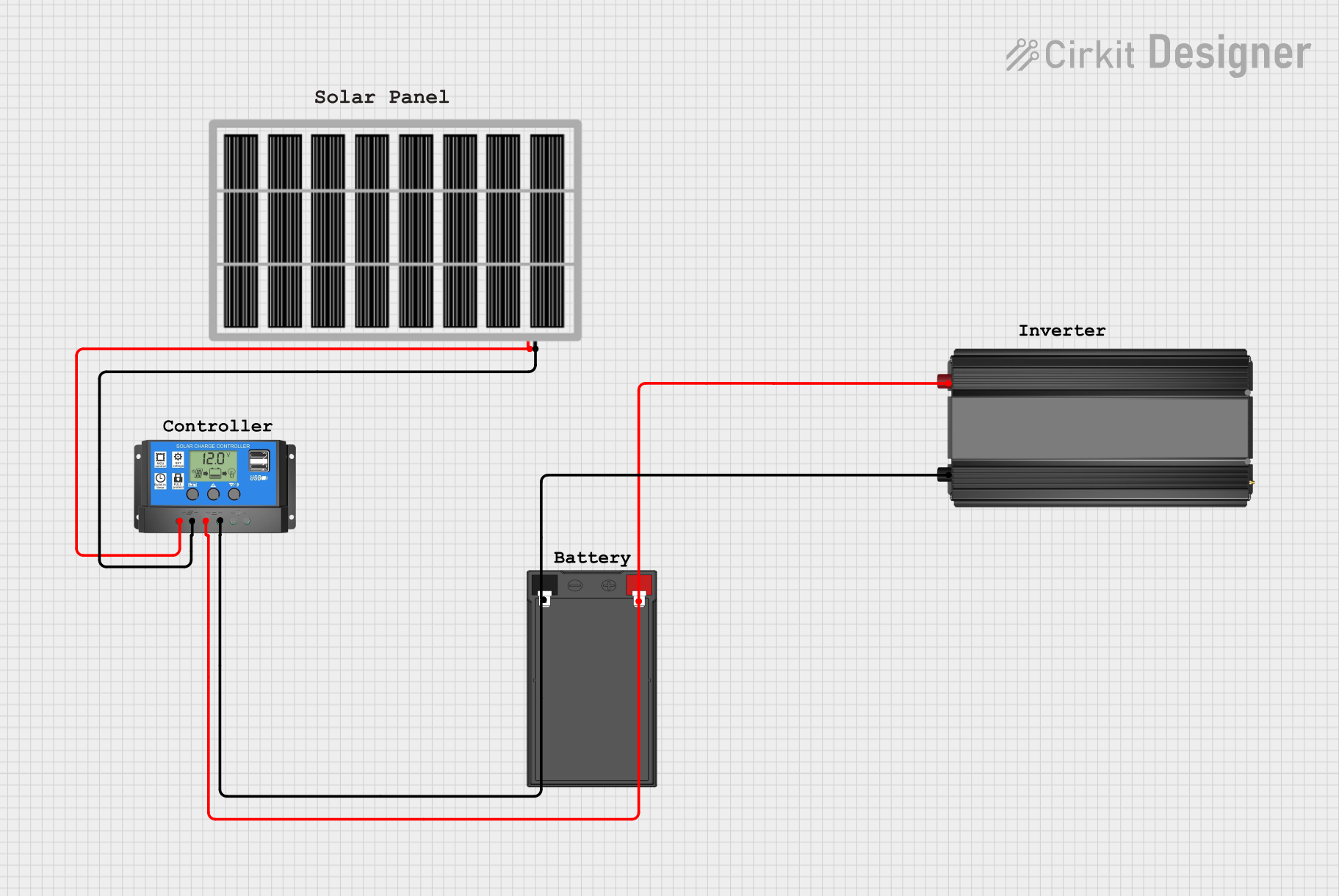 Open Project in Cirkit Designer
Explore Projects Built with inverter
Open Project in Cirkit DesignerOpen Project in Cirkit DesignerOpen Project in Cirkit DesignerOpen Project in Cirkit DesignerCommon Applications and Use Cases
- Renewable Energy Systems: Used in solar power systems to convert DC from solar panels into AC for household or grid use.
- Uninterruptible Power Supplies (UPS): Provides backup power during outages by converting battery-stored DC into AC.
- Electric Vehicles (EVs): Powers AC motors using DC from the vehicle's battery.
- Portable Power Systems: Enables the use of AC appliances in off-grid or remote locations.
- Industrial Applications: Drives AC motors and other equipment in factories.
Technical Specifications
Below are the key technical details for the DEWA AUDI VARIASI inverter:
| Parameter | Specification |
|---|---|
| Input Voltage Range | 12V DC, 24V DC, or 48V DC (model-dependent) |
| Output Voltage | 110V AC or 220V AC (model-dependent) |
| Output Frequency | 50Hz or 60Hz |
| Output Waveform | Pure Sine Wave |
| Efficiency | Up to 95% |
| Power Rating | 300W to 5000W (model-dependent) |
| Protection Features | Overload, Short Circuit, Overheat, Low Battery |
| Operating Temperature | -10°C to 50°C |
| Dimensions | Varies by model |
| Weight | Varies by model |
Pin Configuration and Descriptions
The inverter typically has the following input/output connections:
| Pin/Port | Description |
|---|---|
| DC Input (+) | Positive terminal for DC input (connect to battery or DC source). |
| DC Input (-) | Negative terminal for DC input (connect to battery or DC source). |
| AC Output (L) | Live terminal for AC output (connect to load). |
| AC Output (N) | Neutral terminal for AC output (connect to load). |
| Ground (GND) | Ground terminal for safety and proper operation. |
| USB Port (optional) | Provides DC-to-DC conversion for USB-powered devices (e.g., 5V output). |
| Cooling Fan Port | Internal cooling fan to prevent overheating during operation. |
Usage Instructions
How to Use the Inverter in a Circuit
Connect the DC Input:
- Ensure the DC source (e.g., battery) matches the inverter's input voltage rating.
- Connect the positive terminal of the DC source to the DC Input (+) pin.
- Connect the negative terminal of the DC source to the DC Input (-) pin.
Connect the AC Load:
- Connect the live wire of the AC load to the AC Output (L) terminal.
- Connect the neutral wire of the AC load to the AC Output (N) terminal.
- Optionally, connect the ground wire of the AC load to the Ground (GND) terminal.
Power On the Inverter:
- Switch on the inverter using the power button or switch (if available).
- Verify that the output voltage and frequency match the requirements of the connected load.
Monitor Operation:
- Check the inverter's status indicators (e.g., LEDs or display) for normal operation.
- Ensure the cooling fan is functioning to prevent overheating.
Important Considerations and Best Practices
- Match Voltage Ratings: Always ensure the input voltage matches the inverter's specifications to avoid damage.
- Avoid Overloading: Do not exceed the inverter's power rating to prevent overheating or shutdown.
- Use Proper Wiring: Use appropriately rated wires for both DC input and AC output connections.
- Grounding: Properly ground the inverter to ensure safety and reduce electrical noise.
- Ventilation: Place the inverter in a well-ventilated area to allow proper cooling.
- Battery Maintenance: If using a battery as the DC source, ensure it is adequately charged and maintained.
Arduino UNO Example Code
If you are using the inverter in a project with an Arduino UNO to monitor its status, you can use the following example code:
// Example: Monitor inverter status using Arduino UNO
// This code reads a digital signal from the inverter's status pin
// and displays the status on the Serial Monitor.

const int inverterStatusPin = 7; // Pin connected to inverter status output

void setup() {
  pinMode(inverterStatusPin, INPUT); // Set the pin as input
  Serial.begin(9600); // Initialize serial communication
}

void loop() {
  int status = digitalRead(inverterStatusPin); // Read the inverter status
  if (status == HIGH) {
    Serial.println("Inverter is operating normally."); // Print status to Serial Monitor
  } else {
    Serial.println("Inverter is off or in fault condition."); // Print fault status
  }
  delay(1000); // Wait for 1 second before reading again
}
Troubleshooting and FAQs
Common Issues and Solutions
| Issue | Possible Cause | Solution |
|---|---|---|
| Inverter does not turn on | Incorrect input voltage | Verify the DC input voltage matches the inverter's specifications. |
| No AC output | Faulty wiring or overload | Check all connections and ensure the load does not exceed the power rating. |
| Overheating | Poor ventilation or high ambient temperature | Ensure proper airflow and reduce the load if necessary. |
| Low battery warning | Battery voltage is too low | Recharge or replace the battery. |
| Output voltage is unstable | Faulty DC source or load fluctuations | Use a stable DC source and avoid connecting devices with high inrush current. |
FAQs
Can I use the inverter with a solar panel directly?
- No, you need a charge controller between the solar panel and the inverter to regulate the voltage and protect the battery.
What type of load can I connect to the inverter?
- The inverter supports resistive loads (e.g., lights, heaters) and some inductive loads (e.g., fans, motors), depending on its power rating.
How do I know if the inverter is overloaded?
- Most inverters have an overload protection feature that shuts down the output or triggers an alarm when overloaded.
Can I connect multiple batteries to the inverter?
- Yes, but ensure the total voltage matches the inverter's input voltage rating. Use series or parallel configurations as needed.
What is the difference between pure sine wave and modified sine wave inverters?
- Pure sine wave inverters provide cleaner and more stable AC power, suitable for sensitive electronics, while modified sine wave inverters are less expensive but may cause issues with certain devices.
By following this documentation, users can effectively utilize the DEWA AUDI VARIASI inverter for various applications while ensuring safe and efficient operation.