
How to Use UHF RFID IN-R200: Examples, Pinouts, and Specs
 Design with UHF RFID IN-R200 in Cirkit Designer
Introduction
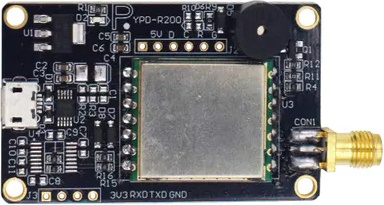
The UHF RFID IN-R200 is a high-performance RFID reader designed for long-range identification and tracking of RFID tags. Operating in the UHF frequency range, it offers fast read rates and the ability to read multiple tags simultaneously. This makes it an excellent choice for applications such as inventory management, asset tracking, and access control. Its robust design and advanced features ensure reliable performance in demanding environments.
Explore Projects Built with UHF RFID IN-R200
 Open Project in Cirkit Designer
 Open Project in Cirkit Designer
 Open Project in Cirkit Designer
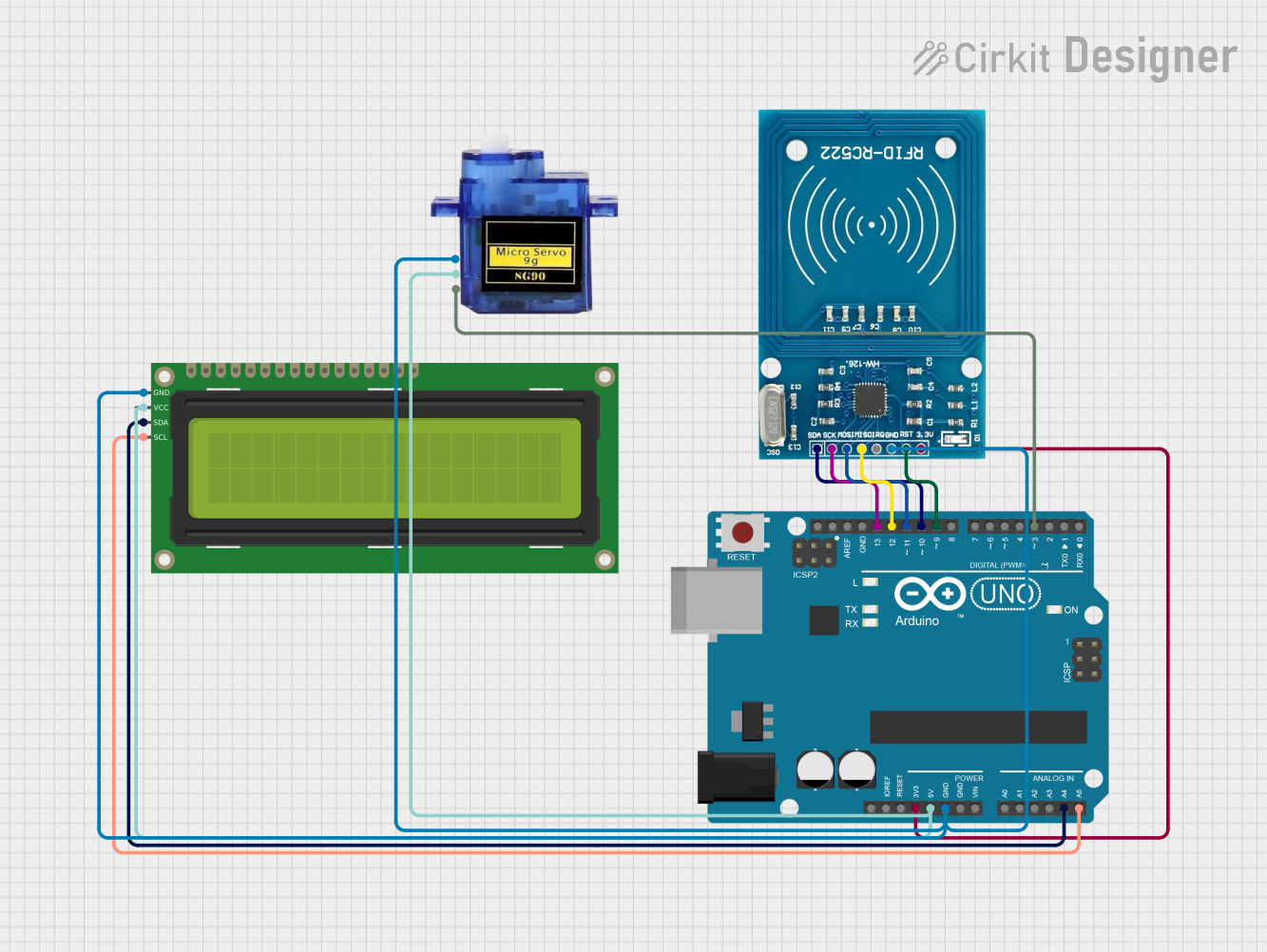 Open Project in Cirkit Designer
Explore Projects Built with UHF RFID IN-R200
Open Project in Cirkit DesignerOpen Project in Cirkit DesignerOpen Project in Cirkit DesignerOpen Project in Cirkit DesignerCommon Applications
- Inventory Management: Automates stock tracking and reduces human error.
- Asset Tracking: Monitors the location and status of valuable assets.
- Access Control: Enhances security by identifying authorized personnel or vehicles.
- Supply Chain Management: Streamlines logistics and improves operational efficiency.
Technical Specifications
Key Technical Details
| Parameter | Specification |
|---|---|
| Operating Frequency | 860 MHz – 960 MHz (UHF band) |
| Communication Protocol | EPCglobal Class 1 Gen 2 / ISO 18000-6C |
| Read Range | Up to 10 meters (depending on tag type) |
| Antenna Ports | 4 SMA connectors |
| Power Supply | 12V DC, 3A |
| Communication Interface | RS232, RS485, Ethernet, USB |
| Operating Temperature | -20°C to +55°C |
| Dimensions | 250 mm x 200 mm x 50 mm |
| Weight | 1.5 kg |
Pin Configuration and Descriptions
Power and Communication Interface
| Pin Number | Pin Name | Description |
|---|---|---|
| 1 | VCC | 12V DC power input |
| 2 | GND | Ground |
| 3 | TX (RS232) | Transmit data (RS232 interface) |
| 4 | RX (RS232) | Receive data (RS232 interface) |
| 5 | RS485+ | RS485 positive line |
| 6 | RS485- | RS485 negative line |
| 7 | Ethernet TX+ | Ethernet transmit positive |
| 8 | Ethernet TX- | Ethernet transmit negative |
| 9 | Ethernet RX+ | Ethernet receive positive |
| 10 | Ethernet RX- | Ethernet receive negative |
Usage Instructions
How to Use the UHF RFID IN-R200 in a Circuit
- Power Connection: Connect the VCC pin to a 12V DC power source and the GND pin to ground.
- Antenna Setup: Attach up to four UHF antennas to the SMA connectors for optimal coverage.
- Communication Interface: Choose the desired communication protocol (RS232, RS485, Ethernet, or USB) and connect the corresponding pins or ports to your microcontroller, PC, or network.
- Tag Placement: Ensure RFID tags are within the reader's specified range (up to 10 meters) for successful detection.
- Data Processing: Use the communication interface to receive tag data and process it in your application.
Important Considerations and Best Practices
- Antenna Placement: Position antennas to minimize interference and maximize coverage.
- Power Supply: Use a stable 12V DC power source to ensure consistent performance.
- Environmental Factors: Avoid placing the reader in areas with excessive metal or electromagnetic interference.
- Tag Orientation: Ensure RFID tags are oriented correctly for optimal readability.
- Firmware Updates: Regularly update the reader's firmware to access new features and improvements.
Example: Connecting to an Arduino UNO
The UHF RFID IN-R200 can be connected to an Arduino UNO using the RS232 interface. Below is an example code snippet to read tag data:
#include <SoftwareSerial.h>

// Define RX and TX pins for RS232 communication
SoftwareSerial RFID(10, 11); // RX = pin 10, TX = pin 11

void setup() {
  Serial.begin(9600);        // Initialize Serial Monitor
  RFID.begin(9600);          // Initialize RFID reader communication
  Serial.println("UHF RFID IN-R200 Reader Initialized");
}

void loop() {
  if (RFID.available()) {    // Check if data is available from the reader
    String tagData = "";     // Variable to store tag data
    while (RFID.available()) {
      char c = RFID.read();  // Read one character at a time
      tagData += c;          // Append character to tagData
    }
    Serial.print("Tag Detected: ");
    Serial.println(tagData); // Print tag data to Serial Monitor
  }
}
Notes:
- Use a TTL-to-RS232 converter module to interface the Arduino UNO with the UHF RFID IN-R200.
- Ensure the baud rate of the RFID reader matches the
RFID.begin()value in the code.
Troubleshooting and FAQs
Common Issues and Solutions
Reader Not Powering On
- Cause: Incorrect power supply or loose connections.
- Solution: Verify the power source provides 12V DC and check all connections.
Tags Not Being Detected
- Cause: Tags are out of range or improperly oriented.
- Solution: Ensure tags are within the 10-meter range and oriented correctly.
Intermittent Communication
- Cause: Electromagnetic interference or faulty cables.
- Solution: Use shielded cables and minimize interference sources.
Multiple Tags Not Read Simultaneously
- Cause: Reader settings may not support multi-tag reading.
- Solution: Check and configure the reader's firmware for multi-tag reading.
FAQs
Q: Can the UHF RFID IN-R200 read tags through walls?
A: The reader's ability to read through walls depends on the material. Thin, non-metallic materials may allow signal penetration, but metal will block the signal.Q: What is the maximum number of tags the reader can handle simultaneously?
A: The reader can handle up to 200 tags simultaneously, depending on tag density and environmental conditions.Q: Is the reader compatible with Linux systems?
A: Yes, the UHF RFID IN-R200 supports Linux through its Ethernet or USB interface.Q: How do I update the firmware?
A: Firmware updates can be performed via the USB interface using the manufacturer's update tool.
This concludes the documentation for the UHF RFID IN-R200. For further assistance, refer to the manufacturer's user manual or contact technical support.