
How to Use Sound sensor: Examples, Pinouts, and Specs
 Design with Sound sensor in Cirkit Designer
Introduction
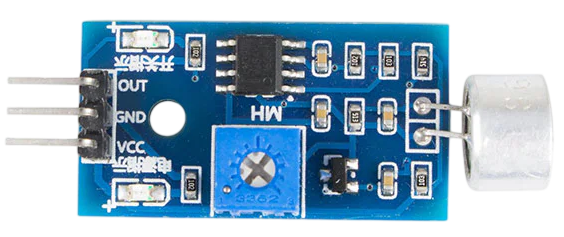
The sound sensor is a device that detects sound levels and converts them into an electrical signal. It is commonly used in applications such as voice recognition systems, noise monitoring, and automation systems. This component is ideal for projects requiring sound detection, such as clapping-activated devices, sound-based alarms, or environmental noise analysis.
Explore Projects Built with Sound sensor
 Open Project in Cirkit Designer
 Open Project in Cirkit Designer
 Open Project in Cirkit Designer
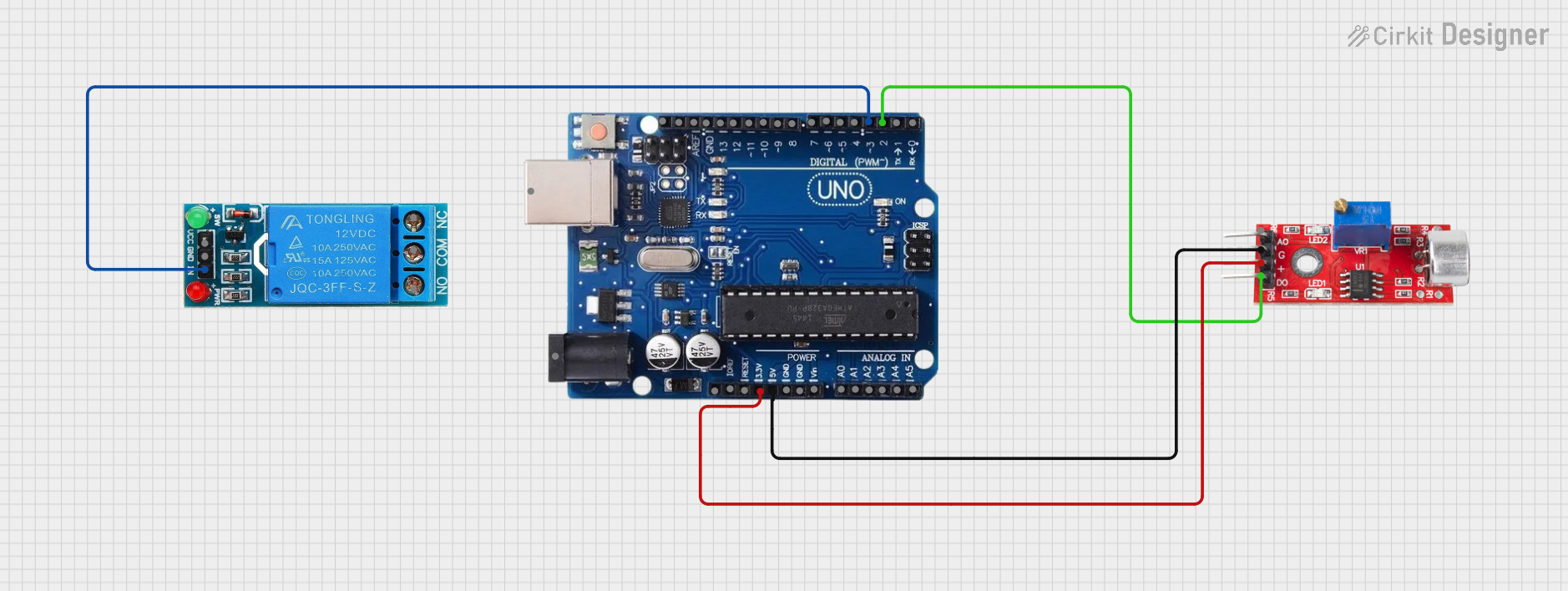 Open Project in Cirkit Designer
Explore Projects Built with Sound sensor
Open Project in Cirkit DesignerOpen Project in Cirkit DesignerOpen Project in Cirkit DesignerOpen Project in Cirkit DesignerTechnical Specifications
- Operating Voltage: 3.3V to 5V DC
- Current Consumption: ≤ 5mA
- Output Type: Analog and Digital
- Sensitivity: Adjustable via onboard potentiometer
- Frequency Range: 50Hz to 10kHz
- Dimensions: Typically 32mm x 17mm x 8mm (varies by model)
Pin Configuration and Descriptions
| Pin Name | Type | Description |
|---|---|---|
| VCC | Power | Connect to the positive supply voltage (3.3V or 5V). |
| GND | Ground | Connect to the ground of the power supply. |
| AOUT | Analog Out | Outputs an analog signal proportional to the detected sound level. |
| DOUT | Digital Out | Outputs a HIGH or LOW signal based on the sound threshold set by the potentiometer. |
Usage Instructions
Connecting the Sound Sensor
- Power the Sensor: Connect the
VCCpin to a 3.3V or 5V power source and theGNDpin to ground. - Choose Output Type:
- For analog sound level detection, connect the
AOUTpin to an analog input pin on your microcontroller. - For digital sound detection, connect the
DOUTpin to a digital input pin on your microcontroller.
- For analog sound level detection, connect the
- Adjust Sensitivity: Use the onboard potentiometer to set the desired sound threshold for the digital output.
Example Circuit with Arduino UNO
Below is an example of how to connect the sound sensor to an Arduino UNO:
VCC→ 5V on ArduinoGND→ GND on ArduinoAOUT→ A0 (Analog Pin) on ArduinoDOUT→ D2 (Digital Pin) on Arduino
Sample Code for Arduino UNO
// Sound Sensor Example Code
// This code reads both analog and digital outputs from the sound sensor
// and prints the values to the Serial Monitor.

const int analogPin = A0; // Pin connected to AOUT
const int digitalPin = 2; // Pin connected to DOUT

void setup() {
  pinMode(digitalPin, INPUT); // Set digital pin as input
  Serial.begin(9600);        // Initialize serial communication
}

void loop() {
  int analogValue = analogRead(analogPin); // Read analog value
  int digitalValue = digitalRead(digitalPin); // Read digital value

  // Print the values to the Serial Monitor
  Serial.print("Analog Value: ");
  Serial.print(analogValue);
  Serial.print(" | Digital Value: ");
  Serial.println(digitalValue);

  delay(500); // Wait for 500ms before the next reading
}
Best Practices
- Avoid placing the sensor near high-frequency noise sources, as this may interfere with its operation.
- Use a decoupling capacitor (e.g., 0.1µF) between
VCCandGNDto reduce power supply noise. - For more accurate sound detection, consider using the analog output (
AOUT) and processing the signal in software.
Troubleshooting and FAQs
Common Issues
No Output from the Sensor:
- Ensure the sensor is powered correctly (check
VCCandGNDconnections). - Verify that the potentiometer is not set too low or too high.
- Ensure the sensor is powered correctly (check
Inconsistent Readings:
- Check for loose connections or interference from nearby electronic devices.
- Use a stable power supply to avoid fluctuations.
Digital Output Always HIGH or LOW:
- Adjust the sensitivity using the potentiometer.
- Ensure the sound level exceeds the threshold for triggering the digital output.
FAQs
Q: Can the sound sensor detect specific frequencies?
A: The sound sensor is designed to detect general sound levels and is not frequency-selective. For frequency-specific detection, consider using a microphone with a bandpass filter.
Q: Can I use the sound sensor outdoors?
A: While the sensor can be used outdoors, it should be protected from moisture and extreme temperatures to ensure proper operation.
Q: How do I increase the detection range?
A: Increasing the sensitivity via the potentiometer can help, but be cautious of false triggers from background noise.
By following this documentation, you can effectively integrate the sound sensor into your projects and troubleshoot common issues.