
How to Use Grove-VOC and eCO2 Gas Sensor(SGP30): Examples, Pinouts, and Specs
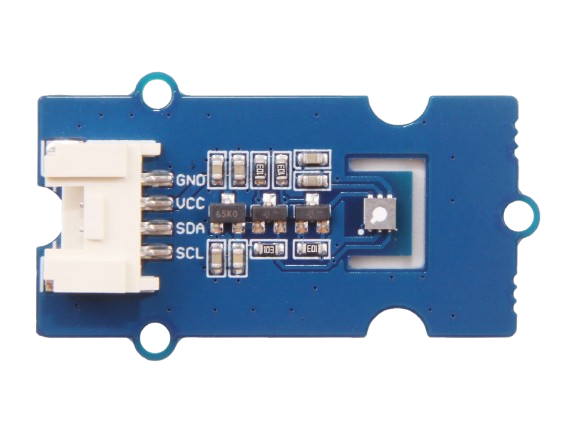
 Design with Grove-VOC and eCO2 Gas Sensor(SGP30) in Cirkit Designer
Introduction
The Grove-VOC and eCO2 Gas Sensor (SGP30) is a compact and efficient air quality sensor module designed to measure volatile organic compounds (VOCs) and equivalent CO2 (eCO2) levels in the air. It is based on the SGP30 sensor chip from Sensirion, which integrates multiple gas sensing elements on a single chip. This module is ideal for applications requiring real-time air quality monitoring, such as smart home devices, HVAC systems, air purifiers, and IoT-based environmental monitoring systems.
Explore Projects Built with Grove-VOC and eCO2 Gas Sensor(SGP30)
 Open Project in Cirkit Designer
 Open Project in Cirkit Designer
 Open Project in Cirkit Designer
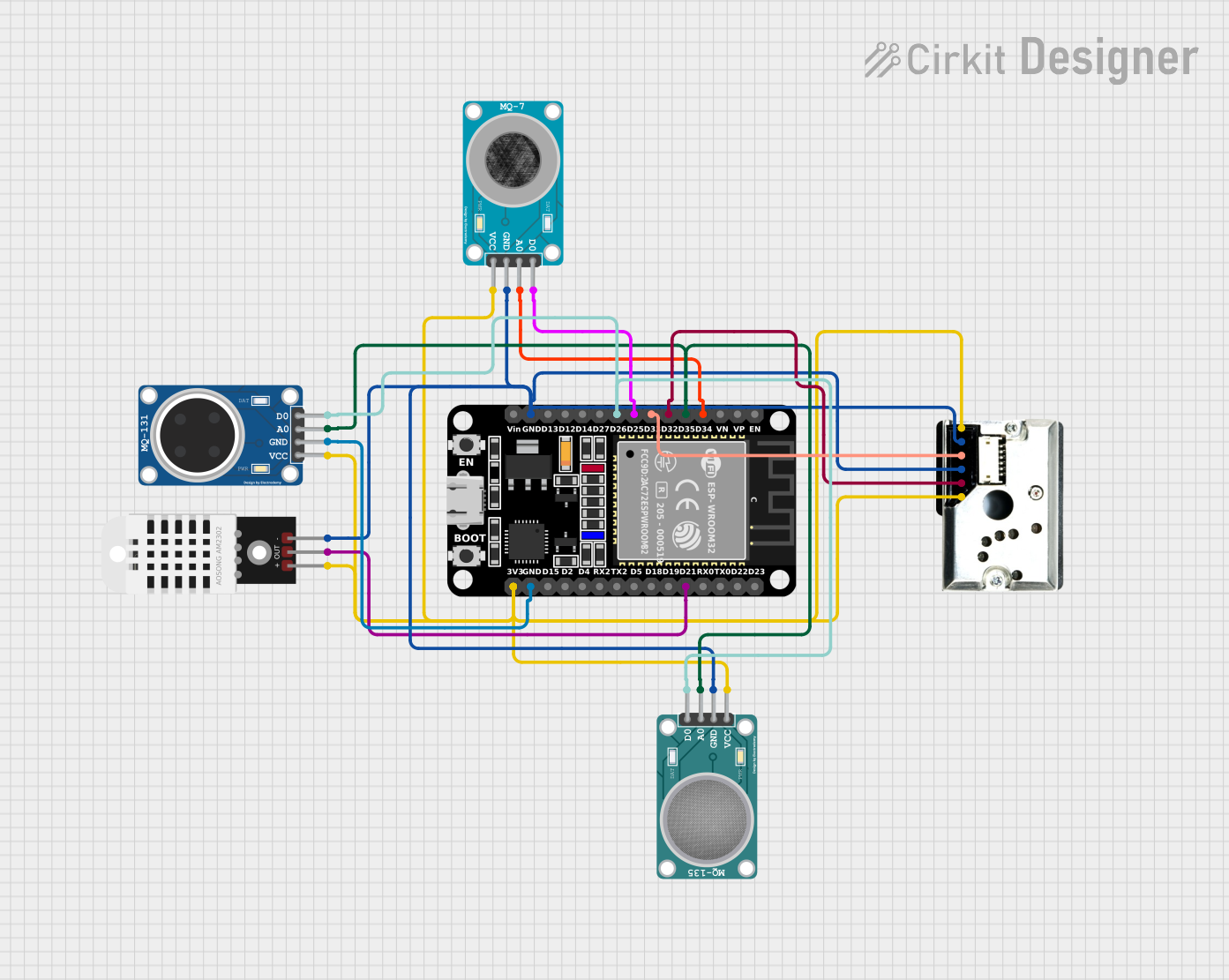 Open Project in Cirkit Designer
Explore Projects Built with Grove-VOC and eCO2 Gas Sensor(SGP30)
Open Project in Cirkit DesignerOpen Project in Cirkit DesignerOpen Project in Cirkit DesignerOpen Project in Cirkit DesignerCommon Applications and Use Cases
- Indoor air quality monitoring
- Smart home automation systems
- HVAC (Heating, Ventilation, and Air Conditioning) optimization
- Air purifiers and filtration systems
- IoT-based environmental monitoring projects
- Educational and research purposes
Technical Specifications
The following table outlines the key technical details of the Grove-VOC and eCO2 Gas Sensor (SGP30):
| Parameter | Value |
|---|---|
| Operating Voltage | 3.3V to 5V |
| Interface | I2C |
| I2C Address | 0x58 |
| Power Consumption | 48mA (typical) |
| Measurement Range (eCO2) | 400 ppm to 60,000 ppm |
| Measurement Range (TVOC) | 0 ppb to 60,000 ppb |
| Response Time | < 2 seconds |
| Operating Temperature | -40°C to 85°C |
| Operating Humidity | 0% to 90% RH (non-condensing) |
| Dimensions | 20mm x 40mm |
Pin Configuration and Descriptions
The Grove-VOC and eCO2 Gas Sensor (SGP30) uses a standard Grove connector for easy integration. The pin configuration is as follows:
| Pin | Name | Description |
|---|---|---|
| 1 | VCC | Power supply (3.3V to 5V) |
| 2 | GND | Ground |
| 3 | SDA | I2C data line |
| 4 | SCL | I2C clock line |
Usage Instructions
How to Use the Component in a Circuit
Connect the Sensor to a Microcontroller:
Use a Grove cable to connect the sensor to an I2C port on a compatible microcontroller, such as an Arduino UNO or Seeeduino.Power the Sensor:
Ensure the microcontroller provides a stable voltage of 3.3V or 5V to the sensor.Install Required Libraries:
For Arduino, install theAdafruit_SGP30library from the Arduino Library Manager. This library simplifies communication with the sensor.Write and Upload Code:
Use the example code provided below to read eCO2 and TVOC values from the sensor.
Important Considerations and Best Practices
- Burn-in Time: Allow the sensor to warm up for at least 15 minutes during the first use to ensure accurate readings.
- Calibration: The sensor performs automatic baseline correction, but it requires periodic exposure to fresh air for proper calibration.
- Avoid Contaminants: Keep the sensor away from liquids, dust, and corrosive gases to maintain its accuracy and longevity.
- Ventilation: Ensure proper airflow around the sensor for accurate air quality measurements.
Example Code for Arduino UNO
#include <Wire.h>
#include "Adafruit_SGP30.h"

// Create an SGP30 object
Adafruit_SGP30 sgp;

void setup() {
  Serial.begin(9600); // Initialize serial communication at 9600 baud
  while (!Serial) {
    delay(10); // Wait for the serial port to be ready
  }

  Serial.println("SGP30 Air Quality Sensor Test");

  // Initialize the SGP30 sensor
  if (!sgp.begin()) {
    Serial.println("Sensor not found. Check wiring!");
    while (1) {
      delay(10); // Halt execution if the sensor is not detected
    }
  }

  Serial.println("Sensor initialized successfully!");

  // Print the sensor's unique feature set
  Serial.print("Feature set version: 0x");
  Serial.println(sgp.getFeatureSetVersion(), HEX);
}

void loop() {
  // Read eCO2 and TVOC values
  if (!sgp.IAQmeasure()) {
    Serial.println("Measurement failed!");
    return;
  }

  // Print eCO2 and TVOC values to the serial monitor
  Serial.print("eCO2: ");
  Serial.print(sgp.eCO2);
  Serial.print(" ppm, TVOC: ");
  Serial.print(sgp.TVOC);
  Serial.println(" ppb");

  delay(1000); // Wait 1 second before the next measurement
}
Troubleshooting and FAQs
Common Issues and Solutions
Sensor Not Detected:
- Cause: Incorrect wiring or I2C address mismatch.
- Solution: Verify the connections and ensure the I2C address is set to
0x58.
Inaccurate Readings:
- Cause: Insufficient burn-in time or lack of calibration.
- Solution: Allow the sensor to warm up for at least 15 minutes and expose it to fresh air periodically.
No Data Output:
- Cause: Faulty Grove cable or incorrect library installation.
- Solution: Check the cable for damage and reinstall the
Adafruit_SGP30library.
High Power Consumption:
- Cause: Continuous operation without sleep mode.
- Solution: Implement power-saving features in your code if applicable.
FAQs
Q1: Can the sensor measure actual CO2 levels?
A1: No, the sensor provides equivalent CO2 (eCO2) levels based on VOC measurements. For precise CO2 measurements, use a dedicated CO2 sensor.
Q2: How often should the sensor be exposed to fresh air for calibration?
A2: It is recommended to expose the sensor to fresh air at least once every 24 hours for optimal baseline correction.
Q3: Can the sensor be used outdoors?
A3: The sensor is designed for indoor use. Outdoor use may result in inaccurate readings due to extreme environmental conditions.
Q4: Is the sensor compatible with Raspberry Pi?
A4: Yes, the sensor can be used with Raspberry Pi via the I2C interface. Use the appropriate Python libraries for communication.
By following this documentation, you can effectively integrate and utilize the Grove-VOC and eCO2 Gas Sensor (SGP30) in your projects.