
How to Use AS7058: Examples, Pinouts, and Specs
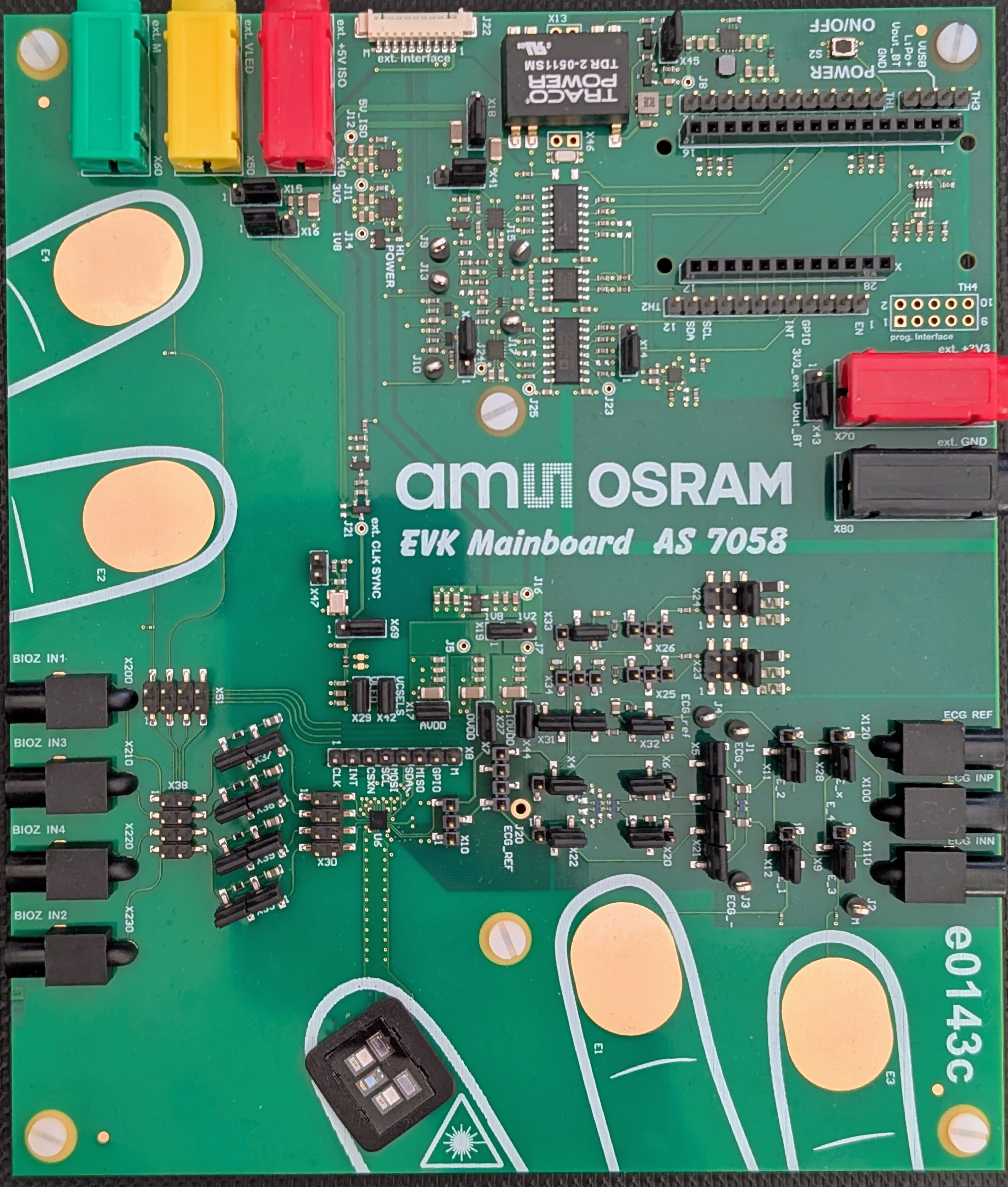
 Design with AS7058 in Cirkit Designer
Introduction
The AS7058, manufactured by Osram, is a low-power, high-accuracy ambient light sensor designed for precise light measurement. It is commonly used in applications such as smartphones, wearable devices, and other consumer electronics. The AS7058 helps optimize display brightness and improve user experience by adjusting to ambient lighting conditions. Its compact design and I2C interface make it easy to integrate into a wide range of devices.
Explore Projects Built with AS7058
 Open Project in Cirkit Designer
 Open Project in Cirkit Designer
 Open Project in Cirkit Designer
 Open Project in Cirkit Designer
Explore Projects Built with AS7058
Open Project in Cirkit DesignerOpen Project in Cirkit DesignerOpen Project in Cirkit DesignerOpen Project in Cirkit DesignerCommon Applications
- Smartphones for automatic brightness adjustment
- Wearable devices for power-efficient display control
- Smart home devices for ambient light detection
- Industrial and medical equipment requiring precise light measurement
Technical Specifications
Key Technical Details
| Parameter | Value |
|---|---|
| Supply Voltage (VDD) | 1.7V to 3.6V |
| Operating Current | 50 µA (typical) |
| Standby Current | 0.5 µA (typical) |
| Light Measurement Range | 0.01 lux to 83,000 lux |
| Interface | I2C (up to 400 kHz) |
| Operating Temperature | -40°C to +85°C |
| Package | 2.0 mm x 2.0 mm x 0.6 mm LGA |
Pin Configuration and Descriptions
The AS7058 comes in a compact LGA package with the following pin configuration:
| Pin Number | Pin Name | Description |
|---|---|---|
| 1 | VDD | Power supply input (1.7V to 3.6V) |
| 2 | GND | Ground |
| 3 | SDA | I2C data line |
| 4 | SCL | I2C clock line |
| 5 | INT | Interrupt output (active low) |
| 6 | NC | Not connected (leave floating or grounded) |
Usage Instructions
How to Use the AS7058 in a Circuit
- Power Supply: Connect the VDD pin to a stable power source (1.7V to 3.6V) and the GND pin to ground.
- I2C Communication: Connect the SDA and SCL pins to the corresponding I2C lines of your microcontroller. Use pull-up resistors (typically 4.7 kΩ) on both lines.
- Interrupt Pin: Optionally, connect the INT pin to a GPIO pin on your microcontroller to handle interrupts for light threshold events.
- Bypass Capacitor: Place a 0.1 µF ceramic capacitor close to the VDD pin for power supply decoupling.
Important Considerations
- Ensure the sensor is not exposed to direct sunlight or extreme lighting conditions during operation, as this may affect accuracy.
- Use proper PCB layout techniques to minimize noise on the I2C lines.
- The AS7058 is sensitive to temperature changes; consider thermal management in your design.
Example Code for Arduino UNO
Below is an example of how to interface the AS7058 with an Arduino UNO using the I2C protocol:
#include <Wire.h> // Include the Wire library for I2C communication

#define AS7058_I2C_ADDRESS 0x39 // Replace with the actual I2C address of the AS7058

void setup() {
  Wire.begin(); // Initialize I2C communication
  Serial.begin(9600); // Start serial communication for debugging

  // Initialize the AS7058
  Wire.beginTransmission(AS7058_I2C_ADDRESS);
  Wire.write(0x00); // Example: Write to a configuration register
  Wire.write(0x01); // Example: Set a configuration value
  Wire.endTransmission();

  Serial.println("AS7058 initialized.");
}

void loop() {
  uint16_t lightLevel = readLightLevel(); // Read light level from the sensor
  Serial.print("Ambient Light Level: ");
  Serial.print(lightLevel);
  Serial.println(" lux");
  delay(1000); // Wait for 1 second before the next reading
}

uint16_t readLightLevel() {
  uint16_t lightLevel = 0;

  Wire.beginTransmission(AS7058_I2C_ADDRESS);
  Wire.write(0x04); // Example: Register address for light level data
  Wire.endTransmission();

  Wire.requestFrom(AS7058_I2C_ADDRESS, 2); // Request 2 bytes of data
  if (Wire.available() == 2) {
    lightLevel = Wire.read(); // Read the high byte
    lightLevel = (lightLevel << 8) | Wire.read(); // Read the low byte
  }

  return lightLevel;
}
Notes on the Code
- Replace
0x39with the actual I2C address of your AS7058 sensor. - Modify the register addresses and configuration values based on the AS7058 datasheet.
Troubleshooting and FAQs
Common Issues and Solutions
No Response from the Sensor
- Ensure the I2C address is correct and matches the sensor's default or configured address.
- Check the pull-up resistors on the SDA and SCL lines.
- Verify the power supply voltage is within the specified range.
Inaccurate Light Measurements
- Avoid placing the sensor in direct sunlight or near strong light sources.
- Ensure the sensor is clean and free from dust or debris.
Interrupt Pin Not Functioning
- Verify the interrupt threshold settings in the sensor's configuration registers.
- Ensure the INT pin is properly connected to the microcontroller.
FAQs
Q: Can the AS7058 operate at 5V?
A: No, the AS7058 operates within a supply voltage range of 1.7V to 3.6V. Using 5V may damage the sensor.
Q: What is the maximum I2C clock speed supported?
A: The AS7058 supports I2C communication at speeds up to 400 kHz.
Q: How do I calculate the lux value from the sensor's output?
A: Refer to the AS7058 datasheet for the specific formula to convert raw sensor data to lux, as it depends on the sensor's calibration and configuration.
Q: Can the AS7058 be used outdoors?
A: While the AS7058 can measure ambient light outdoors, it is not designed for prolonged exposure to extreme environmental conditions. Use appropriate enclosures for protection.