
How to Use Linear Hall Effect Sensor: Examples, Pinouts, and Specs
 Design with Linear Hall Effect Sensor in Cirkit Designer
Introduction
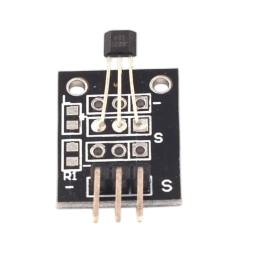
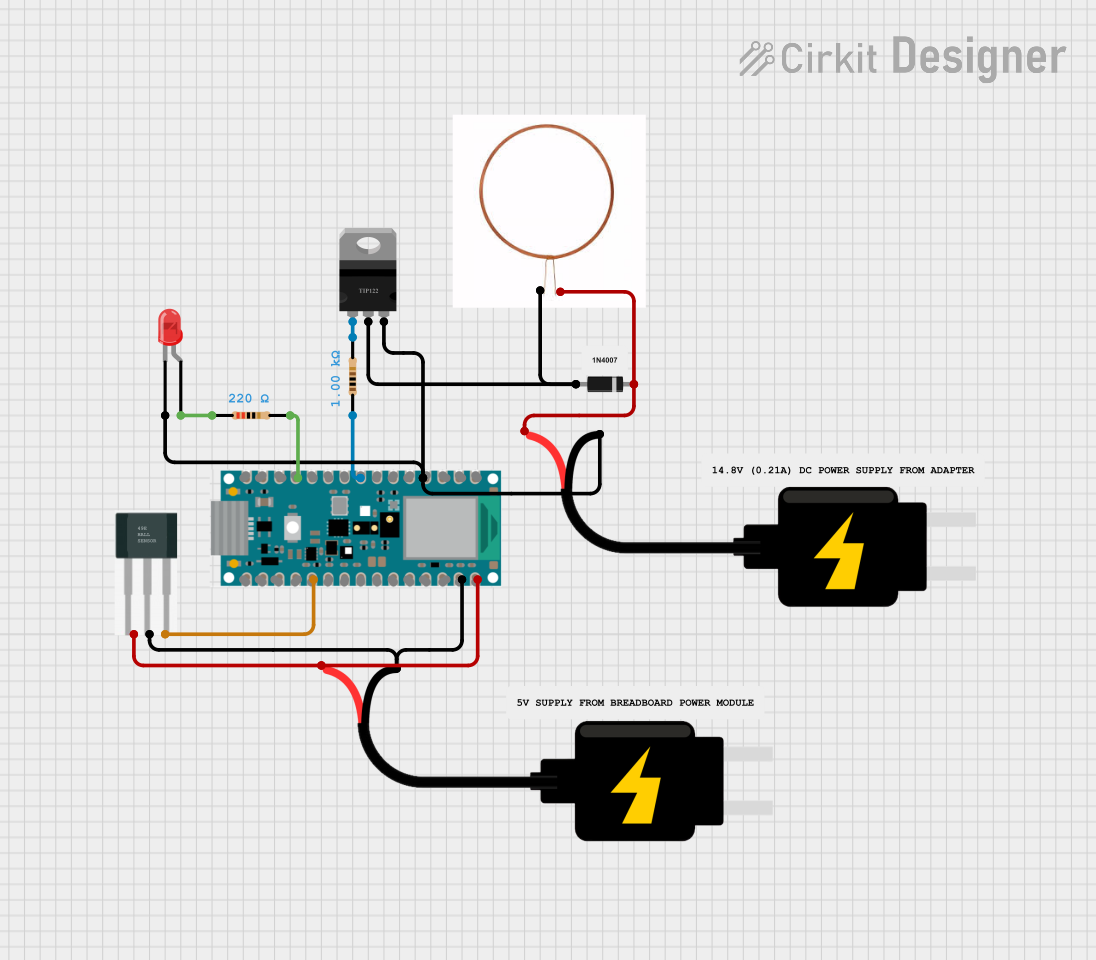
The SS49E Linear Hall Effect Sensor is a versatile device designed to detect the presence and strength of a magnetic field. It produces an analog voltage output that is proportional to the magnetic field strength, making it ideal for applications requiring precise magnetic field measurements. This sensor is widely used in position sensing, current sensing, speed detection, and proximity sensing applications. Its compact size and ease of integration make it a popular choice for both hobbyists and professionals.
Explore Projects Built with Linear Hall Effect Sensor
 Open Project in Cirkit Designer
 Open Project in Cirkit Designer
 Open Project in Cirkit Designer
 Open Project in Cirkit Designer
Explore Projects Built with Linear Hall Effect Sensor
Open Project in Cirkit DesignerOpen Project in Cirkit DesignerOpen Project in Cirkit DesignerOpen Project in Cirkit DesignerTechnical Specifications
The following table outlines the key technical details of the SS49E Linear Hall Effect Sensor:
| Parameter | Value |
|---|---|
| Supply Voltage (Vcc) | 4.5V to 6V |
| Output Voltage Range | 0.2V to (Vcc - 0.2V) |
| Sensitivity | 1.4 mV/Gauss (typical) |
| Magnetic Field Range | ±1000 Gauss |
| Operating Temperature | -40°C to +100°C |
| Output Type | Analog |
| Package Type | TO-92 |
Pin Configuration and Descriptions
The SS49E sensor has three pins, as described in the table below:
| Pin Number | Pin Name | Description |
|---|---|---|
| 1 | Vcc | Power supply input (4.5V to 6V) |
| 2 | GND | Ground connection |
| 3 | Vout | Analog voltage output proportional to magnetic field |
Usage Instructions
How to Use the SS49E in a Circuit
- Power Supply: Connect the Vcc pin to a 5V power source and the GND pin to the ground of your circuit.
- Output Connection: Connect the Vout pin to an analog input pin of a microcontroller (e.g., Arduino UNO) or to an analog-to-digital converter (ADC) for reading the sensor's output.
- Magnetic Field Measurement: Place a magnet near the sensor. The output voltage will vary depending on the strength and polarity of the magnetic field:
- A positive magnetic field (North pole) increases the output voltage.
- A negative magnetic field (South pole) decreases the output voltage.
Important Considerations and Best Practices
- Magnetic Field Range: Ensure the magnetic field strength is within the ±1000 Gauss range for accurate readings.
- Power Supply Stability: Use a stable power supply to avoid noise in the output signal.
- Placement: Avoid placing the sensor near strong electromagnetic interference (EMI) sources, as this may affect its performance.
- Filtering: Add a decoupling capacitor (e.g., 0.1 µF) between Vcc and GND to reduce noise.
Example: Using the SS49E with an Arduino UNO
Below is an example code to read the SS49E sensor's output using an Arduino UNO:
// SS49E Linear Hall Effect Sensor Example
// Connect Vcc to 5V, GND to GND, and Vout to A0 on the Arduino UNO

const int sensorPin = A0; // Analog pin connected to SS49E Vout
float sensorValue;        // Variable to store the sensor reading
float voltage;            // Variable to store the calculated voltage

void setup() {
  Serial.begin(9600); // Initialize serial communication at 9600 baud
}

void loop() {
  sensorValue = analogRead(sensorPin); // Read the analog value from the sensor
  voltage = sensorValue * (5.0 / 1023.0); // Convert the reading to voltage

  // Print the voltage to the Serial Monitor
  Serial.print("Magnetic Field Voltage: ");
  Serial.print(voltage);
  Serial.println(" V");

  delay(500); // Wait for 500ms before the next reading
}
Troubleshooting and FAQs
Common Issues and Solutions
No Output Voltage or Incorrect Readings:
- Cause: Incorrect wiring or loose connections.
- Solution: Double-check the wiring and ensure all connections are secure.
Output Voltage is Constant:
- Cause: The magnetic field is not changing or is outside the sensor's range.
- Solution: Verify the magnetic field strength and polarity. Use a stronger magnet if necessary.
Noisy Output Signal:
- Cause: Power supply noise or EMI.
- Solution: Add a decoupling capacitor (e.g., 0.1 µF) between Vcc and GND. Keep the sensor away from EMI sources.
Sensor Overheating:
- Cause: Exceeding the maximum supply voltage or operating temperature.
- Solution: Ensure the supply voltage is within the 4.5V to 6V range and the temperature is within -40°C to +100°C.
FAQs
Q1: Can the SS49E detect both North and South poles of a magnet?
A1: Yes, the SS49E can detect both poles. The output voltage increases for a North pole and decreases for a South pole.
Q2: Can I use the SS49E with a 3.3V microcontroller?
A2: No, the SS49E requires a minimum supply voltage of 4.5V. Use a level shifter or a 5V power source for compatibility.
Q3: How do I calibrate the sensor for precise measurements?
A3: Measure the sensor's output voltage in the absence of a magnetic field (zero Gauss) and use this as the baseline for calibration.
Q4: What is the typical sensitivity of the SS49E?
A4: The typical sensitivity is 1.4 mV/Gauss, but this may vary slightly depending on the operating conditions.
By following this documentation, you can effectively integrate and troubleshoot the SS49E Linear Hall Effect Sensor in your projects.