The VOLTWORKS Store ETL UL458 12V DC to 220V AC 4000W Power Inverter is a high-performance electronic device designed to convert 12V DC power from sources such as batteries into 220V AC power. This enables the operation of AC-powered devices in environments where only DC power is available, such as vehicles, off-grid solar systems, and remote locations.
Explore Projects Built with Power Inverter
Use Cirkit Designer to design, explore, and prototype these projects online. Some projects support real-time simulation. Click "Open Project" to start designing instantly!
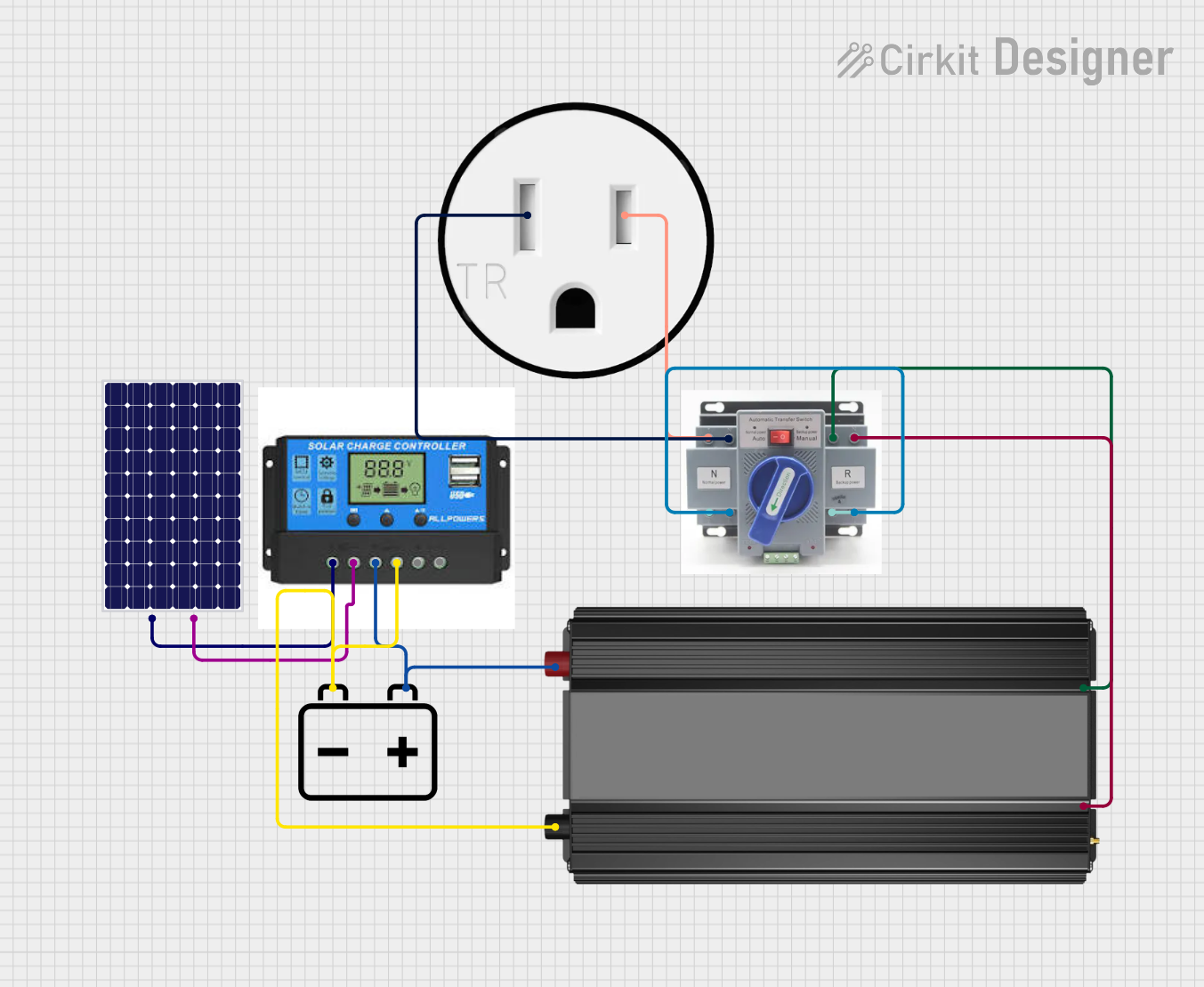
This circuit is designed to harness solar energy, regulate its storage, and convert it for use in standard AC appliances. A solar panel charges a 12V battery through a charge controller, which ensures safe charging and discharging of the battery. The power inverter then converts the stored DC power from the battery into AC power, which is supplied to a 120V outlet through an Automatic Transfer Switch (ATS), ensuring power continuity and safety.
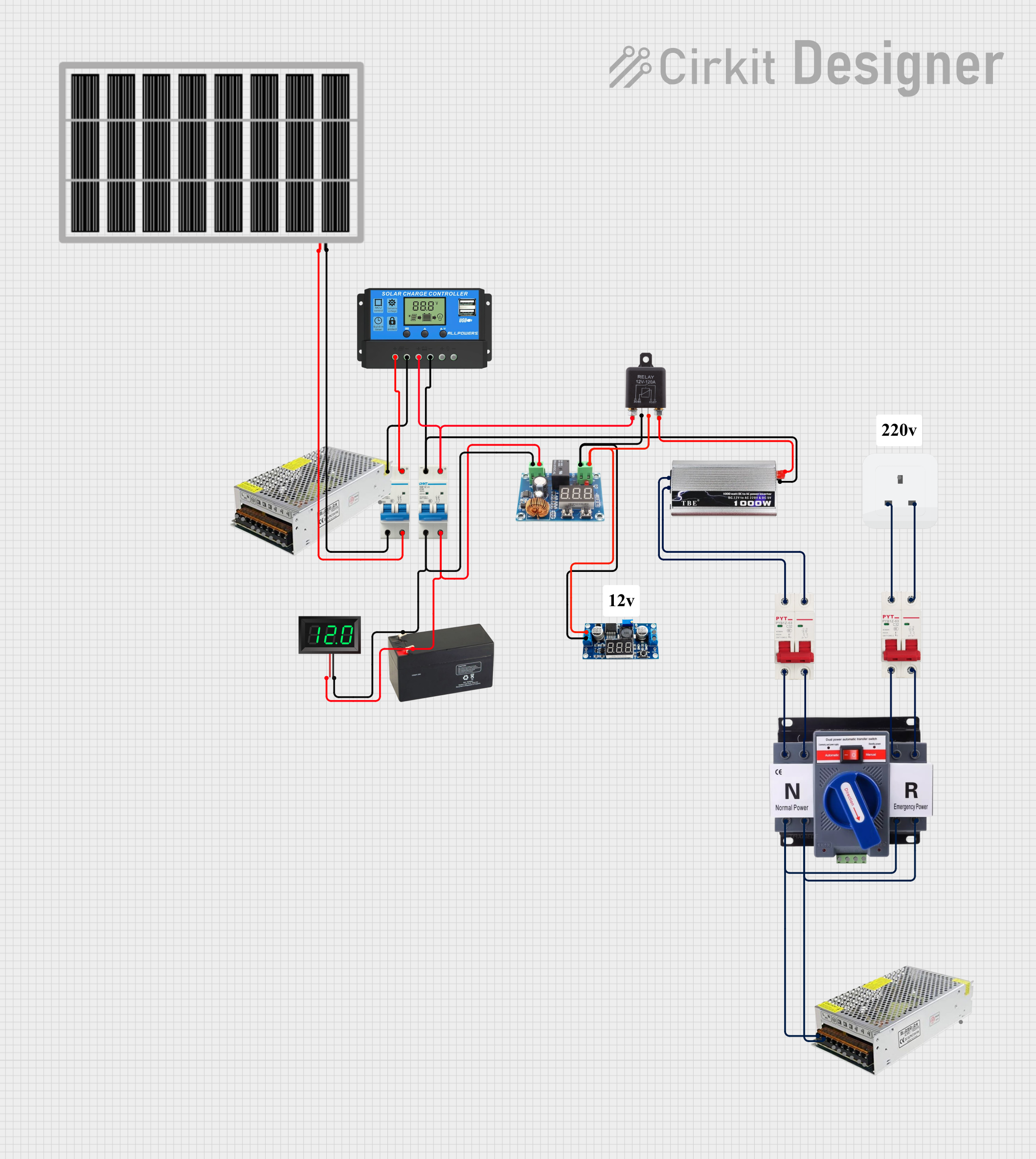
This circuit is a solar power management system that integrates a solar panel, battery, and inverter to provide a stable 12V DC and 220V AC output. It includes automatic transfer switches (ATS) and circuit breakers for safety and reliability, as well as a low voltage disconnect to protect the battery from deep discharge.
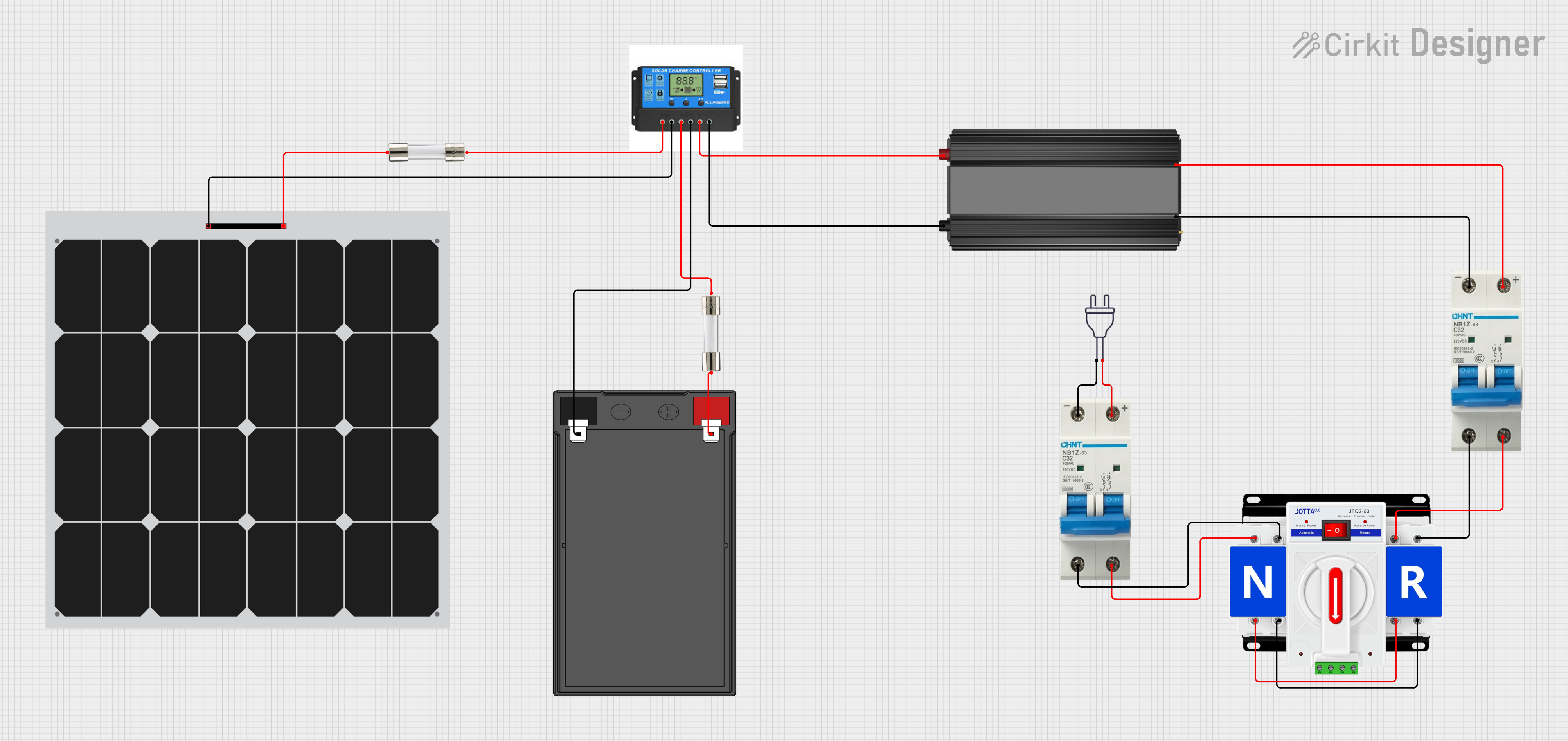
This circuit is designed to manage power from two sources: a solar panel and a 12V battery, with a dual power automatic transfer switch to select between them. The solar panel and battery are connected to a charge controller, which regulates the charging process and provides power to a load through a power inverter. Safety is ensured with the use of fuses and circuit breakers, and the power inverter converts DC to AC for use with standard 220V appliances.
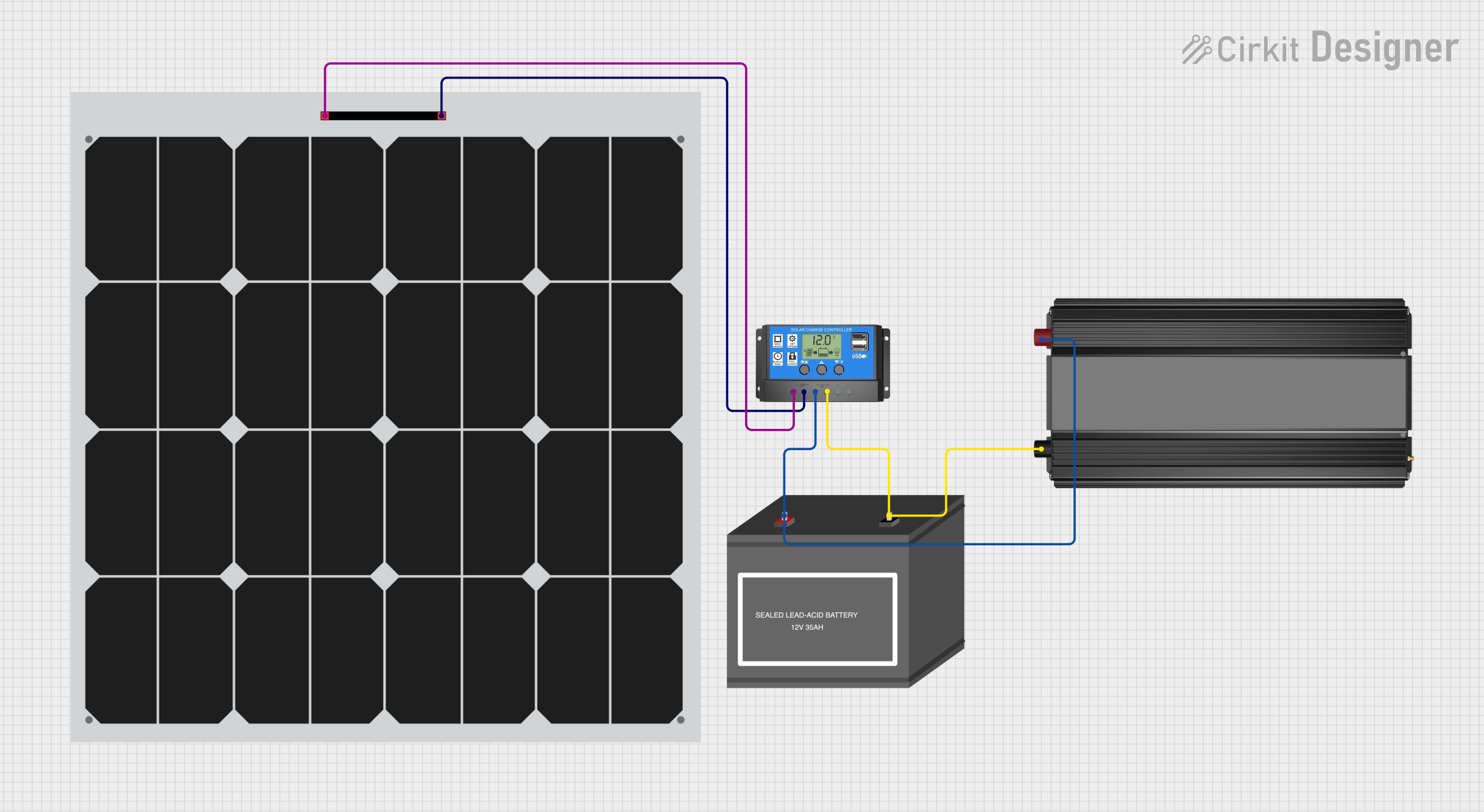
This circuit is a solar power system that includes a solar panel, a solar charge controller, a 12V battery, and a power inverter. The solar panel generates electricity, which is regulated by the solar charge controller to charge the 12V battery. The power inverter converts the stored DC power from the battery into AC power for use with AC devices.
Powering household appliances (e.g., refrigerators, microwaves, TVs) in off-grid setups.
Providing AC power for tools and equipment in vehicles or remote job sites.
Supporting emergency backup power systems during outages.
Enabling portable power solutions for camping, RVs, and boats.
Technical Specifications
The following table outlines the key technical details of the ETL UL458 12V DC to 220V AC 4000W Power Inverter:
Specification
Details
Input Voltage
12V DC
Output Voltage
220V AC ± 5%
Continuous Power Output
4000W
Peak Power Output
8000W
Output Waveform
Pure Sine Wave
Efficiency
≥ 90%
Frequency
50Hz ± 1%
Protection Features
Overload, over-temperature, short circuit, low voltage, and over-voltage
Cooling System
Intelligent temperature-controlled fan
Operating Temperature
-10°C to 40°C
Dimensions
16.5 x 9.8 x 4.3 inches (approx.)
Weight
10.5 lbs (approx.)
Pin Configuration and Descriptions
The ETL UL458 Power Inverter does not have traditional pins but includes the following key input/output terminals and ports:
Terminal/Port
Description
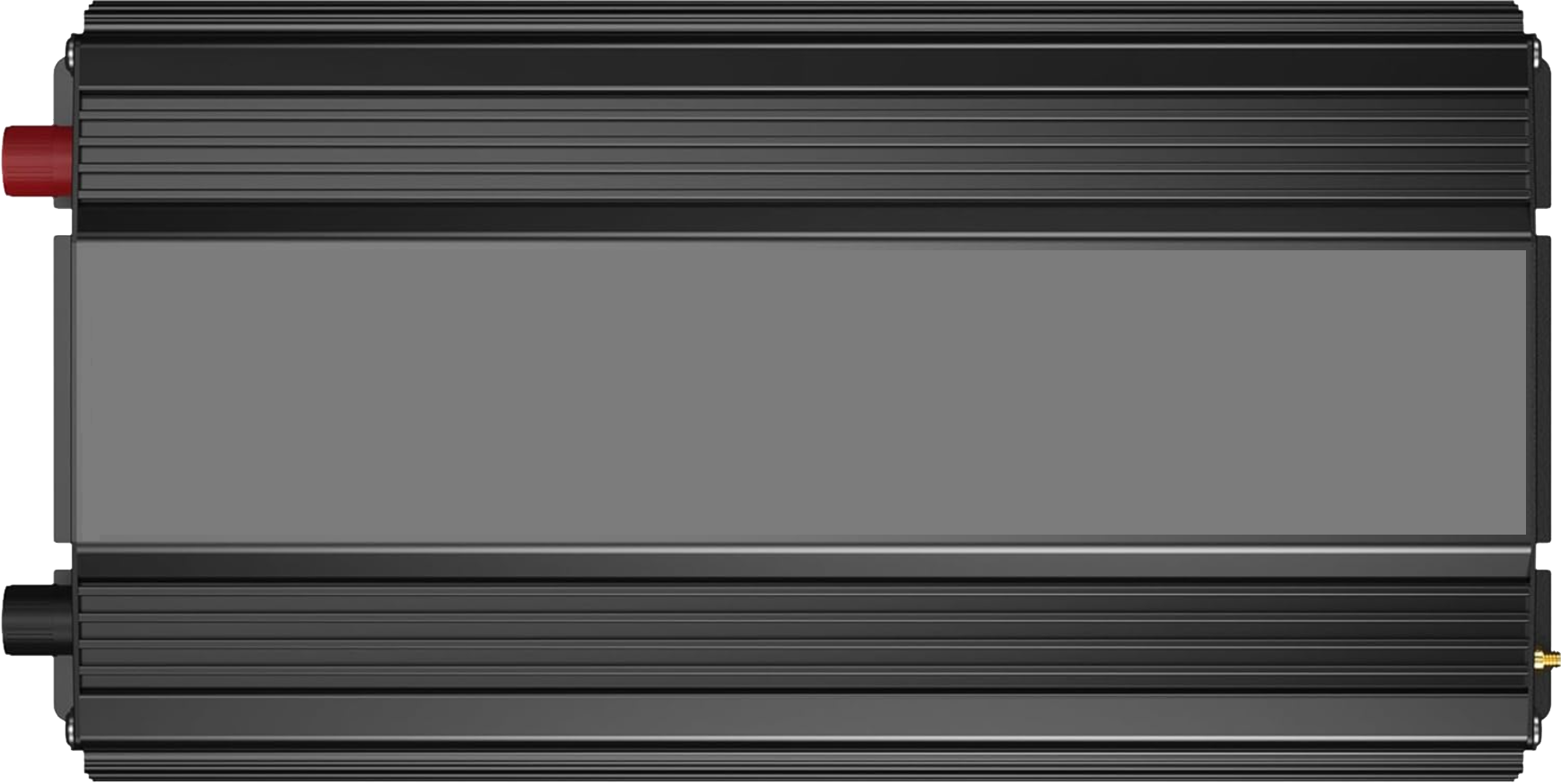
DC Input Terminals
Connect to a 12V DC battery (positive and negative terminals).
AC Output Sockets
Standard 220V AC outlets for connecting appliances or devices.
USB Ports
Provide 5V DC output for charging USB-powered devices (e.g., phones, tablets).
Ground Terminal
Ensures proper grounding for safety and reduced electrical noise.
Remote Control Port
Allows connection to an optional remote control for convenient operation.
Usage Instructions
How to Use the Power Inverter in a Circuit
Connect the DC Input Terminals:
Ensure the power source (e.g., 12V battery) is fully charged and capable of supplying the required current.
Connect the positive (red) and negative (black) terminals of the inverter to the corresponding terminals of the battery using appropriately rated cables.
Ground the Inverter:
Attach the ground terminal of the inverter to a suitable grounding point to ensure safety and minimize electrical noise.
Connect AC Devices:
Plug your AC-powered devices into the inverter's AC output sockets. Ensure the total power consumption of connected devices does not exceed the inverter's continuous power rating (4000W).
Power On the Inverter:
Turn on the inverter using the power switch or optional remote control. The inverter will begin converting DC to AC power.
Monitor Operation:
Observe the inverter's status indicators (e.g., LED lights or display) for normal operation or any fault conditions.
Important Considerations and Best Practices
Battery Capacity: Use a battery with sufficient capacity to handle the inverter's power requirements. For example, a 12V battery with a high amp-hour (Ah) rating is recommended.
Cable Sizing: Use thick, low-resistance cables to minimize voltage drop and heat generation. Refer to the inverter's manual for recommended cable sizes.
Ventilation: Ensure the inverter is placed in a well-ventilated area to prevent overheating. Avoid enclosing it in tight spaces.
Load Management: Do not exceed the inverter's continuous power rating. For devices with high startup currents (e.g., refrigerators), ensure the peak power rating (8000W) is not exceeded.
Safety: Always disconnect the inverter from the battery when not in use to prevent accidental discharge or damage.
Arduino UNO Integration
While the ETL UL458 Power Inverter is not directly controlled by an Arduino UNO, it can be used in projects where the Arduino controls devices powered by the inverter. For example, you can use the Arduino to automate the operation of AC devices connected to the inverter.
Here is an example Arduino sketch to control a relay module that switches an AC device powered by the inverter:
// Example: Controlling an AC device powered by the inverter using a relay module
const int relayPin = 7; // Pin connected to the relay module

void setup() {
  pinMode(relayPin, OUTPUT); // Set relay pin as output
  digitalWrite(relayPin, LOW); // Ensure relay is off at startup
}

void loop() {
  // Turn on the AC device
  digitalWrite(relayPin, HIGH);
  delay(5000); // Keep the device on for 5 seconds

  // Turn off the AC device
  digitalWrite(relayPin, LOW);
  delay(5000); // Keep the device off for 5 seconds
}
Note: Ensure proper isolation between the Arduino and the AC circuit to avoid electrical hazards.
Troubleshooting and FAQs
Common Issues and Solutions
Issue
Possible Cause
Solution
Inverter does not power on
Battery is not connected or is discharged
Check battery connections and ensure the battery is charged.
AC devices do not work
Overload or incompatible device
Ensure the total load is within the inverter's power rating.
Inverter shuts down unexpectedly
Over-temperature or low battery voltage
Check ventilation and battery voltage. Allow the inverter to cool down.
Audible alarm or fault indicator active
Low voltage, overload, or short circuit
Verify input voltage, reduce load, or check for short circuits.
USB ports not working
Internal fault or excessive load on USB ports
Disconnect USB devices and restart the inverter.
FAQs
Can I use this inverter with a 24V battery?
No, this inverter is designed specifically for 12V DC input. Using a 24V battery may damage the inverter.
What type of appliances can I power with this inverter?
You can power most household appliances, tools, and electronics as long as their total power consumption does not exceed 4000W.
How do I calculate the runtime of my battery with this inverter?
Use the formula: Runtime (hours) = Battery Capacity (Ah) × Battery Voltage (V) ÷ Load Power (W). For example, a 12V 200Ah battery powering a 1000W load would last approximately 2.4 hours.
Is the inverter safe for sensitive electronics?
Yes, the pure sine wave output is suitable for sensitive electronics like laptops, TVs, and medical equipment.
By following this documentation, users can effectively utilize the VOLTWORKS Store ETL UL458 Power Inverter for a wide range of applications while ensuring safety and optimal performance.

 Open Project in Cirkit Designer