
How to Use SD Card Module: Examples, Pinouts, and Specs
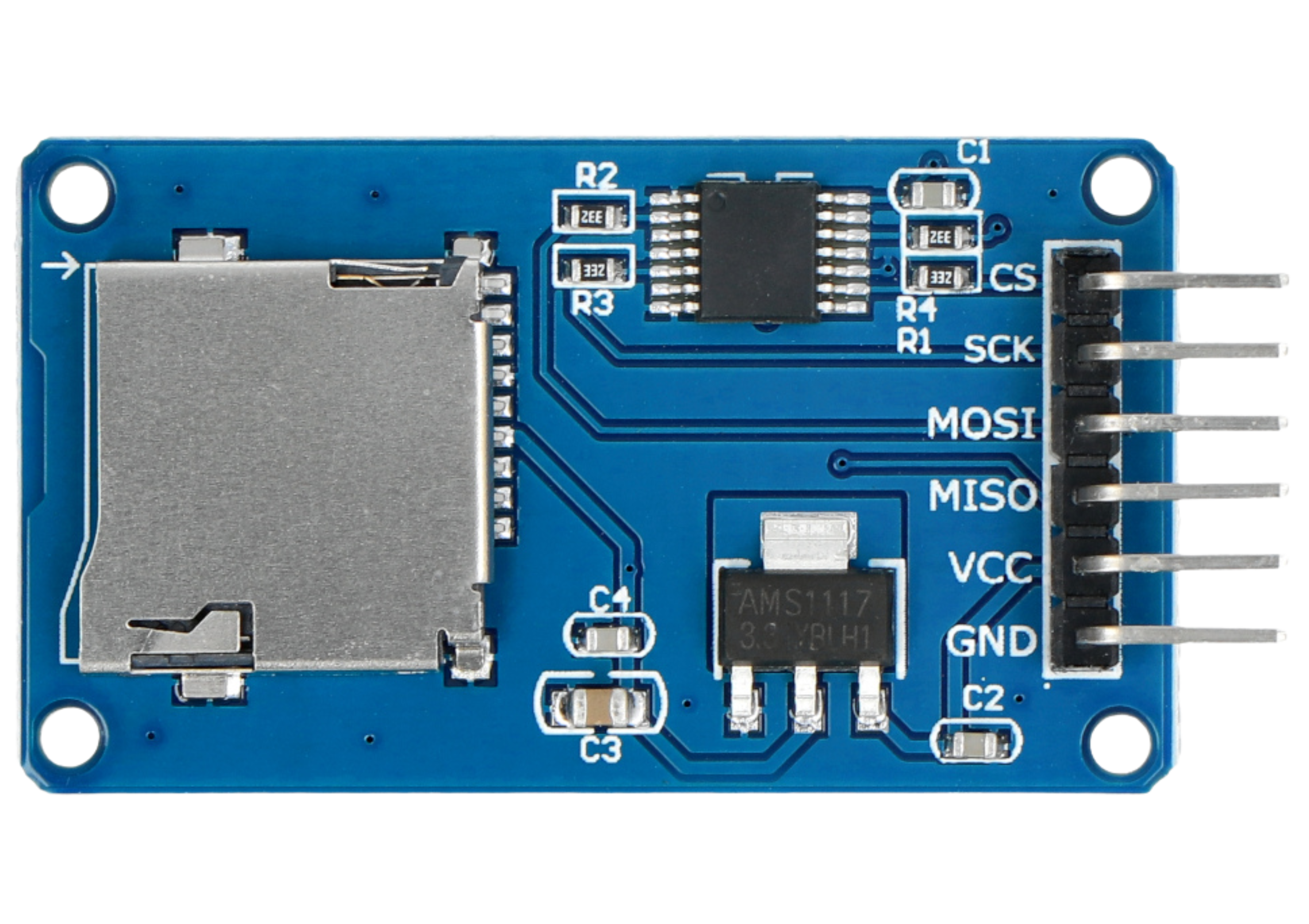
 Design with SD Card Module in Cirkit Designer
Introduction
The SD Card Module is a device that facilitates the reading and writing of data to and from Secure Digital (SD) cards. It is widely used in embedded systems and microcontroller projects for data storage, logging, and retrieval. This module provides an easy interface for microcontrollers to interact with SD cards, making it ideal for applications such as data logging, file storage, and multimedia projects.
Explore Projects Built with SD Card Module
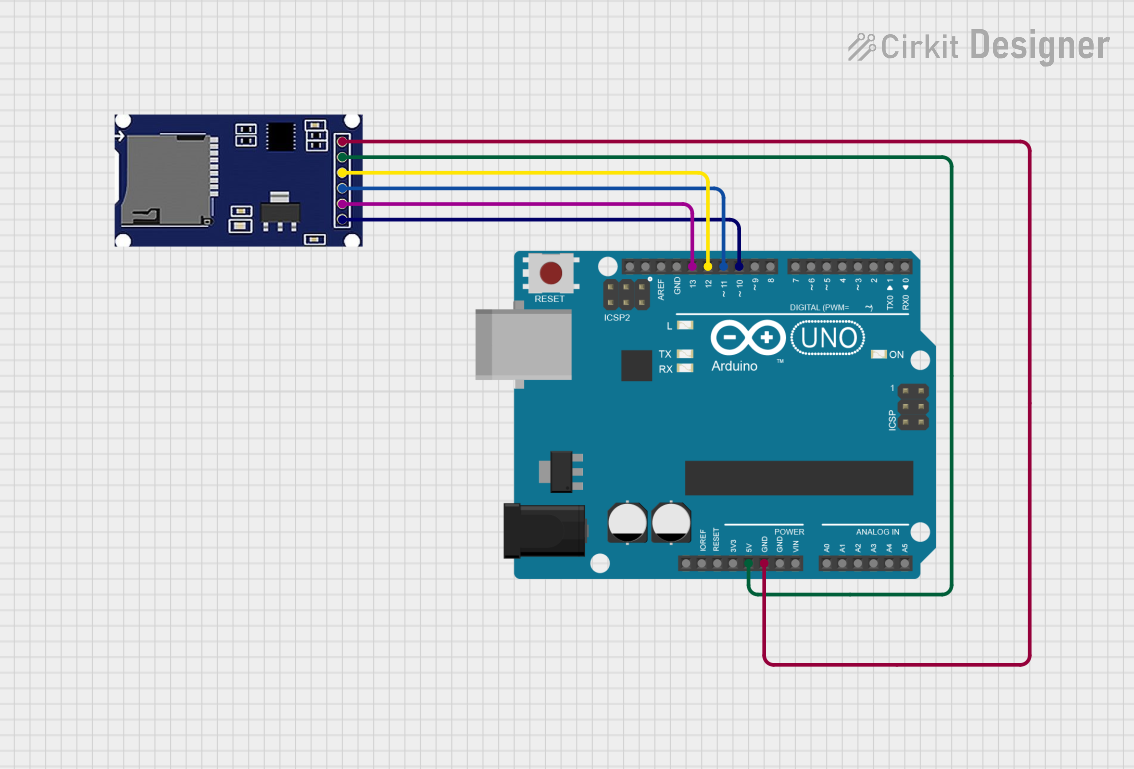 Open Project in Cirkit Designer
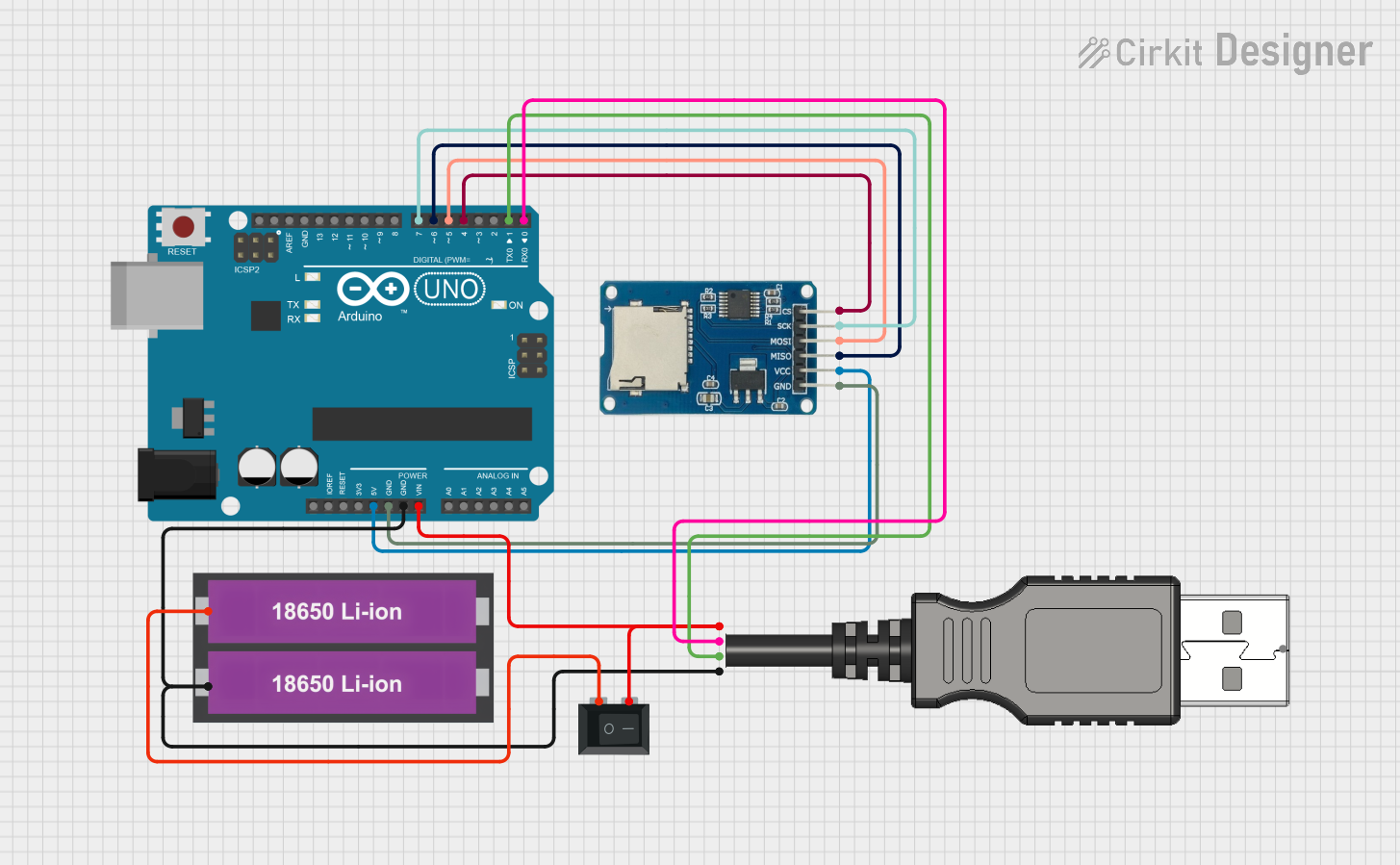 Open Project in Cirkit Designer
 Open Project in Cirkit Designer
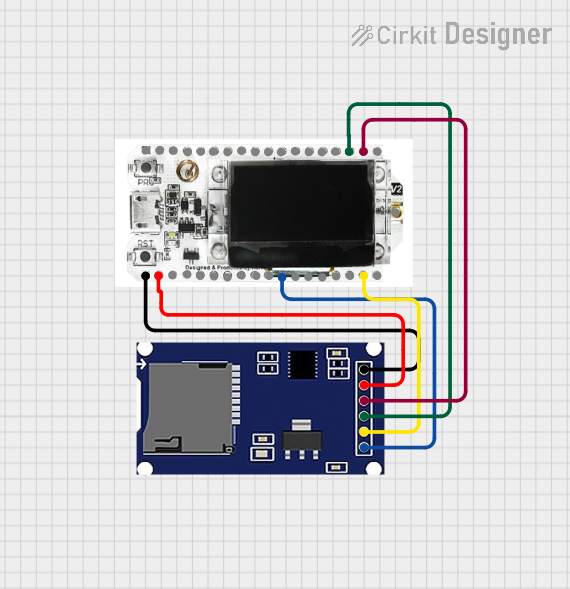 Open Project in Cirkit Designer
Explore Projects Built with SD Card Module
Open Project in Cirkit DesignerOpen Project in Cirkit DesignerOpen Project in Cirkit DesignerOpen Project in Cirkit DesignerCommon Applications and Use Cases
- Data logging in IoT devices (e.g., temperature, humidity, or sensor data storage)
- File storage for multimedia applications (e.g., audio, video, or images)
- Storing configuration files for embedded systems
- Creating portable data storage solutions
- Projects requiring large amounts of non-volatile memory
Technical Specifications
The SD Card Module typically operates using the SPI (Serial Peripheral Interface) protocol, which ensures compatibility with most microcontrollers, including Arduino, ESP32, and Raspberry Pi.
Key Technical Details
| Parameter | Value |
|---|---|
| Operating Voltage | 3.3V to 5V |
| Communication Protocol | SPI (Serial Peripheral Interface) |
| Current Consumption | ~20mA (varies with operation) |
| Supported SD Card Types | SD, SDHC (up to 32GB) |
| File System Support | FAT16, FAT32 |
| Operating Temperature | -25°C to 85°C |
Pin Configuration and Descriptions
| Pin Name | Description |
|---|---|
| VCC | Power input (3.3V or 5V, depending on the module) |
| GND | Ground connection |
| MISO | Master In Slave Out - Data output from the SD card to the microcontroller |
| MOSI | Master Out Slave In - Data input from the microcontroller to the SD card |
| SCK | Serial Clock - Clock signal for SPI communication |
| CS | Chip Select - Used to select the SD card module during SPI communication |
Usage Instructions
How to Use the SD Card Module in a Circuit
Connect the Module to a Microcontroller:
- Connect the
VCCpin to the 3.3V or 5V power supply (check your module's specifications). - Connect the
GNDpin to the ground of the microcontroller. - Connect the SPI pins (
MISO,MOSI,SCK, andCS) to the corresponding SPI pins on the microcontroller.
- Connect the
Insert an SD Card:
- Ensure the SD card is formatted with the FAT16 or FAT32 file system.
- Insert the SD card into the module's slot.
Load the Required Libraries:
- For Arduino, use the
SDlibrary, which provides functions for reading and writing data to the SD card.
- For Arduino, use the
Write Code to Interact with the SD Card:
- Use the library functions to initialize the SD card, create files, write data, and read data.
Example Code for Arduino UNO
#include <SPI.h>
#include <SD.h>

// Define the Chip Select (CS) pin for the SD card module
const int chipSelect = 10;

void setup() {
  // Initialize serial communication for debugging
  Serial.begin(9600);
  while (!Serial) {
    ; // Wait for the serial port to connect (for native USB boards)
  }

  Serial.println("Initializing SD card...");

  // Initialize the SD card
  if (!SD.begin(chipSelect)) {
    Serial.println("SD card initialization failed!");
    return; // Stop further execution if initialization fails
  }
  Serial.println("SD card initialized successfully.");

  // Create or open a file on the SD card
  File dataFile = SD.open("example.txt", FILE_WRITE);

  // Check if the file opened successfully
  if (dataFile) {
    dataFile.println("Hello, SD card!"); // Write data to the file
    dataFile.close(); // Close the file to save changes
    Serial.println("Data written to example.txt.");
  } else {
    Serial.println("Error opening example.txt for writing.");
  }
}

void loop() {
  // Nothing to do here
}
Important Considerations and Best Practices
- Voltage Compatibility: Ensure the module is compatible with your microcontroller's voltage levels (3.3V or 5V).
- File System: Format the SD card with FAT16 or FAT32 before use.
- Chip Select Pin: The
CSpin can be assigned to any digital pin, but ensure it matches the pin defined in your code. - Avoid Hot-Swapping: Do not insert or remove the SD card while the module is powered to prevent data corruption.
- Use Proper Libraries: Always use reliable libraries like Arduino's
SDlibrary orSdFatfor advanced features.
Troubleshooting and FAQs
Common Issues and Solutions
SD Card Initialization Fails:
- Cause: Incorrect wiring or incompatible SD card.
- Solution: Double-check the wiring and ensure the SD card is formatted with FAT16 or FAT32.
File Not Opening:
- Cause: Incorrect file name or file mode.
- Solution: Ensure the file name is 8.3 format (e.g.,
example.txt) and the file mode (FILE_WRITEorFILE_READ) is correct.
Data Corruption:
- Cause: Removing the SD card while writing data.
- Solution: Always close files using
file.close()and avoid removing the SD card while the module is powered.
Module Not Detected:
- Cause: Incorrect
CSpin configuration. - Solution: Verify the
CSpin in the code matches the hardware connection.
- Cause: Incorrect
FAQs
Q: What is the maximum SD card size supported?
A: Most SD card modules support SD and SDHC cards up to 32GB.
Q: Can I use the module with a 3.3V microcontroller?
A: Yes, but ensure the module supports 3.3V operation or use a level shifter if required.
Q: How do I format the SD card?
A: Use a computer to format the SD card with the FAT16 or FAT32 file system. Avoid using exFAT or NTFS.
Q: Can I use multiple SD card modules in one project?
A: Yes, but each module must have a unique CS pin, and you must manage SPI communication carefully.
By following this documentation, you can effectively integrate the SD Card Module into your projects for reliable data storage and retrieval.