
How to Use bms daly 4s 40a: Examples, Pinouts, and Specs
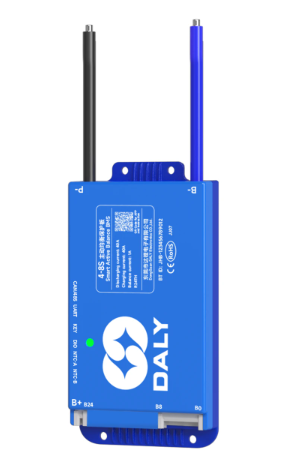
 Design with bms daly 4s 40a in Cirkit Designer
Introduction
The Daly 4S 40A Battery Management System (BMS) is a robust and reliable solution for managing 4-cell series lithium-ion battery packs. It is designed to ensure the safe operation of battery packs by monitoring critical parameters such as voltage, temperature, and state of charge. The BMS provides essential protections, including overcharge, over-discharge, overcurrent, and short-circuit protection, making it an ideal choice for applications requiring high safety and efficiency.
Explore Projects Built with bms daly 4s 40a
 Open Project in Cirkit Designer
 Open Project in Cirkit Designer
 Open Project in Cirkit Designer
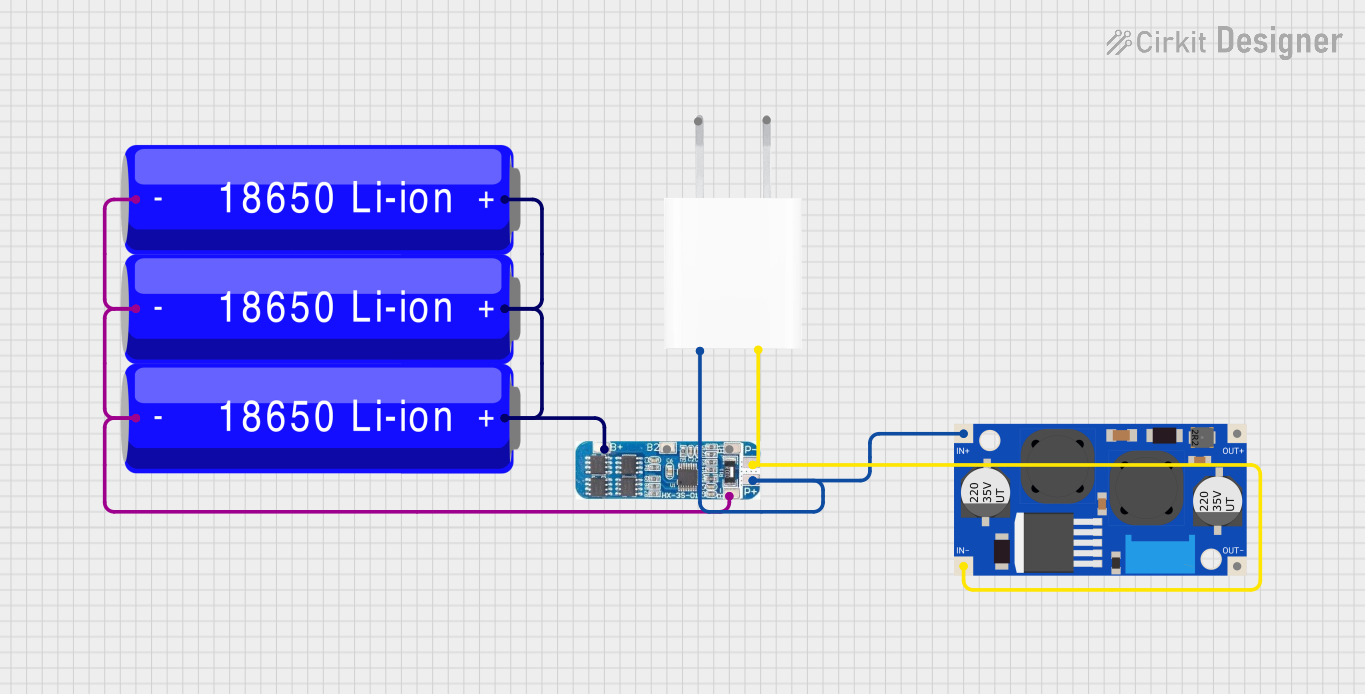 Open Project in Cirkit Designer
Explore Projects Built with bms daly 4s 40a
Open Project in Cirkit DesignerOpen Project in Cirkit DesignerOpen Project in Cirkit DesignerOpen Project in Cirkit DesignerCommon Applications
- Electric bicycles and scooters
- Solar energy storage systems
- Uninterruptible Power Supplies (UPS)
- Portable power stations
- Robotics and DIY battery projects
Technical Specifications
The following table outlines the key technical details of the Daly 4S 40A BMS:
| Parameter | Value |
|---|---|
| Battery Type | Lithium-ion (Li-ion) |
| Supported Cells | 4 cells in series (4S) |
| Maximum Continuous Current | 40A |
| Overcharge Protection | 4.25V ± 0.05V per cell |
| Over-discharge Protection | 2.7V ± 0.05V per cell |
| Balance Current | 30mA |
| Operating Temperature Range | -20°C to 60°C |
| Dimensions | 65mm x 48mm x 10mm |
| Weight | ~50g |
Pin Configuration and Descriptions
The Daly 4S 40A BMS has several key connections for proper operation. Below is the pin configuration:
| Pin Name | Description |
|---|---|
| B- | Battery negative terminal (connect to the negative terminal of the battery pack) |
| P- | Power output negative terminal (connect to the load or charger negative terminal) |
| B1, B2, B3 | Balance leads for individual cells (connect to the positive terminals of each cell) |
| B+ | Battery positive terminal (connect to the positive terminal of the battery pack) |
| P+ | Power output positive terminal (common positive for load and charger) |
Usage Instructions
How to Use the Daly 4S 40A BMS in a Circuit
Connect the Balance Leads:
- Connect the B1, B2, and B3 balance leads to the positive terminals of the first, second, and third cells, respectively.
- Ensure the connections are secure and in the correct order to avoid damage to the BMS.
Connect the Battery Terminals:
- Connect the B- terminal to the negative terminal of the battery pack.
- Connect the B+ terminal to the positive terminal of the battery pack.
Connect the Load and Charger:
- Connect the P- terminal to the negative terminal of the load or charger.
- Connect the P+ terminal to the positive terminal of the load or charger.
Verify Connections:
- Double-check all connections to ensure they are correct and secure.
- Incorrect wiring can damage the BMS or the battery pack.
Power On:
- Once all connections are verified, the BMS will begin monitoring and protecting the battery pack.
Important Considerations and Best Practices
- Ensure the battery pack is properly balanced before connecting the BMS.
- Do not exceed the maximum continuous current rating of 40A.
- Avoid exposing the BMS to extreme temperatures or moisture.
- Use appropriately rated wires and connectors to handle the current load.
- If using the BMS with an Arduino or other microcontroller, ensure proper isolation between the control circuit and the high-power battery circuit.
Arduino Integration Example
The Daly 4S 40A BMS can be monitored using an Arduino by reading the voltage of each cell through the balance leads. Below is an example code snippet for monitoring cell voltages:
// Example code to monitor cell voltages using Arduino
// Ensure proper voltage dividers are used to step down cell voltages to safe levels
// for the Arduino's analog input pins (max 5V for most boards).

const int cell1Pin = A0; // Analog pin for Cell 1 voltage
const int cell2Pin = A1; // Analog pin for Cell 2 voltage
const int cell3Pin = A2; // Analog pin for Cell 3 voltage
const int cell4Pin = A3; // Analog pin for Cell 4 voltage

void setup() {
  Serial.begin(9600); // Initialize serial communication
}

void loop() {
  // Read cell voltages (assuming voltage dividers are used)
  float cell1Voltage = analogRead(cell1Pin) * (5.0 / 1023.0) * 4.2; // Adjust multiplier
  float cell2Voltage = analogRead(cell2Pin) * (5.0 / 1023.0) * 4.2; // based on divider
  float cell3Voltage = analogRead(cell3Pin) * (5.0 / 1023.0) * 4.2; // resistor values.
  float cell4Voltage = analogRead(cell4Pin) * (5.0 / 1023.0) * 4.2;

  // Print cell voltages to the Serial Monitor
  Serial.print("Cell 1 Voltage: ");
  Serial.println(cell1Voltage);
  Serial.print("Cell 2 Voltage: ");
  Serial.println(cell2Voltage);
  Serial.print("Cell 3 Voltage: ");
  Serial.println(cell3Voltage);
  Serial.print("Cell 4 Voltage: ");
  Serial.println(cell4Voltage);

  delay(1000); // Wait 1 second before next reading
}
Troubleshooting and FAQs
Common Issues
BMS Not Powering On:
- Cause: Incorrect wiring or loose connections.
- Solution: Verify all connections, especially the balance leads and battery terminals.
Overcharge or Over-discharge Protection Triggered:
- Cause: Battery voltage exceeds the protection thresholds.
- Solution: Check the battery pack voltage and ensure it is within the specified range.
BMS Overheating:
- Cause: Exceeding the maximum continuous current rating.
- Solution: Reduce the load current or use a BMS with a higher current rating.
Load Not Receiving Power:
- Cause: Short-circuit protection activated or incorrect wiring.
- Solution: Check for short circuits and verify the load connections.
FAQs
Q1: Can the Daly 4S 40A BMS be used with LiFePO4 batteries?
A1: No, this BMS is specifically designed for lithium-ion batteries. For LiFePO4 batteries, use a BMS with appropriate voltage thresholds.
Q2: How do I reset the BMS after a protection event?
A2: Disconnect the load and charger, then reconnect the battery pack to reset the BMS.
Q3: Can I use this BMS for a 3S or 5S battery pack?
A3: No, this BMS is designed for 4-cell series (4S) configurations only. Using it with other configurations may damage the BMS or the battery pack.
Q4: Does the BMS support active balancing?
A4: No, the Daly 4S 40A BMS uses passive balancing with a balance current of 30mA.