
How to Use Arducam OV9281 1MP Monochrome Global Shutter Camera Module with M12 Mount lens for Raspberry Pi 5/4/3B+/3: Examples, Pinouts, and Specs
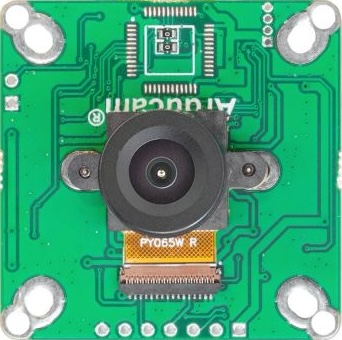
 Design with Arducam OV9281 1MP Monochrome Global Shutter Camera Module with M12 Mount lens for Raspberry Pi 5/4/3B+/3 in Cirkit Designer
Introduction
The Arducam OV9281 1MP Monochrome Global Shutter Camera Module (Part ID: B0165) is a high-performance imaging solution designed for Raspberry Pi platforms, including Raspberry Pi 5, 4, 3B+, and 3. It features a 1-megapixel monochrome sensor with global shutter technology, enabling it to capture fast-moving objects without motion artifacts. The module is equipped with an M12 lens mount, allowing users to swap lenses for different field-of-view and focal length requirements.
Explore Projects Built with Arducam OV9281 1MP Monochrome Global Shutter Camera Module with M12 Mount lens for Raspberry Pi 5/4/3B+/3
 Open Project in Cirkit Designer
 Open Project in Cirkit Designer
 Open Project in Cirkit Designer
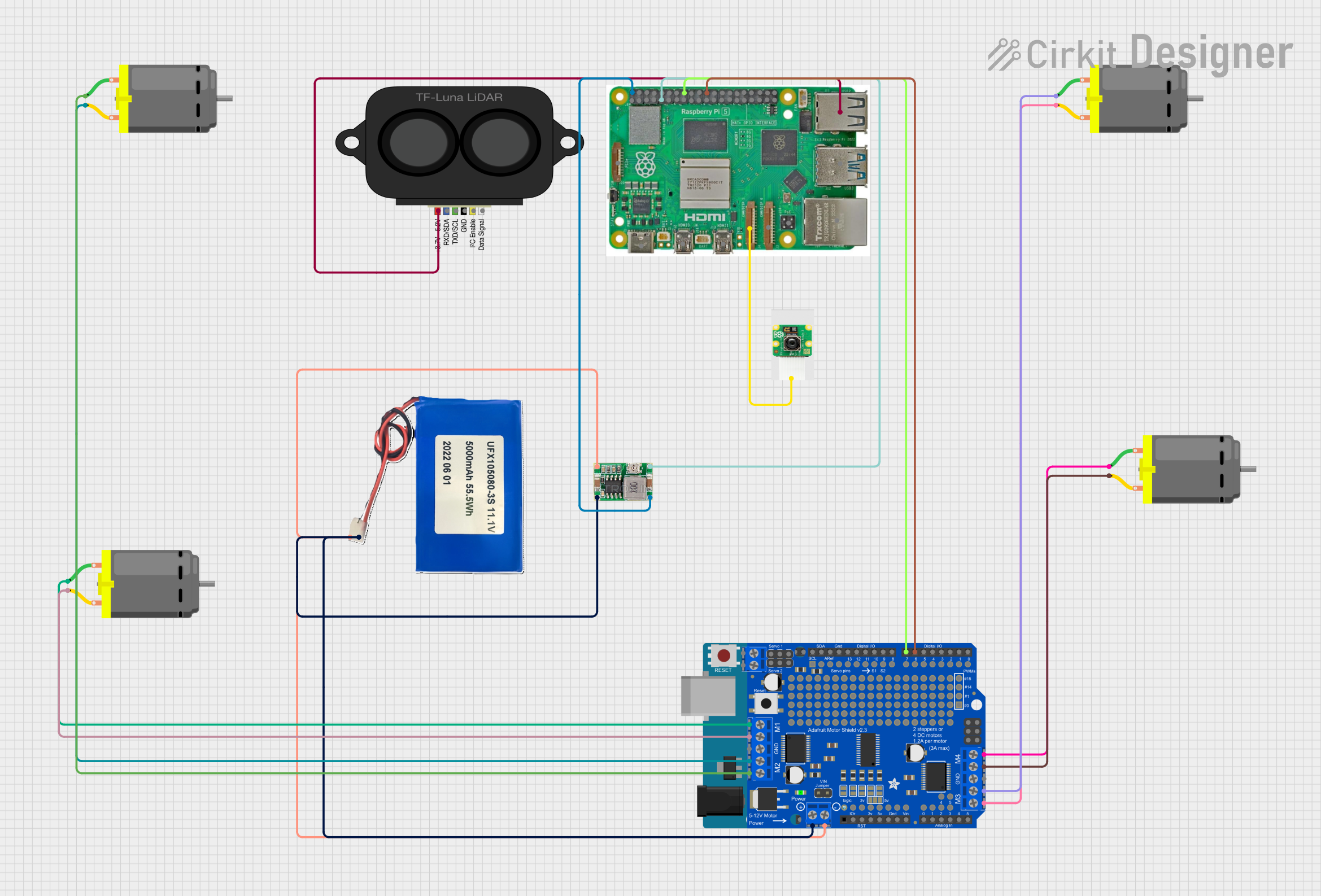 Open Project in Cirkit Designer
Explore Projects Built with Arducam OV9281 1MP Monochrome Global Shutter Camera Module with M12 Mount lens for Raspberry Pi 5/4/3B+/3
Open Project in Cirkit DesignerOpen Project in Cirkit DesignerOpen Project in Cirkit DesignerOpen Project in Cirkit DesignerCommon Applications and Use Cases
- Machine Vision: Ideal for industrial automation and robotics.
- High-Speed Imaging: Suitable for capturing fast-moving objects without distortion.
- Scientific Research: Used in microscopy and other precision imaging applications.
- Facial Recognition: Effective in security and biometric systems.
- Line Scanning: Useful in barcode reading and document scanning.
Technical Specifications
Key Technical Details
| Parameter | Specification |
|---|---|
| Sensor | OV9281 Monochrome CMOS |
| Resolution | 1 Megapixel (1280 x 800) |
| Shutter Type | Global Shutter |
| Pixel Size | 3 µm x 3 µm |
| Frame Rate | Up to 120 fps at full resolution |
| Lens Mount | M12 (interchangeable lens support) |
| Interface | MIPI CSI-2 |
| Power Supply Voltage | 3.3V (via Raspberry Pi) |
| Operating Temperature | -30°C to 70°C |
| Dimensions | 38mm x 38mm |
Pin Configuration and Descriptions
The Arducam OV9281 connects to the Raspberry Pi via the MIPI CSI-2 interface. Below is the pin configuration for the camera's ribbon cable:
| Pin Number | Signal Name | Description |
|---|---|---|
| 1 | GND | Ground |
| 2 | 3.3V | Power Supply |
| 3 | I2C_SCL | I2C Clock for sensor configuration |
| 4 | I2C_SDA | I2C Data for sensor configuration |
| 5 | MIPI_D0+ | MIPI Data Lane 0 Positive |
| 6 | MIPI_D0- | MIPI Data Lane 0 Negative |
| 7 | MIPI_CLK+ | MIPI Clock Lane Positive |
| 8 | MIPI_CLK- | MIPI Clock Lane Negative |
| 9 | MIPI_D1+ | MIPI Data Lane 1 Positive |
| 10 | MIPI_D1- | MIPI Data Lane 1 Negative |
Usage Instructions
How to Use the Component in a Circuit
Hardware Setup:
- Connect the camera module to the Raspberry Pi's CSI port using the provided ribbon cable.
- Ensure the ribbon cable is securely inserted with the correct orientation (contacts facing the CSI port).
- Mount the camera module securely using screws or a compatible holder.
Software Setup:
Install the Raspberry Pi OS and ensure it is up to date.
Enable the camera interface in the Raspberry Pi configuration tool:
sudo raspi-configNavigate to
Interfacing Options > Cameraand enable it. Reboot the Raspberry Pi.Install the Arducam driver and software tools:
sudo apt update
sudo apt install arducam-config
Capture Images and Video:
- Use the
libcameratools to capture images or video:libcamera-still -o image.jpg libcamera-vid -o video.h264
- Use the
Important Considerations and Best Practices
- Lens Selection: Choose an appropriate M12 lens based on your application (e.g., wide-angle for surveillance, telephoto for distant objects).
- Lighting: Ensure adequate lighting for optimal image quality, as the module does not include an onboard IR filter or illumination.
- Static Precautions: Handle the module with care to avoid damage from electrostatic discharge (ESD).
- Cable Management: Avoid bending or twisting the ribbon cable excessively to prevent damage.
Example Code for Raspberry Pi
Below is an example Python script to capture an image using the Arducam OV9281 with the Raspberry Pi:
Import necessary libraries
from picamera2 import Picamera2 import time
Initialize the camera
picam2 = Picamera2()
Configure the camera for still image capture
picam2.configure(picam2.create_still_configuration())
Start the camera
picam2.start() time.sleep(2) # Allow the camera to warm up
Capture an image and save it
picam2.capture_file("capture.jpg") print("Image saved as capture.jpg")
Stop the camera
picam2.stop()
Troubleshooting and FAQs
Common Issues and Solutions
Camera Not Detected:
- Ensure the ribbon cable is securely connected to the CSI port.
- Verify that the camera interface is enabled in
raspi-config. - Check for software updates and install the latest Arducam drivers.
Poor Image Quality:
- Verify that the lens is clean and properly focused.
- Ensure adequate lighting in the environment.
- Adjust exposure and gain settings using the
libcameratools.
Frame Drops or Low Frame Rate:
- Reduce the resolution or frame rate in the capture settings.
- Ensure the Raspberry Pi is not overloaded with other tasks.
Image Distortion or Artifacts:
- Verify that the global shutter mode is enabled (default for OV9281).
- Check for electrical interference or loose connections.
FAQs
Q: Can I use this camera with platforms other than Raspberry Pi?
A: The OV9281 module is designed for Raspberry Pi, but it may work with other platforms that support MIPI CSI-2. Additional configuration may be required.
Q: Does the camera support color imaging?
A: No, the OV9281 is a monochrome sensor and does not capture color images.
Q: Can I use this camera for night vision?
A: Yes, but you will need an appropriate IR lens and external IR illumination, as the module does not include an IR filter.
Q: How do I change the lens?
A: Unscrew the existing M12 lens and replace it with a compatible M12 lens. Adjust the focus as needed.
Q: What is the maximum cable length supported?
A: The maximum reliable cable length is typically 15-20 cm. Longer cables may cause signal degradation.