
How to Use Cobalt Digital IP Point Motor: Examples, Pinouts, and Specs
 Design with Cobalt Digital IP Point Motor in Cirkit Designer
Introduction
The Cobalt Digital IP Point Motor (DCP-CB1DIP), manufactured by Layout Supplies, is a networked motor control device designed for precise positioning of points in digital broadcasting and media applications. This component enables remote operation and seamless integration into IP-based systems, making it ideal for modern, automated setups. Its robust design ensures reliable performance in demanding environments.
Explore Projects Built with Cobalt Digital IP Point Motor
 Open Project in Cirkit Designer
 Open Project in Cirkit Designer
 Open Project in Cirkit Designer
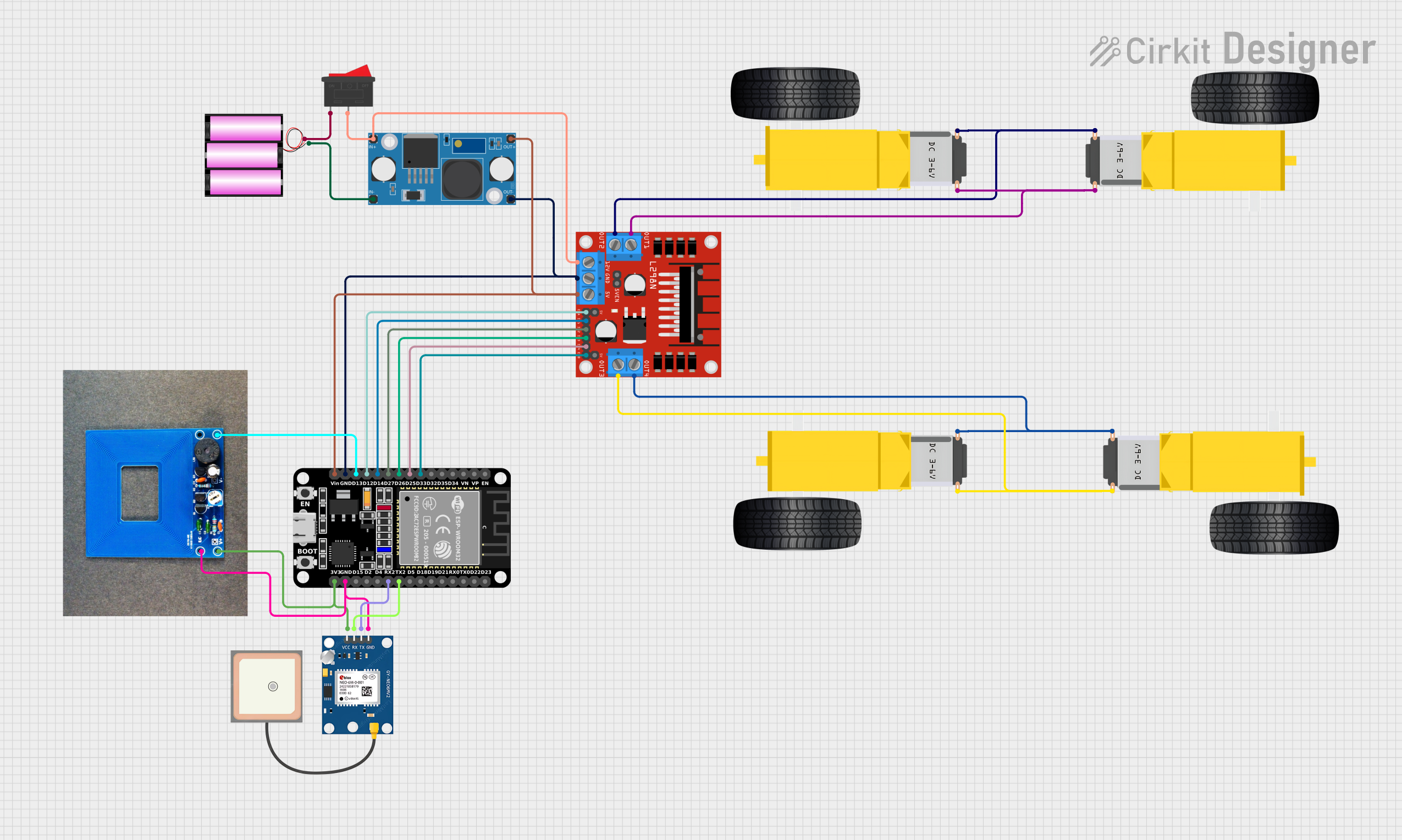 Open Project in Cirkit Designer
Explore Projects Built with Cobalt Digital IP Point Motor
Open Project in Cirkit DesignerOpen Project in Cirkit DesignerOpen Project in Cirkit DesignerOpen Project in Cirkit DesignerCommon Applications and Use Cases
- Broadcasting Studios: Precise control of motorized equipment for camera positioning or lighting adjustments.
- Media Production: Integration into IP-based systems for automated workflows.
- Model Railways: Remote control of track points and switches in digital layouts.
- Industrial Automation: Positioning and control of mechanical systems in networked environments.
Technical Specifications
Key Technical Details
| Parameter | Value |
|---|---|
| Manufacturer | Layout Supplies |
| Part ID | DCP-CB1DIP |
| Operating Voltage | 12V DC |
| Operating Current | 500mA (typical), 1A (max) |
| Communication Protocol | TCP/IP |
| Network Interface | RJ45 Ethernet Port |
| Positioning Accuracy | ±0.1° |
| Maximum Load | 2 kg |
| Operating Temperature Range | -10°C to 50°C |
| Dimensions | 120mm x 80mm x 40mm |
| Weight | 250g |
Pin Configuration and Descriptions
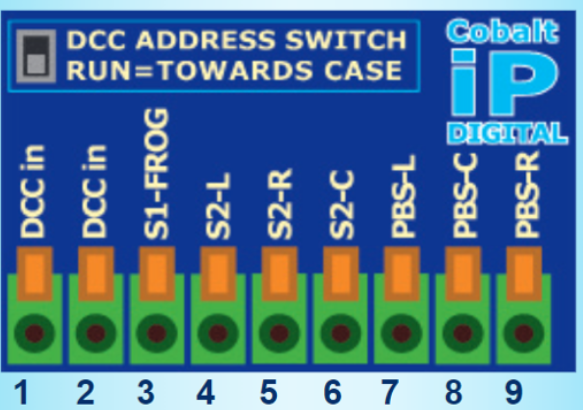
The Cobalt Digital IP Point Motor features a terminal block for power and control connections, as well as an RJ45 Ethernet port for network communication.
Terminal Block Pinout
| Pin Number | Label | Description |
|---|---|---|
| 1 | V+ | Positive power supply input (12V DC) |
| 2 | GND | Ground connection |
| 3 | IN1 | Input signal for manual control (optional) |
| 4 | IN2 | Input signal for manual control (optional) |
| 5 | OUT1 | Output signal for status monitoring |
| 6 | OUT2 | Output signal for status monitoring |
RJ45 Ethernet Port
The Ethernet port is used for communication with IP-based systems. It supports standard TCP/IP protocols for remote control and monitoring.
Usage Instructions
How to Use the Component in a Circuit
- Power Connection: Connect the V+ and GND pins of the terminal block to a 12V DC power supply. Ensure the power supply can provide at least 1A of current.
- Network Setup: Connect the RJ45 Ethernet port to your network using a standard Ethernet cable. Assign an IP address to the device using your network configuration tool.
- Control Signals: Optionally, connect IN1 and IN2 pins to external switches or control circuits for manual operation.
- Status Monitoring: Use OUT1 and OUT2 pins to monitor the motor's status (e.g., position reached or error state).
- Integration: Use the provided software or API to send commands to the motor over the network. Refer to the manufacturer's documentation for detailed API instructions.
Important Considerations and Best Practices
- Power Supply: Use a regulated 12V DC power supply to avoid damage to the motor.
- Network Configuration: Ensure the device is assigned a unique IP address to prevent conflicts on the network.
- Load Limit: Do not exceed the maximum load of 2 kg to maintain positioning accuracy and prevent motor damage.
- Environment: Operate the motor within the specified temperature range (-10°C to 50°C) to ensure reliable performance.
- Firmware Updates: Regularly check for firmware updates from Layout Supplies to ensure compatibility with the latest systems.
Example Code for Arduino UNO Integration
Although the Cobalt Digital IP Point Motor is primarily designed for IP-based systems, it can be controlled using an Arduino UNO with an Ethernet shield. Below is an example of how to send commands to the motor:
#include <SPI.h>
#include <Ethernet.h>

// Define the MAC address and IP address for the Arduino Ethernet shield
byte mac[] = { 0xDE, 0xAD, 0xBE, 0xEF, 0xFE, 0xED };
IPAddress ip(192, 168, 1, 177); // Replace with your desired IP address
IPAddress motorIP(192, 168, 1, 100); // Replace with the motor's IP address
EthernetClient client;

void setup() {
  // Initialize Ethernet connection
  Ethernet.begin(mac, ip);
  Serial.begin(9600);
  delay(1000); // Allow time for Ethernet to initialize

  // Connect to the motor
  if (client.connect(motorIP, 80)) {
    Serial.println("Connected to motor");
    // Send a command to move the motor to position 45°
    client.println("MOVE 45");
    client.stop();
  } else {
    Serial.println("Connection failed");
  }
}

void loop() {
  // No actions in the loop for this example
}
Troubleshooting and FAQs
Common Issues and Solutions
Motor Does Not Respond to Commands
- Cause: Incorrect IP address or network configuration.
- Solution: Verify the motor's IP address and ensure it matches the configuration in your control software or code.
Motor Overheats
- Cause: Exceeding the maximum load or operating outside the temperature range.
- Solution: Reduce the load to within the 2 kg limit and ensure the operating environment is within -10°C to 50°C.
Erratic Movement
- Cause: Unstable power supply or interference on control lines.
- Solution: Use a regulated power supply and shield control lines from electromagnetic interference.
No Network Connection
- Cause: Faulty Ethernet cable or incorrect network settings.
- Solution: Replace the Ethernet cable and verify the network configuration.
FAQs
Q: Can the motor be used without a network connection?
A: Yes, the motor can be controlled manually using the IN1 and IN2 pins.Q: Is the motor compatible with PoE (Power over Ethernet)?
A: No, the motor requires a separate 12V DC power supply.Q: How do I reset the motor to factory settings?
A: Press and hold the reset button (if available) for 10 seconds while powering on the device.Q: Can I control multiple motors on the same network?
A: Yes, assign a unique IP address to each motor to avoid conflicts.
This documentation provides a comprehensive guide to using the Cobalt Digital IP Point Motor (DCP-CB1DIP) effectively in your projects. For further assistance, refer to the manufacturer's support resources.