
How to Use E-Paper Eval Board: Examples, Pinouts, and Specs
 Design with E-Paper Eval Board in Cirkit Designer
Introduction
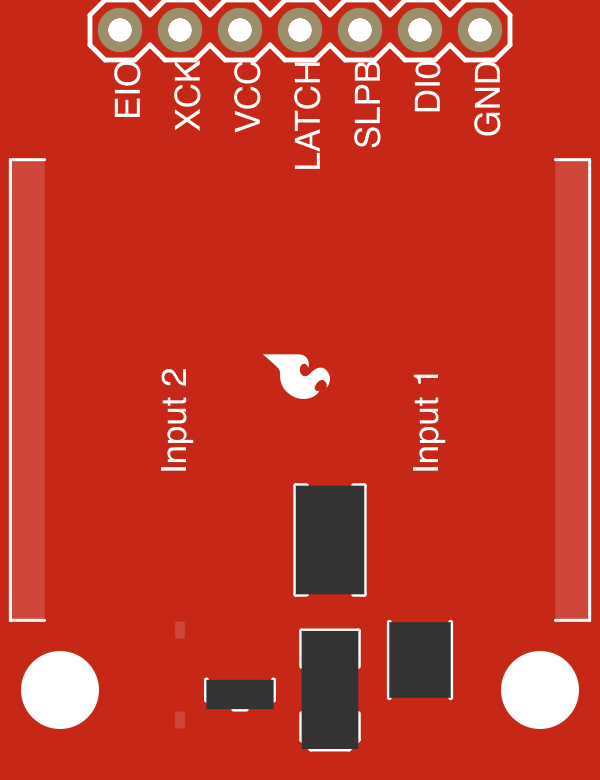
The E-Paper Eval Board by SparkFun is a versatile development board designed for testing and prototyping with E-Paper displays. It provides an easy-to-use interface for connecting E-Paper displays to microcontrollers and power sources, making it an ideal tool for developers working on low-power, high-contrast display applications. E-Paper displays are known for their ultra-low power consumption and excellent readability in various lighting conditions, making this board suitable for a wide range of projects.
Explore Projects Built with E-Paper Eval Board
 Open Project in Cirkit Designer
 Open Project in Cirkit Designer
 Open Project in Cirkit Designer
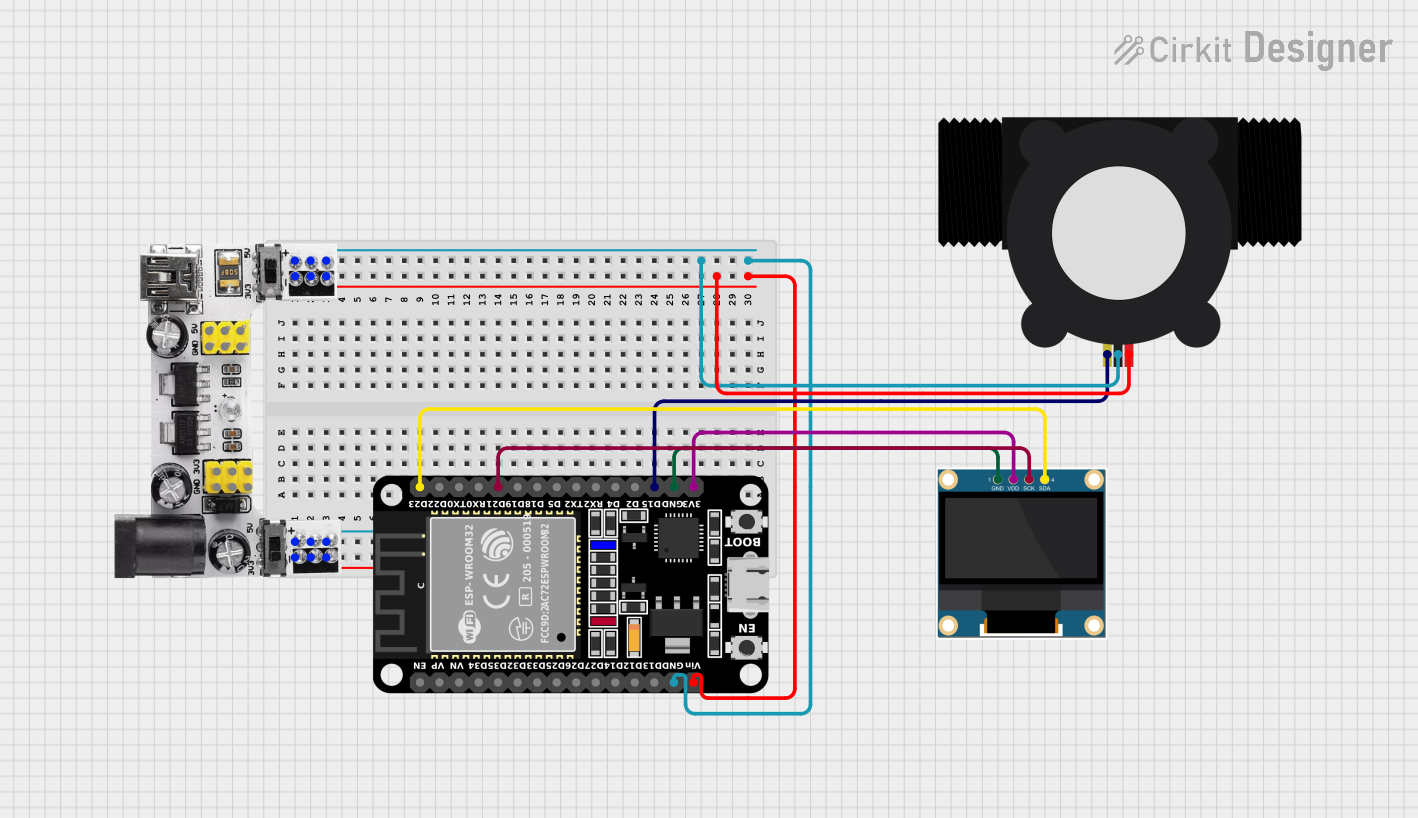 Open Project in Cirkit Designer
Explore Projects Built with E-Paper Eval Board
Open Project in Cirkit DesignerOpen Project in Cirkit DesignerOpen Project in Cirkit DesignerOpen Project in Cirkit DesignerCommon Applications and Use Cases
- Prototyping E-Paper-based projects such as e-readers, digital signage, and smart labels.
- Developing low-power IoT devices with display capabilities.
- Testing and evaluating E-Paper displays for integration into larger systems.
- Educational purposes for learning about E-Paper technology and display interfacing.
Technical Specifications
The E-Paper Eval Board is equipped with features that simplify the integration of E-Paper displays into your projects. Below are the key technical details:
General Specifications
| Parameter | Value |
|---|---|
| Manufacturer | SparkFun |
| Supported Displays | E-Paper displays with SPI interface |
| Input Voltage Range | 3.3V to 5V |
| Communication Protocol | SPI |
| Operating Temperature | -20°C to 70°C |
| Dimensions | 50mm x 50mm |
Pin Configuration and Descriptions
The E-Paper Eval Board features a standard pin header for easy connection to microcontrollers. Below is the pinout:
| Pin Name | Description |
|---|---|
| VCC | Power input (3.3V or 5V) |
| GND | Ground |
| SCK | SPI Clock |
| MOSI | SPI Master Out, Slave In |
| MISO | SPI Master In, Slave Out (optional, if needed) |
| CS | Chip Select for the E-Paper display |
| DC | Data/Command control pin |
| RST | Reset pin for the E-Paper display |
| BUSY | Busy signal from the E-Paper display |
Usage Instructions
How to Use the Component in a Circuit
- Power the Board: Connect the VCC pin to a 3.3V or 5V power source and the GND pin to ground.
- Connect to a Microcontroller: Use the SPI pins (SCK, MOSI, MISO, CS) to connect the board to your microcontroller. Ensure the microcontroller supports SPI communication.
- Connect the E-Paper Display: Attach the compatible E-Paper display to the board's display connector.
- Control the Display: Use the DC, RST, and BUSY pins to manage the display's operation. Refer to the display's datasheet for specific timing and control requirements.
Important Considerations and Best Practices
- Voltage Compatibility: Ensure the microcontroller's logic level matches the board's input voltage (3.3V or 5V).
- SPI Configuration: Configure the SPI interface on your microcontroller with the correct clock polarity and phase (typically Mode 0 or Mode 3, depending on the display).
- Power Consumption: E-Paper displays consume very little power during static operation but may require higher current during updates. Ensure your power source can handle these peaks.
- Avoid Frequent Updates: E-Paper displays are not designed for rapid refresh rates. Minimize updates to extend the display's lifespan.
Example Code for Arduino UNO
Below is an example of how to interface the E-Paper Eval Board with an Arduino UNO:
#include <SPI.h>
#include <Adafruit_GFX.h>       // Graphics library for E-Paper displays
#include <Adafruit_EPD.h>       // E-Paper display library

// Pin definitions for the E-Paper Eval Board
#define EPD_CS   10  // Chip Select pin
#define EPD_DC    9  // Data/Command pin
#define EPD_RST   8  // Reset pin
#define EPD_BUSY  7  // Busy pin

// Initialize the E-Paper display (example for a 2.9" E-Paper display)
Adafruit_IL0373 display(128, 296, EPD_CS, EPD_DC, EPD_RST, EPD_BUSY);

void setup() {
  Serial.begin(9600);
  Serial.println("Initializing E-Paper display...");

  // Initialize the display
  display.begin();

  // Clear the display
  display.clearBuffer();
  display.display();

  // Draw some text
  display.setTextSize(1);
  display.setTextColor(EPD_BLACK);
  display.setCursor(10, 10);
  display.print("Hello, E-Paper!");

  // Update the display
  display.display();
  Serial.println("Display updated.");
}

void loop() {
  // Nothing to do here
}
Troubleshooting and FAQs
Common Issues and Solutions
The display does not update:
- Verify all connections between the microcontroller, Eval Board, and E-Paper display.
- Ensure the SPI pins are correctly configured in your code.
- Check the power supply voltage and current capacity.
The display shows artifacts or incomplete updates:
- Ensure the BUSY pin is monitored correctly in your code to avoid sending commands while the display is busy.
- Double-check the SPI clock speed; it should not exceed the display's maximum supported speed.
The display remains blank:
- Confirm that the E-Paper display is compatible with the Eval Board.
- Verify that the reset (RST) pin is correctly toggled during initialization.
FAQs
Q: Can I use this board with a 5V microcontroller like Arduino UNO?
A: Yes, the board supports both 3.3V and 5V logic levels, making it compatible with 5V microcontrollers like the Arduino UNO.
Q: What is the maximum refresh rate for E-Paper displays?
A: E-Paper displays are not designed for high refresh rates. Typical refresh times range from 1 to 3 seconds, depending on the display size and type.
Q: Can I use this board with other microcontrollers like ESP32 or Raspberry Pi?
A: Yes, as long as the microcontroller supports SPI communication, it can interface with the E-Paper Eval Board.
Q: How do I know if the display is busy?
A: Monitor the BUSY pin. When the pin is HIGH, the display is busy and cannot accept new commands. Wait until the pin goes LOW before sending new commands.
This concludes the documentation for the SparkFun E-Paper Eval Board. Happy prototyping!