
How to Use solar panel: Examples, Pinouts, and Specs
 Design with solar panel in Cirkit Designer
Introduction
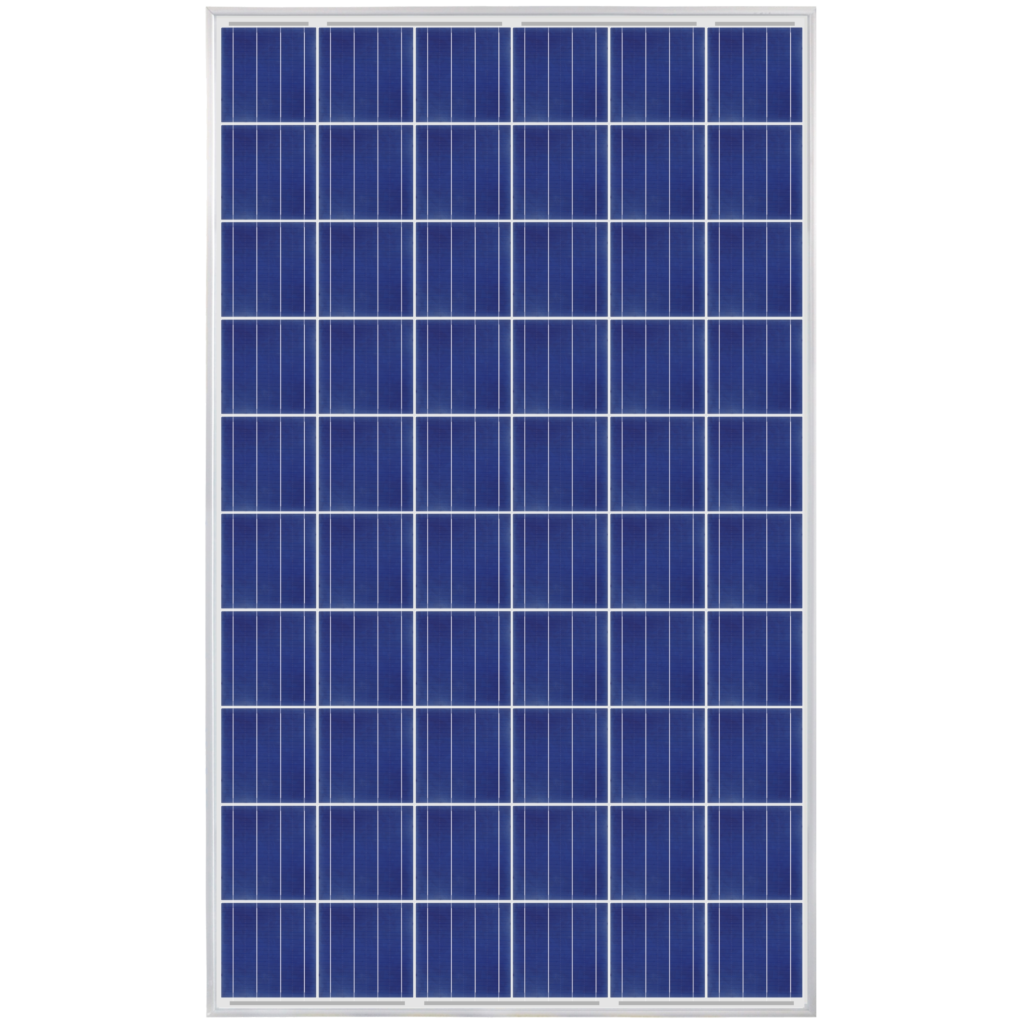
A solar panel, manufactured by Power Supply (Part ID: Panel), is a device that converts sunlight into electrical energy using photovoltaic (PV) cells. It provides a renewable and sustainable source of power, making it an essential component in modern energy systems. Solar panels are widely used in residential, commercial, and industrial applications, including powering homes, charging batteries, and supporting off-grid systems.
Explore Projects Built with solar panel
 Open Project in Cirkit Designer
 Open Project in Cirkit Designer
 Open Project in Cirkit Designer
 Open Project in Cirkit Designer
Explore Projects Built with solar panel
Open Project in Cirkit DesignerOpen Project in Cirkit DesignerOpen Project in Cirkit DesignerOpen Project in Cirkit DesignerCommon Applications and Use Cases
- Residential and commercial solar energy systems
- Off-grid power solutions for remote areas
- Solar-powered devices (e.g., lights, fans, and chargers)
- Integration with battery storage systems
- Renewable energy projects and educational purposes
Technical Specifications
Below are the key technical details for the Power Supply Solar Panel (Part ID: Panel):
| Parameter | Value |
|---|---|
| Maximum Power (Pmax) | 100 W |
| Open Circuit Voltage (Voc) | 21.6 V |
| Short Circuit Current (Isc) | 6.2 A |
| Maximum Power Voltage (Vmp) | 18 V |
| Maximum Power Current (Imp) | 5.56 A |
| Efficiency | 18% |
| Operating Temperature | -40°C to +85°C |
| Dimensions | 1200 mm x 540 mm x 35 mm |
| Weight | 8 kg |
Pin Configuration and Descriptions
Solar panels typically have two output terminals for electrical connections:
| Pin | Description |
|---|---|
| Positive (+) | Connects to the positive terminal of the load or charge controller |
| Negative (-) | Connects to the negative terminal of the load or charge controller |
Usage Instructions
How to Use the Solar Panel in a Circuit
- Positioning the Panel: Place the solar panel in a location with maximum sunlight exposure. Ensure it is angled correctly based on your geographic location for optimal energy generation.
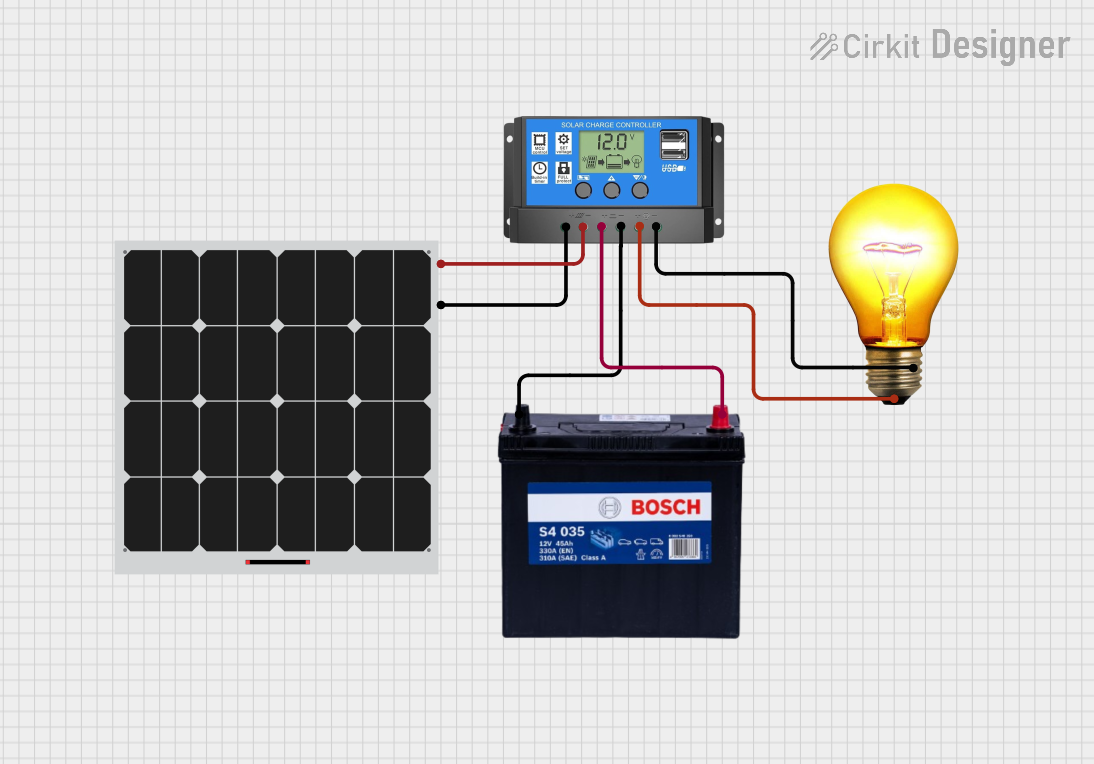
- Connecting to a Charge Controller:
- Connect the positive (+) terminal of the solar panel to the positive input of the charge controller.
- Connect the negative (-) terminal of the solar panel to the negative input of the charge controller.
- Connecting to a Battery (Optional): If using a battery, connect the charge controller's output terminals to the battery's positive and negative terminals.
- Connecting to a Load: Attach the load (e.g., lights, appliances) to the output terminals of the charge controller or directly to the battery, depending on the system design.
Important Considerations and Best Practices
- Avoid Overloading: Ensure the connected load does not exceed the panel's maximum power output.
- Use a Charge Controller: Always use a charge controller to regulate voltage and prevent overcharging of batteries.
- Monitor Temperature: Operate the panel within the specified temperature range (-40°C to +85°C) to avoid damage.
- Clean Regularly: Keep the panel surface clean and free of dust or debris to maintain efficiency.
- Protect from Shading: Avoid partial shading, as it can significantly reduce the panel's output.
Example: Connecting to an Arduino UNO
To use the solar panel with an Arduino UNO, you can connect it via a charge controller and a battery. Below is an example code to monitor the battery voltage using the Arduino:
// Example code to monitor battery voltage using Arduino UNO
const int batteryPin = A0; // Analog pin connected to battery output
float voltage = 0.0;

void setup() {
  Serial.begin(9600); // Initialize serial communication
}

void loop() {
  int sensorValue = analogRead(batteryPin); // Read analog value
  voltage = sensorValue * (5.0 / 1023.0) * 11;
  // Convert to voltage (assuming a 10:1 voltage divider)

  Serial.print("Battery Voltage: ");
  Serial.print(voltage);
  Serial.println(" V");

  delay(1000); // Wait for 1 second before next reading
}
Note: Use a voltage divider circuit to step down the battery voltage to a safe range for the Arduino's analog input (0-5V).
Troubleshooting and FAQs
Common Issues and Solutions
Low Power Output:
- Cause: Insufficient sunlight or shading.
- Solution: Reposition the panel to maximize sunlight exposure and remove any obstructions.
Overheating:
- Cause: Operating in extremely high temperatures.
- Solution: Ensure proper ventilation and avoid placing the panel in enclosed spaces.
No Output Voltage:
- Cause: Loose or incorrect connections.
- Solution: Check all connections and ensure polarity is correct.
Battery Not Charging:
- Cause: Faulty charge controller or battery.
- Solution: Test the charge controller and battery separately to identify the issue.
FAQs
Q: Can I connect the solar panel directly to a battery?
A: It is not recommended. Always use a charge controller to prevent overcharging and damage to the battery.Q: How do I calculate the energy output of the panel?
A: Multiply the panel's power rating (Pmax) by the number of sunlight hours per day. For example, a 100 W panel with 5 hours of sunlight produces 500 Wh/day.Q: Can the panel be used indoors?
A: Solar panels are designed for outdoor use. Indoor use will significantly reduce their efficiency due to limited sunlight.Q: How long does a solar panel last?
A: Most solar panels have a lifespan of 25-30 years with proper maintenance.
By following this documentation, users can effectively integrate the Power Supply Solar Panel (Part ID: Panel) into their renewable energy systems and maximize its performance.