
How to Use 9PIN Header (for RS26-part1): Examples, Pinouts, and Specs

 Design with 9PIN Header (for RS26-part1) in Cirkit Designer
Introduction
The 9-pin header (for RS26-part1) is a compact connector designed for interfacing with RS-232 serial communication systems. It provides a reliable and robust connection for transmitting and receiving data between devices. This header is commonly used in applications requiring serial communication, such as industrial automation, embedded systems, and legacy computer interfaces.
Explore Projects Built with 9PIN Header (for RS26-part1)
 Open Project in Cirkit Designer
 Open Project in Cirkit Designer
 Open Project in Cirkit Designer
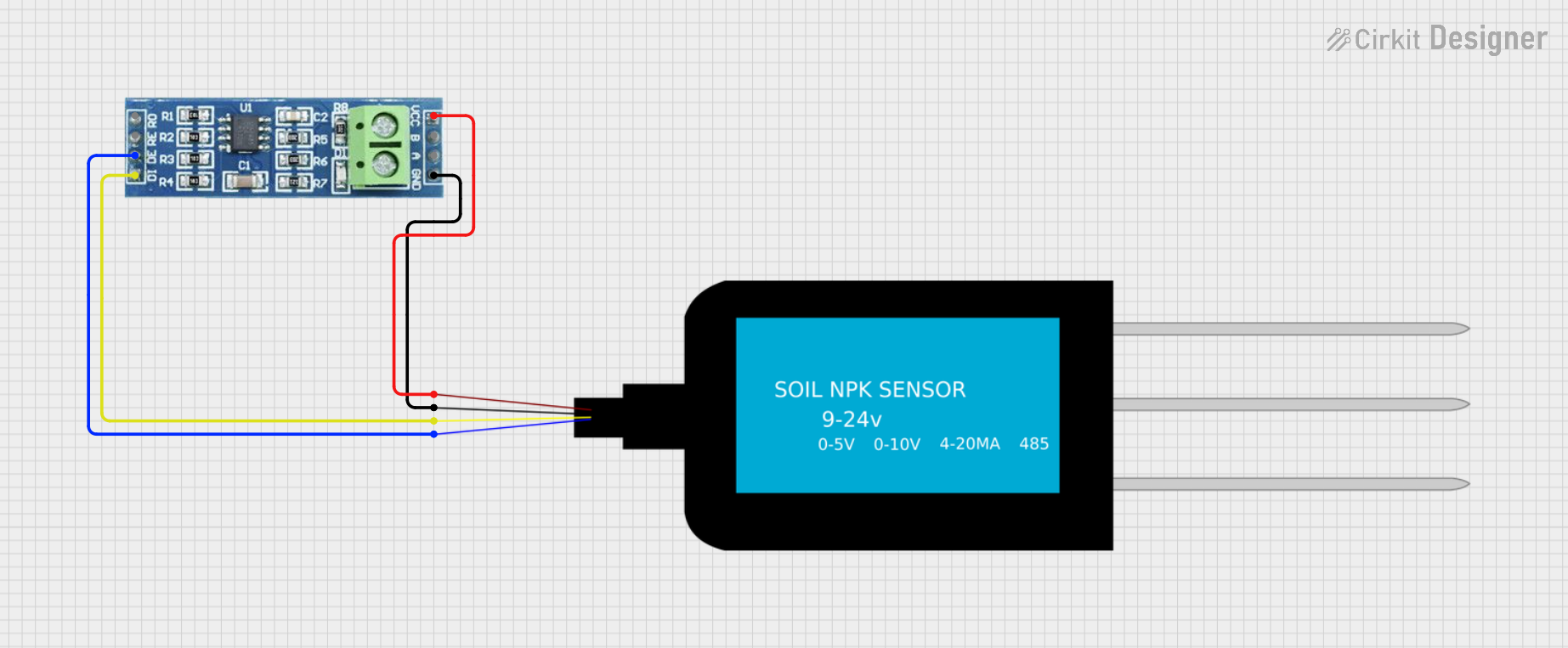 Open Project in Cirkit Designer
Explore Projects Built with 9PIN Header (for RS26-part1)
Open Project in Cirkit DesignerOpen Project in Cirkit DesignerOpen Project in Cirkit DesignerOpen Project in Cirkit DesignerCommon Applications and Use Cases
- RS-232 serial communication between microcontrollers and peripherals
- Connecting computers to modems, printers, or other serial devices
- Debugging and programming embedded systems
- Industrial equipment communication
- Legacy hardware interfacing
Technical Specifications
Key Technical Details
- Number of Pins: 9
- Pin Pitch: 2.54 mm (standard spacing)
- Voltage Rating: Up to 250V
- Current Rating: Up to 3A per pin
- Operating Temperature: -40°C to +85°C
- Connector Type: Male header
- Compatibility: RS-232 standard
Pin Configuration and Descriptions
The 9-pin header follows the standard RS-232 pinout. Below is the pin configuration:
| Pin Number | Name | Description |
|---|---|---|
| 1 | DCD (Data Carrier Detect) | Indicates the presence of a data carrier signal. |
| 2 | RXD (Receive Data) | Receives data from the connected device. |
| 3 | TXD (Transmit Data) | Transmits data to the connected device. |
| 4 | DTR (Data Terminal Ready) | Signals that the device is ready to communicate. |
| 5 | GND (Ground) | Common ground for the circuit. |
| 6 | DSR (Data Set Ready) | Indicates that the connected device is ready. |
| 7 | RTS (Request to Send) | Requests permission to send data. |
| 8 | CTS (Clear to Send) | Indicates readiness to receive data. |
| 9 | RI (Ring Indicator) | Signals an incoming call or connection. |
Usage Instructions
How to Use the Component in a Circuit
- Identify the Pinout: Refer to the pin configuration table above to correctly connect the header to your circuit.
- Connect to RS-232 Devices: Use the header to interface with RS-232-compatible devices such as microcontrollers, computers, or modems.
- Ensure Proper Voltage Levels: RS-232 typically operates at ±12V signal levels. Use a level shifter (e.g., MAX232) if interfacing with devices operating at TTL levels (0-5V).
- Secure the Connection: Ensure the header is firmly soldered or connected to avoid loose connections during operation.
Important Considerations and Best Practices
- Signal Integrity: Use shielded cables to minimize noise and interference in high-speed or long-distance communication.
- Voltage Compatibility: Verify that the connected devices operate at compatible voltage levels to prevent damage.
- Ground Connection: Always connect the ground (GND) pin to establish a common reference point for communication.
- Avoid Overcurrent: Do not exceed the current rating of 3A per pin to prevent overheating or damage.
Example: Connecting to an Arduino UNO
To interface the 9-pin header with an Arduino UNO, you will need an RS-232 to TTL converter (e.g., MAX232). Below is an example code snippet for sending and receiving data:
#include <SoftwareSerial.h>

// Define RX and TX pins for software serial communication
SoftwareSerial mySerial(10, 11); // RX = pin 10, TX = pin 11

void setup() {
  Serial.begin(9600); // Initialize hardware serial for debugging
  mySerial.begin(9600); // Initialize software serial for RS-232 communication

  Serial.println("RS-232 Communication Initialized");
}

void loop() {
  // Check if data is available from the RS-232 device
  if (mySerial.available()) {
    char received = mySerial.read(); // Read the incoming data
    Serial.print("Received: ");
    Serial.println(received); // Print the received data to the Serial Monitor
  }

  // Send data to the RS-232 device
  mySerial.println("Hello from Arduino!");
  delay(1000); // Wait for 1 second before sending the next message
}
Note: Ensure the RX and TX pins of the Arduino are connected to the TXD and RXD pins of the 9-pin header (via the RS-232 to TTL converter), respectively.
Troubleshooting and FAQs
Common Issues and Solutions
No Data Transmission or Reception
- Cause: Incorrect pin connections or loose wiring.
- Solution: Double-check the pinout and ensure all connections are secure.
Data Corruption or Noise
- Cause: Signal interference or improper grounding.
- Solution: Use shielded cables and verify that the ground pin is properly connected.
Voltage Level Mismatch
- Cause: Direct connection between RS-232 and TTL devices.
- Solution: Use a level shifter (e.g., MAX232) to convert voltage levels.
Overheating
- Cause: Exceeding the current rating of the header.
- Solution: Ensure the current does not exceed 3A per pin.
FAQs
Q: Can I use this header for non-RS-232 applications?
A: Yes, the 9-pin header can be used for other applications requiring a 9-pin connection, but ensure the voltage and current ratings are not exceeded.
Q: What type of cable should I use with this header?
A: Use a shielded RS-232 cable for optimal performance and reduced interference.
Q: Is this header compatible with modern USB devices?
A: Not directly. You will need an RS-232 to USB adapter to interface with USB devices.
Q: Can I solder this header directly to a PCB?
A: Yes, the 9-pin header is designed for through-hole soldering onto PCBs.