
Cirkit Designer
Your all-in-one circuit design IDE
Home /
Component Documentation
How to Use f: Examples, Pinouts, and Specs
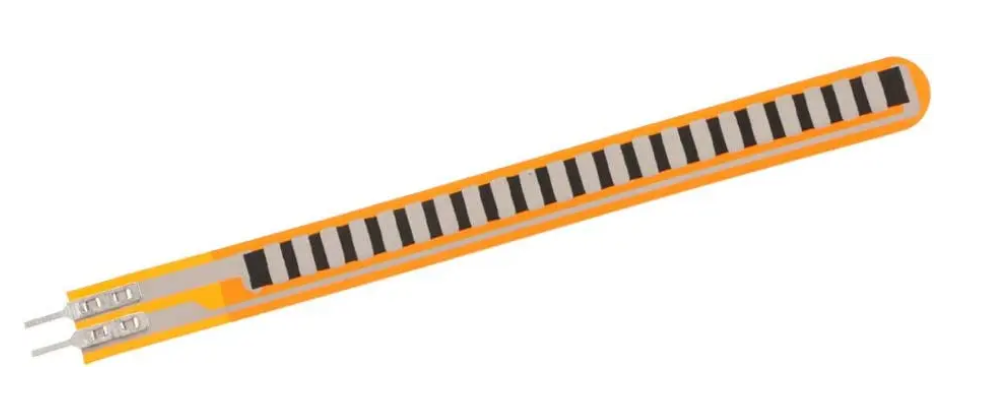
 Design with f in Cirkit Designer
Introduction
- The component f is a symbolic representation commonly used in mathematics, engineering, and electronics to denote a function. In the context of circuit analysis and signal processing, f often represents a function of time, frequency, or other variables, depending on the application. While not a physical electronic component, f is integral to understanding and designing systems that involve mathematical modeling and analysis.
- Common applications and use cases:
- Signal processing (e.g., Fourier transforms, frequency domain analysis)
- Circuit analysis (e.g., transfer functions, Laplace transforms)
- Control systems and feedback loop design
- Mathematical modeling in electronics and engineering
Explore Projects Built with f
Arduino UNO-Based Biometric and Voice-Controlled Security System
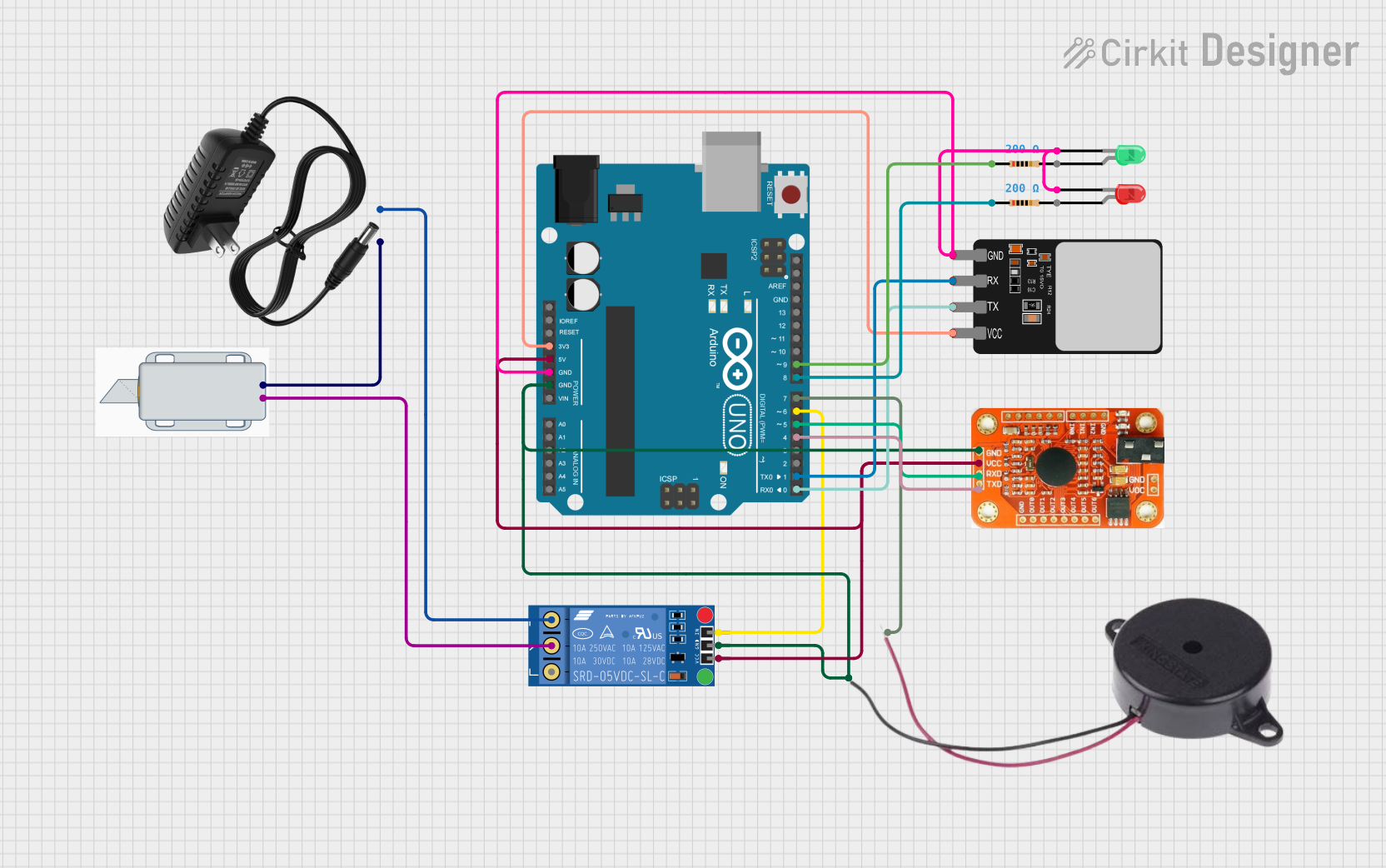
This circuit is designed as a security access control system that uses both a fingerprint scanner and a voice recognition module for dual-factor authentication. Upon successful fingerprint and voice recognition, an Arduino UNO controls a relay to unlock a 12V solenoid lock for a predetermined amount of time. The system also includes visual indicators (red and green LEDs) and an audible alert (buzzer) to signal the system's status and authentication results.
Open Project in Cirkit DesignerArduino-Based Security System with Fingerprint Authentication and Voice Recognition
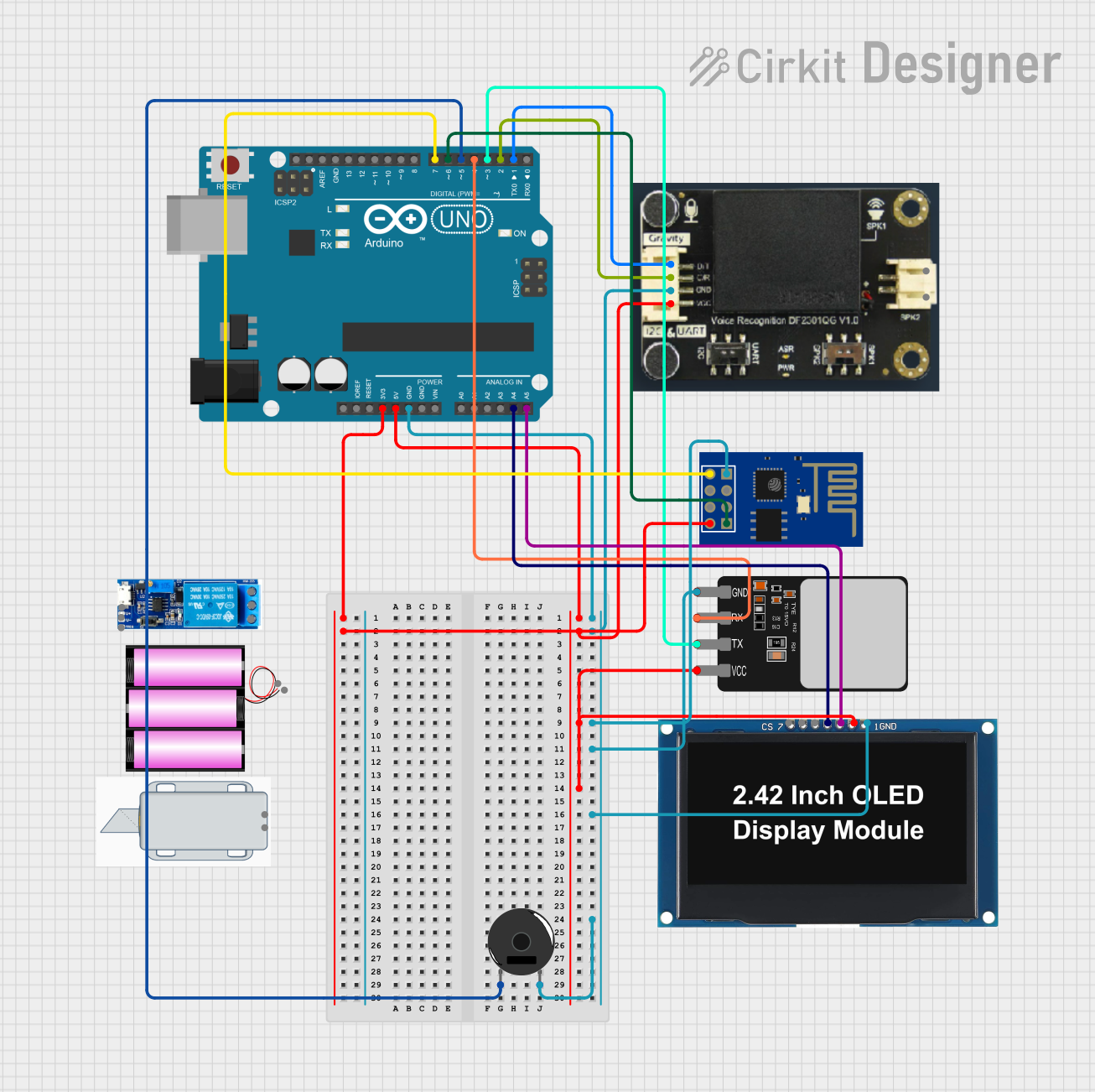
This circuit is designed to serve as a multifunctional security and interaction system, featuring biometric authentication through a fingerprint scanner, voice command recognition, visual feedback via an OLED display, and wireless communication capabilities with the ESP8266 WiFi module. The piezo buzzer provides audio feedback, and the Arduino UNO serves as the central controller for the system.
Open Project in Cirkit DesignerArduino UNO-Based Smart Item Booking System with Bluetooth and LCD Display
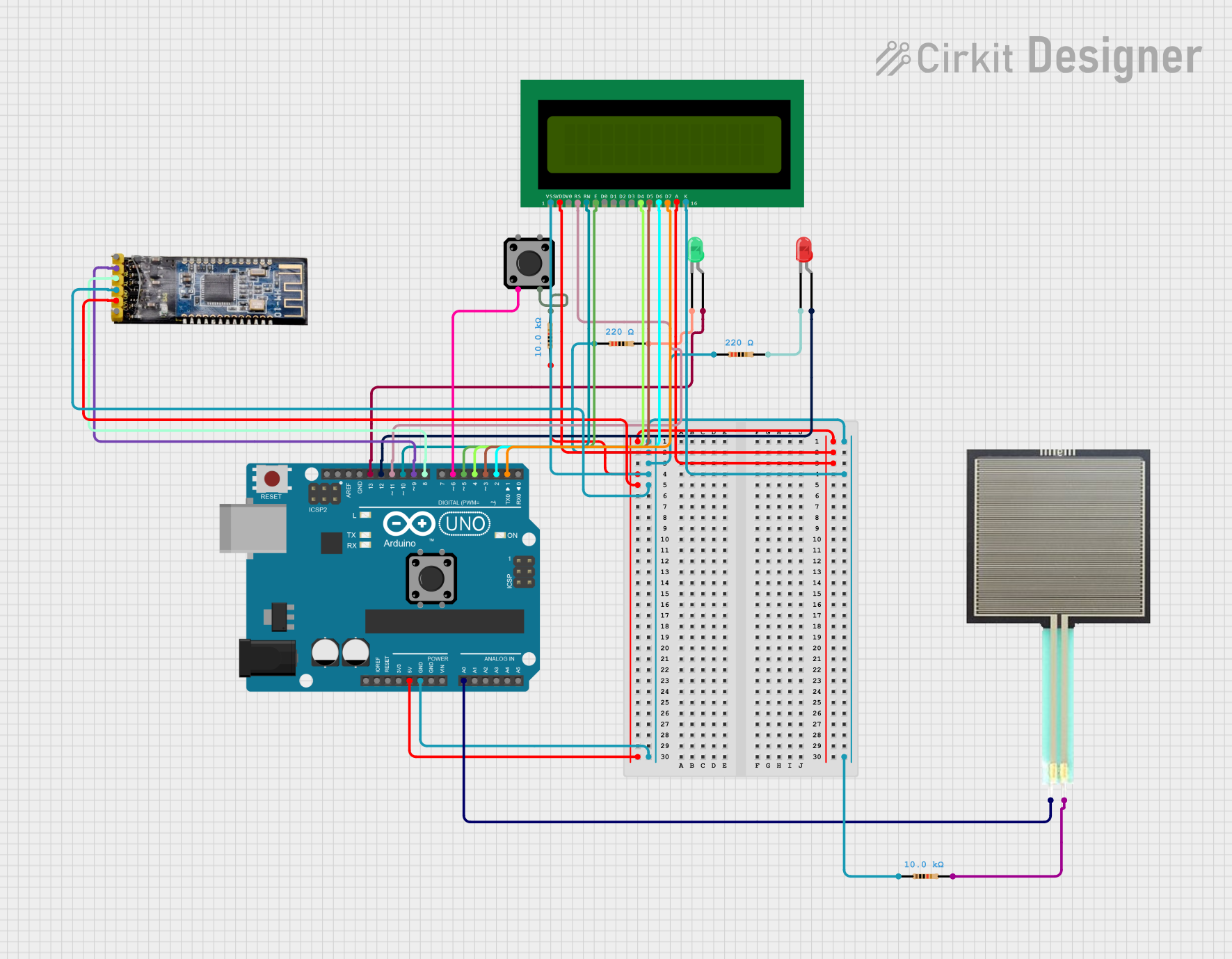
This circuit uses an Arduino UNO to monitor a force-sensitive resistor (FSR) and control LEDs and an LCD display to indicate the availability of an item. It also includes a Bluetooth module for sending notifications and a button to simulate booking the item, with the status displayed on the LCD.
Open Project in Cirkit DesignerArduino UNO-Based Security System with Fingerprint Authentication and Servo Lock Control
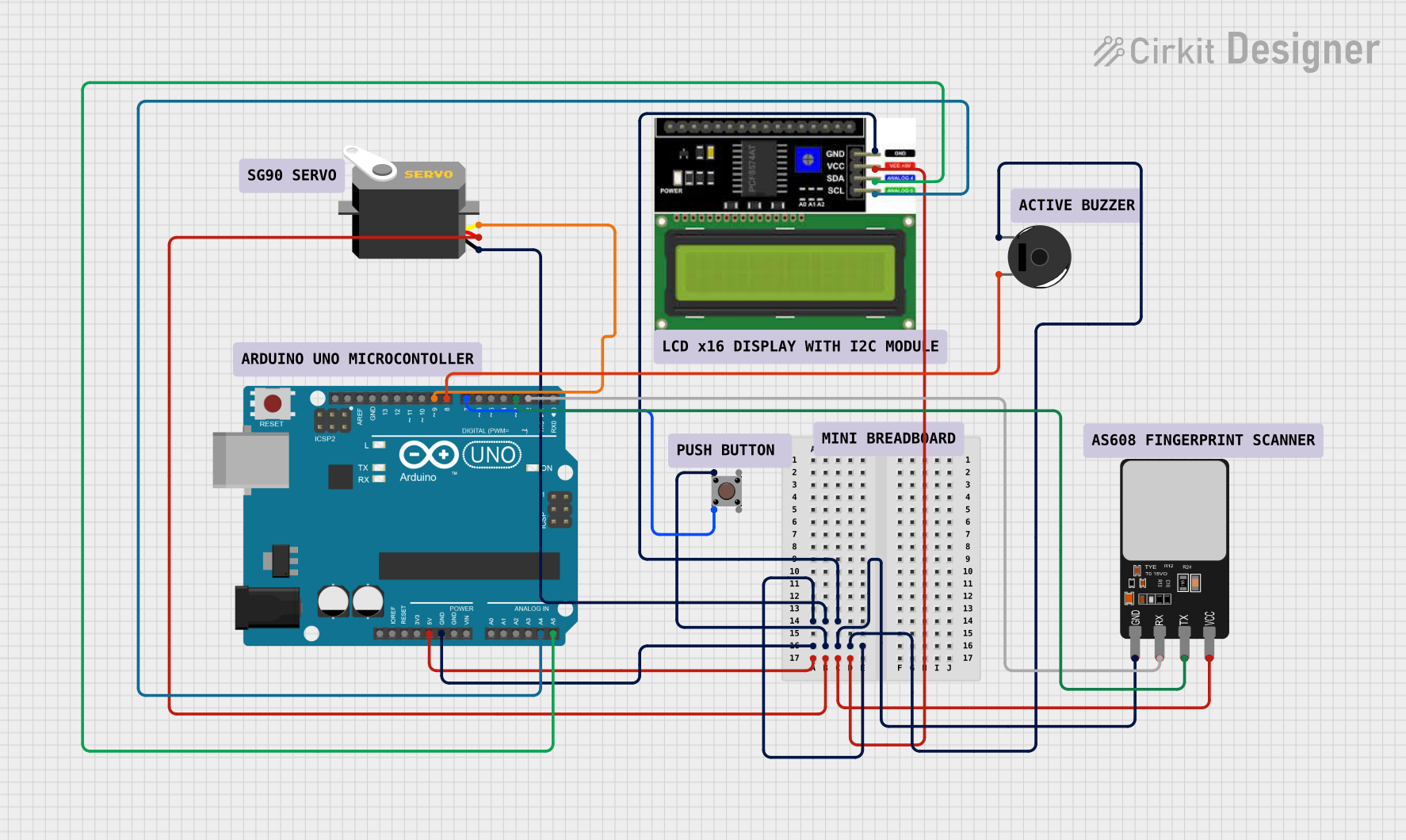
This circuit features an Arduino UNO microcontroller interfaced with a servo motor, a pushbutton, a piezo buzzer, a fingerprint scanner, and an LCD I2C display. The servo is controlled by a PWM signal from the Arduino, while the pushbutton and buzzer are connected to digital I/O pins for user input and audible feedback, respectively. The fingerprint scanner is interfaced via serial communication for biometric identification, and the LCD display communicates over I2C to show information or status messages.
Open Project in Cirkit DesignerExplore Projects Built with f
Arduino UNO-Based Biometric and Voice-Controlled Security System
This circuit is designed as a security access control system that uses both a fingerprint scanner and a voice recognition module for dual-factor authentication. Upon successful fingerprint and voice recognition, an Arduino UNO controls a relay to unlock a 12V solenoid lock for a predetermined amount of time. The system also includes visual indicators (red and green LEDs) and an audible alert (buzzer) to signal the system's status and authentication results.
Open Project in Cirkit DesignerArduino-Based Security System with Fingerprint Authentication and Voice Recognition
This circuit is designed to serve as a multifunctional security and interaction system, featuring biometric authentication through a fingerprint scanner, voice command recognition, visual feedback via an OLED display, and wireless communication capabilities with the ESP8266 WiFi module. The piezo buzzer provides audio feedback, and the Arduino UNO serves as the central controller for the system.
Open Project in Cirkit DesignerArduino UNO-Based Smart Item Booking System with Bluetooth and LCD Display
This circuit uses an Arduino UNO to monitor a force-sensitive resistor (FSR) and control LEDs and an LCD display to indicate the availability of an item. It also includes a Bluetooth module for sending notifications and a button to simulate booking the item, with the status displayed on the LCD.
Open Project in Cirkit DesignerArduino UNO-Based Security System with Fingerprint Authentication and Servo Lock Control
This circuit features an Arduino UNO microcontroller interfaced with a servo motor, a pushbutton, a piezo buzzer, a fingerprint scanner, and an LCD I2C display. The servo is controlled by a PWM signal from the Arduino, while the pushbutton and buzzer are connected to digital I/O pins for user input and audible feedback, respectively. The fingerprint scanner is interfaced via serial communication for biometric identification, and the LCD display communicates over I2C to show information or status messages.
Open Project in Cirkit DesignerTechnical Specifications
Since f is a symbolic representation rather than a physical component, it does not have traditional technical specifications like voltage or current ratings. However, its usage is defined by the context in which it is applied. Below are some key details:
Pin Configuration and Descriptions
While f does not have physical pins, it is often associated with mathematical inputs and outputs in a system. The following table provides a conceptual mapping:
| Pin/Variable | Description |
|---|---|
| Input (x) | The independent variable or input to the function f(x) |
| Output (f(x)) | The dependent variable or output, representing the result of the function f |
Usage Instructions
How to use the component in a circuit:
- In circuit analysis, f is often used to represent a transfer function, such as H(f), which describes the relationship between input and output signals in the frequency domain.
- For signal processing, f may represent frequency, and functions like sin(2πft) or cos(2πft) are used to model sinusoidal signals.
Important considerations and best practices:
- Clearly define the context of f (e.g., time domain, frequency domain, or another variable).
- Use appropriate mathematical tools, such as Laplace or Fourier transforms, to analyze systems involving f.
- Ensure that units are consistent when working with f (e.g., Hertz for frequency, seconds for time).
Example code for Arduino UNO: Below is an example of generating a sinusoidal signal using the concept of f as frequency:
// Example: Generating a sinusoidal signal using frequency (f)
// This code uses PWM to approximate a sine wave on an Arduino UNO

const int outputPin = 9; // Pin connected to the output
const float frequency = 50.0; // Frequency in Hz
const float amplitude = 127.5; // Amplitude (max 255 for 8-bit PWM)
const float offset = 127.5; // Offset to center the wave (for 8-bit PWM)
const int sampleRate = 1000; // Sampling rate in Hz
const int numSamples = 100; // Number of samples per cycle

void setup() {
  pinMode(outputPin, OUTPUT);
}

void loop() {
  for (int i = 0; i < numSamples; i++) {
    // Calculate the sine wave value
    float angle = 2.0 * PI * frequency * i / sampleRate;
    int value = (int)(amplitude * sin(angle) + offset);

    // Output the value using PWM
    analogWrite(outputPin, value);

    // Delay to maintain the sampling rate
    delayMicroseconds(1000000 / sampleRate);
  }
}
Troubleshooting and FAQs
Common issues users might face:
- Misinterpretation of f: Users may confuse f as a physical component rather than a symbolic representation.
- Solution: Clearly define the context and purpose of f in your analysis or design.
- Incorrect units: Using inconsistent units (e.g., mixing Hz and kHz) can lead to errors.
- Solution: Always verify and standardize units before performing calculations.
- Sampling errors in signal generation: When using f to generate signals, insufficient sampling rates can cause aliasing.
- Solution: Ensure the sampling rate is at least twice the highest frequency (Nyquist criterion).
- Misinterpretation of f: Users may confuse f as a physical component rather than a symbolic representation.
FAQs:
- Q: Is f a physical component I can purchase?
- A: No, f is a symbolic representation used in mathematical and engineering contexts.
- Q: How do I determine the value of f in my circuit?
- A: The value of f depends on the specific application. For example, in signal processing, f often represents frequency and can be calculated based on the signal's characteristics.
- Q: Can I use f in Arduino programming?
- A: Yes, you can use f as a variable to represent frequency or other parameters in your code, as shown in the example above.
- Q: Is f a physical component I can purchase?