
Cirkit Designer
Your all-in-one circuit design IDE
Home /
Component Documentation
How to Use MCB: Examples, Pinouts, and Specs
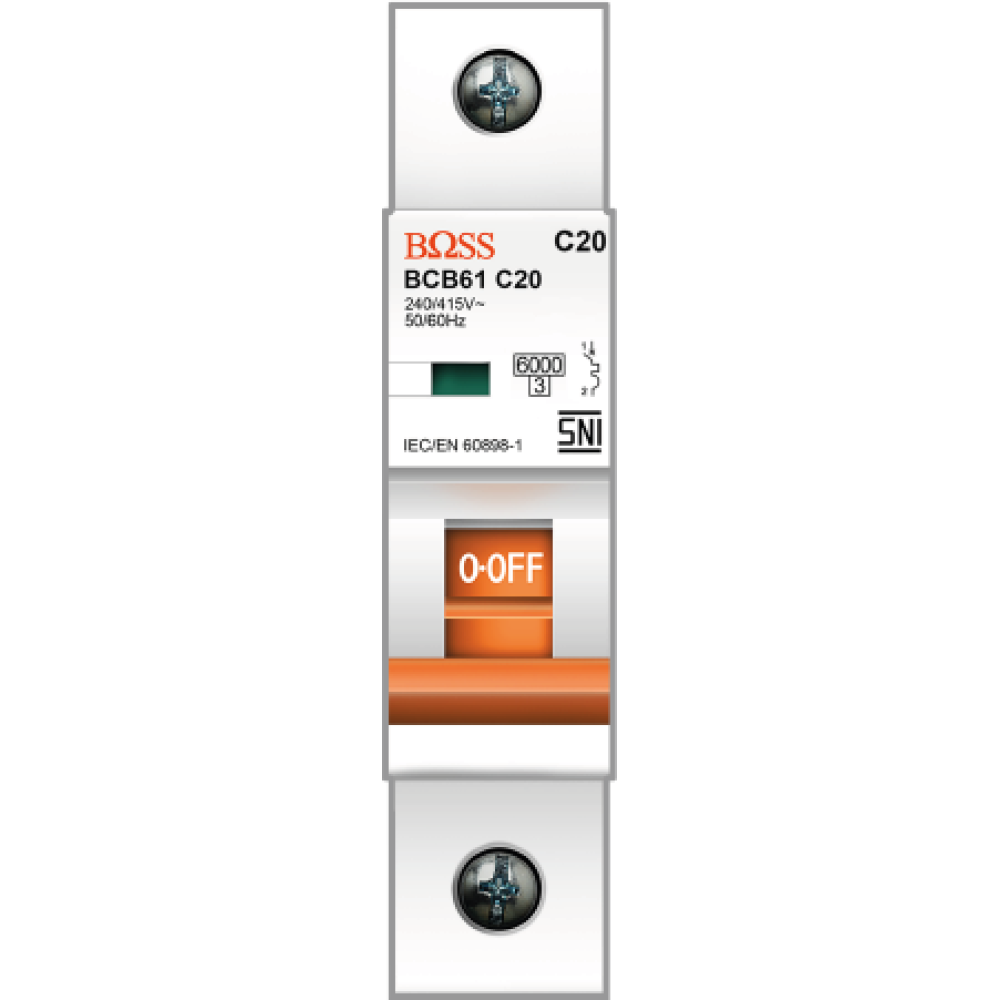
 Design with MCB in Cirkit Designer
Introduction
- A Miniature Circuit Breaker (MCB) is an electromechanical device designed to protect electrical circuits from damage caused by overloads or short circuits. It automatically interrupts the flow of current when it detects a fault, ensuring the safety of electrical systems and connected devices.
- Common applications of MCBs include residential, commercial, and industrial electrical systems. They are widely used in distribution boards, control panels, and other setups where circuit protection is essential.
Explore Projects Built with MCB
Flush Switch Controlled Lamp Circuit with AC Power Supply and MCB Protection

This circuit is designed to control a lamp using a flush switch and is protected by two MCBs (Miniature Circuit Breakers). The AC supply is connected to the input of the first MCB, whose output is connected to the flush switch. The flush switch then controls the power to the lamp, with the second MCB placed in the neutral line for additional safety.
Open Project in Cirkit DesignerLED Indicator System with Power Stabilizer and Measurement Meters
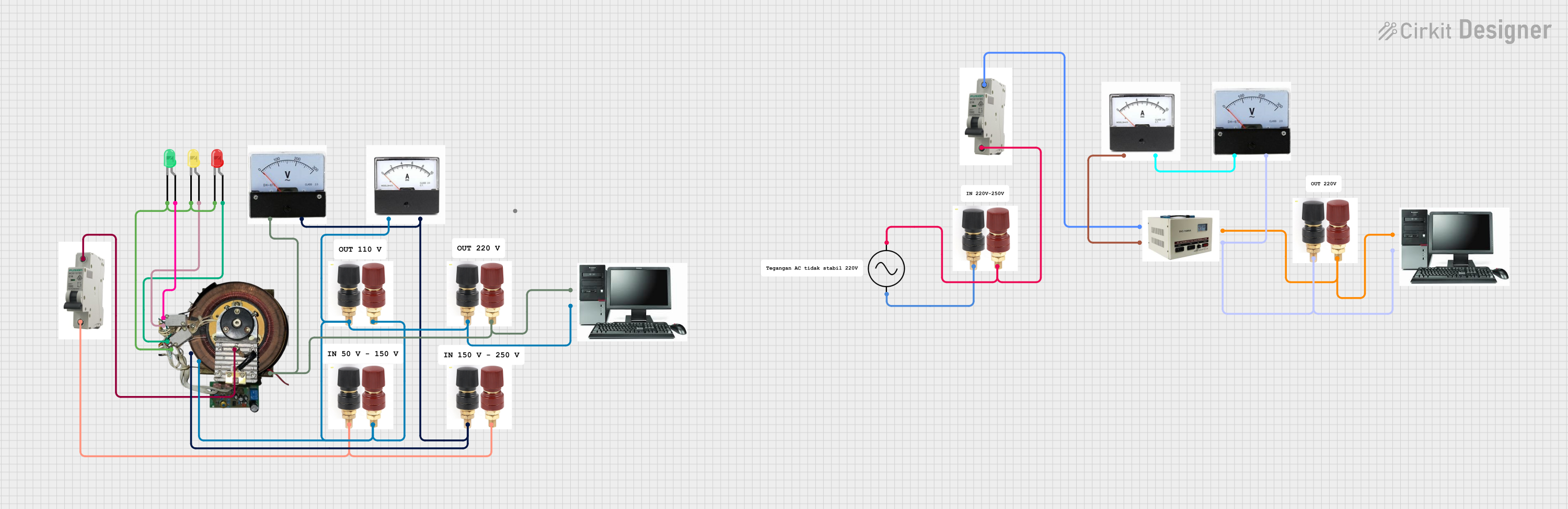
This circuit is a power distribution and monitoring system that includes multiple LEDs for status indication, a stabilizer module, and measurement instruments such as voltmeters and ammeters. It is designed to supply power to a computer and monitor the power quality and current flow, with protection provided by MCBs (Miniature Circuit Breakers).
Open Project in Cirkit DesignerSolar-Powered Battery Charging System with DC-DC Converter
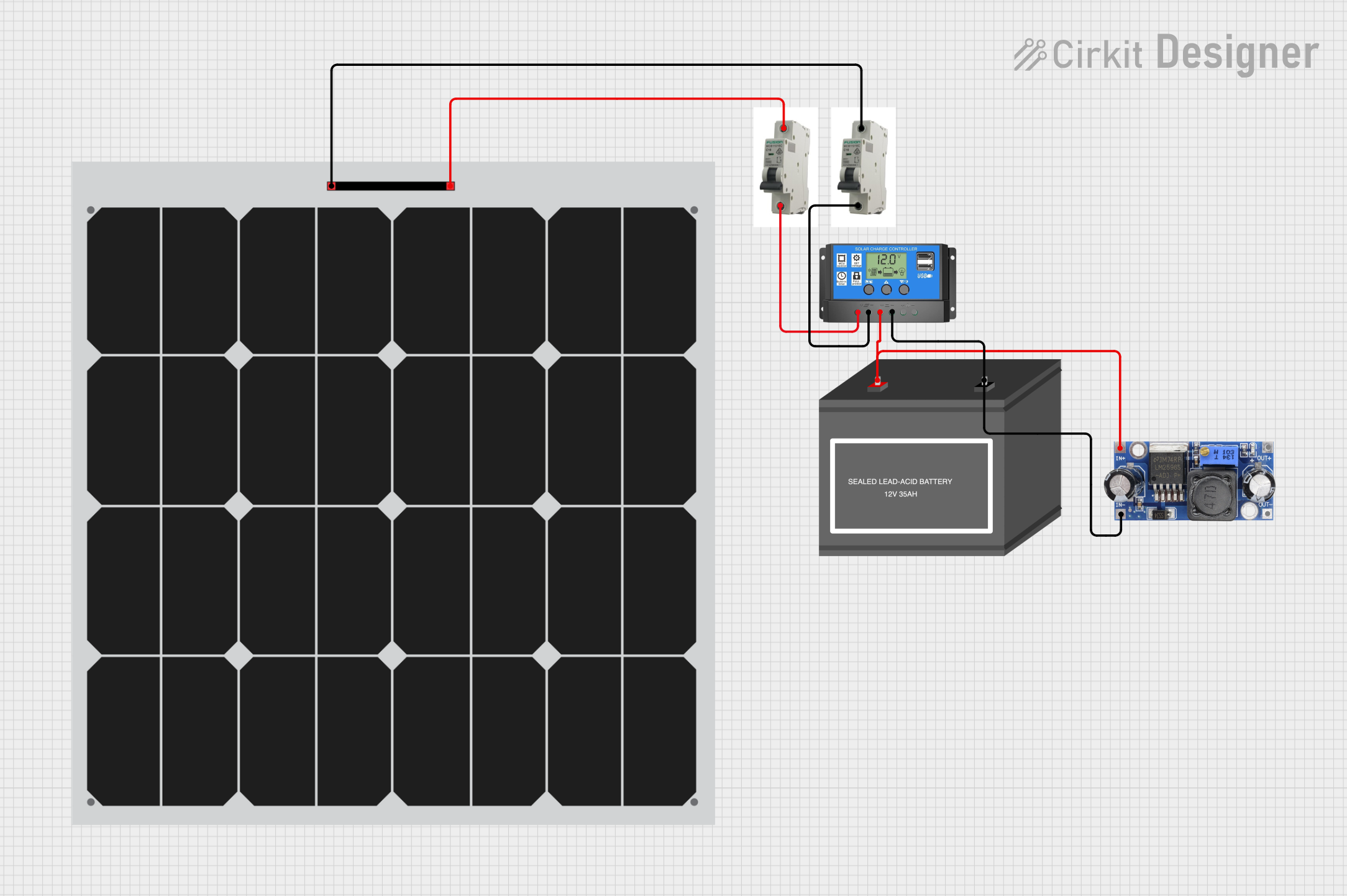
This circuit is a solar power system that uses two solar panels connected through MCBs to a solar charge controller. The charge controller manages the charging of a 12V battery and powers a DC-DC converter, which provides a regulated output voltage.
Open Project in Cirkit DesignerAC Bulb Control Circuit with Flush Switch and MCB Protection
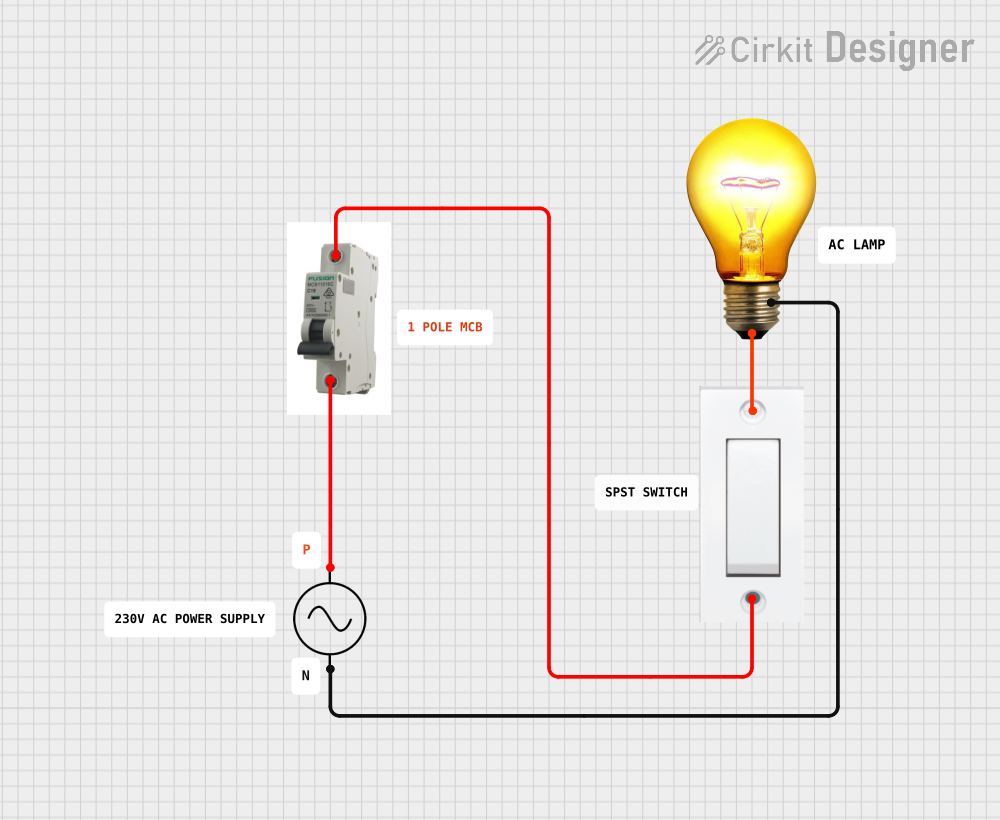
This circuit is designed to control an AC bulb using a flush switch. The AC power supply is connected through an MCB (Miniature Circuit Breaker) for protection, and the flush switch acts as an on/off control for the bulb. There is no microcontroller or embedded code involved in this simple power control circuit.
Open Project in Cirkit DesignerExplore Projects Built with MCB
Flush Switch Controlled Lamp Circuit with AC Power Supply and MCB Protection
This circuit is designed to control a lamp using a flush switch and is protected by two MCBs (Miniature Circuit Breakers). The AC supply is connected to the input of the first MCB, whose output is connected to the flush switch. The flush switch then controls the power to the lamp, with the second MCB placed in the neutral line for additional safety.
Open Project in Cirkit DesignerLED Indicator System with Power Stabilizer and Measurement Meters
This circuit is a power distribution and monitoring system that includes multiple LEDs for status indication, a stabilizer module, and measurement instruments such as voltmeters and ammeters. It is designed to supply power to a computer and monitor the power quality and current flow, with protection provided by MCBs (Miniature Circuit Breakers).
Open Project in Cirkit DesignerSolar-Powered Battery Charging System with DC-DC Converter
This circuit is a solar power system that uses two solar panels connected through MCBs to a solar charge controller. The charge controller manages the charging of a 12V battery and powers a DC-DC converter, which provides a regulated output voltage.
Open Project in Cirkit DesignerAC Bulb Control Circuit with Flush Switch and MCB Protection
This circuit is designed to control an AC bulb using a flush switch. The AC power supply is connected through an MCB (Miniature Circuit Breaker) for protection, and the flush switch acts as an on/off control for the bulb. There is no microcontroller or embedded code involved in this simple power control circuit.
Open Project in Cirkit DesignerTechnical Specifications
- Rated Voltage: Typically 230V AC (single-phase) or 400V AC (three-phase)
- Rated Current: Common ratings include 6A, 10A, 16A, 20A, 32A, 40A, 63A
- Breaking Capacity: 6kA or 10kA (depending on the model)
- Tripping Characteristics: B, C, or D curve (defines the response to overloads)
- Frequency: 50/60 Hz
- Poles: Single-pole (1P), double-pole (2P), triple-pole (3P), or four-pole (4P)
- Mounting: DIN rail compatible
- Standards Compliance: IEC 60898-1 or equivalent
Pin Configuration and Descriptions
MCBs do not have traditional pins like ICs but instead feature terminals for electrical connections. Below is a description of the key terminals:
| Terminal Name | Description |
|---|---|
| Line Input | Connects to the incoming live wire (power source). |
| Load Output | Connects to the outgoing live wire (to the load or protected circuit). |
| Neutral Input | (For 2P, 3P, or 4P MCBs) Connects to the incoming neutral wire. |
| Neutral Output | (For 2P, 3P, or 4P MCBs) Connects to the outgoing neutral wire. |
Usage Instructions
Installation:
- Ensure the power supply is turned off before installation.
- Mount the MCB onto a DIN rail in the distribution board or control panel.
- Connect the line input terminal to the live wire from the power source.
- Connect the load output terminal to the live wire leading to the load or circuit to be protected.
- For multi-pole MCBs, connect the neutral input and output terminals as required.
Operation:
- Switch the MCB to the "ON" position to allow current flow.
- In case of an overload or short circuit, the MCB will trip to the "OFF" position automatically.
- To reset, identify and resolve the fault, then switch the MCB back to the "ON" position.
Important Considerations:
- Select an MCB with the appropriate current rating and tripping curve for your application.
- Ensure proper tightening of terminal screws to avoid loose connections.
- Avoid exceeding the MCB's rated voltage or current capacity.
Example Circuit: Below is an example of how an MCB can be used in a simple circuit to protect a load:
Power Source (230V AC) ----> [MCB] ----> [Load (e.g., Light Bulb)]- The MCB is connected in series with the load to interrupt the circuit in case of a fault.
Troubleshooting and FAQs
Common Issues
MCB Trips Frequently:
- Cause: Overloaded circuit or short circuit.
- Solution: Reduce the load on the circuit or check for wiring faults.
MCB Does Not Trip During a Fault:
- Cause: Faulty MCB or incorrect current rating.
- Solution: Replace the MCB with a properly rated one and ensure it is functioning correctly.
Loose Connections:
- Cause: Improper tightening of terminal screws.
- Solution: Turn off the power and securely tighten all connections.
FAQs
Can an MCB be used for DC circuits?
- Yes, but only specific MCB models designed for DC applications should be used. Check the manufacturer's specifications.
What is the difference between B, C, and D curve MCBs?
- B curve: Trips at 3-5 times the rated current (used for residential applications).
- C curve: Trips at 5-10 times the rated current (used for commercial/industrial applications).
- D curve: Trips at 10-20 times the rated current (used for heavy-duty industrial applications).
How do I select the correct MCB for my application?
- Determine the maximum current your circuit will draw and select an MCB with a slightly higher rated current. Consider the tripping curve based on the type of load (e.g., resistive, inductive).
By following this documentation, users can safely and effectively use an MCB to protect their electrical systems.