
How to Use Keyestudio Motor Shield: Examples, Pinouts, and Specs
 Design with Keyestudio Motor Shield in Cirkit Designer
Introduction
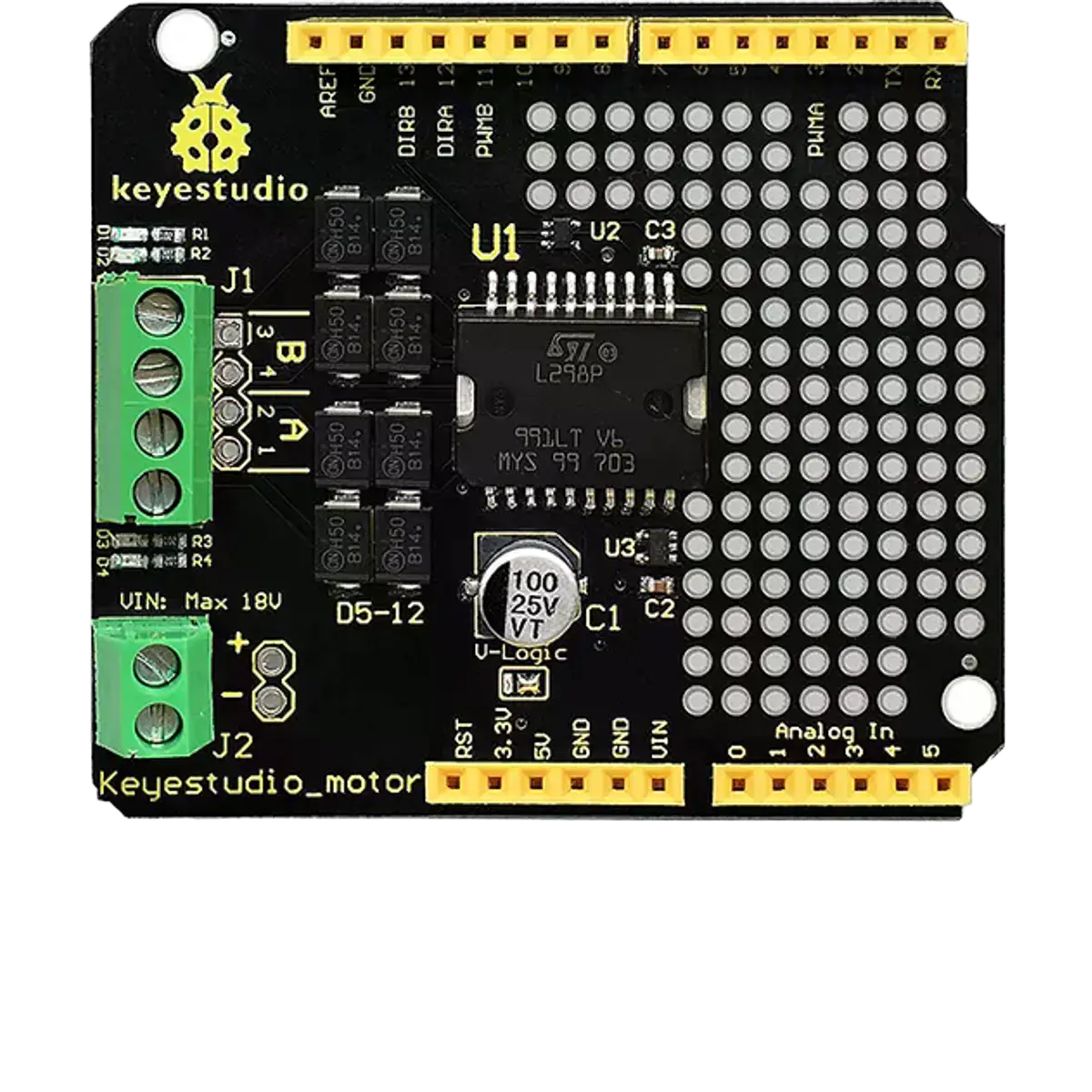
The Keyestudio Motor Shield (KS0007) is a versatile motor control board designed for Arduino projects. It simplifies the process of connecting and controlling DC motors, stepper motors, and servos. With its user-friendly design, the shield provides multiple motor control channels, overcurrent protection, and easy wiring, making it an excellent choice for robotics, automation, and other motor-driven applications.
Explore Projects Built with Keyestudio Motor Shield
 Open Project in Cirkit Designer
 Open Project in Cirkit Designer
 Open Project in Cirkit Designer
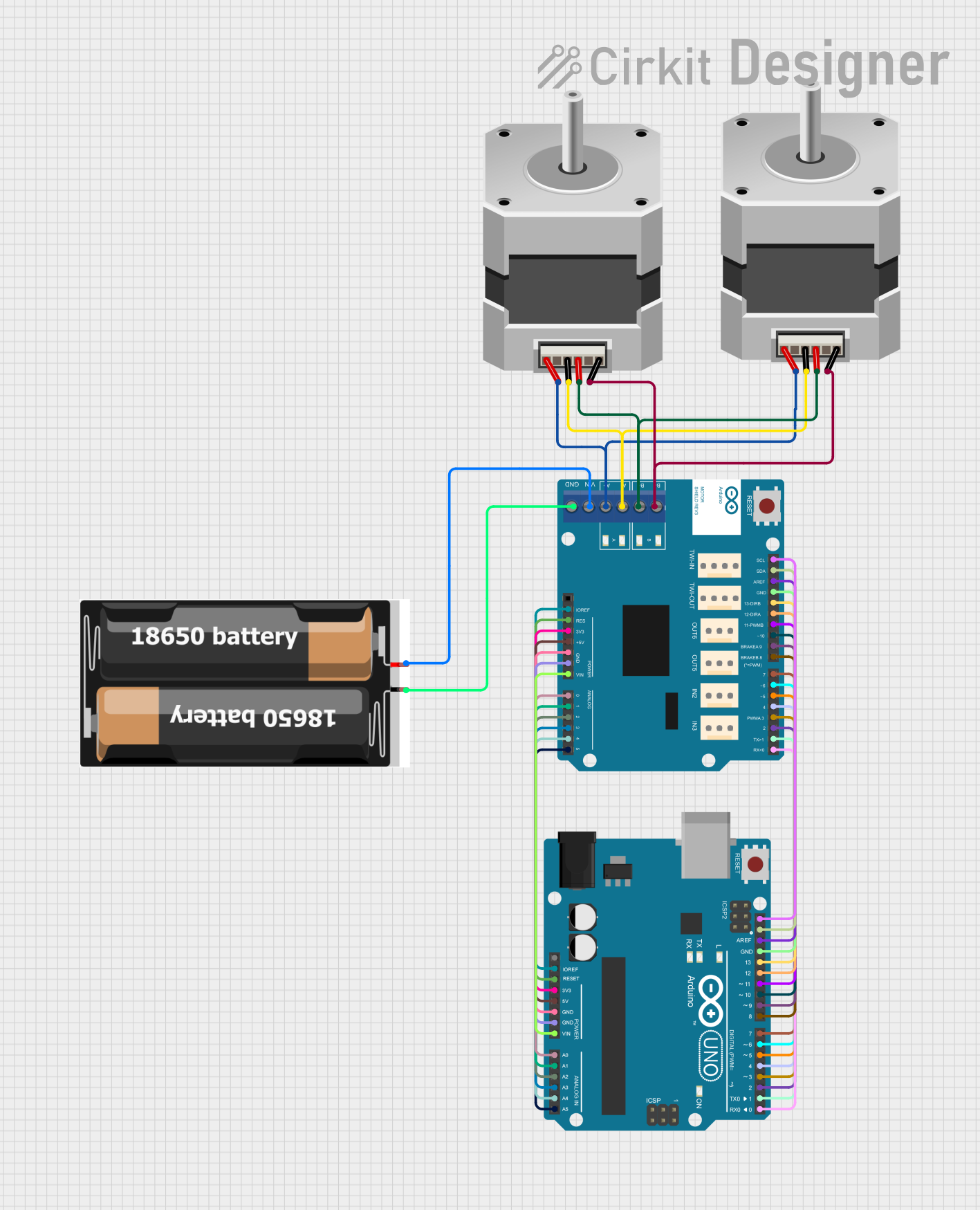 Open Project in Cirkit Designer
Explore Projects Built with Keyestudio Motor Shield
Open Project in Cirkit DesignerOpen Project in Cirkit DesignerOpen Project in Cirkit DesignerOpen Project in Cirkit DesignerCommon Applications
- Robotics projects requiring precise motor control
- Automated systems like conveyor belts or robotic arms
- DIY projects involving DC motors, stepper motors, or servos
- Educational projects for learning motor control with Arduino
Technical Specifications
Key Specifications
| Parameter | Value |
|---|---|
| Manufacturer | Keyestudio |
| Part ID | KS0007 |
| Input Voltage | 6V - 12V (external power supply required) |
| Motor Driver IC | L298P (dual H-bridge driver) |
| DC Motor Channels | 2 |
| Stepper Motor Channels | 1 (bipolar or unipolar stepper motors) |
| Servo Motor Channels | 2 (via dedicated headers) |
| Maximum Current (per channel) | 2A |
| Communication Interface | Arduino-compatible pinout |
| Protection Features | Overcurrent and thermal protection |
Pin Configuration and Descriptions
The Keyestudio Motor Shield uses the Arduino-compatible pinout for easy integration. Below is the pin configuration:
Motor Control Pins
| Pin Name | Arduino Pin | Description |
|---|---|---|
| ENA | D10 | Enable/disable motor A |
| IN1 | D9 | Control input 1 for motor A |
| IN2 | D8 | Control input 2 for motor A |
| ENB | D11 | Enable/disable motor B |
| IN3 | D7 | Control input 1 for motor B |
| IN4 | D6 | Control input 2 for motor B |
Servo Control Pins
| Pin Name | Arduino Pin | Description |
|---|---|---|
| SERVO1 | D5 | PWM signal for servo motor 1 |
| SERVO2 | D4 | PWM signal for servo motor 2 |
Power and Other Pins
| Pin Name | Description |
|---|---|
| VIN | External power supply input (6V - 12V) |
| GND | Ground connection |
| 5V | 5V output for powering external components |
Usage Instructions
How to Use the Component in a Circuit
- Mount the Shield: Place the Keyestudio Motor Shield on top of an Arduino board, ensuring the pins align correctly.
- Connect Motors:
- For DC motors, connect the motor wires to the terminal blocks labeled "MOTOR A" and "MOTOR B."
- For stepper motors, connect the four wires to the terminal block labeled "STEPPER."
- For servos, connect the servo motor connectors to the headers labeled "SERVO1" and "SERVO2."
- Power the Shield: Provide an external power supply (6V - 12V) to the VIN and GND terminals. Ensure the power supply matches the motor requirements.
- Program the Arduino: Use the Arduino IDE to upload a sketch that controls the motors. Refer to the example code below for guidance.
Important Considerations
- Power Supply: Ensure the external power supply voltage matches the motor specifications to avoid damage.
- Current Limits: Do not exceed the maximum current rating of 2A per channel.
- Heat Dissipation: The L298P driver IC may heat up during operation. Use a heatsink if necessary for prolonged use.
- Wiring: Double-check all connections to avoid short circuits or incorrect wiring.
Example Code for Arduino UNO
The following example demonstrates how to control a DC motor connected to "MOTOR A" using the Keyestudio Motor Shield.
// Example code to control a DC motor using the Keyestudio Motor Shield
// Motor A is connected to IN1 (D9) and IN2 (D8), with ENA (D10) for speed control

#define ENA 10  // Enable pin for motor A
#define IN1 9   // Control pin 1 for motor A
#define IN2 8   // Control pin 2 for motor A

void setup() {
  // Set motor control pins as outputs
  pinMode(ENA, OUTPUT);
  pinMode(IN1, OUTPUT);
  pinMode(IN2, OUTPUT);

  // Initialize motor in stopped state
  digitalWrite(IN1, LOW);
  digitalWrite(IN2, LOW);
  analogWrite(ENA, 0);  // Set speed to 0
}

void loop() {
  // Rotate motor A forward at 50% speed
  digitalWrite(IN1, HIGH);
  digitalWrite(IN2, LOW);
  analogWrite(ENA, 128);  // Speed range: 0 (stopped) to 255 (full speed)
  delay(2000);            // Run for 2 seconds

  // Rotate motor A backward at full speed
  digitalWrite(IN1, LOW);
  digitalWrite(IN2, HIGH);
  analogWrite(ENA, 255);  // Full speed
  delay(2000);            // Run for 2 seconds

  // Stop the motor
  digitalWrite(IN1, LOW);
  digitalWrite(IN2, LOW);
  analogWrite(ENA, 0);    // Set speed to 0
  delay(2000);            // Wait for 2 seconds
}
Troubleshooting and FAQs
Common Issues and Solutions
Motors Not Running:
- Ensure the external power supply is connected and within the 6V - 12V range.
- Verify that the motor wires are securely connected to the terminal blocks.
- Check the Arduino sketch for correct pin assignments.
Overheating of the Shield:
- The L298P driver IC may overheat if the current exceeds 2A per channel. Use a heatsink or reduce the motor load.
- Ensure proper ventilation around the shield.
Servo Motors Not Responding:
- Confirm that the servo motor is connected to the correct header (SERVO1 or SERVO2).
- Check the Arduino sketch for proper PWM signal generation.
Arduino Not Recognized by Computer:
- Ensure the Arduino board is properly connected to the computer via USB.
- Verify that the correct board and port are selected in the Arduino IDE.
FAQs
Q: Can I control more than two DC motors with this shield?
A: No, the shield supports up to two DC motors. For additional motors, consider using multiple shields or a different motor driver.
Q: Can I use this shield with a Raspberry Pi?
A: The shield is designed for Arduino boards. To use it with a Raspberry Pi, additional wiring and software adjustments are required.
Q: What types of stepper motors are compatible?
A: The shield supports both bipolar and unipolar stepper motors. Ensure the motor's voltage and current ratings are within the shield's specifications.
Q: Is it safe to power the Arduino through the shield's VIN pin?
A: Yes, the shield can provide power to the Arduino through the VIN pin, but ensure the external power supply voltage is within the recommended range (6V - 12V).