
How to Use Sensor Infrarrojo: Examples, Pinouts, and Specs
 Design with Sensor Infrarrojo in Cirkit Designer
Introduction
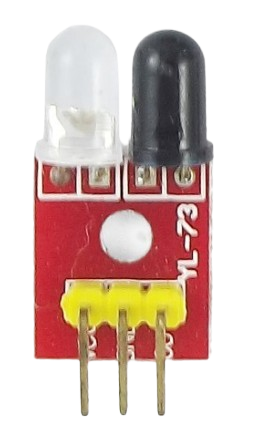
The Sensor Infrarrojo is a device designed to detect infrared (IR) radiation, which is invisible to the human eye but emitted by objects based on their temperature. This sensor is widely used in applications such as motion detection, temperature measurement, and proximity sensing. Its ability to detect IR radiation makes it an essential component in security systems, remote controls, and automation projects.
Common applications include:
- Motion detection in security systems
- Proximity sensing in robotics
- Temperature measurement in industrial and medical devices
- Line-following robots and obstacle detection
Explore Projects Built with Sensor Infrarrojo
 Open Project in Cirkit Designer
 Open Project in Cirkit Designer
 Open Project in Cirkit Designer
 Open Project in Cirkit Designer
Explore Projects Built with Sensor Infrarrojo
Open Project in Cirkit DesignerOpen Project in Cirkit DesignerOpen Project in Cirkit DesignerOpen Project in Cirkit DesignerTechnical Specifications
The Sensor Infrarrojo comes in various models, but the following are general specifications for a typical IR sensor module:
| Parameter | Value |
|---|---|
| Operating Voltage | 3.3V to 5V |
| Operating Current | 20mA (typical) |
| Detection Range | 2 cm to 30 cm (depending on model) |
| Output Signal | Digital (High/Low) or Analog |
| Wavelength Sensitivity | 760 nm to 1100 nm (IR spectrum) |
| Response Time | < 2 ms |
| Operating Temperature | -25°C to 85°C |
Pin Configuration
Below is the typical pin configuration for a 3-pin IR sensor module:
| Pin | Name | Description |
|---|---|---|
| 1 | VCC | Power supply pin (3.3V to 5V) |
| 2 | GND | Ground connection |
| 3 | OUT | Output pin (Digital or Analog signal, depending on model) |
Usage Instructions
How to Use the Sensor Infrarrojo in a Circuit
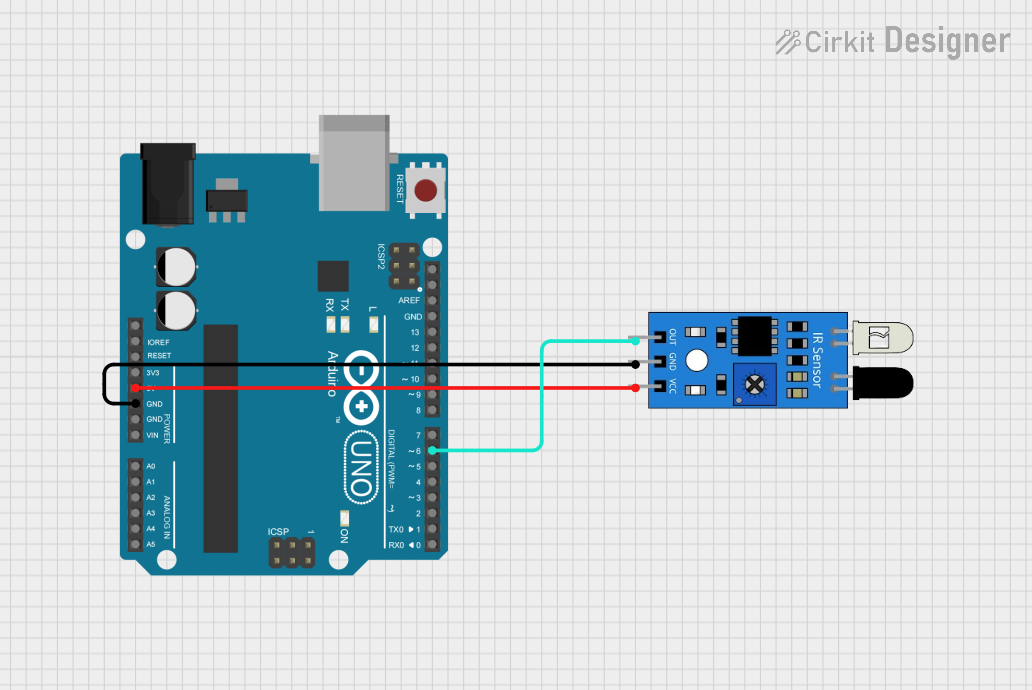
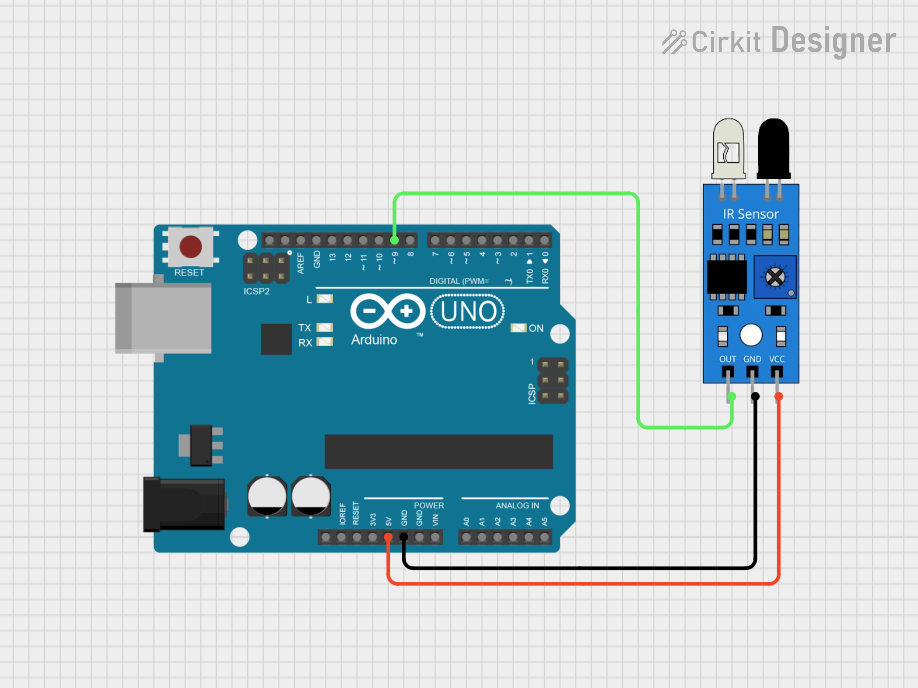
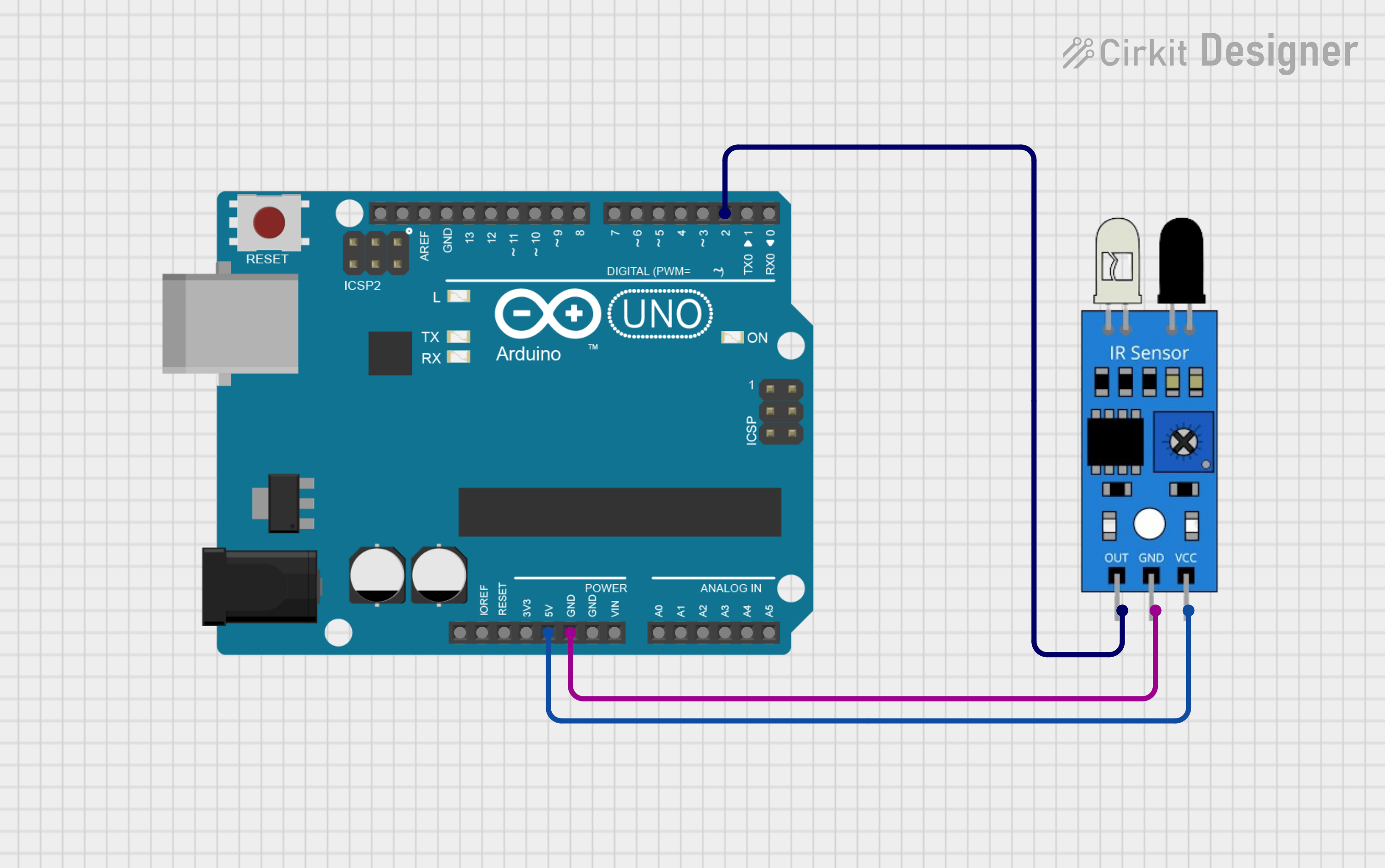
- Power the Sensor: Connect the VCC pin to a 3.3V or 5V power source and the GND pin to the ground.
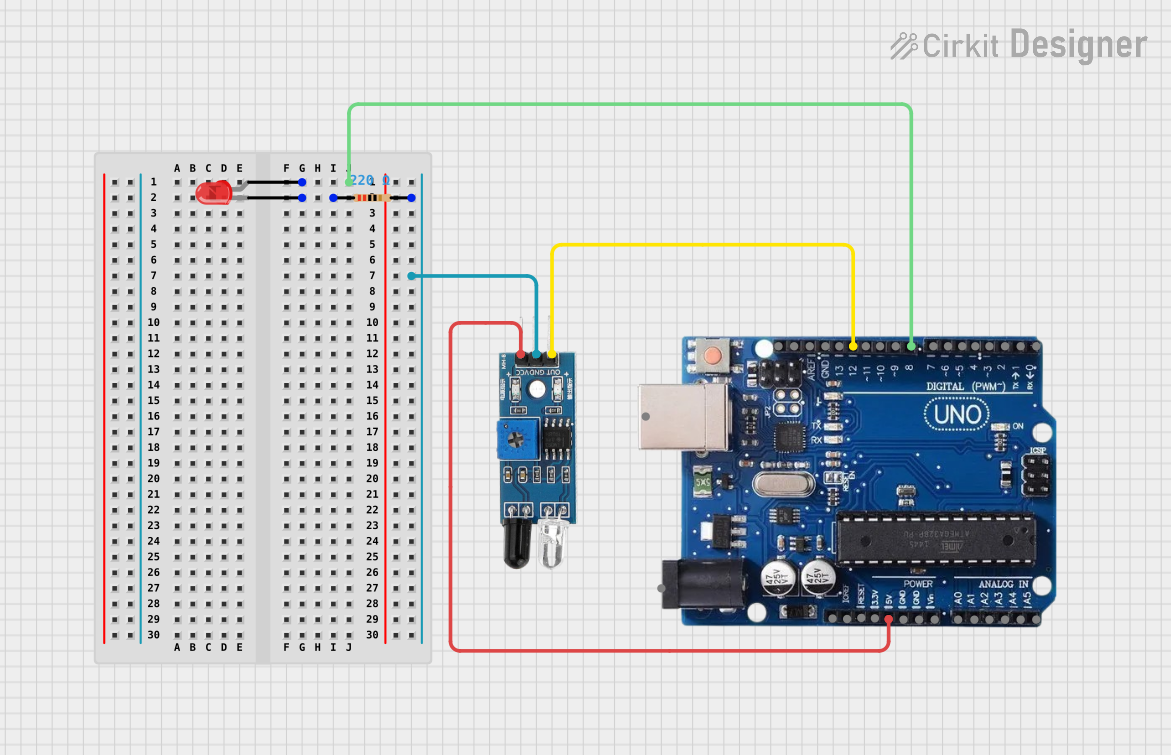
- Connect the Output: Attach the OUT pin to a microcontroller's input pin (e.g., Arduino) or directly to an LED or buzzer for simple applications.
- Adjust Sensitivity (if applicable): Some IR sensors have a potentiometer to adjust the detection range. Turn the potentiometer clockwise or counterclockwise to fine-tune the sensitivity.
- Test the Sensor: Place an object within the detection range and observe the output signal. The OUT pin will typically go HIGH (or LOW, depending on the sensor) when an object is detected.
Important Considerations and Best Practices
- Avoid Direct Sunlight: IR sensors can be affected by strong ambient light, such as direct sunlight. Use the sensor in controlled lighting conditions for accurate results.
- Use a Resistor: If connecting the sensor output to an LED, use a current-limiting resistor to prevent damage to the LED.
- Check the Datasheet: Always refer to the specific datasheet of your IR sensor model for precise details and limitations.
- Interference: Avoid placing multiple IR sensors too close to each other, as their signals may interfere.
Example: Connecting the Sensor Infrarrojo to an Arduino UNO
Below is an example of how to use the Sensor Infrarrojo with an Arduino UNO to detect motion and turn on an LED:
// Define the pin connections
const int irSensorPin = 2;  // IR sensor output connected to digital pin 2
const int ledPin = 13;      // Built-in LED on Arduino UNO

void setup() {
  pinMode(irSensorPin, INPUT);  // Set IR sensor pin as input
  pinMode(ledPin, OUTPUT);      // Set LED pin as output
  Serial.begin(9600);           // Initialize serial communication
}

void loop() {
  int sensorValue = digitalRead(irSensorPin);  // Read the IR sensor output

  if (sensorValue == HIGH) {  // If an object is detected
    digitalWrite(ledPin, HIGH);  // Turn on the LED
    Serial.println("Object detected!");  // Print message to serial monitor
  } else {
    digitalWrite(ledPin, LOW);  // Turn off the LED
    Serial.println("No object detected.");  // Print message to serial monitor
  }

  delay(100);  // Small delay for stability
}
Troubleshooting and FAQs
Common Issues and Solutions
Sensor Not Detecting Objects
- Cause: Incorrect wiring or insufficient power supply.
- Solution: Double-check the connections and ensure the power supply matches the sensor's requirements.
False Positives
- Cause: Ambient IR interference or high sensitivity.
- Solution: Adjust the sensitivity using the potentiometer (if available) and avoid direct sunlight.
Output Signal Not Changing
- Cause: Faulty sensor or incorrect pin configuration.
- Solution: Test the sensor with a multimeter or replace it if necessary. Verify the pin connections.
Multiple Sensors Interfering
- Cause: Overlapping IR signals from nearby sensors.
- Solution: Increase the distance between sensors or use shielding to isolate them.
FAQs
Q: Can the Sensor Infrarrojo detect transparent objects?
A: Transparent objects, such as glass, may not reflect enough IR radiation for detection. Use a specialized sensor for such applications.
Q: How do I increase the detection range?
A: Adjust the potentiometer (if available) or use a lens to focus the IR beam. Note that increasing the range may reduce accuracy.
Q: Can I use the sensor outdoors?
A: While possible, outdoor use may result in reduced performance due to sunlight and environmental factors. Consider using an IR sensor with ambient light filtering.
Q: Is the sensor compatible with 3.3V microcontrollers?
A: Yes, most IR sensors operate within a 3.3V to 5V range, making them compatible with 3.3V microcontrollers like the ESP32. Always verify the specific model's datasheet.