
Cirkit Designer
Your all-in-one circuit design IDE
Home /
Component Documentation
How to Use Panel Surya: Examples, Pinouts, and Specs
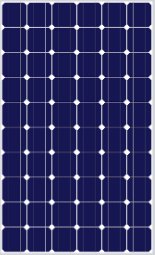
 Design with Panel Surya in Cirkit Designer
Introduction
- Panel Surya is a solar panel designed to convert sunlight into electrical energy using photovoltaic (PV) cells. It is an efficient and eco-friendly energy source, ideal for renewable energy projects.
- Common applications include powering small electronic devices, charging batteries, off-grid systems, and integrating into solar-powered IoT devices.
Explore Projects Built with Panel Surya
Solar-Powered Battery Backup System with Automatic Transfer Switch
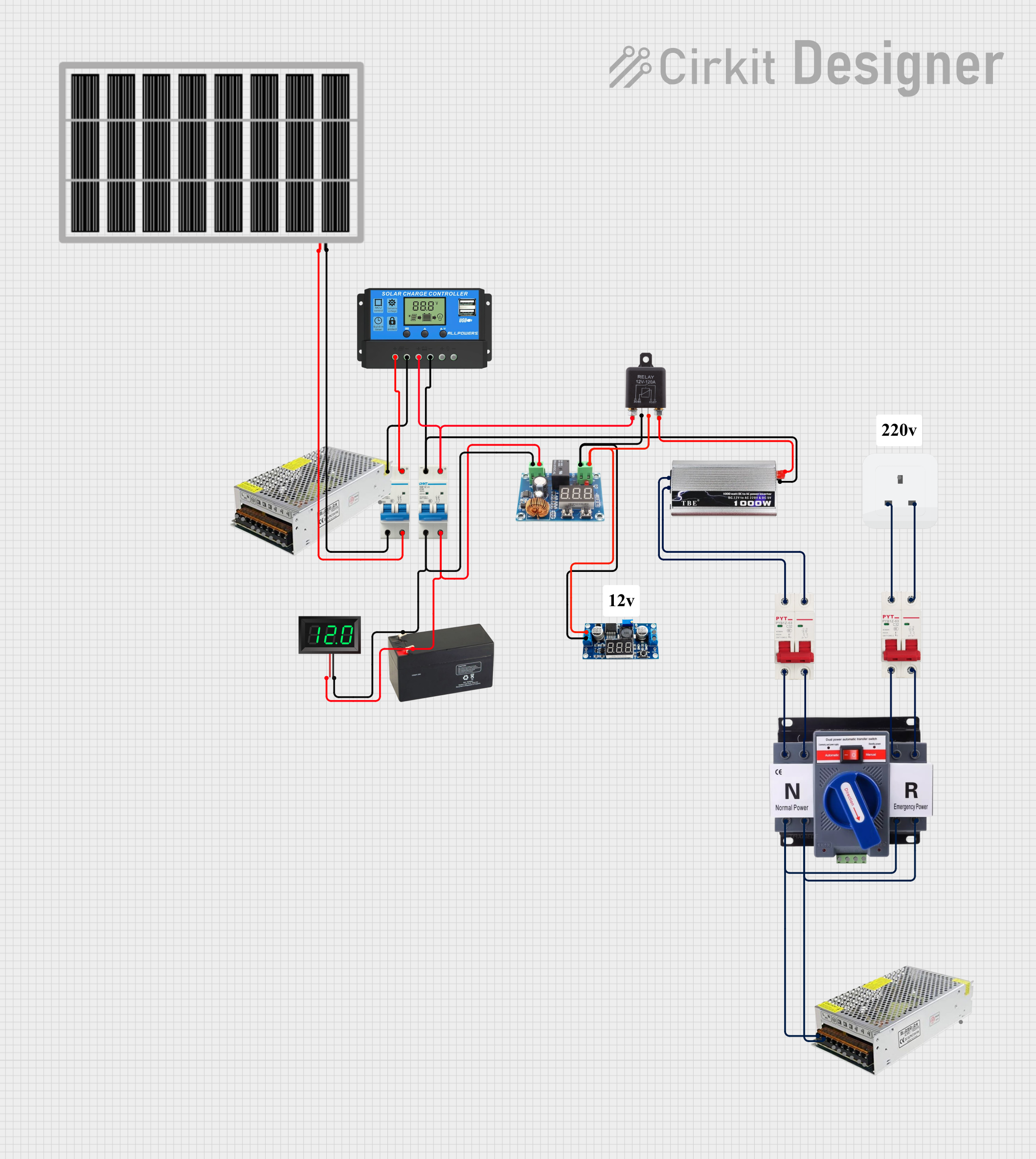
This circuit is a solar power management system that integrates a solar panel, battery, and inverter to provide a stable 12V DC and 220V AC output. It includes automatic transfer switches (ATS) and circuit breakers for safety and reliability, as well as a low voltage disconnect to protect the battery from deep discharge.
Open Project in Cirkit DesignerSolar-Powered Air Conditioner with Battery Backup and ATS
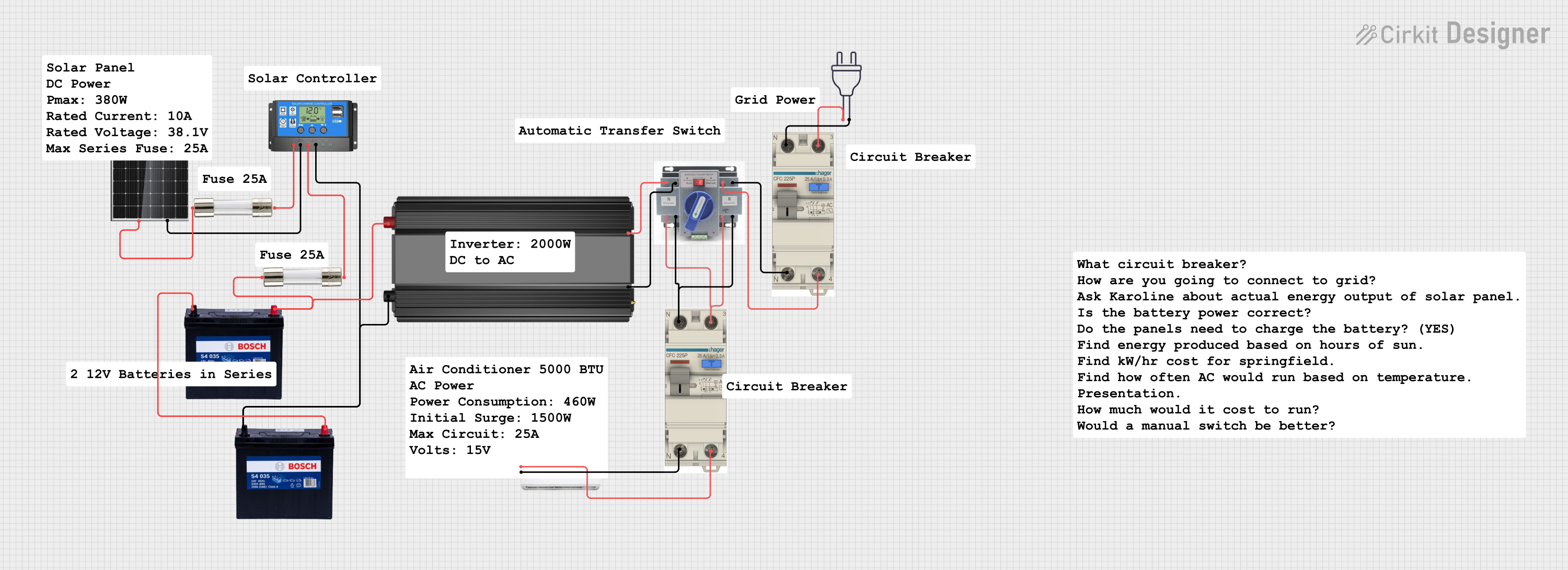
This circuit is a solar power system designed to charge a 12V battery using a 380W solar panel and a solar charge controller. The stored energy is then used to power an inverter, which supplies AC power to an air conditioner through an automatic transfer switch (ATS) and circuit breakers for safety.
Open Project in Cirkit DesignerSolar-Powered Green LED Light
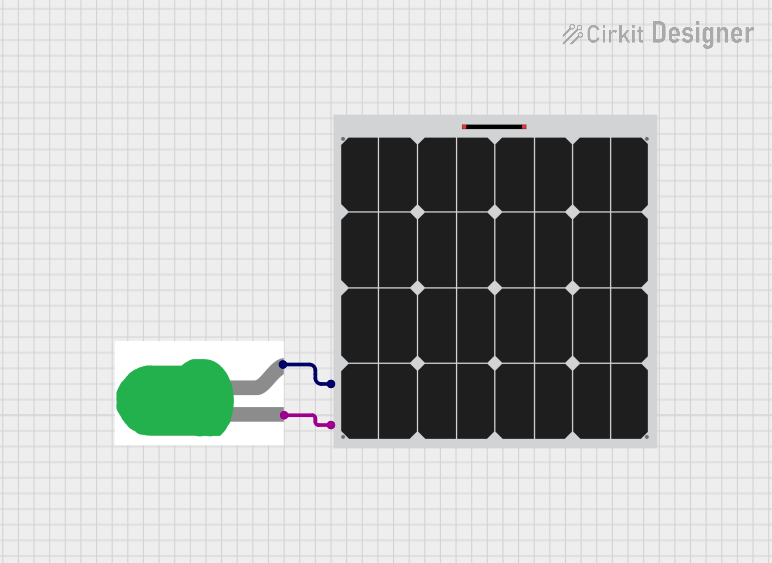
This circuit consists of a solar panel connected to a green LED. The solar panel provides power to the LED, causing it to light up when sufficient sunlight is available.
Open Project in Cirkit DesignerArduino UNO Solar Tracker with Light Sensors and Servo Motors
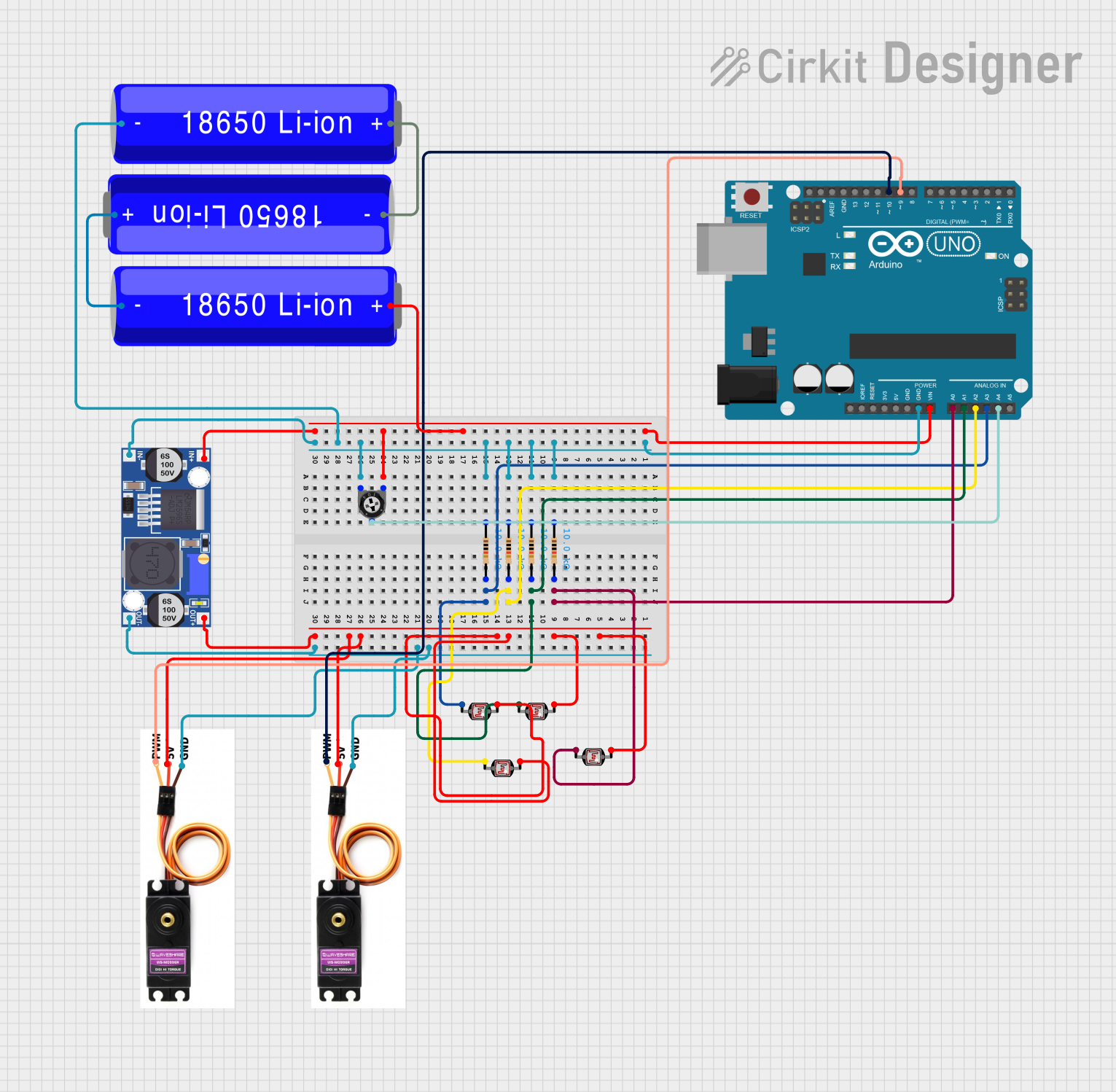
This circuit is a solar tracker system that uses an Arduino UNO to control two servo motors for adjusting the position of a solar panel. The system employs four LDR sensors to detect light intensity from different directions and a potentiometer to control the speed of the servos, ensuring the panel is always oriented towards the strongest light source.
Open Project in Cirkit DesignerExplore Projects Built with Panel Surya
Solar-Powered Battery Backup System with Automatic Transfer Switch
This circuit is a solar power management system that integrates a solar panel, battery, and inverter to provide a stable 12V DC and 220V AC output. It includes automatic transfer switches (ATS) and circuit breakers for safety and reliability, as well as a low voltage disconnect to protect the battery from deep discharge.
Open Project in Cirkit DesignerSolar-Powered Air Conditioner with Battery Backup and ATS
This circuit is a solar power system designed to charge a 12V battery using a 380W solar panel and a solar charge controller. The stored energy is then used to power an inverter, which supplies AC power to an air conditioner through an automatic transfer switch (ATS) and circuit breakers for safety.
Open Project in Cirkit DesignerSolar-Powered Green LED Light
This circuit consists of a solar panel connected to a green LED. The solar panel provides power to the LED, causing it to light up when sufficient sunlight is available.
Open Project in Cirkit DesignerArduino UNO Solar Tracker with Light Sensors and Servo Motors
This circuit is a solar tracker system that uses an Arduino UNO to control two servo motors for adjusting the position of a solar panel. The system employs four LDR sensors to detect light intensity from different directions and a potentiometer to control the speed of the servos, ensuring the panel is always oriented towards the strongest light source.
Open Project in Cirkit DesignerTechnical Specifications
- Below are the key technical details for the Panel Surya:
| Parameter | Value |
|---|---|
| Maximum Power (Pmax) | 20W |
| Voltage at Pmax (Vmp) | 18V |
| Current at Pmax (Imp) | 1.11A |
| Open Circuit Voltage | 21.6V |
| Short Circuit Current | 1.2A |
| Efficiency | 18% |
| Dimensions | 350mm x 250mm x 17mm |
| Weight | 1.2kg |
| Operating Temperature | -40°C to +85°C |
| Connector Type | MC4 or bare wire terminals |
Pin Configuration and Descriptions
The Panel Surya typically has two output terminals:
| Pin | Description |
|---|---|
| Positive (+) | Positive terminal for DC output voltage |
| Negative (-) | Negative terminal for DC output voltage |
Usage Instructions
Connecting the Panel Surya to a Circuit:
- Identify the positive (+) and negative (-) terminals of the panel.
- Use appropriate connectors (e.g., MC4) or solder wires to the terminals.
- Connect the panel to a charge controller if charging a battery, or directly to a load if the load is compatible with the panel's output specifications.
Important Considerations:
- Ensure the panel is placed in direct sunlight for optimal performance.
- Avoid shading any part of the panel, as this can significantly reduce efficiency.
- Use a charge controller to prevent overcharging or discharging of batteries.
- Match the panel's voltage and current ratings with the load or battery specifications.
Using Panel Surya with an Arduino UNO:
- The Panel Surya can be used to power an Arduino UNO indirectly by charging a battery or using a voltage regulator to step down the voltage to 5V.
- Below is an example of using the panel with a 12V battery and a voltage regulator to power an Arduino UNO:
/* Example: Using Panel Surya to power an Arduino UNO
   This setup assumes the solar panel charges a 12V battery, and a 5V voltage
   regulator is used to power the Arduino UNO. */

void setup() {
  // Initialize serial communication for debugging
  Serial.begin(9600);
  Serial.println("Arduino powered by solar panel setup initialized.");
}

void loop() {
  // Example: Read a sensor value and print it to the serial monitor
  int sensorValue = analogRead(A0); // Read from analog pin A0
  Serial.print("Sensor Value: ");
  Serial.println(sensorValue);

  delay(1000); // Wait for 1 second before the next reading
}
Troubleshooting and FAQs
Common Issues
Low or No Output Voltage:
- Cause: Insufficient sunlight or shading on the panel.
- Solution: Ensure the panel is placed in direct sunlight and is free from obstructions.
Overheating:
- Cause: Prolonged exposure to high temperatures or improper ventilation.
- Solution: Install the panel in a well-ventilated area and avoid placing it on heat-absorbing surfaces.
Inconsistent Power Output:
- Cause: Fluctuating sunlight or dirty panel surface.
- Solution: Clean the panel regularly and use a charge controller to stabilize the output.
FAQs
Q: Can I connect multiple Panel Surya units together?
- A: Yes, you can connect panels in series to increase voltage or in parallel to increase current. Ensure the combined output matches your system's requirements.
Q: Is the Panel Surya waterproof?
- A: Yes, the panel is designed to withstand outdoor conditions, including rain. However, avoid submerging it in water.
Q: Can I use the panel indoors?
- A: The panel requires direct sunlight for optimal performance. Indoor use under artificial light will result in significantly reduced efficiency.
Q: Do I need a charge controller?
- A: A charge controller is recommended when charging batteries to prevent overcharging or discharging.
This concludes the documentation for Panel Surya. For further assistance, refer to the manufacturer's support resources.