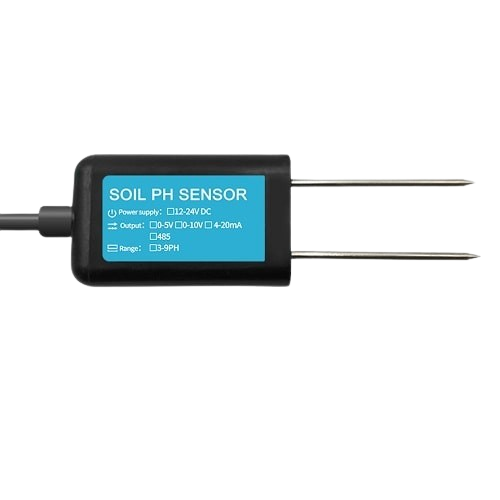
A Soil pH Sensor is a device used to measure the acidity or alkalinity of soil, providing essential data for agricultural and gardening applications. By determining the pH level of soil, users can optimize plant growth, ensure proper nutrient availability, and improve crop yields. This sensor is widely used in precision agriculture, gardening, environmental monitoring, and research projects.
Common applications and use cases include:
Monitoring soil pH for agricultural optimization
Gardening and landscaping to ensure proper soil conditions
Environmental studies and soil quality analysis
Integration into automated irrigation and fertilization systems
Explore Projects Built with Soil PH Sensor
Use Cirkit Designer to design, explore, and prototype these projects online. Some projects support real-time simulation. Click "Open Project" to start designing instantly!
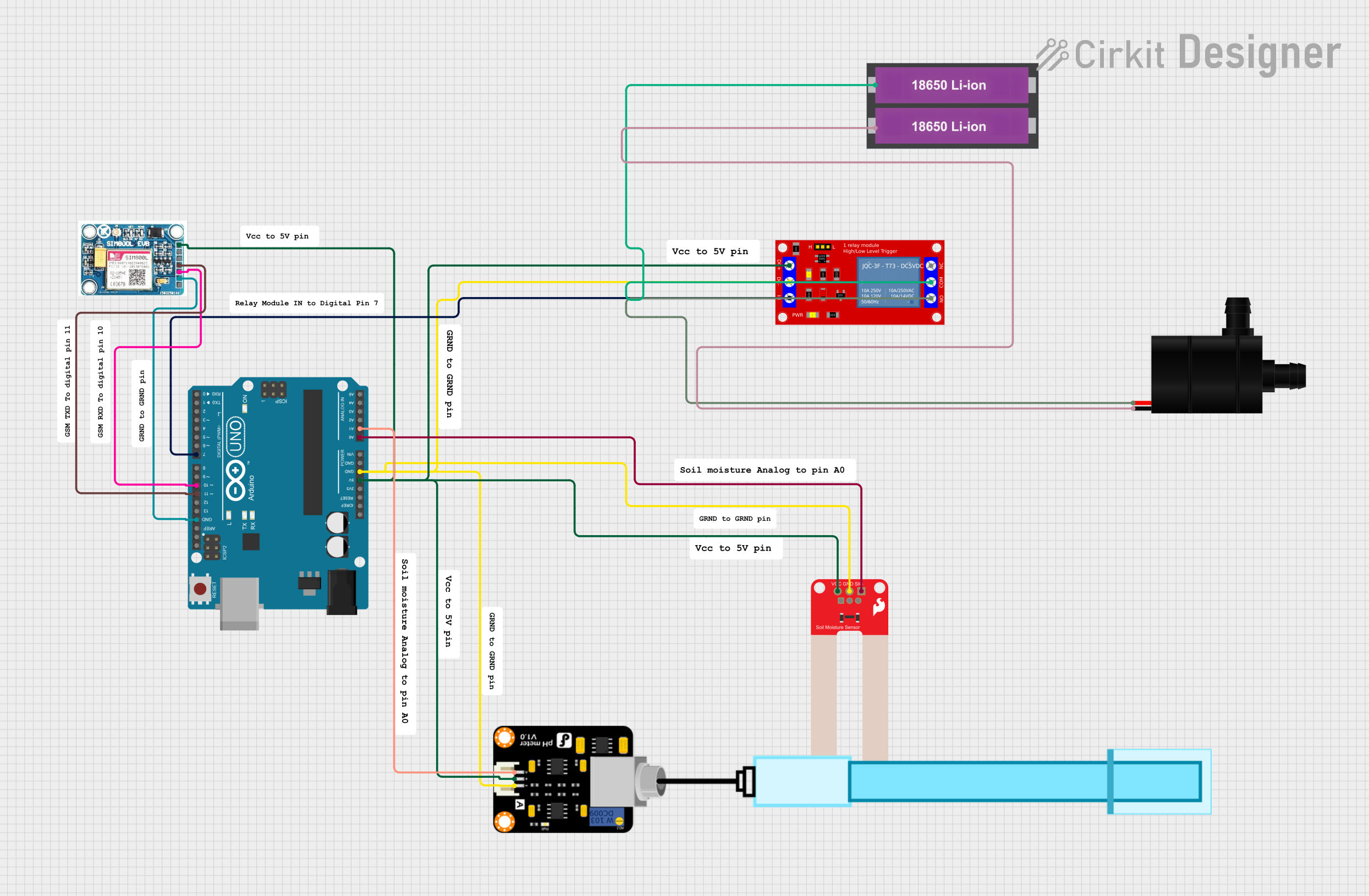
This circuit is an automated soil monitoring and irrigation system. It uses an Arduino UNO to read data from a soil moisture sensor and a pH meter, and controls a water pump via a relay module. The system can also communicate data through a SIM 800L GSM module.
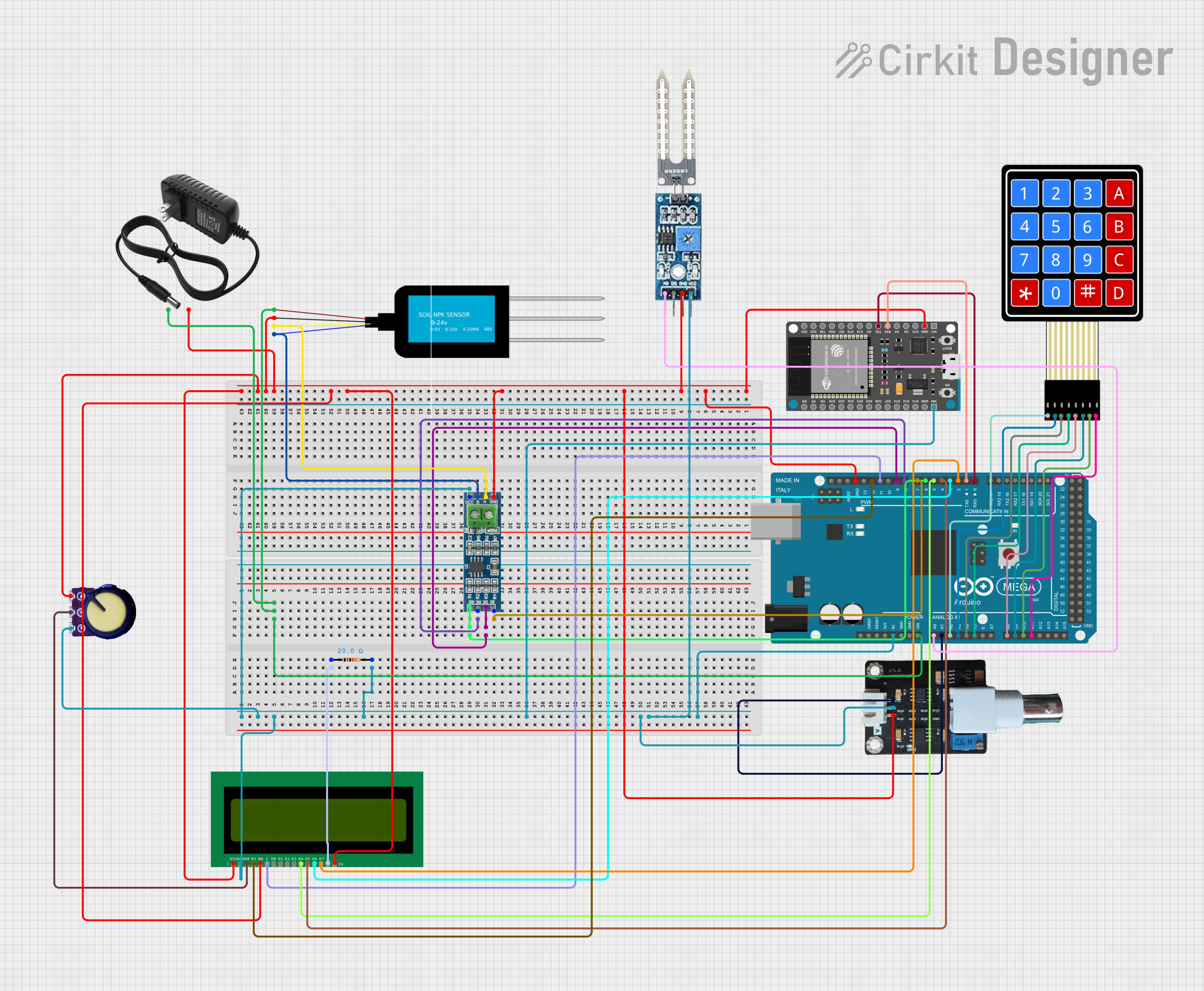
This circuit is a comprehensive soil monitoring system that uses an Arduino Mega 2560 to interface with various sensors, including an NPK soil sensor, a soil moisture sensor, and a pH meter. The system also includes an ESP32 for wireless communication, an LCD for displaying data, and a keypad for user input, all powered by a 12V power supply.
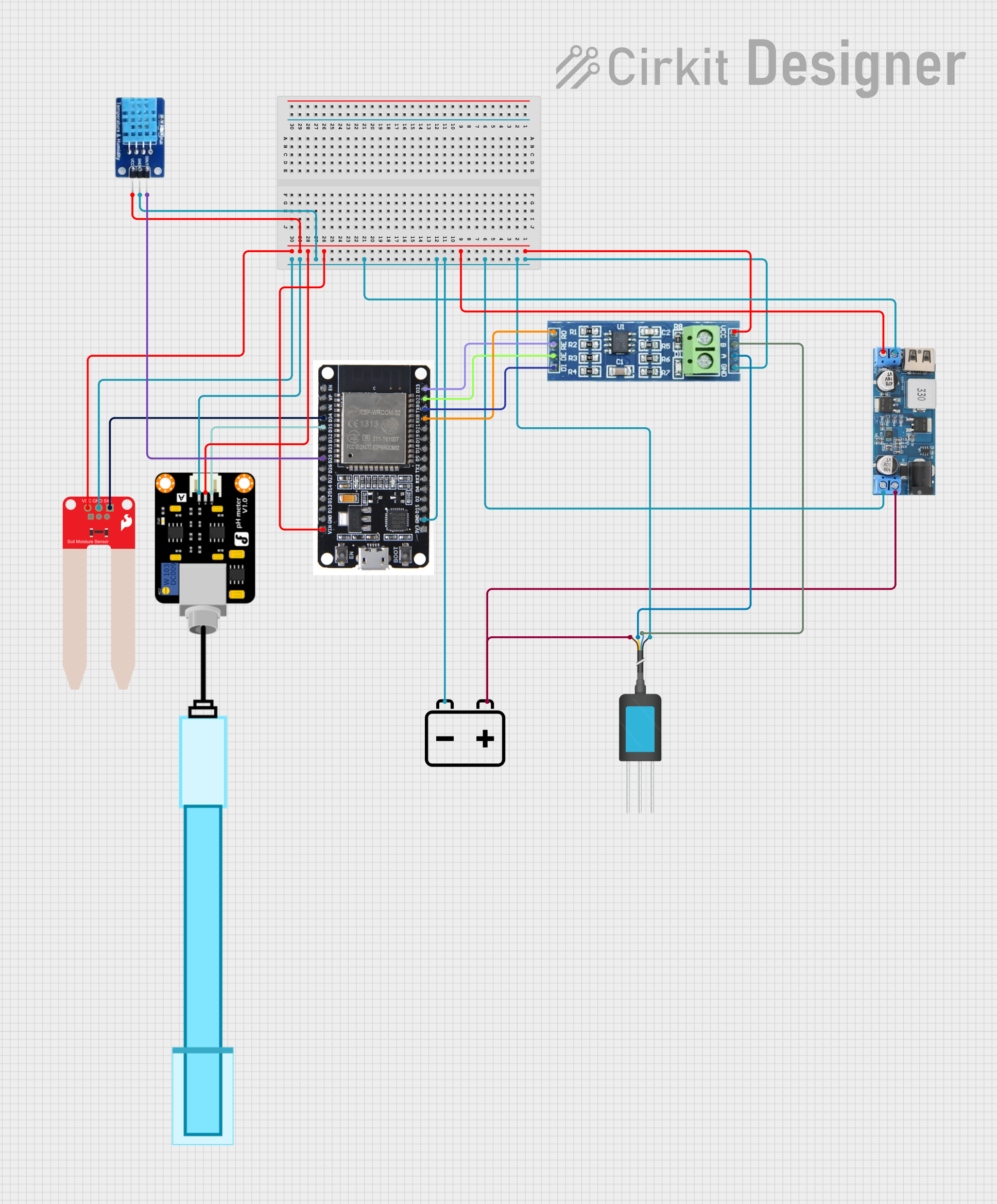
This circuit is designed for environmental monitoring, featuring sensors for soil moisture (SparkFun Soil Moisture Sensor), air temperature and humidity (DHT11), water pH levels (PH Meter), and soil nutrients (NPK Soil Sensor). The ESP32 microcontroller is used to read data from these sensors. Power management is handled by a 12v to 5v step-down converter, which powers the sensors and the ESP32, and an RS485 transceiver is included for serial communication, likely for remote data transmission.
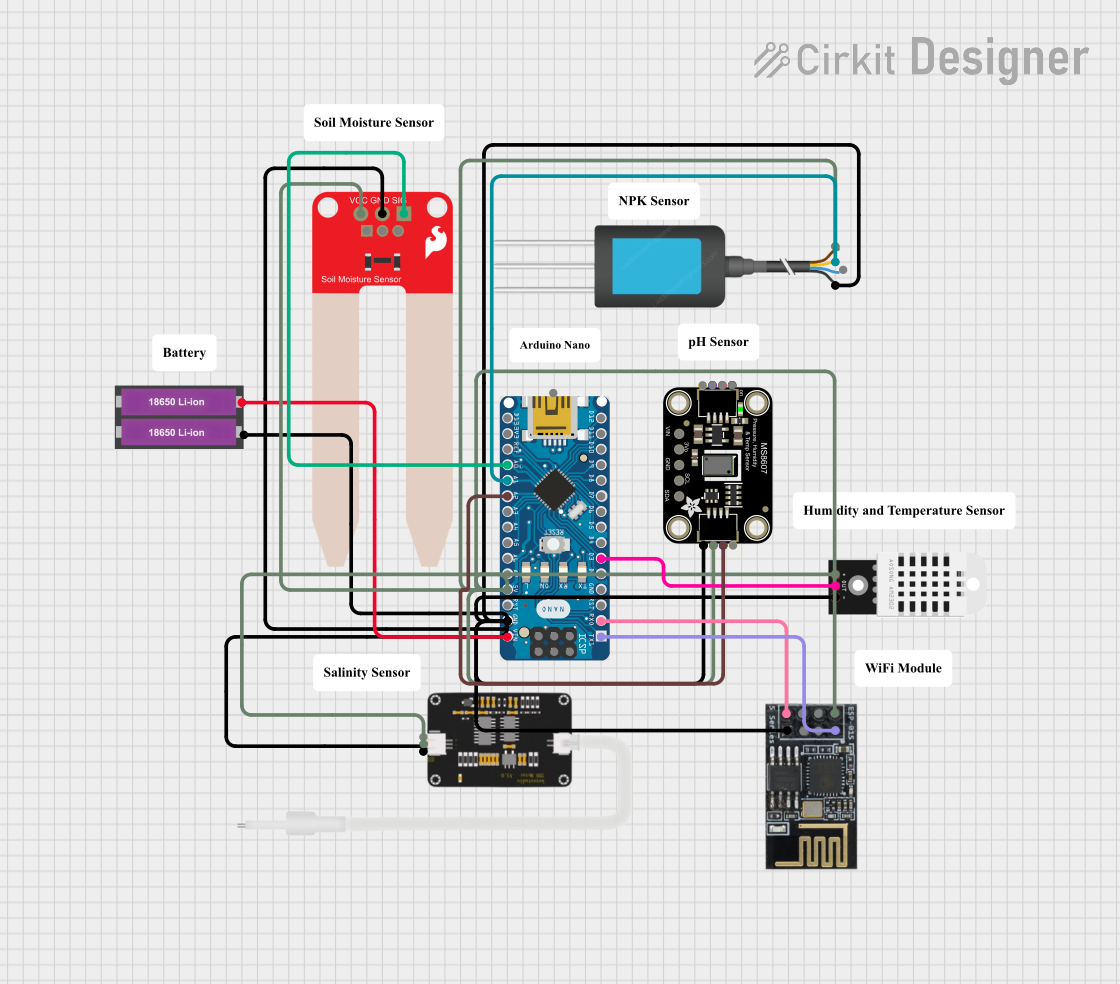
This circuit is a smart soil monitoring system that uses an Arduino Nano to collect data from various sensors, including a DHT22 for temperature and humidity, a SparkFun Soil Moisture Sensor, an NPK Soil Sensor, a TDS Sensor, and an Adafruit MS8607 PHT Sensor. The data is transmitted wirelessly via an ESP8266 WiFi module, and the system is powered by two 18650 Li-ion batteries.
Below are the key technical details of a typical Soil pH Sensor:
Parameter
Value
Operating Voltage
3.3V - 5V
Output Signal
Analog voltage (0-3V typical)
pH Measurement Range
3.0 - 9.0 pH
Accuracy
±0.1 pH
Response Time
≤1 second
Operating Temperature
0°C to 50°C
Probe Material
Glass electrode
Cable Length
Typically 1 meter
Pin Configuration and Descriptions
The Soil pH Sensor typically has the following pin configuration:
Pin Name
Description
VCC
Power supply input (3.3V - 5V)
GND
Ground connection
AO
Analog output signal (proportional to pH)
Usage Instructions
How to Use the Soil pH Sensor in a Circuit
Connect the Sensor:
Connect the VCC pin of the sensor to the 5V pin of your microcontroller (e.g., Arduino UNO).
Connect the GND pin of the sensor to the GND pin of the microcontroller.
Connect the AO pin of the sensor to an analog input pin (e.g., A0) on the microcontroller.
Calibrate the Sensor:
Before using the sensor, calibrate it using standard pH buffer solutions (e.g., pH 4.0 and pH 7.0).
Submerge the probe in the buffer solution and adjust the potentiometer on the sensor module until the output matches the expected pH value.
Measure Soil pH:
Insert the probe into the soil sample. Ensure the soil is moist for accurate readings.
Read the analog output signal from the sensor and convert it to a pH value using the appropriate formula or calibration data.
Important Considerations and Best Practices
Always clean the probe with distilled water after each use to prevent contamination.
Avoid using the sensor in dry soil, as it may lead to inaccurate readings.
Store the probe in a protective cap with a small amount of storage solution to maintain its sensitivity.
Periodically recalibrate the sensor to ensure accuracy over time.
Example Code for Arduino UNO
Below is an example code snippet to read and display the pH value using an Arduino UNO:
// Define the analog pin connected to the sensor
const int pH_Pin = A0;

// Calibration values (adjust based on your sensor's calibration)
const float voltageOffset = 0.0; // Adjust based on calibration
const float pH_Slope = 3.5;      // Voltage-to-pH conversion factor

void setup() {
  Serial.begin(9600); // Initialize serial communication
  Serial.println("Soil pH Sensor Test");
}

void loop() {
  // Read the analog value from the sensor
  int sensorValue = analogRead(pH_Pin);

  // Convert the analog value to voltage (assuming 5V reference)
  float voltage = sensorValue * (5.0 / 1023.0);

  // Calculate the pH value using the calibration formula
  float pH = (voltage - voltageOffset) * pH_Slope;

  // Print the pH value to the Serial Monitor
  Serial.print("pH Value: ");
  Serial.println(pH);

  delay(1000); // Wait for 1 second before the next reading
}
Troubleshooting and FAQs
Common Issues and Solutions
Inaccurate Readings:
Cause: The sensor is not calibrated.
Solution: Calibrate the sensor using standard pH buffer solutions.
No Output Signal:
Cause: Incorrect wiring or loose connections.
Solution: Double-check the wiring and ensure all connections are secure.
Slow Response Time:
Cause: The probe is dirty or damaged.
Solution: Clean the probe with distilled water and inspect for physical damage.
Sensor Not Working in Dry Soil:
Cause: The sensor requires moisture for accurate readings.
Solution: Moisten the soil before taking measurements.
FAQs
Q: How often should I calibrate the sensor?
A: It is recommended to calibrate the sensor before each use or at least once a week for consistent accuracy.
Q: Can the sensor be used in highly acidic or alkaline soils?
A: The sensor is designed for a pH range of 3.0 to 9.0. Using it outside this range may damage the probe or result in inaccurate readings.
Q: How should I store the sensor when not in use?
A: Store the probe in a protective cap with a small amount of storage solution to maintain its sensitivity and longevity.
Q: Can I use the sensor with a 3.3V microcontroller?
A: Yes, the sensor is compatible with both 3.3V and 5V systems. Ensure proper calibration for the voltage used.

 Open Project in Cirkit Designer