
How to Use 3 pin header: Examples, Pinouts, and Specs

 Design with 3 pin header in Cirkit Designer
Introduction
A 3 pin header is a type of electrical connector that consists of three pins arranged in a row. It is widely used in electronics for connecting wires, components, or modules in a circuit. These headers are versatile and can be used for power connections, signal transmission, or interfacing with microcontrollers. They are commonly found in breadboards, PCBs, and prototyping setups.
Explore Projects Built with 3 pin header
 Open Project in Cirkit Designer
 Open Project in Cirkit Designer
 Open Project in Cirkit Designer
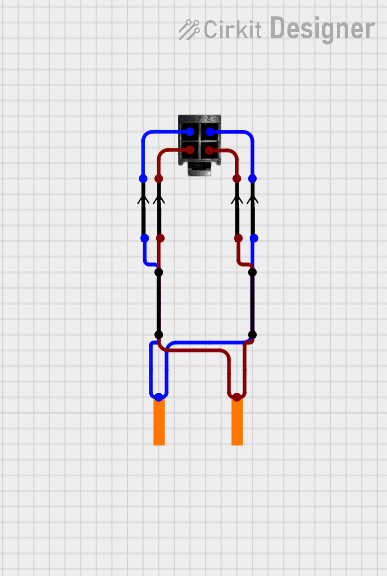 Open Project in Cirkit Designer
Explore Projects Built with 3 pin header
Open Project in Cirkit DesignerOpen Project in Cirkit DesignerOpen Project in Cirkit DesignerOpen Project in Cirkit DesignerCommon Applications and Use Cases
- Power Connections: Used to supply power to modules or components.
- Signal Transmission: Facilitates communication between devices or sensors.
- Microcontroller Interfaces: Connects peripherals like sensors, motors, or displays to microcontrollers.
- Prototyping: Ideal for temporary connections during circuit development.
Technical Specifications
Key Technical Details
- Number of Pins: 3
- Pin Spacing: Typically 2.54 mm (0.1 inch) pitch
- Current Rating: Up to 3A (varies by manufacturer)
- Voltage Rating: Up to 250V (varies by manufacturer)
- Material: Pins are usually made of brass or phosphor bronze with a tin or gold plating.
- Temperature Range: -40°C to +105°C (varies by manufacturer)
Pin Configuration and Descriptions
The 3 pin header does not have a fixed pin assignment, as it is a generic connector. However, a common configuration is as follows:
| Pin Number | Typical Use Case | Description |
|---|---|---|
| 1 | VCC (Power) | Supplies power to the connected device. |
| 2 | Signal/Data | Transmits data or signal to/from the device. |
| 3 | GND (Ground) | Provides a ground connection. |
Note: The actual pin assignment depends on the specific application or circuit design.
Usage Instructions
How to Use the Component in a Circuit
- Soldering: If using a PCB, solder the 3 pin header into the designated holes. Ensure proper alignment and secure connections.
- Connecting Wires: Use female jumper wires or connectors to attach components or modules to the header.
- Orientation: Verify the pin configuration (e.g., VCC, Signal, GND) before making connections to avoid damage to components.
- Breadboard Use: Insert the 3 pin header into a breadboard for prototyping. Ensure the pins align with the breadboard rows.
Important Considerations and Best Practices
- Check Pinout: Always confirm the pinout of the header and connected components to prevent incorrect wiring.
- Avoid Overcurrent: Do not exceed the current rating of the header to avoid overheating or damage.
- Secure Connections: Use locking connectors or heat shrink tubing for a more reliable connection in permanent setups.
- Insulation: Ensure no exposed pins are touching other conductive surfaces to prevent short circuits.
Example: Connecting a 3 Pin Header to an Arduino UNO
Below is an example of using a 3 pin header to connect a sensor to an Arduino UNO:
Circuit Setup
- Pin 1 (VCC): Connect to the Arduino's 5V pin.
- Pin 2 (Signal): Connect to an Arduino digital input pin (e.g., D2).
- Pin 3 (GND): Connect to the Arduino's GND pin.
Arduino Code Example
// Example code for reading a digital signal from a sensor connected via a 3 pin header

const int sensorPin = 2; // Pin connected to the Signal pin of the 3 pin header
int sensorValue = 0;     // Variable to store the sensor reading

void setup() {
  pinMode(sensorPin, INPUT); // Set the sensor pin as an input
  Serial.begin(9600);        // Initialize serial communication at 9600 baud
}

void loop() {
  sensorValue = digitalRead(sensorPin); // Read the digital signal from the sensor
  Serial.print("Sensor Value: ");       // Print the sensor value to the Serial Monitor
  Serial.println(sensorValue);
  delay(500); // Wait for 500ms before reading again
}
Note: Modify the pin assignments and code as needed for your specific application.
Troubleshooting and FAQs
Common Issues and Solutions
Loose Connections:
- Issue: The wires or connectors are not securely attached to the header.
- Solution: Ensure the connectors are firmly seated on the pins. Use locking connectors if necessary.
Incorrect Pinout:
- Issue: The pins are connected incorrectly (e.g., VCC and GND swapped).
- Solution: Double-check the pinout of the header and connected components before powering the circuit.
Overheating:
- Issue: The header becomes hot during operation.
- Solution: Verify that the current does not exceed the header's rating. Use thicker wires or connectors if needed.
Signal Interference:
- Issue: Unstable or noisy signal transmission.
- Solution: Use shorter wires and ensure proper grounding. Add decoupling capacitors if necessary.
FAQs
Q: Can I use a 3 pin header for analog signals?
A: Yes, a 3 pin header can transmit analog signals. Ensure proper shielding if the signal is sensitive to noise.Q: What tools are needed to work with 3 pin headers?
A: Common tools include a soldering iron, jumper wires, and a multimeter for testing connections.Q: Are 3 pin headers reusable?
A: Yes, they can be reused if removed carefully without damaging the pins or PCB.Q: Can I use a 3 pin header for high-power applications?
A: It depends on the current and voltage ratings of the header. For high-power applications, consider using connectors specifically designed for higher ratings.
By following this documentation, you can effectively use a 3 pin header in your electronic projects while avoiding common pitfalls.