Cirkit Designer Logo
Cirkit Designer
Your all-in-one circuit design IDE
Home / 
Component Documentation

How to Use actodc: Examples, Pinouts, and Specs
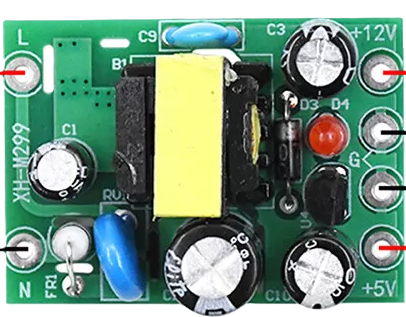

Image of actodc
Cirkit Designer LogoDesign with actodc in Cirkit Designer

Introduction

The ActoDC is an electronic component designed to convert alternating current (AC) to direct current (DC). This actuator is essential in applications where devices require a stable DC supply but are initially powered by an AC source. Common applications include power supplies for electronic devices, battery charging systems, and any other circuits where DC power is needed but only AC is available.

Explore Projects Built with actodc

Use Cirkit Designer to design, explore, and prototype these projects online. Some projects support real-time simulation. Click "Open Project" to start designing instantly!
Battery-Powered USB Charger with LED Indicator and DC Motor
Image of Copy of Hand Crank mobile charger : A project utilizing actodc in a practical application
This circuit converts AC power to DC using a bridge rectifier and regulates the voltage to 5V with a 7805 voltage regulator. It powers a USB port and indicates power status with an LED, while also providing a charging interface through a multi-charging cable.
Cirkit Designer LogoOpen Project in Cirkit Designer
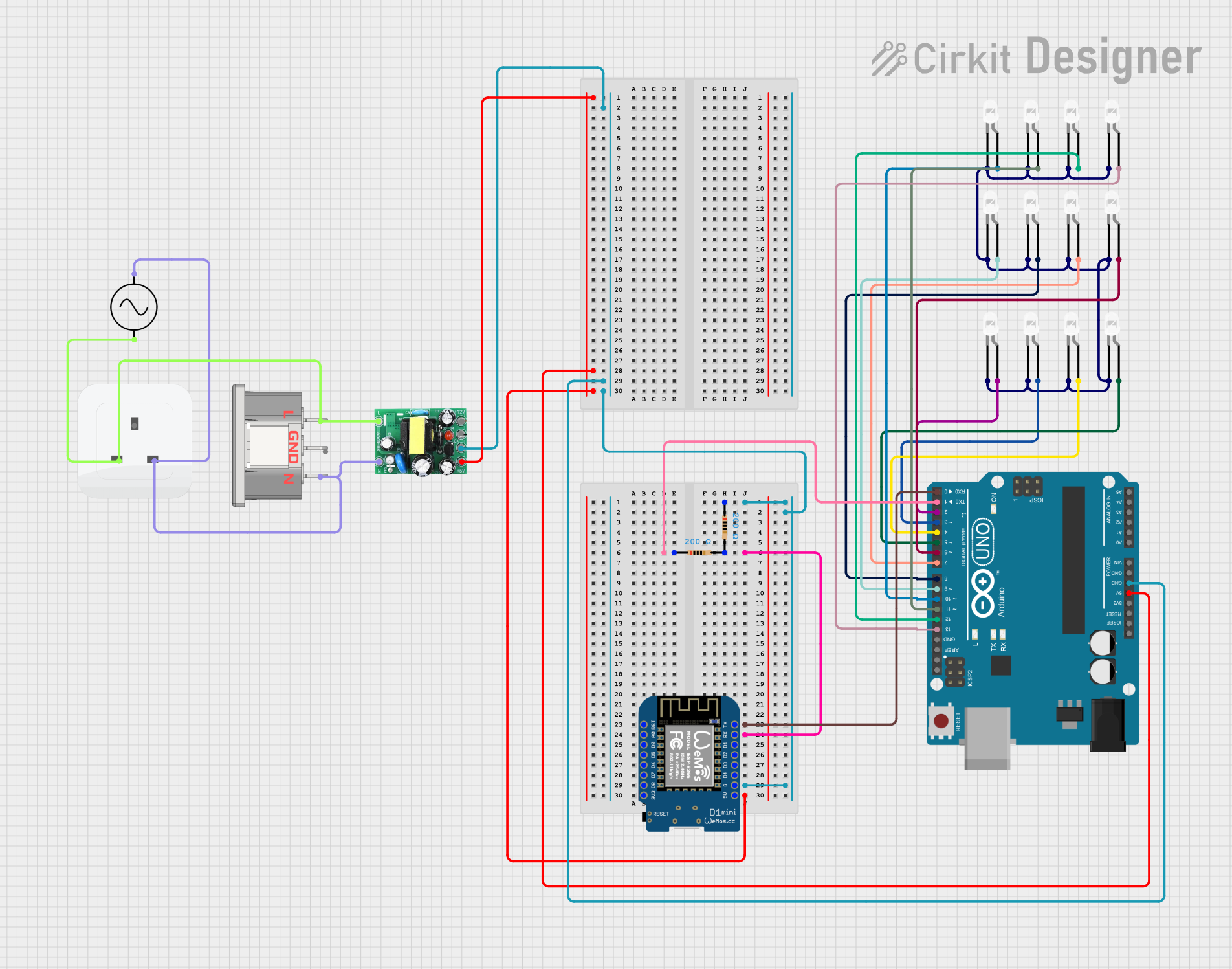
Arduino and Wemos D1 Mini Controlled LED Array with AC to DC Conversion
Image of project_led: A project utilizing actodc in a practical application
This circuit features an Arduino UNO and a Wemos D1 Mini microcontroller, interconnected to control multiple white LEDs through various digital pins. The circuit also includes resistors for current limiting and an AC to DC converter for power management, with the AC supply connected through a socket and IEC320 input.
Cirkit Designer LogoOpen Project in Cirkit Designer
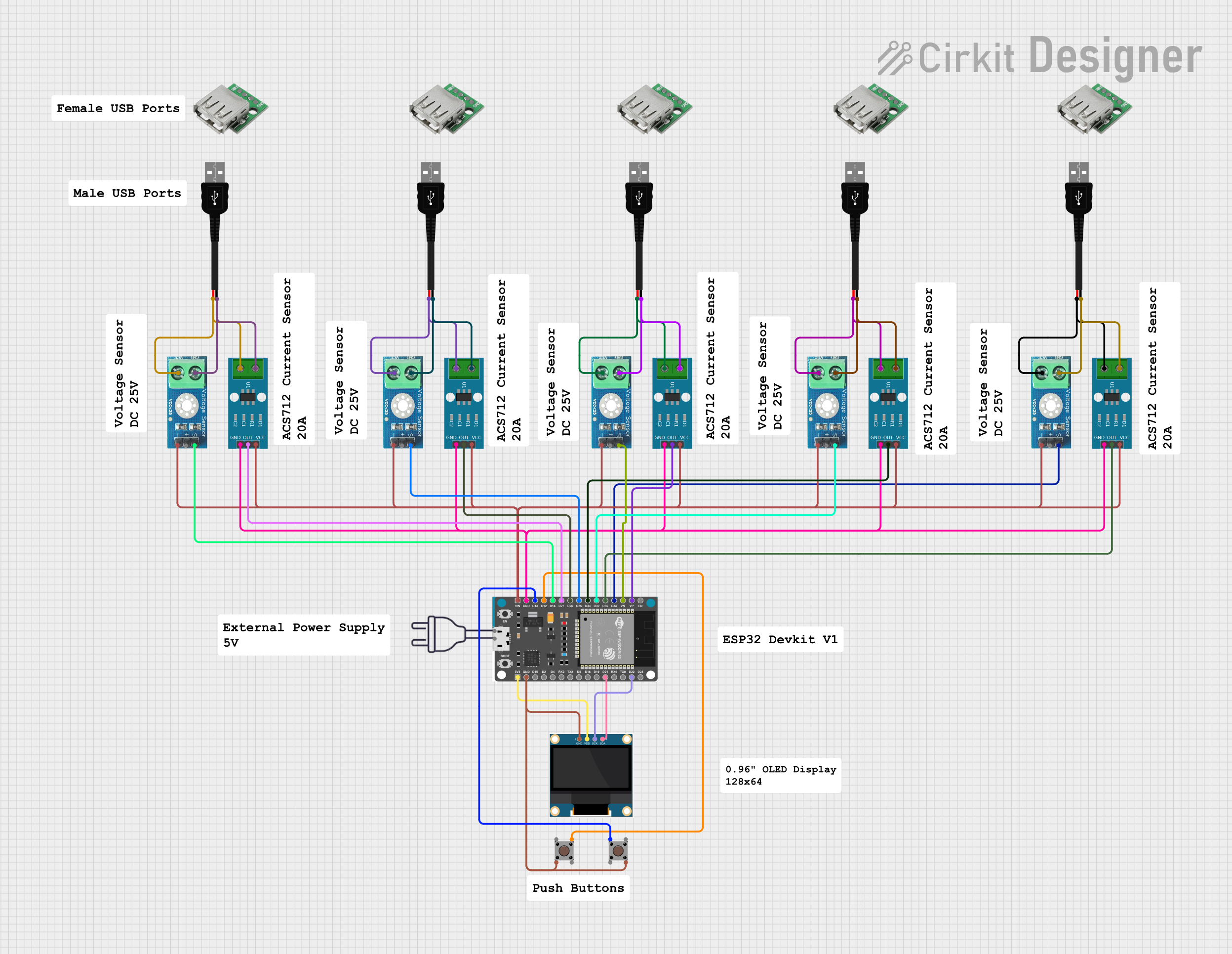
ESP32-Based Smart Power Monitoring System with OLED Display and Wi-Fi Connectivity
Image of Circle4Life test: A project utilizing actodc in a practical application
This circuit is a monitoring system using an ESP32 microcontroller to read data from multiple ACS712 current sensors and DC voltage sensors, displaying the information on a 0.96" OLED screen. The system also includes pushbuttons for user interaction and connects to WiFi for data transmission.
Cirkit Designer LogoOpen Project in Cirkit Designer
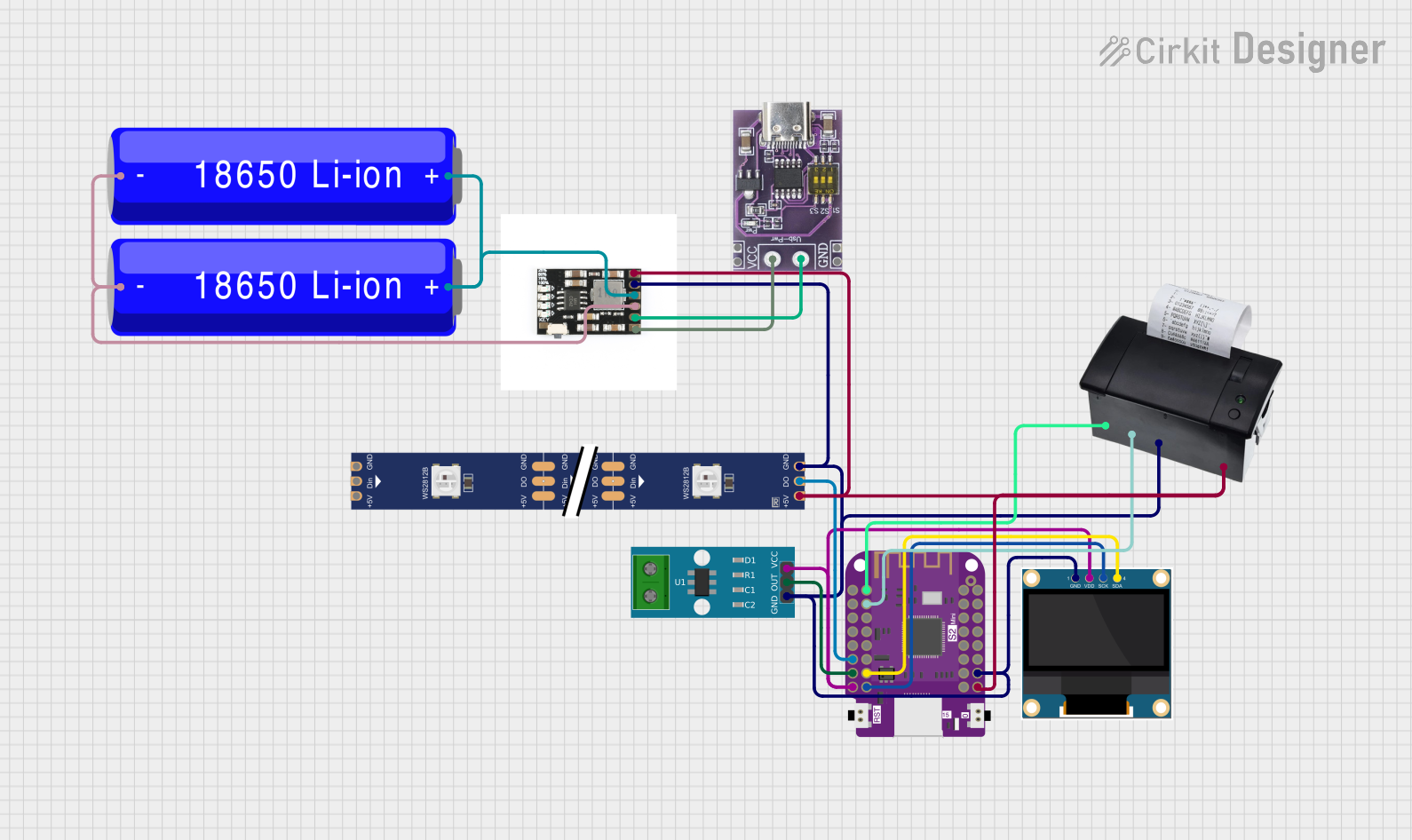
Wemos S2 Mini Controlled Smart Device with OLED Display, Thermal Printing, and RGB LED Strip
Image of DT NEA - Noah Patel: A project utilizing actodc in a practical application
This circuit features a Wemos S2 Mini microcontroller that controls a WS2812 RGB LED strip and communicates with a 0.96" OLED display and a 58mm mini thermal printer. The ACS712 Current Sensor is interfaced with the microcontroller to monitor current, and power is managed by a CD42 BMS connected to two 18650 Li-ion batteries, with a USB-C PD Trigger Board for power delivery. The circuit is designed for visual output (LED strip, OLED display), printing capabilities, and current sensing, likely for a portable, battery-powered monitoring and display device.
Cirkit Designer LogoOpen Project in Cirkit Designer

Explore Projects Built with actodc

Use Cirkit Designer to design, explore, and prototype these projects online. Some projects support real-time simulation. Click "Open Project" to start designing instantly!
Image of Copy of Hand Crank mobile charger : A project utilizing actodc in a practical application
Battery-Powered USB Charger with LED Indicator and DC Motor
This circuit converts AC power to DC using a bridge rectifier and regulates the voltage to 5V with a 7805 voltage regulator. It powers a USB port and indicates power status with an LED, while also providing a charging interface through a multi-charging cable.
Cirkit Designer LogoOpen Project in Cirkit Designer
Image of project_led: A project utilizing actodc in a practical application
Arduino and Wemos D1 Mini Controlled LED Array with AC to DC Conversion
This circuit features an Arduino UNO and a Wemos D1 Mini microcontroller, interconnected to control multiple white LEDs through various digital pins. The circuit also includes resistors for current limiting and an AC to DC converter for power management, with the AC supply connected through a socket and IEC320 input.
Cirkit Designer LogoOpen Project in Cirkit Designer
Image of Circle4Life test: A project utilizing actodc in a practical application
ESP32-Based Smart Power Monitoring System with OLED Display and Wi-Fi Connectivity
This circuit is a monitoring system using an ESP32 microcontroller to read data from multiple ACS712 current sensors and DC voltage sensors, displaying the information on a 0.96" OLED screen. The system also includes pushbuttons for user interaction and connects to WiFi for data transmission.
Cirkit Designer LogoOpen Project in Cirkit Designer
Image of DT NEA - Noah Patel: A project utilizing actodc in a practical application
Wemos S2 Mini Controlled Smart Device with OLED Display, Thermal Printing, and RGB LED Strip
This circuit features a Wemos S2 Mini microcontroller that controls a WS2812 RGB LED strip and communicates with a 0.96" OLED display and a 58mm mini thermal printer. The ACS712 Current Sensor is interfaced with the microcontroller to monitor current, and power is managed by a CD42 BMS connected to two 18650 Li-ion batteries, with a USB-C PD Trigger Board for power delivery. The circuit is designed for visual output (LED strip, OLED display), printing capabilities, and current sensing, likely for a portable, battery-powered monitoring and display device.
Cirkit Designer LogoOpen Project in Cirkit Designer

Technical Specifications

Key Technical Details

  • Input Voltage Range (AC): 85VAC to 264VAC
  • Output Voltage Range (DC): 5VDC to 48VDC
  • Maximum Output Current: 10A
  • Efficiency: Up to 90%
  • Isolation Voltage: 3000VAC
  • Operating Temperature: -40°C to +85°C

Pin Configuration and Descriptions

Pin Number Description Notes
1 AC Input (Live) Connect to AC phase
2 AC Input (Neutral) Connect to AC neutral
3 DC Output (+) Positive DC output
4 DC Output (-) Negative DC output
5 Ground Connect to system ground

Usage Instructions

How to Use the ActoDC in a Circuit

  1. Connecting AC Input:

    • Connect the AC live wire to pin 1 and the AC neutral wire to pin 2.
    • Ensure that the input voltage matches the specifications of the ActoDC.
  2. Connecting DC Output:

    • Connect the positive lead of your DC circuit to pin 3.
    • Connect the negative lead of your DC circuit to pin 4.
  3. Grounding:

    • Connect pin 5 to the system ground to ensure safety and reduce noise.

Important Considerations and Best Practices

  • Heat Dissipation: Ensure adequate ventilation around the ActoDC to prevent overheating.
  • Overload Protection: Incorporate fuses or circuit breakers to protect against overcurrent conditions.
  • Voltage Matching: Verify that the output voltage is suitable for your DC-powered devices.
  • Isolation: Maintain proper isolation between the AC input and DC output to prevent electrical shock.

Troubleshooting and FAQs

Common Issues

  • Insufficient Output Voltage: Check the AC input voltage and connections.
  • Overheating: Ensure proper heat dissipation and verify that the current does not exceed the maximum rating.
  • No Output: Verify that the AC input is connected correctly and that there are no open circuits.

Solutions and Tips

  • Use a multimeter to check the input and output voltages to ensure they are within the specified range.
  • Inspect connections for any loose wires or poor contacts.
  • Check the ambient temperature to ensure it is within the operating range.

FAQs

Q: Can the ActoDC be used with any AC voltage? A: The ActoDC can be used with AC voltages within the specified input range of 85VAC to 264VAC.

Q: Is the output voltage adjustable? A: The output voltage range is fixed. Ensure you select the correct model for your required DC output.

Q: What safety precautions should be taken when using the ActoDC? A: Always ensure proper grounding, use appropriate protective devices, and follow electrical codes for safety.

Example Arduino UNO Connection

// Example code to monitor the DC output voltage of the ActoDC actuator
// using an Arduino UNO. This code assumes the use of an analog input to
// measure the DC voltage.

const int analogPin = A0; // Analog input pin that the DC output is connected to
float voltage = 0.0;      // Variable to hold the voltage reading

void setup() {
  Serial.begin(9600); // Start serial communication at 9600 baud
}

void loop() {
  int sensorValue = analogRead(analogPin); // Read the analog input
  voltage = sensorValue * (5.0 / 1023.0);  // Convert the analog reading to voltage
  Serial.print("DC Output Voltage: ");
  Serial.println(voltage); // Print the voltage to the Serial Monitor
  delay(1000);             // Wait for a second before taking another reading
}

Note: The above code is a simple demonstration and assumes that the output voltage of the ActoDC is within the 0-5V range suitable for direct connection to the Arduino's analog input. If the ActoDC's output voltage is higher, a voltage divider or level shifter is required to bring the voltage within the Arduino's input range.