Introduction
A photodiode sensor is a semiconductor device that converts light into an electrical current. The current generated is proportional to the intensity of the light falling on the photodiode. This component is widely used in optical applications, light detection systems, and as a key element in devices such as light meters, optical communication systems, and safety equipment.
Common Applications and Use Cases
- Light intensity measurement
- Optical communication systems
- Infrared (IR) detection
- Proximity sensors
- Safety and security systems (e.g., smoke detectors)
- Solar energy monitoring
Technical Specifications
Below are the general technical specifications for a typical photodiode sensor. Note that specific values may vary depending on the manufacturer and model.
Pin Configuration and Descriptions
The photodiode sensor typically has two pins: an anode and a cathode. Below is the pin configuration:
Usage Instructions
How to Use the Component in a Circuit
Basic Connection:
- Connect the cathode to the negative terminal of the power supply or ground.
- Connect the anode to the positive terminal of the circuit, typically through a resistor to limit current.
- For reverse bias operation (common in photodiodes), connect the cathode to the positive voltage and the anode to ground.
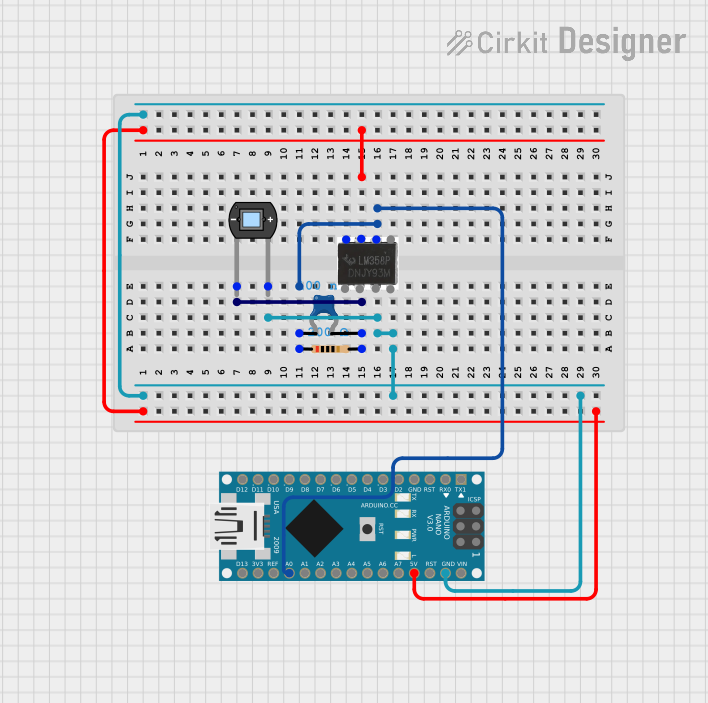
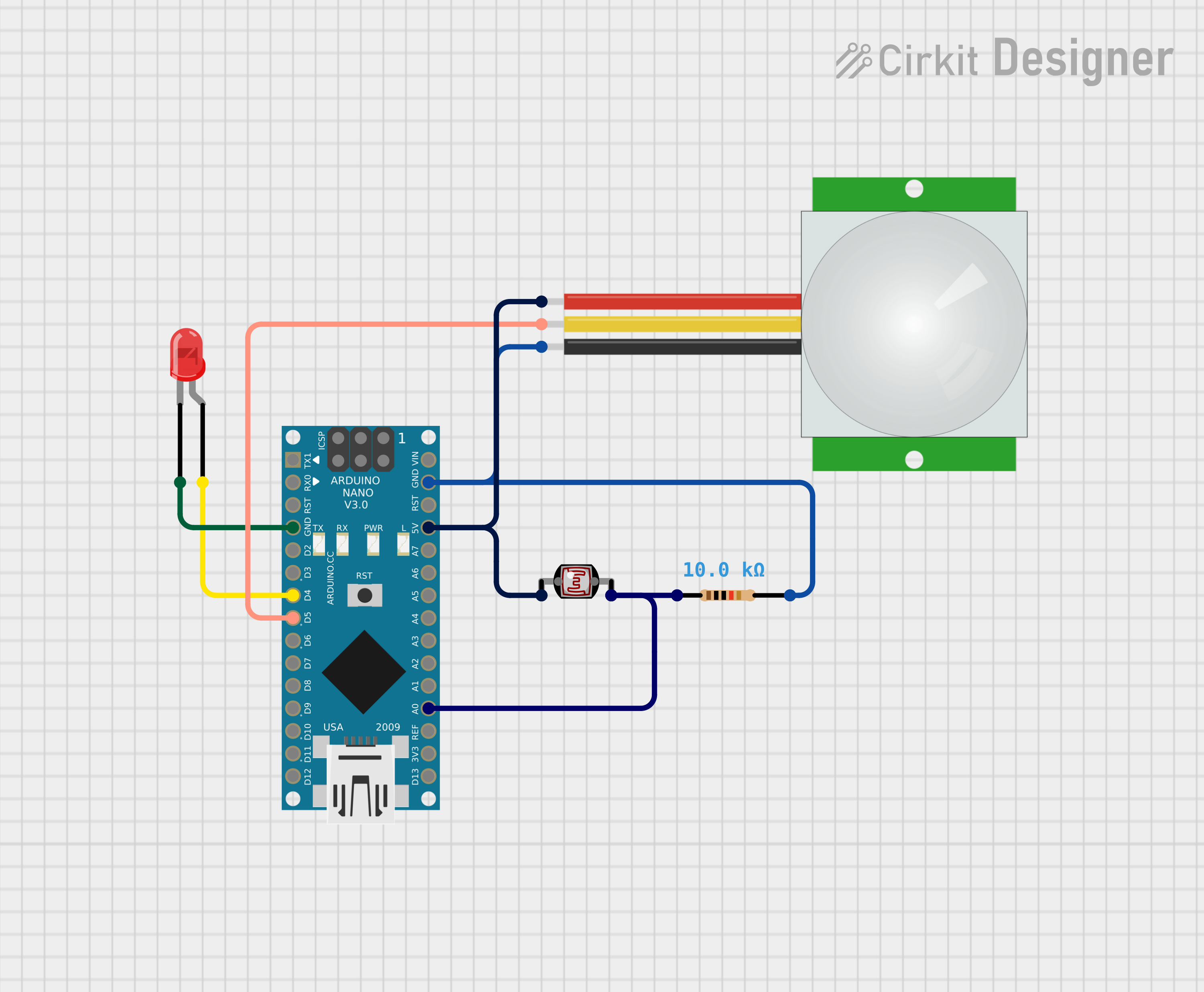
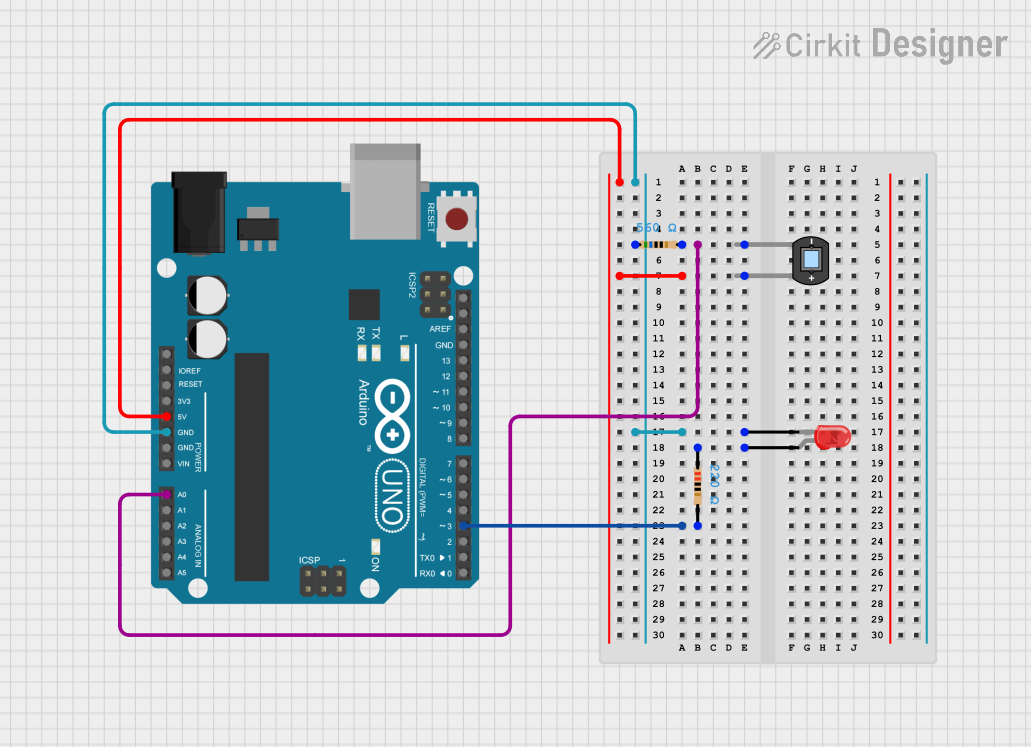
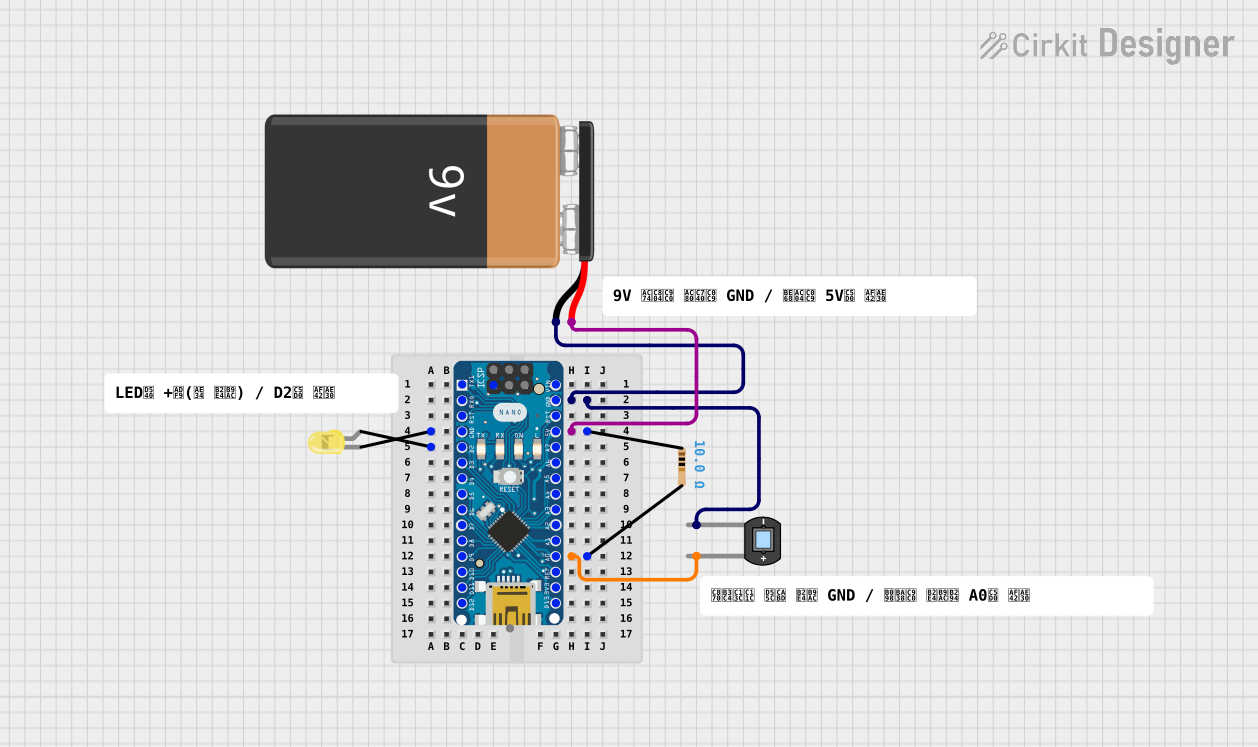
Interfacing with a Microcontroller (e.g., Arduino UNO):
- Use a pull-down resistor (e.g., 10 kΩ) to stabilize the output signal.
- Connect the photodiode in reverse bias mode for better sensitivity.
- Use an analog input pin on the Arduino to read the voltage across the photodiode.
Amplification:
- If the output current is too small, use an operational amplifier (op-amp) in a transimpedance configuration to convert the current to a measurable voltage.
Important Considerations and Best Practices
- Light Sensitivity: Ensure the photodiode is exposed to the correct wavelength range for your application.
- Reverse Bias: Operating the photodiode in reverse bias improves response time and sensitivity.
- Ambient Light: Minimize interference from ambient light by using an optical filter or housing.
- Temperature Effects: Be aware that temperature changes can affect the photodiode's performance.
- Resistor Selection: Choose an appropriate resistor value to balance sensitivity and response time.
Example Code for Arduino UNO
Below is an example of how to use a photodiode sensor with an Arduino UNO to measure light intensity:
// Photodiode Sensor Example with Arduino UNO
// Reads light intensity and outputs the value to the Serial Monitor

const int photoDiodePin = A0; // Analog pin connected to the photodiode
int lightIntensity = 0;      // Variable to store the light intensity value

void setup() {
  Serial.begin(9600); // Initialize serial communication at 9600 baud
  pinMode(photoDiodePin, INPUT); // Set the photodiode pin as input
}

void loop() {
  // Read the analog value from the photodiode
  lightIntensity = analogRead(photoDiodePin);

  // Print the light intensity value to the Serial Monitor
  Serial.print("Light Intensity: ");
  Serial.println(lightIntensity);

  delay(500); // Wait for 500 milliseconds before the next reading
}
Troubleshooting and FAQs
Common Issues and Solutions
No Output Signal:
- Cause: Incorrect wiring or insufficient light.
- Solution: Verify the connections and ensure the photodiode is exposed to light.
Low Sensitivity:
- Cause: Incorrect resistor value or improper biasing.
- Solution: Adjust the resistor value or ensure the photodiode is in reverse bias.
Fluctuating Readings:
- Cause: Ambient light interference or electrical noise.
- Solution: Use an optical filter or shield the photodiode from ambient light. Add a capacitor across the photodiode to reduce noise.
Slow Response Time:
- Cause: High capacitance or incorrect circuit design.
- Solution: Use a lower-value resistor or optimize the circuit for faster response.
FAQs
Q1: Can I use a photodiode without reverse bias?
A1: Yes, but the response time and sensitivity will be lower. Reverse bias is recommended for most applications.
Q2: How do I select the right photodiode for my application?
A2: Consider factors such as wavelength sensitivity, response time, and package type based on your specific requirements.
Q3: Can a photodiode detect infrared light?
A3: Yes, most photodiodes are sensitive to infrared light, typically up to 1100 nm.
Q4: Why is my photodiode output very weak?
A4: Photodiodes generate small currents. Use an op-amp in a transimpedance configuration to amplify the signal.
By following this documentation, you can effectively integrate a photodiode sensor into your projects and troubleshoot common issues.

 Open Project in Cirkit Designer