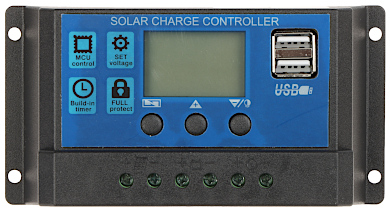
The Solar Charge Controller (SCC), manufactured by Solar Pnael, is a critical device in solar power systems. It regulates the voltage and current coming from a solar panel to a battery, ensuring optimal charging and protecting the battery from overcharging or deep discharge. By maintaining the health of the battery, the SCC extends its lifespan and improves the overall efficiency of the solar power system.
Explore Projects Built with Solar Charge Controller (SCC)
Use Cirkit Designer to design, explore, and prototype these projects online. Some projects support real-time simulation. Click "Open Project" to start designing instantly!
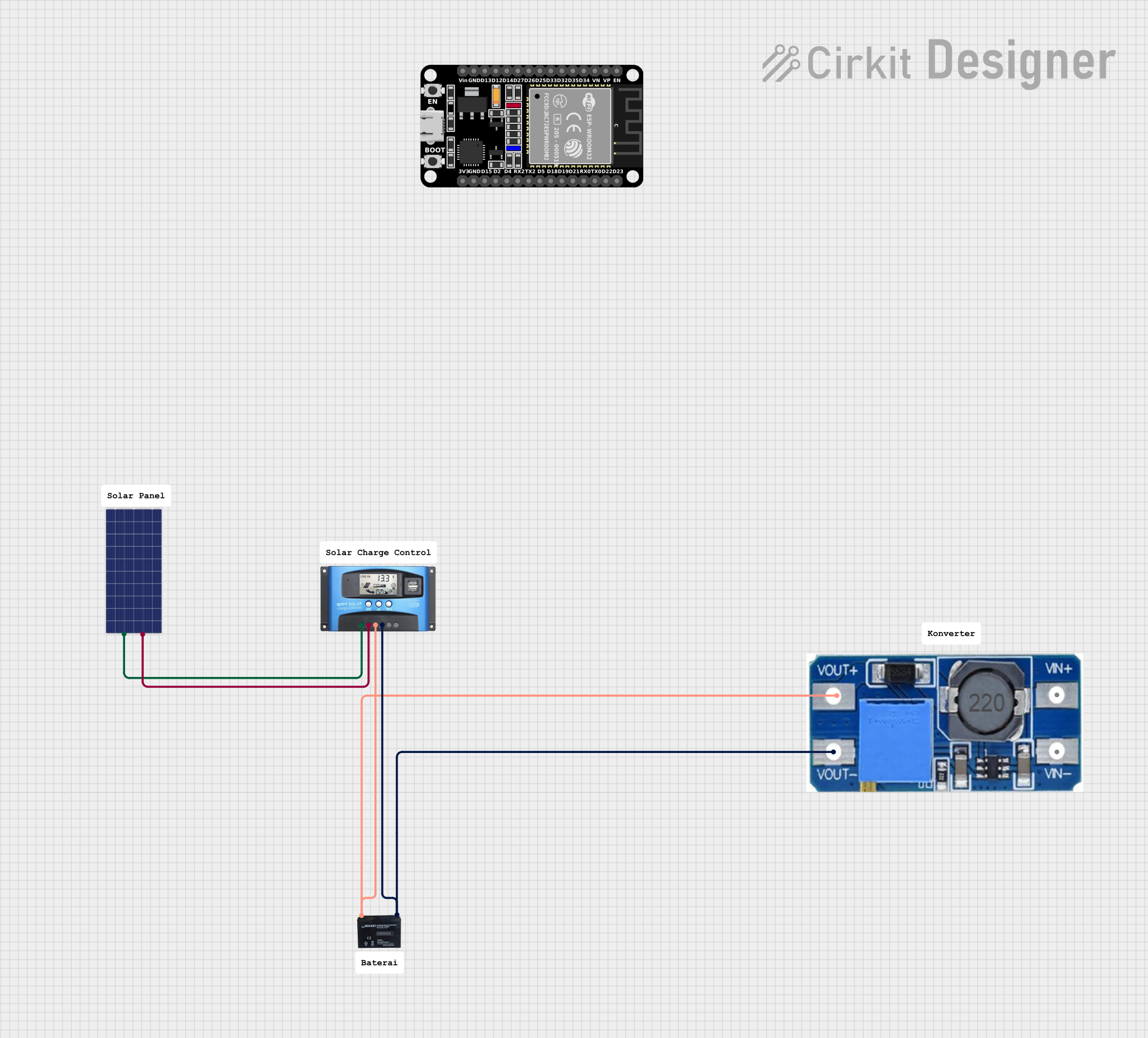
This circuit is a solar-powered battery charging system with an MPPT (Maximum Power Point Tracking) charge controller. The solar panel provides power to the MPPT SCC, which optimizes the charging of a 12V battery. A step-up boost converter is used to regulate the output voltage from the battery.
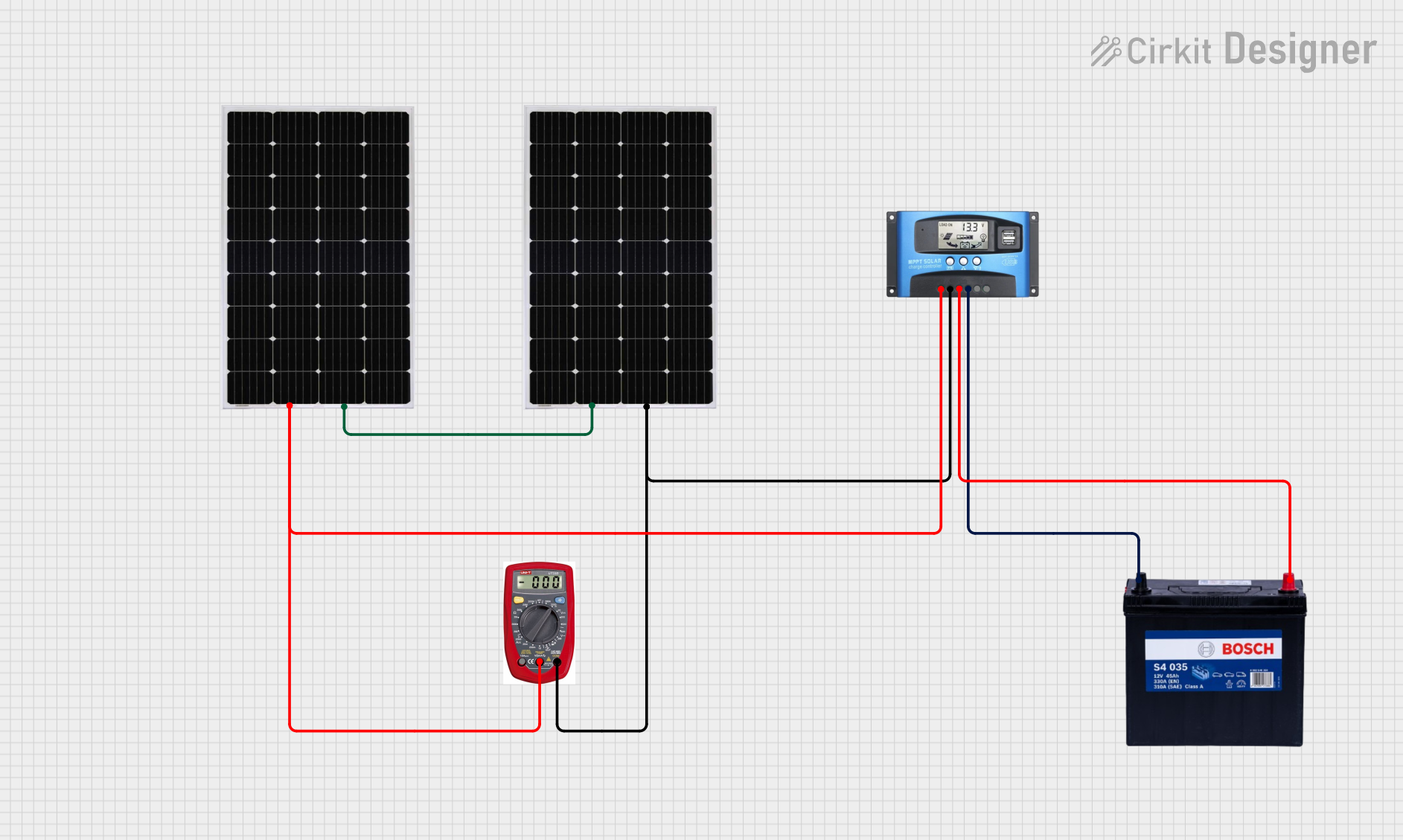
This circuit consists of two solar panels connected in series to an MPPT solar charge controller, which regulates the charging of a 12V 200Ah battery. A multimeter is integrated to monitor the voltage and current from the solar panels to the charge controller.
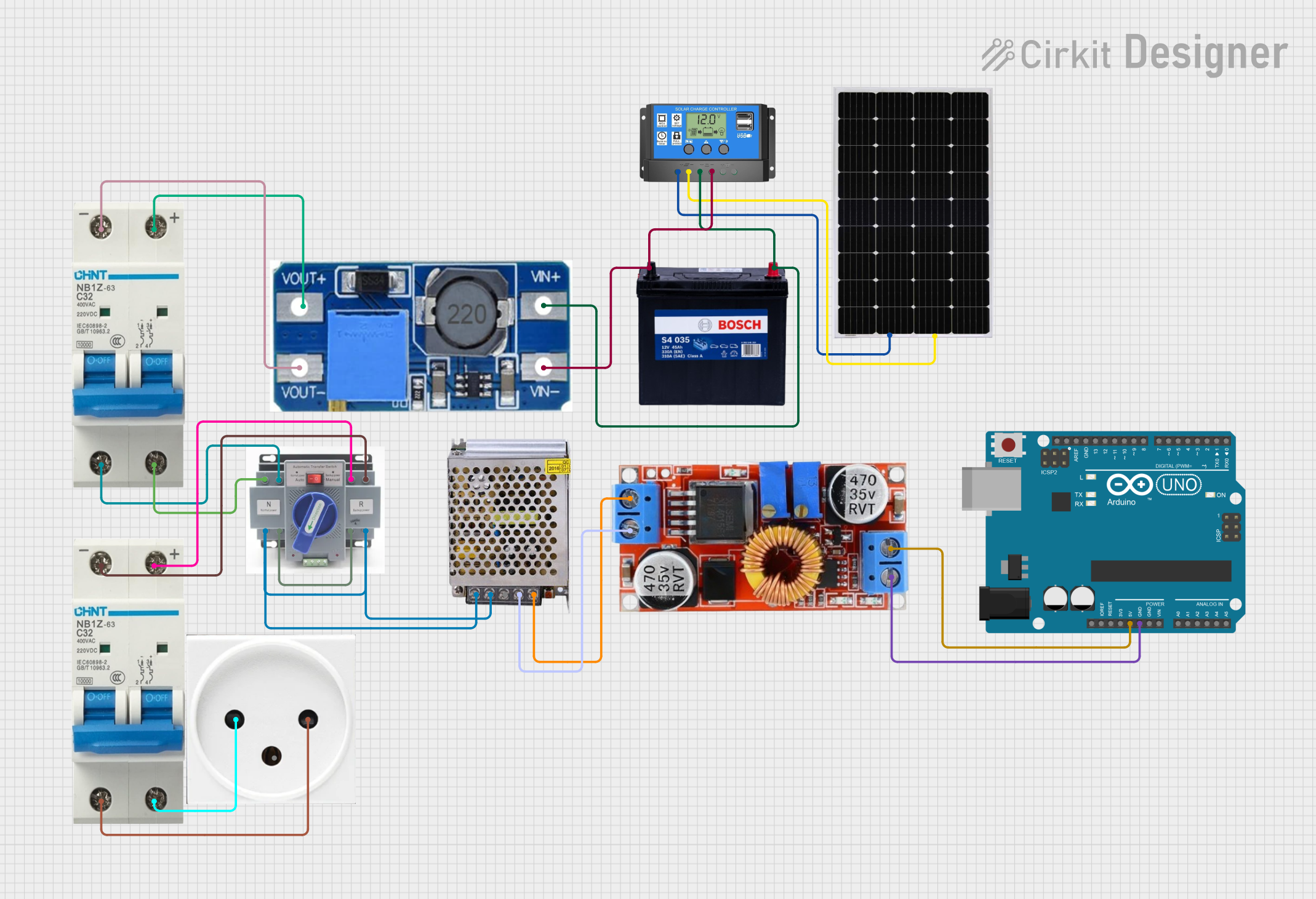
This circuit is a solar power management system that includes a solar panel, a solar charge controller, a 12V battery, and various voltage regulators. The system charges the battery using solar energy and provides regulated power to an Arduino UNO and other connected loads, ensuring stable operation and protection through circuit breakers and an ATS (Automatic Transfer Switch).
This circuit is designed for a renewable energy system that integrates solar and wind power generation. It includes a solar and wind charge controller connected to a solar panel and a lantern vertical wind turbine for energy harvesting, a 12V 200Ah battery for energy storage, and a dump load for excess energy dissipation. The system also features a 12V inverter to convert stored DC power to AC, powering an outlet and a wireless charger for end-use applications.
Off-grid solar power systems for homes, cabins, and RVs
Solar-powered streetlights and outdoor lighting systems
Portable solar charging kits for camping and outdoor activities
Industrial solar installations for remote monitoring equipment
Backup power systems with solar integration
Technical Specifications
The Solar Charge Controller is available in various models, but the following specifications are typical for a standard SCC:
Parameter
Value
Input Voltage Range
12V/24V auto-detect (up to 50V)
Maximum Input Current
20A, 30A, or 40A (model-dependent)
Output Voltage Range
12V/24V (auto-adjustable)
Maximum Output Current
Same as input current rating
Efficiency
≥ 98%
Battery Type Supported
Lead-acid, AGM, Gel, Lithium-ion
Operating Temperature
-20°C to +60°C
Protection Features
Overcharge, over-discharge,
short-circuit, reverse polarity
Pin Configuration and Descriptions
The SCC typically has the following terminal connections:
Pin/Terminal
Label
Description
1
Solar Panel (+)
Positive terminal for solar panel input
2
Solar Panel (-)
Negative terminal for solar panel input
3
Battery (+)
Positive terminal for battery connection
4
Battery (-)
Negative terminal for battery connection
5
Load (+)
Positive terminal for DC load connection
6
Load (-)
Negative terminal for DC load connection
Usage Instructions
How to Use the SCC in a Circuit
Connect the Battery First: Always connect the battery to the SCC before connecting the solar panel. This ensures the SCC detects the correct system voltage (12V or 24V).
Connect the Solar Panel: Attach the solar panel's positive and negative terminals to the corresponding SCC inputs.
Connect the Load (Optional): If you want to power a DC load directly, connect it to the load terminals on the SCC.
Power On: Once all connections are secure, the SCC will automatically begin regulating the solar panel's output to charge the battery.
Important Considerations and Best Practices
Match Voltage Ratings: Ensure the solar panel, battery, and SCC are compatible in terms of voltage (e.g., 12V or 24V systems).
Avoid Reverse Polarity: Double-check all connections to prevent damage to the SCC or other components.
Use Proper Wire Gauges: Select wires that can handle the maximum current rating of the SCC to avoid overheating.
Monitor Battery Health: Periodically check the battery's state of charge and health to ensure optimal performance.
Use Fuses: Install fuses between the SCC and the battery, as well as between the SCC and the solar panel, for added protection.
Example: Connecting the SCC to an Arduino UNO
The SCC can be used with an Arduino UNO to monitor battery voltage or solar panel performance. Below is an example code snippet for reading battery voltage using the SCC's battery terminals and an analog input pin on the Arduino:
// Define the analog pin connected to the SCC's battery (+) terminal
const int batteryPin = A0;

void setup() {
  Serial.begin(9600); // Initialize serial communication at 9600 baud
}

void loop() {
  int sensorValue = analogRead(batteryPin); // Read the analog voltage
  float batteryVoltage = sensorValue * (5.0 / 1023.0) * 11;
  // Convert the analog reading to voltage. The 11 factor assumes a
  // voltage divider with a 10:1 ratio for higher voltage measurement.

  Serial.print("Battery Voltage: ");
  Serial.print(batteryVoltage);
  Serial.println(" V");

  delay(1000); // Wait for 1 second before the next reading
}
Note: Use a voltage divider circuit to step down the battery voltage to a safe range (0-5V) for the Arduino's analog input pins.
Troubleshooting and FAQs
Common Issues and Solutions
SCC Does Not Power On
Cause: Battery is not connected or is deeply discharged.
Solution: Ensure the battery is properly connected and has a minimum charge.
Battery Overheats
Cause: Overcharging due to incorrect SCC settings.
Solution: Verify the battery type and ensure the SCC is configured correctly.
Load Does Not Receive Power
Cause: Load terminals are not connected or load exceeds SCC's capacity.
Solution: Check the load connections and ensure the load current is within the SCC's rating.
Solar Panel Not Charging the Battery
Cause: Insufficient sunlight or incorrect panel connection.
Solution: Ensure the solar panel is receiving adequate sunlight and is properly connected.
FAQs
Q1: Can I use the SCC with a 48V system?
A1: No, this SCC is designed for 12V/24V systems only. For 48V systems, use a compatible SCC model.
Q2: How do I know if the SCC is working properly?
A2: Most SCCs have LED indicators or an LCD screen to display system status, including charging, battery level, and errors.
Q3: Can I connect multiple solar panels to the SCC?
A3: Yes, but ensure the combined voltage and current of the panels do not exceed the SCC's input ratings.
Q4: Is the SCC waterproof?
A4: Most SCCs are not waterproof. Install the SCC in a dry, well-ventilated location.
By following this documentation, you can effectively integrate the Solar Charge Controller into your solar power system and ensure reliable operation.

 Open Project in Cirkit Designer