
How to Use JST 6 Pin Female: Examples, Pinouts, and Specs
 Design with JST 6 Pin Female in Cirkit Designer
Introduction
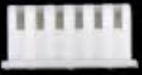
The JST 6 Pin Female connector, manufactured by JST Connector (Part ID: JST), is a versatile and reliable electrical connector designed for joining wires in electronic circuits. With six pins, it provides secure and stable connections for both power and signal transmission. This connector is widely used in applications such as robotics, drones, battery packs, and other electronic devices requiring compact and efficient wiring solutions.
Explore Projects Built with JST 6 Pin Female
 Open Project in Cirkit Designer
 Open Project in Cirkit Designer
 Open Project in Cirkit Designer
 Open Project in Cirkit Designer
Explore Projects Built with JST 6 Pin Female
Open Project in Cirkit DesignerOpen Project in Cirkit DesignerOpen Project in Cirkit DesignerOpen Project in Cirkit DesignerCommon Applications:
- Power and signal connections in drones and RC vehicles
- Battery pack connections in portable devices
- Interfacing sensors and modules in embedded systems
- Wiring harnesses in industrial and automotive applications
Technical Specifications
Key Technical Details:
- Manufacturer: JST Connector
- Part ID: JST
- Number of Pins: 6
- Connector Type: Female
- Pitch: 2.0 mm (commonly used variant, verify specific model for exact pitch)
- Current Rating: Typically 2-3 A per pin (varies by model)
- Voltage Rating: Up to 250 V (varies by model)
- Material: High-quality thermoplastic housing with metal contacts
- Operating Temperature: -25°C to +85°C (typical range)
Pin Configuration and Descriptions:
The pin configuration of the JST 6 Pin Female connector is straightforward, with six evenly spaced pins. The table below provides a general description of the pins:
| Pin Number | Description | Typical Use |
|---|---|---|
| 1 | Power (VCC) | Positive voltage supply |
| 2 | Ground (GND) | Ground connection |
| 3 | Signal 1 | Data or control signal |
| 4 | Signal 2 | Data or control signal |
| 5 | Signal 3 | Data or control signal |
| 6 | Signal 4 | Data or control signal |
Note: The exact pin assignments may vary depending on the application. Always refer to the specific wiring diagram for your project.
Usage Instructions
How to Use the JST 6 Pin Female Connector:
Preparation:
- Ensure you have the matching JST 6 Pin Male connector for proper mating.
- Strip the wires to an appropriate length (typically 3-5 mm) for crimping or soldering.
Crimping or Soldering:
- Use a crimping tool designed for JST connectors to attach the wires to the metal contacts.
- Alternatively, solder the wires to the contacts if crimping tools are unavailable.
Insertion:
- Insert the crimped or soldered contacts into the connector housing until they click into place.
- Verify that all pins are securely seated and aligned.
Connection:
- Align the JST 6 Pin Female connector with the corresponding Male connector.
- Push the connectors together until they lock securely.
Testing:
- Test the connection using a multimeter to ensure proper continuity and voltage levels.
Important Considerations:
- Wire Gauge: Use wires of the appropriate gauge (e.g., 22-28 AWG) to ensure reliable connections.
- Polarity: Double-check the polarity of power and ground connections to avoid damage to components.
- Secure Fit: Ensure the connectors are fully mated to prevent intermittent connections.
- Strain Relief: Use cable ties or other strain relief methods to reduce stress on the wires.
Example: Connecting to an Arduino UNO
The JST 6 Pin Female connector can be used to interface sensors or modules with an Arduino UNO. Below is an example of connecting a sensor with a JST 6 Pin Female connector to the Arduino:
// Example: Reading data from a sensor connected via JST 6 Pin Female connector
// Pin 1: VCC (5V), Pin 2: GND, Pin 3: Signal (Data Out)

const int sensorPin = A0; // Connect Signal (Pin 3) to Arduino analog pin A0

void setup() {
  Serial.begin(9600); // Initialize serial communication
  pinMode(sensorPin, INPUT); // Set sensor pin as input
}

void loop() {
  int sensorValue = analogRead(sensorPin); // Read sensor value
  Serial.print("Sensor Value: ");
  Serial.println(sensorValue); // Print sensor value to Serial Monitor
  delay(500); // Wait for 500 ms before next reading
}
Note: Ensure the sensor's power and ground pins are connected to the Arduino's 5V and GND pins, respectively.
Troubleshooting and FAQs
Common Issues:
Loose Connections:
- Cause: Improper crimping or incomplete insertion of contacts.
- Solution: Re-crimp or re-solder the wires and ensure the contacts are fully seated in the housing.
Intermittent Signal:
- Cause: Poor mating between the Male and Female connectors.
- Solution: Verify that the connectors are fully locked and aligned.
Overheating:
- Cause: Exceeding the current rating of the connector.
- Solution: Use wires and connectors rated for the required current.
Polarity Reversal:
- Cause: Incorrect wiring of power and ground pins.
- Solution: Double-check the wiring diagram and correct the connections.
FAQs:
Q: Can I use the JST 6 Pin Female connector for high-current applications?
- A: The connector is typically rated for 2-3 A per pin. For higher currents, consider using connectors with higher current ratings.
Q: How do I remove a contact from the housing?
- A: Use a small flathead screwdriver or a pin extraction tool to gently release the locking tab and pull out the contact.
Q: Is the JST 6 Pin Female connector waterproof?
- A: Standard JST connectors are not waterproof. For outdoor or moisture-prone environments, use waterproof variants or additional sealing methods.
Q: Can I use this connector with thicker wires?
- A: The connector is designed for wires in the 22-28 AWG range. Using thicker wires may require modifications or alternative connectors.
By following this documentation, you can effectively use the JST 6 Pin Female connector in your electronic projects with confidence and reliability.