
How to Use Adafruit ESP32-S3 Reverse TFT Feather: Examples, Pinouts, and Specs
 Design with Adafruit ESP32-S3 Reverse TFT Feather in Cirkit Designer
Introduction
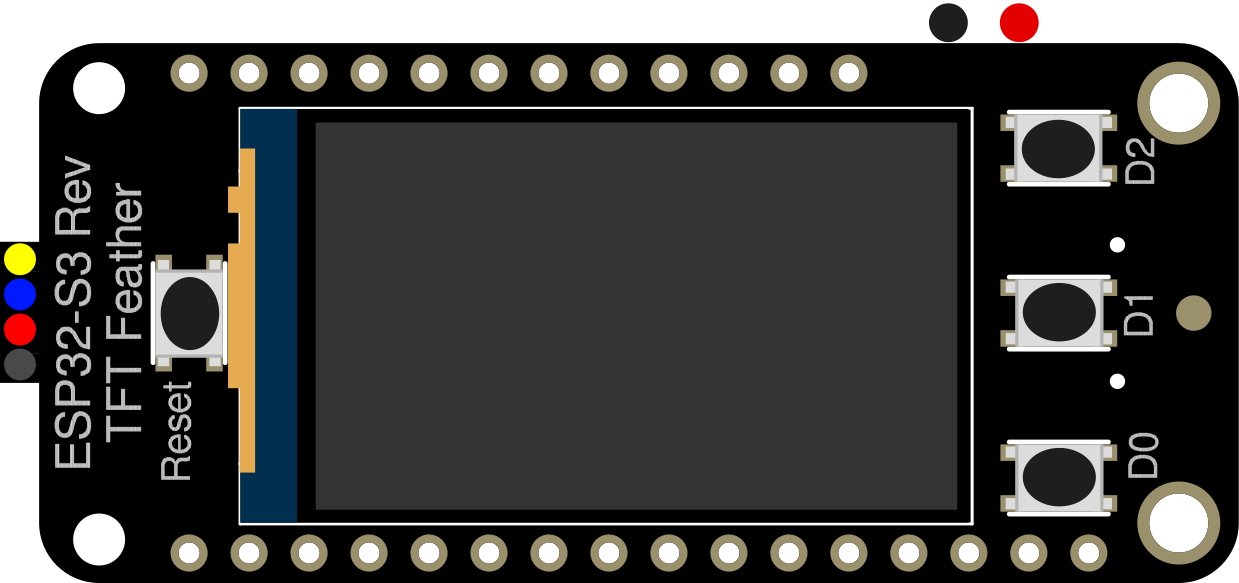
The Adafruit ESP32-S3 Reverse TFT Feather (Part ID: 5691) is a compact and versatile development board built around the ESP32-S3 microcontroller. It is designed for low-power IoT applications and features integrated Wi-Fi and Bluetooth connectivity. The standout feature of this board is its reverse-mounted 240x135 pixel TFT display, which provides a convenient way to display visual output directly on the board.
This board is ideal for projects requiring wireless communication, graphical interfaces, or low-power operation. It is particularly well-suited for IoT devices, wearable electronics, and portable data visualization tools.
Explore Projects Built with Adafruit ESP32-S3 Reverse TFT Feather
 Open Project in Cirkit Designer
 Open Project in Cirkit Designer
 Open Project in Cirkit Designer
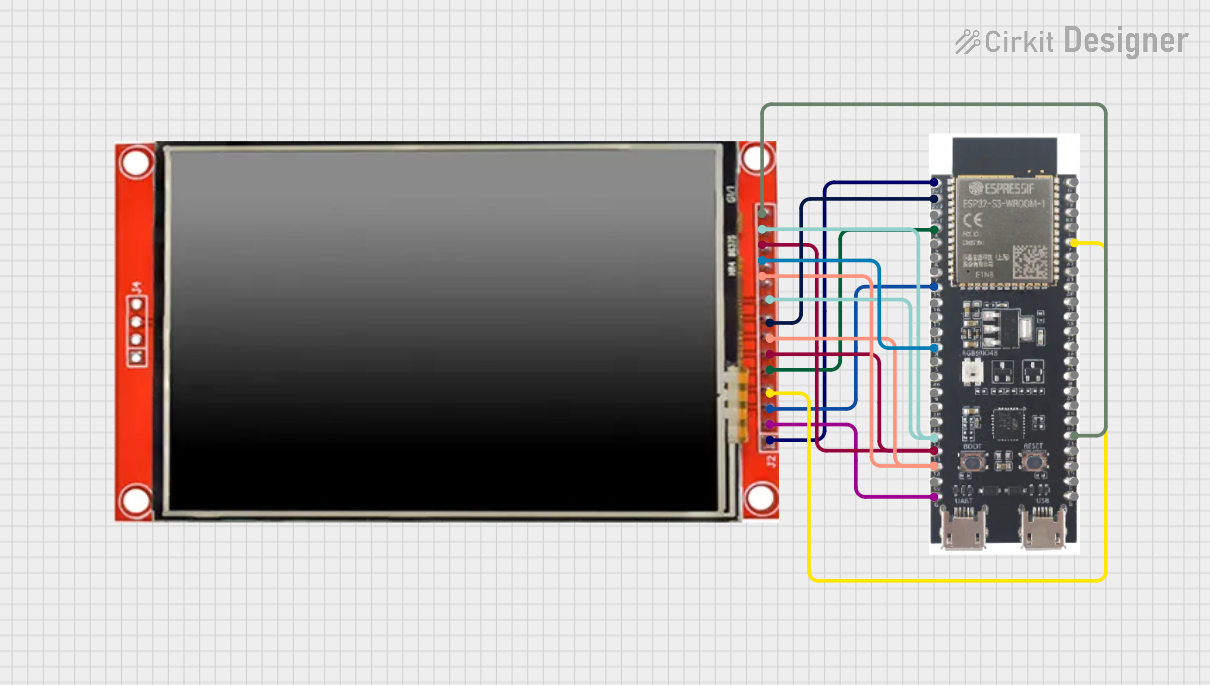 Open Project in Cirkit Designer
Explore Projects Built with Adafruit ESP32-S3 Reverse TFT Feather
Open Project in Cirkit DesignerOpen Project in Cirkit DesignerOpen Project in Cirkit DesignerOpen Project in Cirkit DesignerTechnical Specifications
Key Technical Details
- Microcontroller: ESP32-S3 dual-core Xtensa LX7
- Clock Speed: Up to 240 MHz
- Flash Memory: 8 MB
- PSRAM: 2 MB
- Display: 1.14" 240x135 pixel TFT (ST7789 driver)
- Connectivity: Wi-Fi (802.11 b/g/n) and Bluetooth 5.0 LE
- Power Supply: 3.3V logic, USB-C for power and programming
- Battery Support: JST-PH connector for LiPo batteries (with charging circuit)
- GPIO Pins: 21 GPIO pins, including ADC, DAC, I2C, SPI, UART, and PWM
- Dimensions: 51mm x 23mm x 8mm (2" x 0.9" x 0.3")
- Weight: 5.5g
Pin Configuration and Descriptions
The Adafruit ESP32-S3 Reverse TFT Feather has a standard Feather pinout. Below is a table summarizing the key pins and their functions:
| Pin | Name | Description |
|---|---|---|
| 1 | USB | USB-C connector for power and programming |
| 2 | BAT | Battery input (LiPo battery via JST-PH connector) |
| 3 | 3V3 | 3.3V regulated output |
| 4 | GND | Ground |
| 5 | A0 - A5 | Analog input pins (ADC capable) |
| 6 | D5 - D13 | Digital GPIO pins (PWM capable) |
| 7 | SCL, SDA | I2C clock and data lines |
| 8 | MOSI, MISO, SCK | SPI interface pins |
| 9 | RX, TX | UART communication pins |
| 10 | EN | Enable pin to reset the board |
| 11 | TFT_CS | Chip select for the TFT display |
| 12 | TFT_DC | Data/command pin for the TFT display |
| 13 | TFT_RST | Reset pin for the TFT display |
| 14 | TFT_BACKLIGHT | Backlight control for the TFT display |
Usage Instructions
How to Use the Component in a Circuit
Powering the Board:
- Connect the board to a USB-C cable for power and programming.
- Alternatively, connect a LiPo battery to the JST-PH connector for portable operation.
Programming the Board:
- Install the latest version of the Arduino IDE.
- Add the ESP32 board support package via the Arduino Boards Manager.
- Select "Adafruit ESP32-S3 Reverse TFT Feather" as the target board.
Connecting Peripherals:
- Use the GPIO pins to connect sensors, actuators, or other peripherals.
- For I2C devices, connect to the SDA and SCL pins.
- For SPI devices, use the MOSI, MISO, and SCK pins.
Using the TFT Display:
- The TFT display is pre-wired to the ESP32-S3. Use the Adafruit GFX and Adafruit ST7789 libraries to control the display.
Important Considerations and Best Practices
- Voltage Levels: Ensure all connected peripherals operate at 3.3V logic levels to avoid damaging the board.
- Battery Charging: If using a LiPo battery, the onboard charging circuit will automatically charge the battery when connected to USB power.
- Pin Multiplexing: Some GPIO pins may have multiple functions. Refer to the ESP32-S3 datasheet for details.
- Heat Management: Avoid prolonged operation at high clock speeds to prevent overheating.
Example Code for Arduino
Below is an example sketch to display text on the TFT screen:
#include <Adafruit_GFX.h>       // Core graphics library
#include <Adafruit_ST7789.h>    // Driver for the TFT display
#include <SPI.h>

// Define TFT display pins
#define TFT_CS        10  // Chip select pin
#define TFT_RST       9   // Reset pin
#define TFT_DC        8   // Data/command pin

// Initialize the TFT display
Adafruit_ST7789 tft = Adafruit_ST7789(TFT_CS, TFT_DC, TFT_RST);

void setup() {
  // Initialize serial communication
  Serial.begin(115200);
  Serial.println("Initializing TFT...");

  // Initialize the TFT display
  tft.init(240, 135);  // Initialize with screen dimensions
  tft.setRotation(1);  // Set screen rotation
  tft.fillScreen(ST77XX_BLACK);  // Clear the screen

  // Display text
  tft.setTextColor(ST77XX_WHITE);
  tft.setTextSize(2);
  tft.setCursor(10, 10);
  tft.println("Hello, ESP32-S3!");
}

void loop() {
  // Nothing to do here
}
Troubleshooting and FAQs
Common Issues and Solutions
Board Not Detected by Arduino IDE:
- Ensure the correct USB driver is installed for the ESP32-S3.
- Check that the correct board and port are selected in the Arduino IDE.
TFT Display Not Working:
- Verify the Adafruit GFX and Adafruit ST7789 libraries are installed.
- Ensure the correct pin definitions are used in your code.
Wi-Fi or Bluetooth Not Connecting:
- Double-check your network credentials or Bluetooth pairing settings.
- Ensure the ESP32-S3 firmware is up to date.
Overheating:
- Reduce the clock speed or limit the duration of high-power operations.
FAQs
Can I use 5V peripherals with this board?
No, the board operates at 3.3V logic levels. Use a level shifter for 5V peripherals.What is the maximum current draw for the board?
The maximum current draw depends on the peripherals connected, but the ESP32-S3 itself can draw up to 500mA under heavy load.Can I use the board without a battery?
Yes, the board can be powered solely via USB-C.Is the TFT display backlight adjustable?
Yes, the backlight can be controlled via the TFT_BACKLIGHT pin using PWM.
This concludes the documentation for the Adafruit ESP32-S3 Reverse TFT Feather.