
How to Use Teensy 4.0: Examples, Pinouts, and Specs
 Design with Teensy 4.0 in Cirkit Designer
Introduction
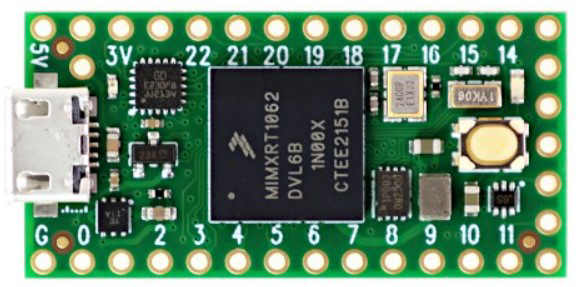
The Teensy 4.0, manufactured by PJRC (Part ID: Teensy 4.0), is a high-performance microcontroller board powered by the NXP i.MX RT1062 chip. It features a 600 MHz ARM Cortex-M7 processor, making it one of the fastest microcontroller boards available. With 1 MB of RAM, 2 MB of flash memory, and support for USB host and device functionality, the Teensy 4.0 is well-suited for demanding applications such as robotics, IoT devices, audio processing, and real-time data acquisition.
Explore Projects Built with Teensy 4.0
 Open Project in Cirkit Designer
 Open Project in Cirkit Designer
 Open Project in Cirkit Designer
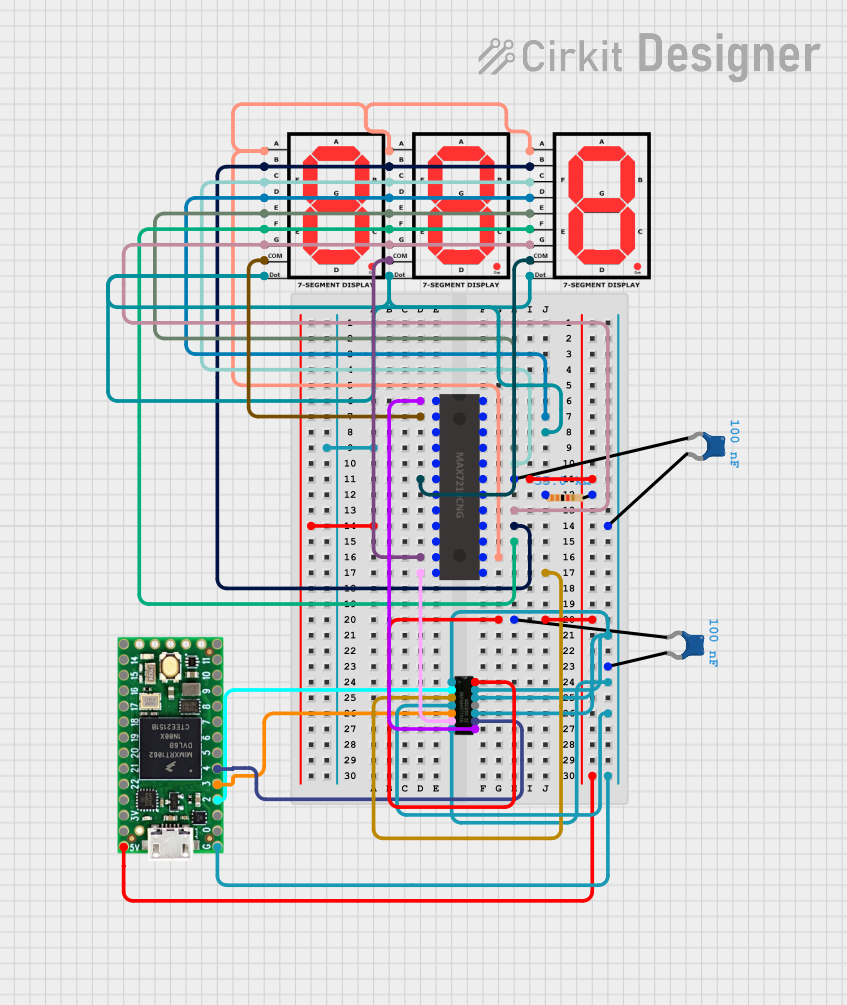 Open Project in Cirkit Designer
Explore Projects Built with Teensy 4.0
Open Project in Cirkit DesignerOpen Project in Cirkit DesignerOpen Project in Cirkit DesignerOpen Project in Cirkit DesignerCommon Applications
- Robotics: High-speed control and sensor integration.
- IoT Devices: Low-power, high-performance edge computing.
- Audio Processing: Real-time audio effects and synthesis.
- Data Acquisition: High-speed data logging and processing.
- Custom USB Devices: USB MIDI, HID, or mass storage devices.
Technical Specifications
Key Technical Details
| Specification | Value |
|---|---|
| Processor | ARM Cortex-M7, 600 MHz |
| RAM | 1 MB |
| Flash Memory | 2 MB |
| USB Support | USB Host and Device |
| GPIO Pins | 40 (28 digital, 14 analog) |
| PWM Channels | 31 |
| Communication Interfaces | UART, SPI, I2C, CAN, I2S, Ethernet |
| Operating Voltage | 3.3 V (5 V tolerant on some pins) |
| Power Supply | 5 V via USB or external power (VIN pin) |
| Dimensions | 1.4 x 0.7 inches (35.56 x 17.78 mm) |
Pin Configuration and Descriptions
The Teensy 4.0 has a total of 40 pins, including digital, analog, and power pins. Below is a summary of the pin configuration:
Power and Ground Pins
| Pin | Description |
|---|---|
| VIN | Input for external 5 V power. |
| 3.3V | Regulated 3.3 V output. |
| GND | Ground. |
Digital and Analog Pins
| Pin | Description |
|---|---|
| 0-27 | Digital I/O pins (some support PWM). |
| A0-A13 | Analog input pins (shared with digital pins). |
Communication Pins
| Pin | Description |
|---|---|
| TX1/RX1 | UART Serial 1 (pins 0, 1). |
| TX2/RX2 | UART Serial 2 (pins 7, 8). |
| SCL/SDA | I2C communication (pins 18, 19). |
| MOSI | SPI Master Out Slave In (pin 11). |
| MISO | SPI Master In Slave Out (pin 12). |
| SCK | SPI Clock (pin 13). |
Special Function Pins
| Pin | Description |
|---|---|
| 33 | Onboard LED (active HIGH). |
| 24-25 | CAN bus communication. |
| 26-27 | USB Host D+ and D-. |
Usage Instructions
How to Use the Teensy 4.0 in a Circuit
Powering the Board:
- Connect the Teensy 4.0 to a computer or USB power source using a micro-USB cable.
- Alternatively, supply 5 V to the VIN pin for external power.
Programming the Board:
- Install the Arduino IDE and the Teensyduino add-on from PJRC's website.
- Select "Teensy 4.0" as the target board in the Arduino IDE.
- Write your code and upload it to the board via the USB connection.
Connecting Peripherals:
- Use the GPIO pins for digital and analog I/O.
- Connect sensors, actuators, or communication modules to the appropriate pins.
USB Host Functionality:
- Use pins 26 and 27 for USB host applications (e.g., connecting a keyboard or mouse).
Important Considerations and Best Practices
- Voltage Levels: The Teensy 4.0 operates at 3.3 V logic levels. While some pins are 5 V tolerant, ensure that connected devices are compatible.
- Heat Management: At 600 MHz, the processor may generate heat. Consider adding a heatsink for prolonged high-performance use.
- Bootloader Button: Use the onboard button to manually enter programming mode if needed.
- Static Protection: Handle the board with care to avoid damage from electrostatic discharge (ESD).
Example Code for Arduino IDE
The following example demonstrates how to blink the onboard LED (pin 33):
// Blink the onboard LED on Teensy 4.0
// The LED is connected to pin 33 and is active HIGH.

void setup() {
  pinMode(33, OUTPUT); // Set pin 33 as an output
}

void loop() {
  digitalWrite(33, HIGH); // Turn the LED on
  delay(500);             // Wait for 500 milliseconds
  digitalWrite(33, LOW);  // Turn the LED off
  delay(500);             // Wait for 500 milliseconds
}
Troubleshooting and FAQs
Common Issues and Solutions
The board is not recognized by the computer:
- Ensure the USB cable is a data cable (not a charge-only cable).
- Press the bootloader button to force the board into programming mode.
Code does not upload:
- Verify that "Teensy 4.0" is selected as the target board in the Arduino IDE.
- Check for loose USB connections or try a different USB port.
Peripherals are not working as expected:
- Double-check the wiring and pin assignments in your code.
- Ensure that the connected devices are compatible with 3.3 V logic levels.
The board overheats:
- Reduce the clock speed in the Arduino IDE if your application does not require 600 MHz.
- Add a heatsink for better thermal management.
FAQs
Q: Can the Teensy 4.0 run at lower clock speeds?
A: Yes, the clock speed can be adjusted in the Arduino IDE to reduce power consumption and heat.
Q: Does the Teensy 4.0 support Ethernet?
A: Yes, the Teensy 4.0 supports Ethernet via an external PHY module.
Q: Can I use the Teensy 4.0 with 5 V sensors?
A: While some pins are 5 V tolerant, it is recommended to use level shifters for 5 V sensors to avoid damage.
Q: How do I reset the Teensy 4.0?
A: Press the onboard bootloader button to reset or reprogram the board.
This concludes the documentation for the Teensy 4.0. For more information, visit the official PJRC website.