
How to Use tcs34725: Examples, Pinouts, and Specs
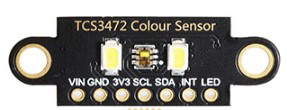
 Design with tcs34725 in Cirkit Designer
Introduction
The TCS34725 is a highly accurate color sensor capable of detecting and measuring the intensity of red, green, blue, and clear (non-filtered) light. It features an integrated infrared (IR) blocking filter, which enhances color accuracy by reducing IR interference. The sensor communicates via the I2C protocol, making it easy to integrate with microcontrollers and development boards like the Arduino UNO.
This component is widely used in applications such as:
- Color detection for robotics and automation
- Ambient light sensing for display brightness adjustment
- Color matching in industrial and consumer devices
- Environmental monitoring and scientific experiments
Explore Projects Built with tcs34725
 Open Project in Cirkit Designer
 Open Project in Cirkit Designer
 Open Project in Cirkit Designer
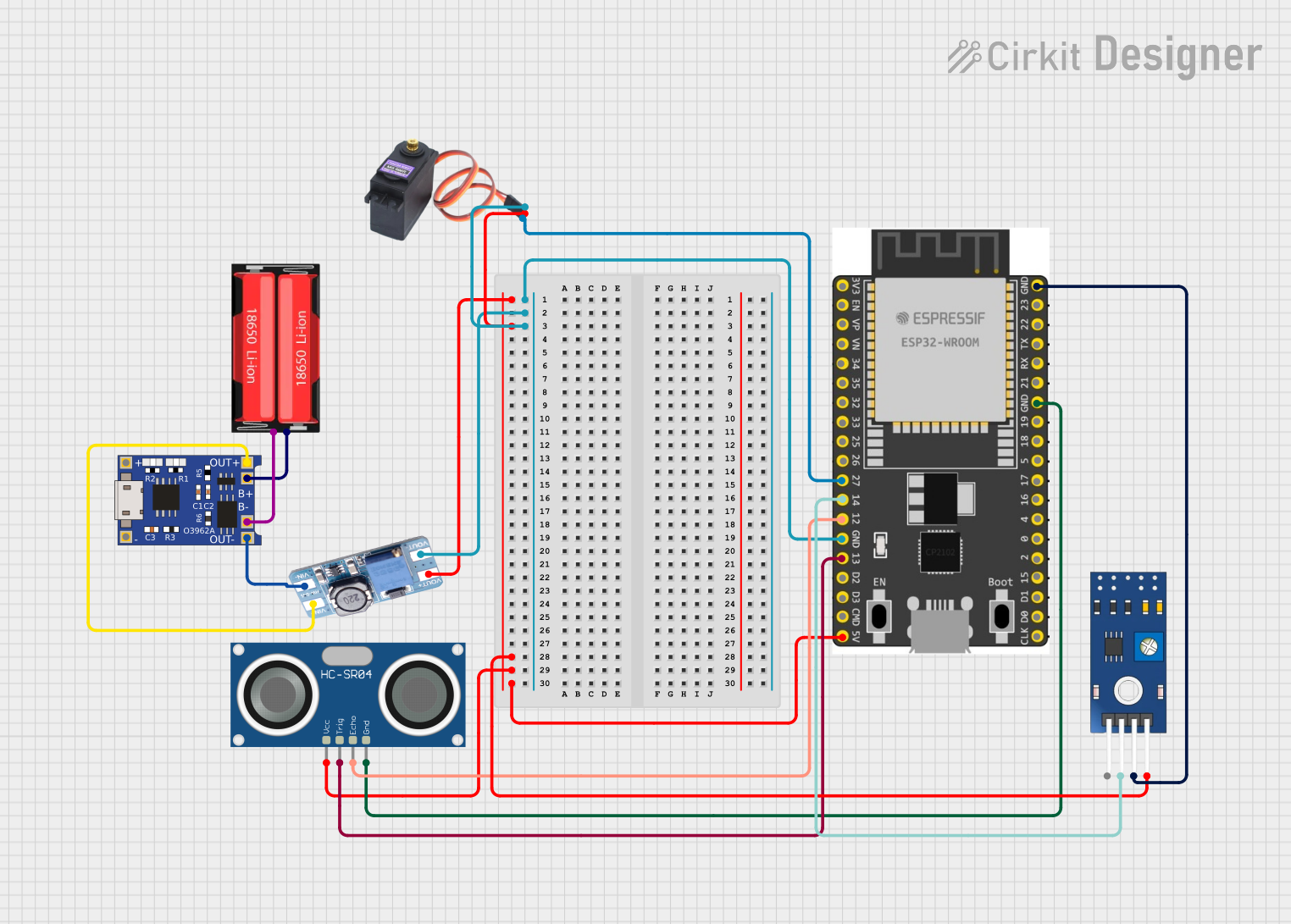 Open Project in Cirkit Designer
Explore Projects Built with tcs34725
Open Project in Cirkit DesignerOpen Project in Cirkit DesignerOpen Project in Cirkit DesignerOpen Project in Cirkit DesignerTechnical Specifications
The TCS34725 is designed for precision and ease of use. Below are its key technical details:
| Parameter | Value |
|---|---|
| Supply Voltage (VDD) | 2.7V to 3.6V |
| I/O Voltage | 1.8V to 3.6V |
| Communication Interface | I2C (7-bit address: 0x29) |
| Operating Current | 240 µA (typical) |
| Standby Current | 2.5 µA (typical) |
| Light Sensing Range | 3,800,000:1 dynamic range |
| IR Blocking Filter | Integrated |
| Integration Time | Programmable (2.4 ms to 700 ms) |
| Operating Temperature | -30°C to +85°C |
Pin Configuration and Descriptions
The TCS34725 is typically available in a 6-pin package. Below is the pinout:
| Pin | Name | Description |
|---|---|---|
| 1 | VDD | Power supply input (2.7V to 3.6V) |
| 2 | GND | Ground connection |
| 3 | SDA | I2C data line |
| 4 | SCL | I2C clock line |
| 5 | INT | Interrupt output (active low, optional use) |
| 6 | LED | LED control pin (optional, for external illumination) |
Usage Instructions
Connecting the TCS34725 to an Arduino UNO
To use the TCS34725 with an Arduino UNO, follow these steps:
Wiring: Connect the sensor to the Arduino as follows:
- VDD → 3.3V on Arduino
- GND → GND on Arduino
- SDA → A4 (I2C data line)
- SCL → A5 (I2C clock line)
- INT → Optional, connect to a digital pin if interrupt functionality is needed.
Install Required Libraries: Use the Adafruit TCS34725 library for easy integration. Install it via the Arduino IDE Library Manager.
Arduino Code Example: Below is a sample code to read RGB and clear light values from the TCS34725:
#include <Wire.h>
#include "Adafruit_TCS34725.h"

// Create an instance of the TCS34725 sensor
Adafruit_TCS34725 tcs = Adafruit_TCS34725(TCS34725_INTEGRATIONTIME_700MS,
                                          TCS34725_GAIN_1X);

void setup() {
  Serial.begin(9600); // Initialize serial communication
  if (tcs.begin()) {
    Serial.println("TCS34725 found and initialized.");
  } else {
    Serial.println("No TCS34725 found. Check connections.");
    while (1); // Halt execution if sensor is not found
  }
}

void loop() {
  uint16_t r, g, b, c; // Variables to store color data

  // Get raw data from the sensor
  tcs.getRawData(&r, &g, &b, &c);

  // Print the RGB and clear light values
  Serial.print("Red: "); Serial.print(r);
  Serial.print(" Green: "); Serial.print(g);
  Serial.print(" Blue: "); Serial.print(b);
  Serial.print(" Clear: "); Serial.println(c);

  delay(1000); // Wait 1 second before the next reading
}
Important Considerations
- Power Supply: Ensure the sensor operates within its voltage range (2.7V to 3.6V). If using a 5V microcontroller, use a level shifter for SDA and SCL lines.
- Ambient Light: Avoid direct exposure to strong light sources, as this may saturate the sensor.
- Integration Time and Gain: Adjust these settings to optimize performance for your specific application. Longer integration times improve sensitivity in low-light conditions, while gain settings amplify weak signals.
Troubleshooting and FAQs
Common Issues
Sensor Not Detected:
- Cause: Incorrect wiring or I2C address mismatch.
- Solution: Verify connections and ensure the I2C address is set to 0x29 in your code.
Inaccurate Color Readings:
- Cause: IR interference or improper calibration.
- Solution: Ensure the sensor's IR filter is not obstructed. Calibrate the sensor using a known white reference.
No Data Output:
- Cause: Faulty sensor or incorrect library installation.
- Solution: Check the sensor's power supply and reinstall the Adafruit TCS34725 library.
FAQs
Q: Can the TCS34725 measure light intensity in lux?
A: Yes, the sensor can estimate lux values using its clear light channel. The Adafruit library includes functions for this purpose.
Q: Is the interrupt pin necessary for basic operation?
A: No, the INT pin is optional and used for advanced applications like threshold-based interrupts.
Q: Can I use the TCS34725 with a 5V microcontroller?
A: Yes, but you must use a level shifter for the I2C lines to prevent damage to the sensor.
By following this documentation, you can effectively integrate the TCS34725 into your projects for accurate color and light sensing.