
How to Use ESP 01 Adapter: Examples, Pinouts, and Specs
 Design with ESP 01 Adapter in Cirkit Designer
Introduction
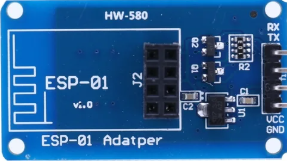
The ESP 01 Adapter (Manufacturer Part ID: HW-580) is a compact adapter board designed to interface with the ESP8266 ESP-01 Wi-Fi module. It simplifies the process of connecting the ESP-01 module to other devices by providing the necessary power regulation, pin connections, and communication interfaces. This adapter is particularly useful for prototyping and integrating the ESP-01 module into IoT projects.
Explore Projects Built with ESP 01 Adapter
 Open Project in Cirkit Designer
 Open Project in Cirkit Designer
 Open Project in Cirkit Designer
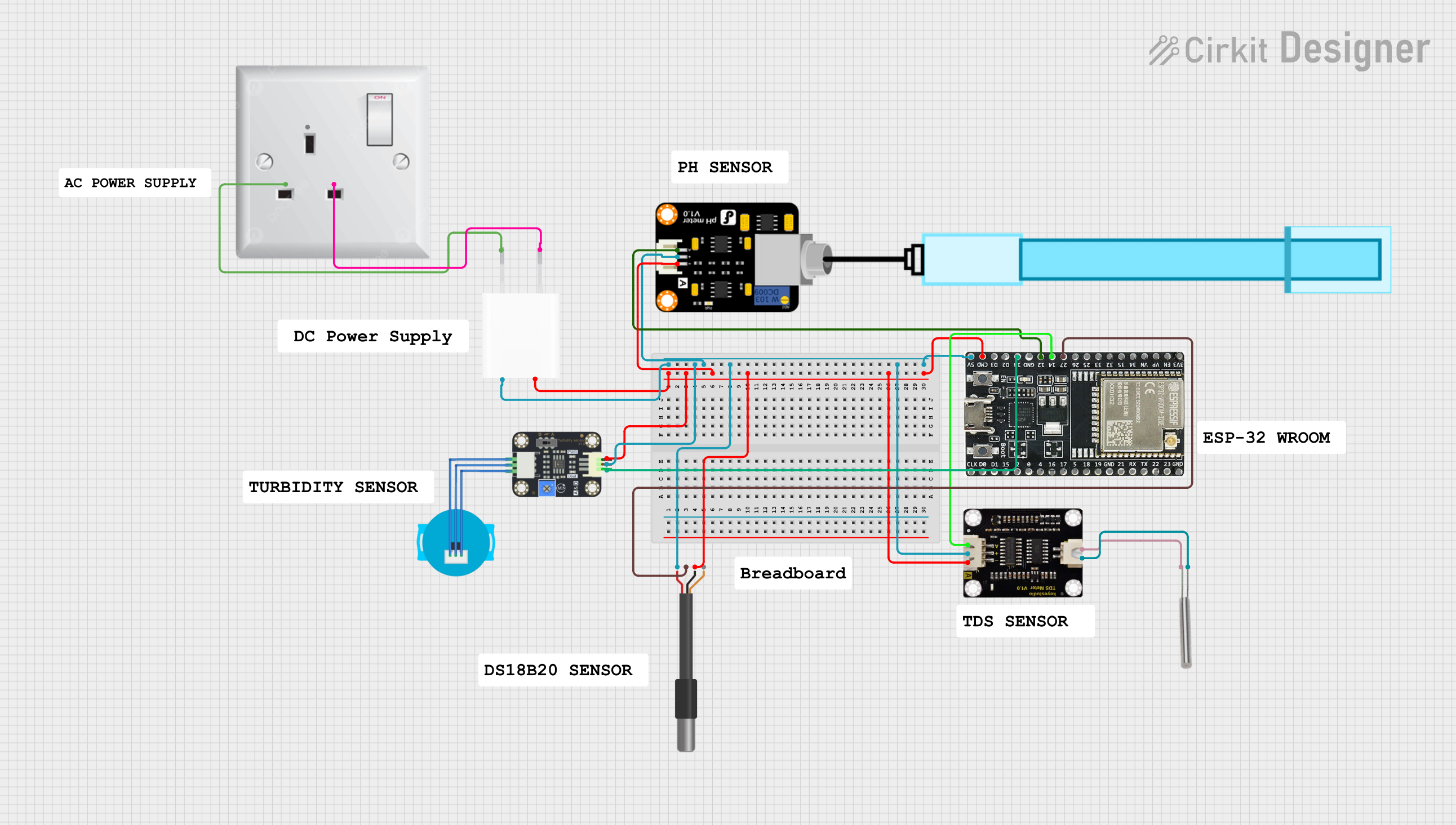 Open Project in Cirkit Designer
Explore Projects Built with ESP 01 Adapter
Open Project in Cirkit DesignerOpen Project in Cirkit DesignerOpen Project in Cirkit DesignerOpen Project in Cirkit DesignerCommon Applications and Use Cases
- IoT Projects: Enables seamless integration of the ESP-01 module for Wi-Fi connectivity.
- Prototyping: Simplifies the connection of the ESP-01 to breadboards or microcontrollers.
- Programming: Provides an easy way to program the ESP-01 module using USB-to-serial converters.
- Power Regulation: Converts 5V input to the 3.3V required by the ESP-01 module.
Technical Specifications
The ESP 01 Adapter is designed to work specifically with the ESP-01 Wi-Fi module. Below are its key technical details:
Key Technical Details
- Input Voltage: 5V DC (via VCC pin or USB power source)
- Output Voltage: 3.3V DC (regulated for the ESP-01 module)
- Current Rating: Up to 500mA
- Dimensions: 25mm x 15mm x 10mm (approx.)
- Communication Interface: UART (TX, RX pins)
- Power Regulation: Onboard AMS1117 3.3V voltage regulator
- LED Indicators: Power and communication status LEDs
Pin Configuration and Descriptions
The ESP 01 Adapter has a simple pinout designed to match the ESP-01 module. Below is the pin configuration:
| Pin Name | Description |
|---|---|
| VCC | 5V input power pin. Provides power to the onboard voltage regulator. |
| GND | Ground connection. |
| TX | UART Transmit pin. Connects to the RX pin of the microcontroller or USB-TTL. |
| RX | UART Receive pin. Connects to the TX pin of the microcontroller or USB-TTL. |
| CH_PD | Chip Enable pin. Must be connected to 3.3V for the ESP-01 to function. |
| GPIO0 | General-purpose I/O pin. Used for programming or other custom functions. |
| GPIO2 | General-purpose I/O pin. |
| RST | Reset pin. Pull low to reset the ESP-01 module. |
Usage Instructions
The ESP 01 Adapter is straightforward to use and is designed to simplify the connection of the ESP-01 module. Follow the steps below to use it effectively:
Connecting the ESP-01 Module
- Insert the ESP-01 Module: Align the pins of the ESP-01 module with the adapter's socket and gently insert it.
- Power the Adapter: Provide a 5V DC input to the VCC pin or connect a USB-to-serial converter to power the adapter.
- Connect to a Microcontroller:
- Connect the TX pin of the adapter to the RX pin of the microcontroller.
- Connect the RX pin of the adapter to the TX pin of the microcontroller.
- Connect the GND pin of the adapter to the GND pin of the microcontroller.
Programming the ESP-01 Module
To program the ESP-01 module using the adapter:
- Connect the adapter to a USB-to-serial converter.
- Pull the GPIO0 pin low (connect it to GND) to enter programming mode.
- Use an IDE like Arduino IDE to upload the code to the ESP-01 module.
Example Code for Arduino UNO
Below is an example of how to use the ESP-01 module with an Arduino UNO to connect to a Wi-Fi network:
#include <SoftwareSerial.h>

// Define RX and TX pins for SoftwareSerial
SoftwareSerial espSerial(2, 3); // RX = Pin 2, TX = Pin 3

void setup() {
  Serial.begin(9600); // Start Serial Monitor at 9600 baud
  espSerial.begin(9600); // Start ESP-01 communication at 9600 baud

  Serial.println("Initializing ESP-01...");
  espSerial.println("AT"); // Send AT command to check communication

  delay(1000); // Wait for response
  while (espSerial.available()) {
    Serial.write(espSerial.read()); // Print ESP-01 response to Serial Monitor
  }

  // Connect to Wi-Fi
  espSerial.println("AT+CWJAP=\"YourSSID\",\"YourPassword\""); // Replace with your Wi-Fi credentials
  delay(5000); // Wait for connection
  while (espSerial.available()) {
    Serial.write(espSerial.read()); // Print connection response
  }
}

void loop() {
  // Add your main code here
}
Important Considerations and Best Practices
- Ensure the CH_PD pin is connected to 3.3V for the ESP-01 module to function.
- Do not power the ESP-01 module directly with 5V; always use the adapter's regulated 3.3V output.
- Use a level shifter or voltage divider for the RX pin if connecting to a 5V microcontroller.
- Avoid inserting or removing the ESP-01 module while the adapter is powered.
Troubleshooting and FAQs
Common Issues and Solutions
ESP-01 Module Not Responding:
- Ensure the CH_PD pin is connected to 3.3V.
- Verify the connections between the adapter and the microcontroller or USB-to-serial converter.
- Check the baud rate in your code or serial monitor (default is 9600).
Programming Fails:
- Ensure the GPIO0 pin is pulled low before uploading code.
- Verify that the USB-to-serial converter is properly connected and recognized by your computer.
Wi-Fi Connection Fails:
- Double-check the SSID and password in your code.
- Ensure the Wi-Fi network is within range and supports 2.4GHz (ESP-01 does not support 5GHz).
FAQs
Can I use the ESP 01 Adapter with other ESP modules? No, the adapter is specifically designed for the ESP-01 module and may not be compatible with other ESP modules.
What is the maximum input voltage for the adapter? The adapter can accept a maximum input voltage of 5V DC.
Do I need additional components to use the adapter? No, the adapter includes an onboard voltage regulator and is ready to use with the ESP-01 module.
By following this documentation, you can effectively use the ESP 01 Adapter to simplify your ESP-01 module projects.