The JST XH 3P Female connector is a 3-pin female connector from the JST XH series, designed for secure and reliable wire-to-board or wire-to-wire connections in electronic circuits. It is widely used in applications requiring compact, durable, and efficient connections, such as battery packs, sensors, and small electronic devices. Its standardized design ensures compatibility with corresponding male connectors and headers.
Explore Projects Built with JST XH 3P Female
Use Cirkit Designer to design, explore, and prototype these projects online. Some projects support real-time simulation. Click "Open Project" to start designing instantly!
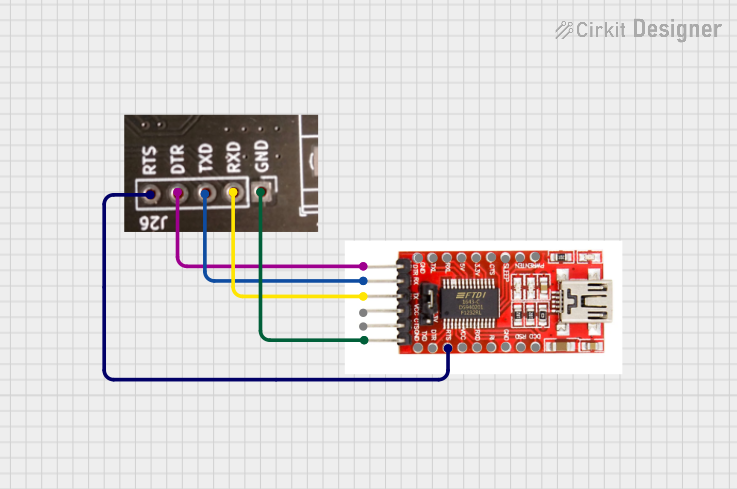
This circuit connects an FTDI USB-to-serial converter to a standard serial interface via a J26 connector. It facilitates serial communication by linking the ground, transmit, receive, data terminal ready, and request to send signals between the FTDI chip and the J26 connector.
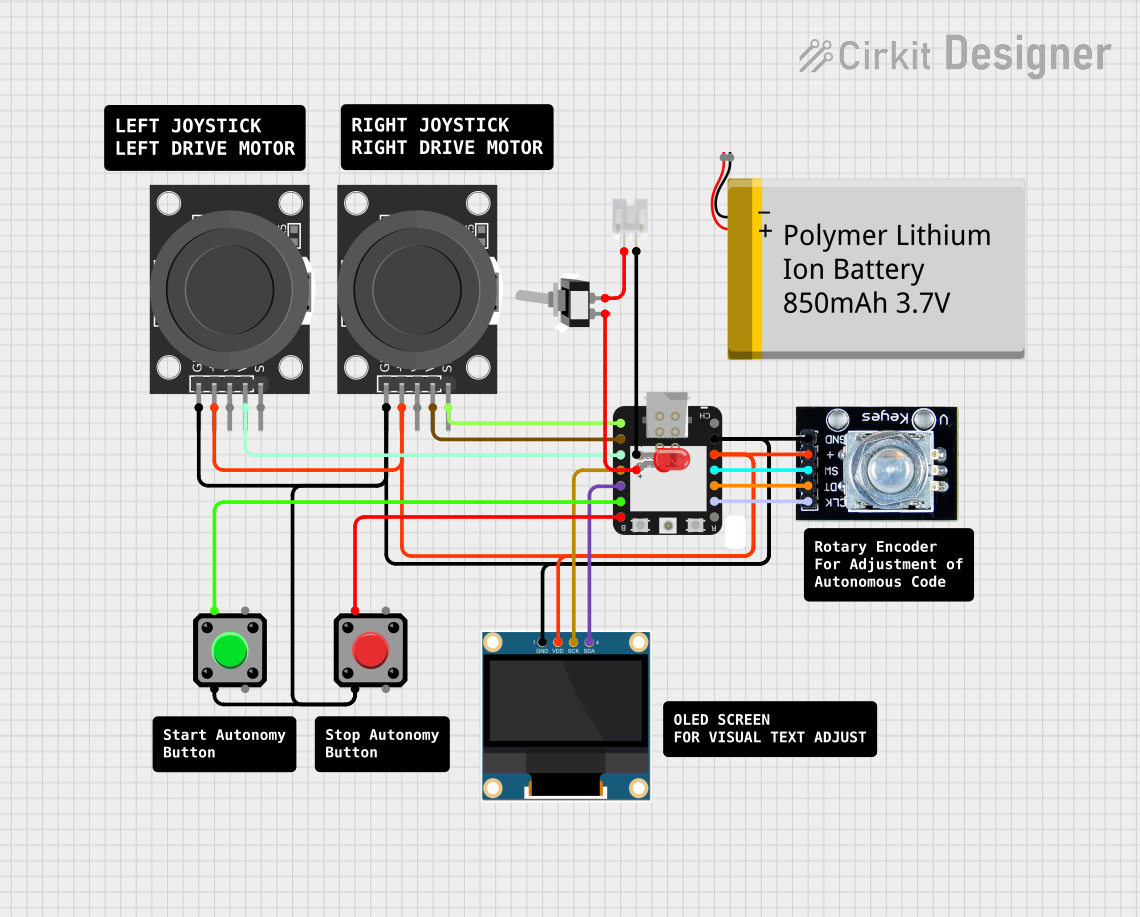
This circuit features an ESP32-C3 microcontroller connected to various input devices and an OLED display. The input devices include two KY-023 Dual Axis Joystick Modules for directional input and a Rotary Encoder for incremental input, both interfaced with the ESP32-C3's GPIO pins. The circuit also includes a power management system with a Polymer Lithium Ion Battery, a JST connector, and a toggle switch to control power to an LED indicator.
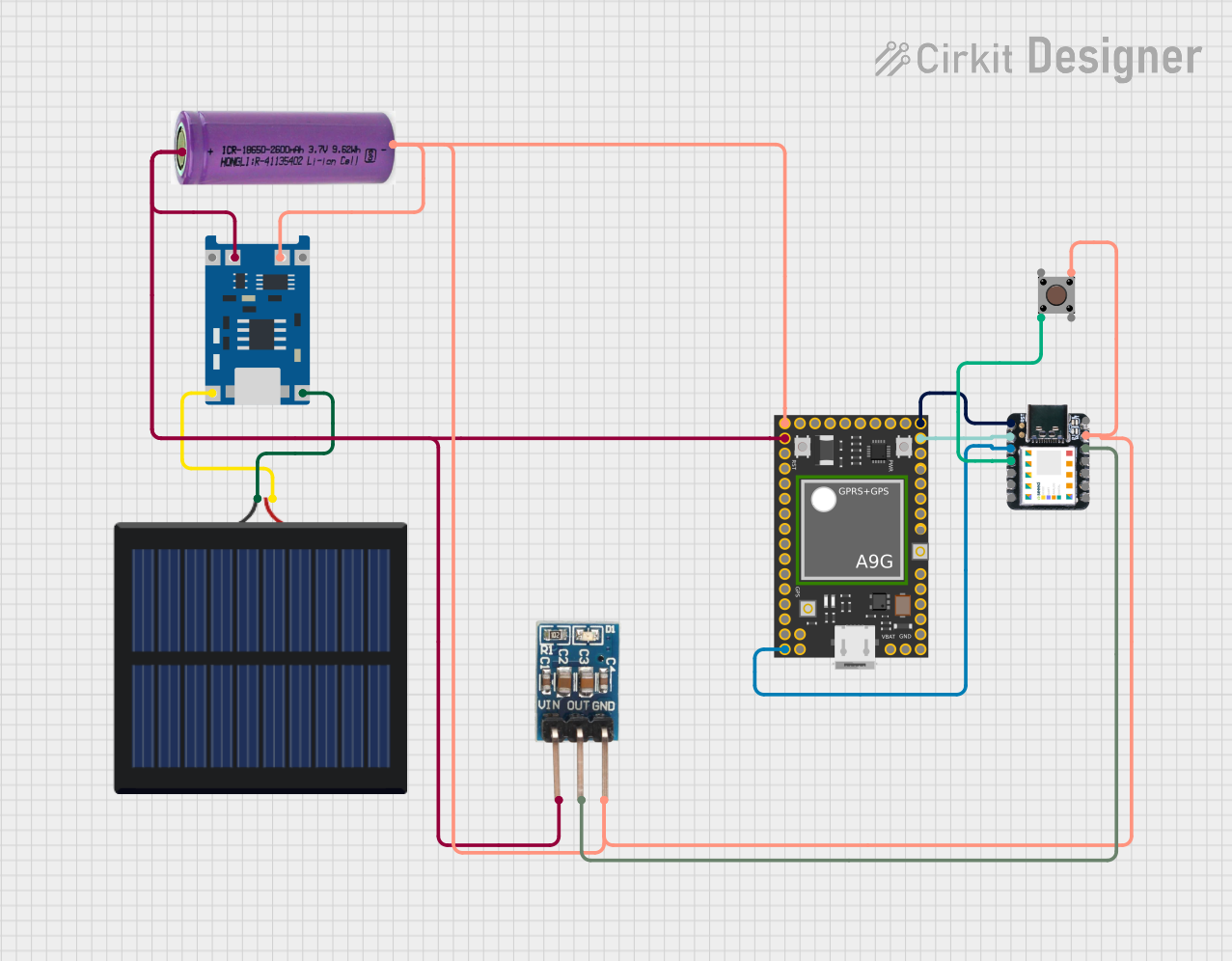
This circuit features an Ai Thinker A9G development board for GSM/GPRS and GPS/BDS connectivity, interfaced with a Seeeduino XIAO microcontroller for control and data processing. A solar cell, coupled with a TP4056 charging module, charges a 3.3V battery, which powers the system through a 3.3V regulator ensuring stable operation. The circuit likely serves for remote data communication and location tracking, with the capability to be powered by renewable energy and interfaced with additional sensors or input devices via the Seeeduino XIAO.
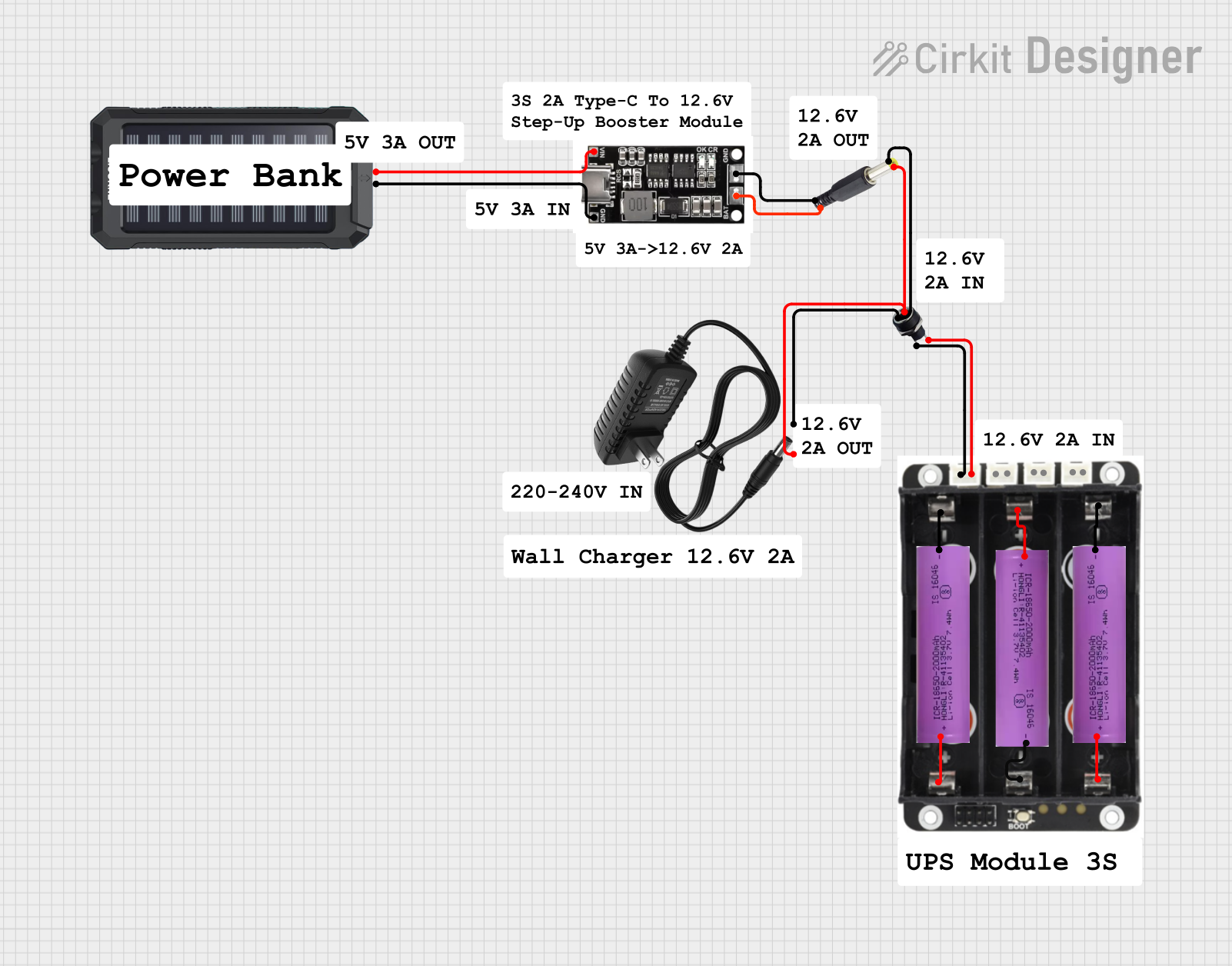
This circuit is a power management system that integrates a 12V power supply, a solar charger power bank, and multiple Li-ion batteries to provide a stable power output. The Waveshare UPS 3S manages the input from the power sources and batteries, ensuring continuous power delivery. The MRB045 module is used to interface the solar charger with the rest of the system.
Battery connections in RC models, drones, and robotics
Sensor interfacing in embedded systems
Power delivery in small electronic devices
Signal transmission in PCBs and prototyping
Technical Specifications
The JST XH 3P Female connector is designed to meet the needs of low-power and signal applications. Below are its key specifications:
Parameter
Value
Number of Pins
3
Pitch (Pin Spacing)
2.5 mm
Rated Voltage
250 V AC/DC
Rated Current
3 A (maximum)
Contact Resistance
≤ 20 mΩ
Insulation Resistance
≥ 1000 MΩ
Operating Temperature
-25°C to +85°C
Material (Housing)
Nylon 66 (UL94V-0 flame retardant)
Material (Contacts)
Tin-plated copper alloy
Pin Configuration and Descriptions
The JST XH 3P Female connector has three pins, typically used for power, ground, and signal connections. Below is the pinout:
Pin Number
Description
Common Usage
1
VCC (Power)
Positive voltage supply
2
GND (Ground)
Ground connection
3
Signal/Data
Signal or data line
Usage Instructions
How to Use the JST XH 3P Female Connector
Crimping Wires:
Use a crimping tool to attach wires to the connector's terminals. Ensure the wires are securely crimped to avoid loose connections.
Insert the crimped terminals into the connector housing until they click into place.
Connecting to a Male Header:
Align the JST XH 3P Female connector with the corresponding male header or connector.
Gently push the connector until it locks into place, ensuring a secure connection.
Soldering to a PCB (if applicable):
If using a male header on a PCB, solder the header pins to the board.
Connect the JST XH 3P Female connector to the header.
Important Considerations
Wire Gauge: Use wires with an appropriate gauge (typically 22-28 AWG) to ensure proper current handling and fit within the crimp terminals.
Polarity: Double-check the pinout to avoid reversing the polarity, which could damage connected components.
Insertion Force: Do not apply excessive force when connecting or disconnecting, as this may damage the connector or the mating header.
Example: Connecting to an Arduino UNO
The JST XH 3P Female connector can be used to connect a sensor or module to an Arduino UNO. Below is an example of wiring and code for reading data from a sensor connected via the JST XH 3P Female connector.
Wiring
Pin 1 (VCC) → Arduino 5V
Pin 2 (GND) → Arduino GND
Pin 3 (Signal) → Arduino Analog Pin A0
Code Example
// Example code for reading an analog sensor connected via JST XH 3P Female
const int sensorPin = A0; // Signal pin connected to Analog Pin A0

void setup() {
  Serial.begin(9600); // Initialize serial communication at 9600 baud
  pinMode(sensorPin, INPUT); // Set the sensor pin as input
}

void loop() {
  int sensorValue = analogRead(sensorPin); // Read the analog value from the sensor
  Serial.print("Sensor Value: ");
  Serial.println(sensorValue); // Print the sensor value to the Serial Monitor
  delay(500); // Wait for 500 milliseconds before the next reading
}
Troubleshooting and FAQs
Common Issues
Loose Connections:
Cause: Improper crimping or incomplete insertion of terminals into the housing.
Solution: Re-crimp the wires and ensure the terminals are fully inserted into the housing.
Reversed Polarity:
Cause: Incorrect wiring of VCC and GND pins.
Solution: Verify the pinout and wiring before powering the circuit.
Intermittent Signal:
Cause: Poor contact between the female connector and the male header.
Solution: Ensure the connector is fully seated and check for bent or damaged pins.
FAQs
Q1: Can the JST XH 3P Female connector handle high currents?
A1: No, the connector is rated for a maximum current of 3 A. For higher currents, consider using connectors with higher current ratings.
Q2: Is the JST XH 3P Female connector waterproof?
A2: No, the connector is not waterproof. For outdoor or moisture-prone applications, use a waterproof connector.
Q3: Can I reuse the connector after crimping?
A3: While it is possible to remove and reuse the housing, the crimp terminals are typically not reusable. It is recommended to use new terminals for reliable connections.
Q4: What tools are required for crimping?
A4: A dedicated JST crimping tool is recommended for precise and secure crimping of the terminals.
By following this documentation, you can effectively use the JST XH 3P Female connector in your electronic projects.

 Open Project in Cirkit Designer