
How to Use DC Power Source: Examples, Pinouts, and Specs
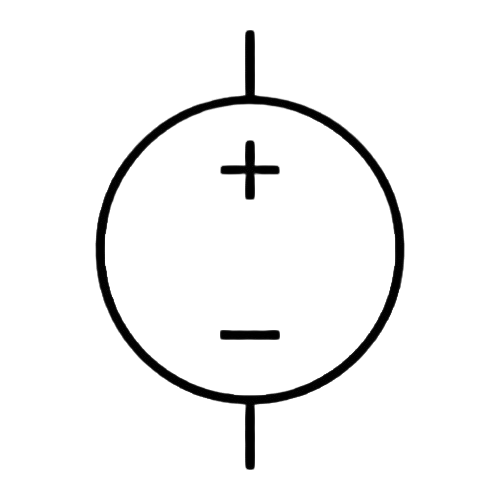
 Design with DC Power Source in Cirkit Designer
Introduction
The DC Power Source (Manufacturer: JJY, Part ID: DC_Power) is a device designed to provide a constant direct current (DC) voltage to power electronic circuits and components. It is an essential component in electronics, offering a stable and reliable power supply for a wide range of applications.
Explore Projects Built with DC Power Source
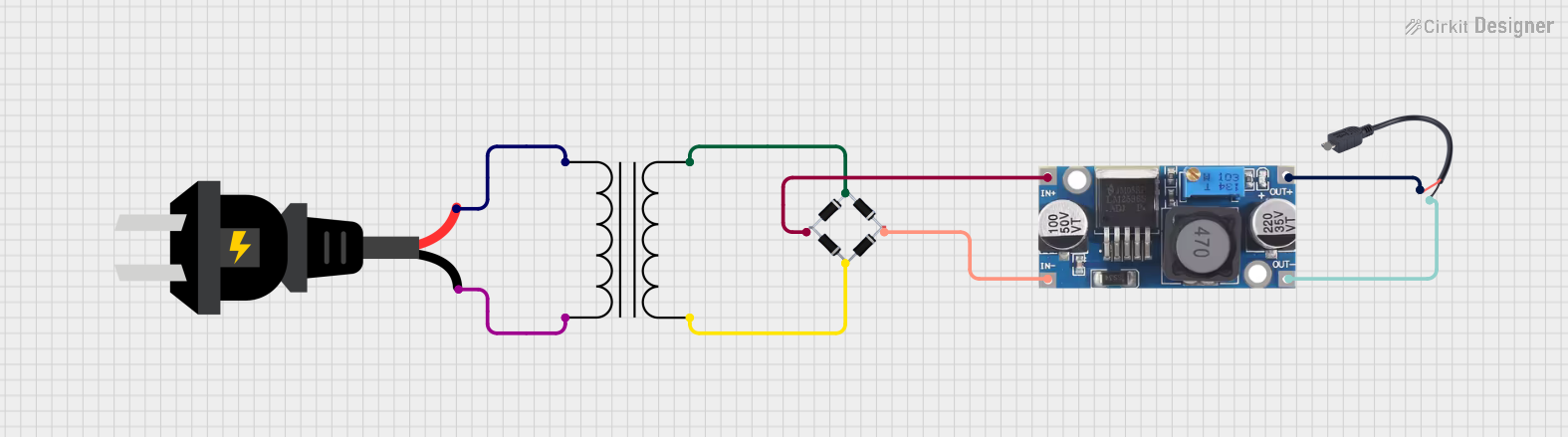 Open Project in Cirkit Designer
 Open Project in Cirkit Designer
 Open Project in Cirkit Designer
 Open Project in Cirkit Designer
Explore Projects Built with DC Power Source
Open Project in Cirkit DesignerOpen Project in Cirkit DesignerOpen Project in Cirkit DesignerOpen Project in Cirkit DesignerCommon Applications and Use Cases
- Powering microcontrollers, sensors, and modules in embedded systems
- Supplying energy to DC motors, LEDs, and other electronic devices
- Testing and prototyping circuits in laboratories
- Charging batteries and portable devices
- Providing power for industrial control systems and automation equipment
Technical Specifications
The following table outlines the key technical specifications of the JJY DC Power Source:
| Parameter | Value |
|---|---|
| Input Voltage Range | 100-240V AC, 50/60Hz |
| Output Voltage Range | 3.3V, 5V, 9V, 12V (selectable) |
| Output Current | Up to 2A |
| Power Rating | 24W (maximum) |
| Efficiency | ≥85% |
| Ripple and Noise | ≤50mV |
| Operating Temperature | -10°C to 50°C |
| Storage Temperature | -20°C to 70°C |
| Dimensions | 100mm x 60mm x 40mm |
| Weight | 150g |
Pin Configuration and Descriptions
The DC Power Source typically includes the following connectors:
| Pin/Connector | Description |
|---|---|
| Input AC Plug | Connects to the AC mains power supply (100-240V AC). |
| Output (+) | Positive DC output terminal. |
| Output (-) | Negative DC output terminal (ground). |
| Voltage Selector | Switch to select the desired output voltage. |
| LED Indicator | Displays the power status (ON/OFF). |
Usage Instructions
How to Use the DC Power Source in a Circuit
- Connect the Input: Plug the AC input connector into a standard wall outlet (100-240V AC).
- Set the Output Voltage: Use the voltage selector switch to choose the desired output voltage (e.g., 3.3V, 5V, 9V, or 12V).
- Connect the Load: Attach the positive (+) and negative (-) output terminals to the corresponding terminals of your circuit or device.
- Power On: Turn on the power source. The LED indicator will light up, confirming that the device is operational.
- Monitor the Output: Use a multimeter to verify the output voltage and ensure it matches the selected value.
Important Considerations and Best Practices
- Check Voltage Requirements: Ensure the output voltage matches the requirements of your circuit or device to avoid damage.
- Avoid Overloading: Do not exceed the maximum output current (2A) to prevent overheating or failure.
- Proper Ventilation: Place the power source in a well-ventilated area to avoid overheating during operation.
- Polarity: Double-check the polarity of the connections to prevent reverse polarity damage.
- Safety Precautions: Avoid touching the terminals while the power source is connected to AC mains.
Example: Using the DC Power Source with an Arduino UNO
The JJY DC Power Source can be used to power an Arduino UNO. Below is an example of how to connect and use it:
- Set the output voltage to 5V using the voltage selector.
- Connect the positive (+) terminal of the power source to the VIN pin on the Arduino UNO.
- Connect the negative (-) terminal of the power source to the GND pin on the Arduino UNO.
- Power on the DC Power Source.
Here is a simple Arduino sketch to blink an LED while powered by the DC Power Source:
// Blink an LED connected to pin 13 on the Arduino UNO
// Ensure the DC Power Source is set to 5V and connected properly

void setup() {
  pinMode(13, OUTPUT); // Set pin 13 as an output pin
}

void loop() {
  digitalWrite(13, HIGH); // Turn the LED on
  delay(1000);            // Wait for 1 second
  digitalWrite(13, LOW);  // Turn the LED off
  delay(1000);            // Wait for 1 second
}
Troubleshooting and FAQs
Common Issues and Solutions
| Issue | Possible Cause | Solution |
|---|---|---|
| No output voltage | Power source not connected to AC mains | Ensure the AC plug is securely connected. |
| Voltage selector not set | Set the desired output voltage using the switch. | |
| Output voltage is incorrect | Incorrect voltage selected | Verify and adjust the voltage selector. |
| Device overheats during operation | Overloading the power source | Reduce the load to stay within the 2A limit. |
| Poor ventilation | Ensure proper airflow around the device. | |
| LED indicator does not light up | Internal fault or blown fuse | Contact the manufacturer for support. |
Frequently Asked Questions
Can I use this power source to charge a 12V battery?
- Yes, but ensure the battery's charging current does not exceed 2A.
What happens if I exceed the maximum current rating?
- The power source may overheat or shut down to protect itself. Always stay within the 2A limit.
Is the output voltage adjustable?
- Yes, the output voltage can be adjusted to 3.3V, 5V, 9V, or 12V using the voltage selector.
Can I use this power source outdoors?
- No, the device is not weatherproof. Use it in a dry, indoor environment.
What should I do if the power source stops working?
- Check the connections, verify the input voltage, and inspect for any visible damage. If the issue persists, contact JJY customer support.
This concludes the documentation for the JJY DC Power Source (Part ID: DC_Power).