
How to Use HW-508 Passive Buzzer Module: Examples, Pinouts, and Specs
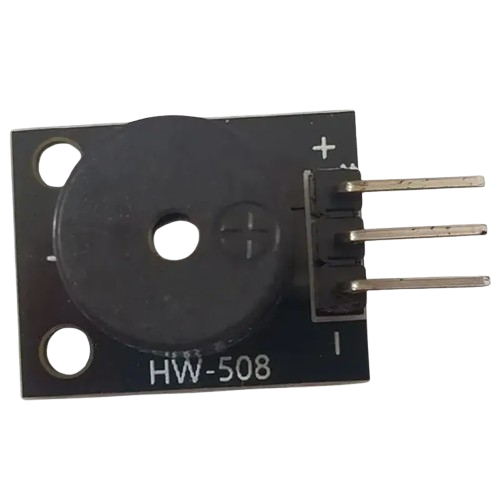
 Design with HW-508 Passive Buzzer Module in Cirkit Designer
Introduction
The HW-508 Passive Buzzer Module is a compact electronic device designed to produce sound when an electrical signal is applied. Unlike active buzzers, the passive buzzer requires an external signal (such as a square wave) to generate sound. This makes it versatile for applications where precise control over tone and frequency is required.
Explore Projects Built with HW-508 Passive Buzzer Module
 Open Project in Cirkit Designer
 Open Project in Cirkit Designer
 Open Project in Cirkit Designer
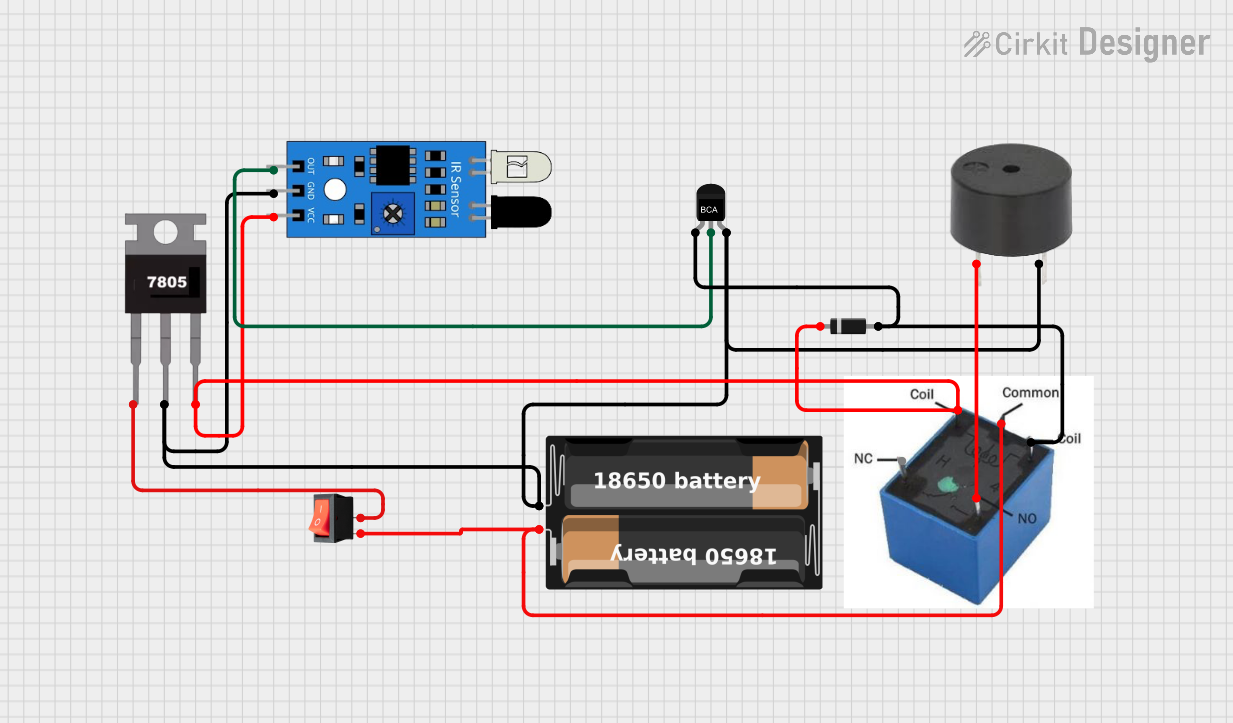 Open Project in Cirkit Designer
Explore Projects Built with HW-508 Passive Buzzer Module
Open Project in Cirkit DesignerOpen Project in Cirkit DesignerOpen Project in Cirkit DesignerOpen Project in Cirkit DesignerCommon Applications
- Alarm systems and security devices
- Timers and notifications
- Audio feedback in electronic projects
- Educational and DIY electronics kits
Technical Specifications
Below are the key technical details of the HW-508 Passive Buzzer Module:
| Parameter | Value |
|---|---|
| Manufacturer | HW-508 |
| Part ID | HW-508 |
| Operating Voltage | 3.3V to 5V |
| Current Consumption | ≤ 30mA |
| Frequency Range | 1kHz to 5kHz |
| Sound Pressure Level | ≥ 85dB (at 10cm, 5V, 2kHz signal) |
| Dimensions | 22mm x 12mm x 10mm |
| Weight | ~2g |
Pin Configuration
The HW-508 Passive Buzzer Module has a simple 3-pin interface:
| Pin | Name | Description |
|---|---|---|
| 1 | VCC | Connect to the positive supply voltage (3.3V to 5V). |
| 2 | GND | Connect to ground. |
| 3 | Signal (S) | Input pin for the control signal (PWM or square wave). |
Usage Instructions
How to Use the HW-508 Passive Buzzer Module in a Circuit
- Power the Module: Connect the
VCCpin to a 3.3V or 5V power source and theGNDpin to ground. - Provide a Signal: Use a microcontroller (e.g., Arduino UNO) or other signal generator to send a square wave signal to the
Signal (S)pin. The frequency of the signal determines the tone of the sound produced. - Adjust Frequency: Experiment with different frequencies (1kHz to 5kHz) to achieve the desired sound.
Important Considerations
- Signal Type: The module requires a square wave signal for operation. A constant DC signal will not produce sound.
- Voltage Range: Ensure the supply voltage is within the specified range (3.3V to 5V) to avoid damage.
- Placement: For optimal sound output, avoid obstructing the buzzer's opening.
Example: Connecting to an Arduino UNO
Below is an example of how to use the HW-508 Passive Buzzer Module with an Arduino UNO to generate a tone:
// Example code to control the HW-508 Passive Buzzer Module with Arduino UNO
// This code generates a tone at 2kHz for 1 second, then pauses for 1 second.

#define BUZZER_PIN 8  // Define the pin connected to the Signal (S) pin of the buzzer

void setup() {
  pinMode(BUZZER_PIN, OUTPUT);  // Set the buzzer pin as an output
}

void loop() {
  tone(BUZZER_PIN, 2000);  // Generate a 2kHz tone on the buzzer pin
  delay(1000);             // Wait for 1 second
  noTone(BUZZER_PIN);      // Stop the tone
  delay(1000);             // Wait for 1 second
}
Notes:
- The
tone()function generates a square wave signal on the specified pin. - The
noTone()function stops the signal, silencing the buzzer.
Troubleshooting and FAQs
Common Issues
No Sound Output
- Cause: No signal is applied to the
Signal (S)pin. - Solution: Ensure the microcontroller or signal generator is providing a square wave signal.
- Cause: No signal is applied to the
Low or Distorted Sound
- Cause: Insufficient supply voltage or incorrect frequency.
- Solution: Verify that the supply voltage is within the 3.3V to 5V range and adjust the signal frequency to fall within the 1kHz to 5kHz range.
Buzzer Overheating
- Cause: Prolonged operation at high voltage or incorrect wiring.
- Solution: Check the wiring and ensure the voltage does not exceed 5V.
FAQs
Q1: Can I use the HW-508 Passive Buzzer Module with a 3.3V microcontroller?
A1: Yes, the module is compatible with 3.3V systems. Ensure the signal voltage matches the supply voltage.
Q2: What is the difference between a passive and an active buzzer?
A2: A passive buzzer requires an external signal (e.g., PWM or square wave) to produce sound, while an active buzzer has an internal oscillator and only needs a DC voltage to operate.
Q3: Can I control the volume of the buzzer?
A3: The volume is fixed and depends on the supply voltage and signal frequency. To reduce the perceived volume, you can lower the duty cycle of the PWM signal.
Q4: Is the HW-508 Passive Buzzer Module polarity-sensitive?
A4: Yes, ensure the VCC and GND pins are connected correctly to avoid damage.
By following this documentation, you can effectively integrate the HW-508 Passive Buzzer Module into your projects and troubleshoot common issues with ease.