
How to Use MLX90614: Examples, Pinouts, and Specs
 Design with MLX90614 in Cirkit Designer
Introduction
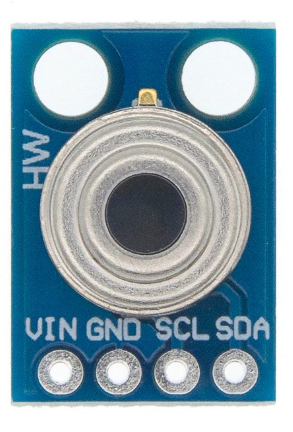
The MLX90614 is a non-contact infrared temperature sensor designed to measure the temperature of objects without requiring direct physical contact. It utilizes advanced infrared technology to provide accurate temperature readings over a wide range. This sensor is widely used in applications such as temperature monitoring, medical devices (e.g., thermometers), HVAC systems, and industrial automation. Its ability to measure both object and ambient temperatures makes it a versatile and reliable component for various projects.
Explore Projects Built with MLX90614
 Open Project in Cirkit Designer
 Open Project in Cirkit Designer
 Open Project in Cirkit Designer
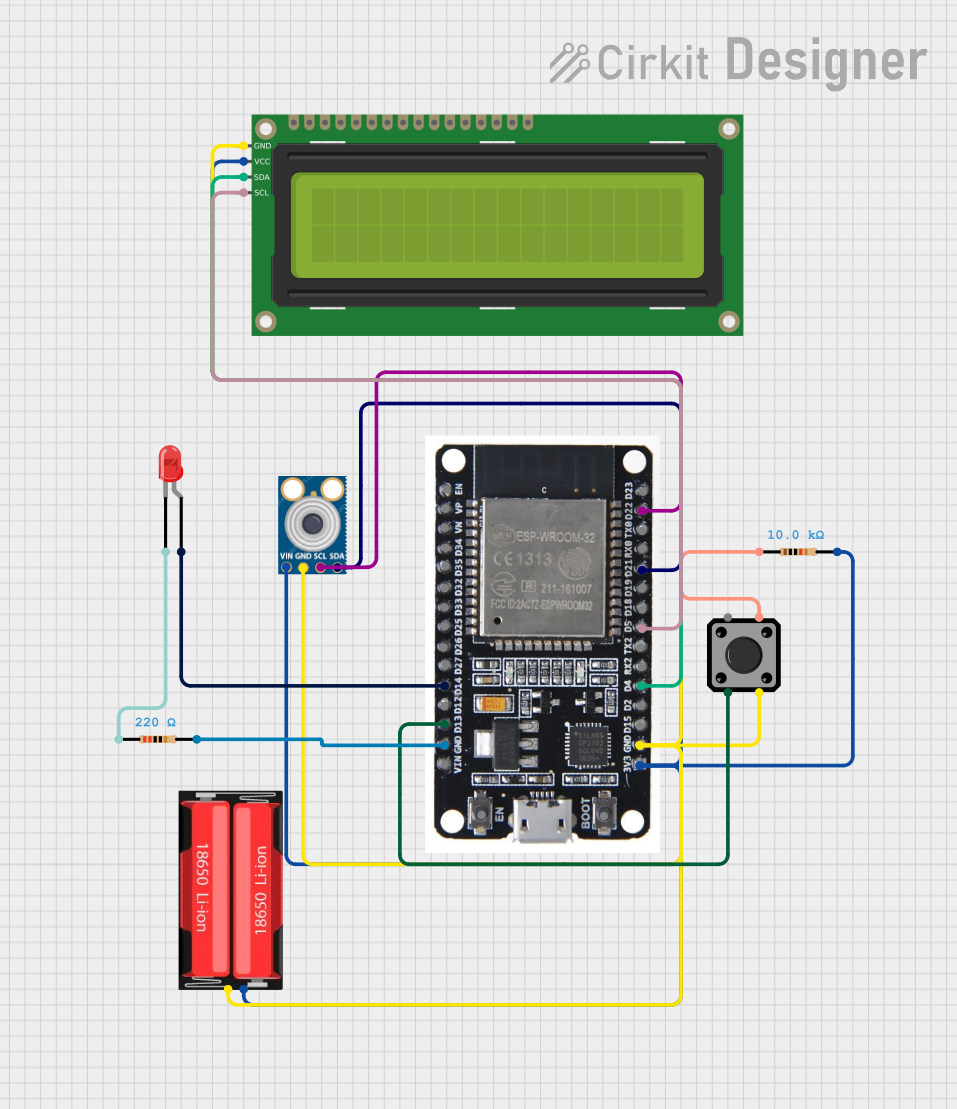 Open Project in Cirkit Designer
Explore Projects Built with MLX90614
Open Project in Cirkit DesignerOpen Project in Cirkit DesignerOpen Project in Cirkit DesignerOpen Project in Cirkit DesignerTechnical Specifications
The MLX90614 is available in different models, but the following are the general technical specifications for the most commonly used version:
- Operating Voltage: 3.6V to 5V DC
- Current Consumption: 1.5mA (typical)
- Temperature Range:
- Object Temperature: -70°C to +380°C
- Ambient Temperature: -40°C to +125°C
- Accuracy: ±0.5°C (typical, for object temperatures between 0°C and +50°C)
- Field of View (FOV): 35°
- Communication Protocols: I²C and PWM
- Resolution: 0.02°C
- Package Type: TO-39 metal can
Pin Configuration and Descriptions
The MLX90614 typically comes with four pins. The table below describes each pin:
| Pin | Name | Description |
|---|---|---|
| 1 | VDD | Power supply input (3.6V to 5V DC) |
| 2 | VSS | Ground (0V) |
| 3 | SDA | Serial Data Line for I²C communication |
| 4 | SCL | Serial Clock Line for I²C communication |
Usage Instructions
How to Use the MLX90614 in a Circuit
- Powering the Sensor: Connect the VDD pin to a 3.6V to 5V DC power source and the VSS pin to ground.
- I²C Communication:
- Connect the SDA pin to the SDA line of your microcontroller.
- Connect the SCL pin to the SCL line of your microcontroller.
- Use pull-up resistors (typically 4.7kΩ) on both the SDA and SCL lines for proper I²C operation.
- Reading Temperature:
- The MLX90614 provides two types of temperature readings:
- Object Temperature: The temperature of the object in the sensor's field of view.
- Ambient Temperature: The temperature of the sensor's surroundings.
- The MLX90614 provides two types of temperature readings:
Important Considerations and Best Practices
- Ensure the sensor is not exposed to direct sunlight or strong infrared sources, as this may affect accuracy.
- Avoid placing the sensor in environments with high humidity or condensation, as this can damage the sensor.
- Use a stable power supply to minimize noise and ensure accurate readings.
- When using the sensor in an Arduino project, install the necessary libraries (e.g.,
Adafruit_MLX90614).
Example Code for Arduino UNO
Below is an example of how to use the MLX90614 with an Arduino UNO to read object and ambient temperatures:
#include <Wire.h>
#include <Adafruit_MLX90614.h>

// Create an instance of the MLX90614 library
Adafruit_MLX90614 mlx = Adafruit_MLX90614();

void setup() {
  Serial.begin(9600); // Initialize serial communication at 9600 baud
  Serial.println("MLX90614 Temperature Sensor Test");

  if (!mlx.begin()) {
    Serial.println("Error: Could not find a valid MLX90614 sensor!");
    while (1); // Halt execution if sensor initialization fails
  }
}

void loop() {
  // Read object temperature in Celsius
  float objectTemp = mlx.readObjectTempC();
  // Read ambient temperature in Celsius
  float ambientTemp = mlx.readAmbientTempC();

  // Print the readings to the Serial Monitor
  Serial.print("Object Temperature: ");
  Serial.print(objectTemp);
  Serial.println(" °C");

  Serial.print("Ambient Temperature: ");
  Serial.print(ambientTemp);
  Serial.println(" °C");

  delay(1000); // Wait for 1 second before taking the next reading
}
Troubleshooting and FAQs
Common Issues and Solutions
Sensor Not Detected:
- Ensure the SDA and SCL lines are correctly connected to the microcontroller.
- Check for proper pull-up resistors on the I²C lines.
- Verify that the sensor is powered correctly (3.6V to 5V DC).
Inaccurate Temperature Readings:
- Ensure the sensor is not exposed to direct sunlight or strong infrared sources.
- Verify that the sensor is not obstructed by dirt or debris.
- Allow the sensor to stabilize for a few seconds after powering it on.
Interference on I²C Lines:
- Use shorter wires for the SDA and SCL connections to reduce noise.
- Ensure proper grounding of the circuit.
FAQs
Q1: Can the MLX90614 measure the temperature of liquids?
A1: Yes, the MLX90614 can measure the temperature of liquids as long as the liquid's surface is within the sensor's field of view and there is no obstruction.
Q2: What is the maximum distance for accurate temperature measurement?
A2: The effective distance depends on the size of the object and the sensor's field of view. For small objects, the sensor should be placed closer for accurate readings.
Q3: Can I use the MLX90614 with a 3.3V microcontroller?
A3: Yes, the MLX90614 is compatible with 3.3V systems. Ensure that the pull-up resistors on the I²C lines are appropriate for 3.3V operation.
Q4: How do I switch between Celsius and Fahrenheit?
A4: The MLX90614 outputs temperature in Celsius by default. You can convert it to Fahrenheit in your code using the formula:Fahrenheit = (Celsius * 9/5) + 32.
By following this documentation, you can effectively integrate the MLX90614 into your projects and troubleshoot common issues.