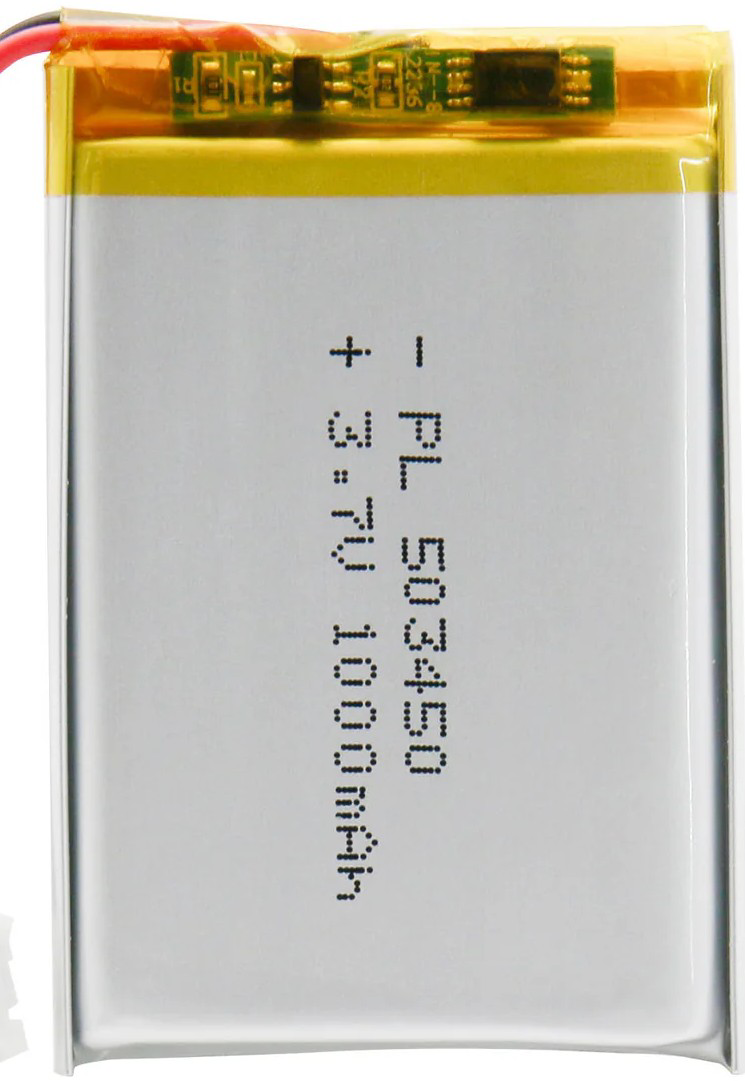
The Lipo Lithium Polymer Ion Li-polymer Battery (Manufacturer: LIPO, Part ID: Rechargeable Bty) is a rechargeable battery that utilizes lithium polymer technology. Known for its lightweight design, high energy density, and flexibility in form factor, this battery is widely used in portable electronic devices. Its ability to deliver high power in a compact size makes it an essential component in modern electronics.
Explore Projects Built with Lipo Lithium Polymer Ion Li-polymer Battery
Use Cirkit Designer to design, explore, and prototype these projects online. Some projects support real-time simulation. Click "Open Project" to start designing instantly!
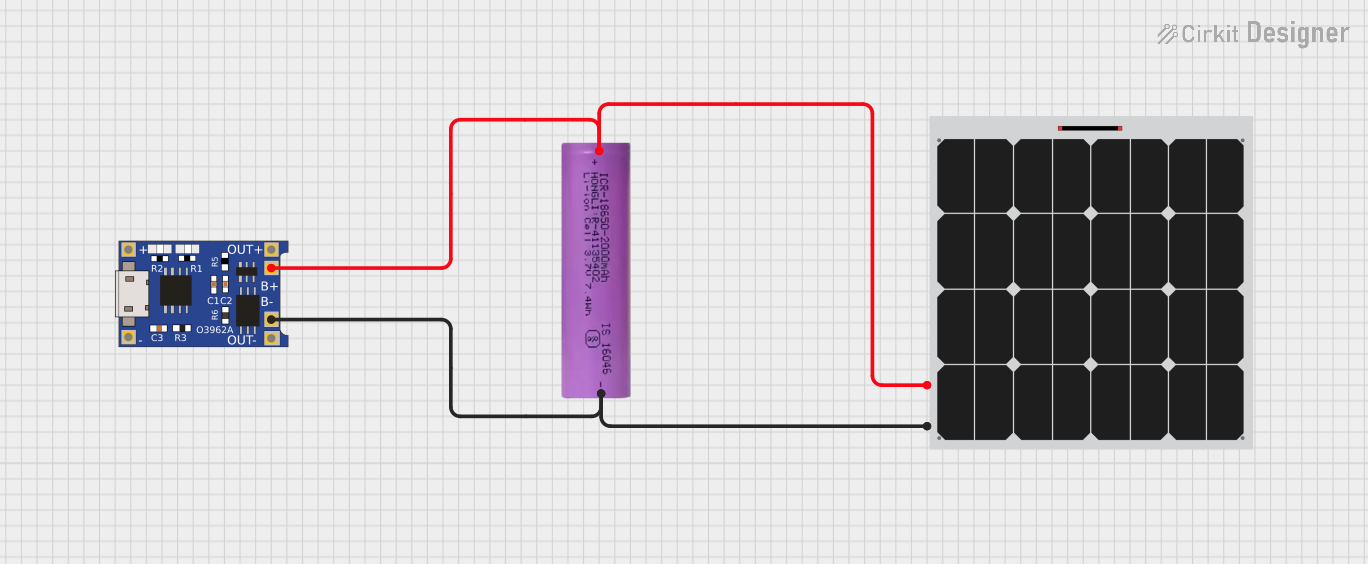
This circuit consists of a solar panel, a Li-ion battery, and a TP4056 charging module. The solar panel charges the Li-ion battery through the TP4056 module, which manages the charging process to ensure safe and efficient charging of the battery.
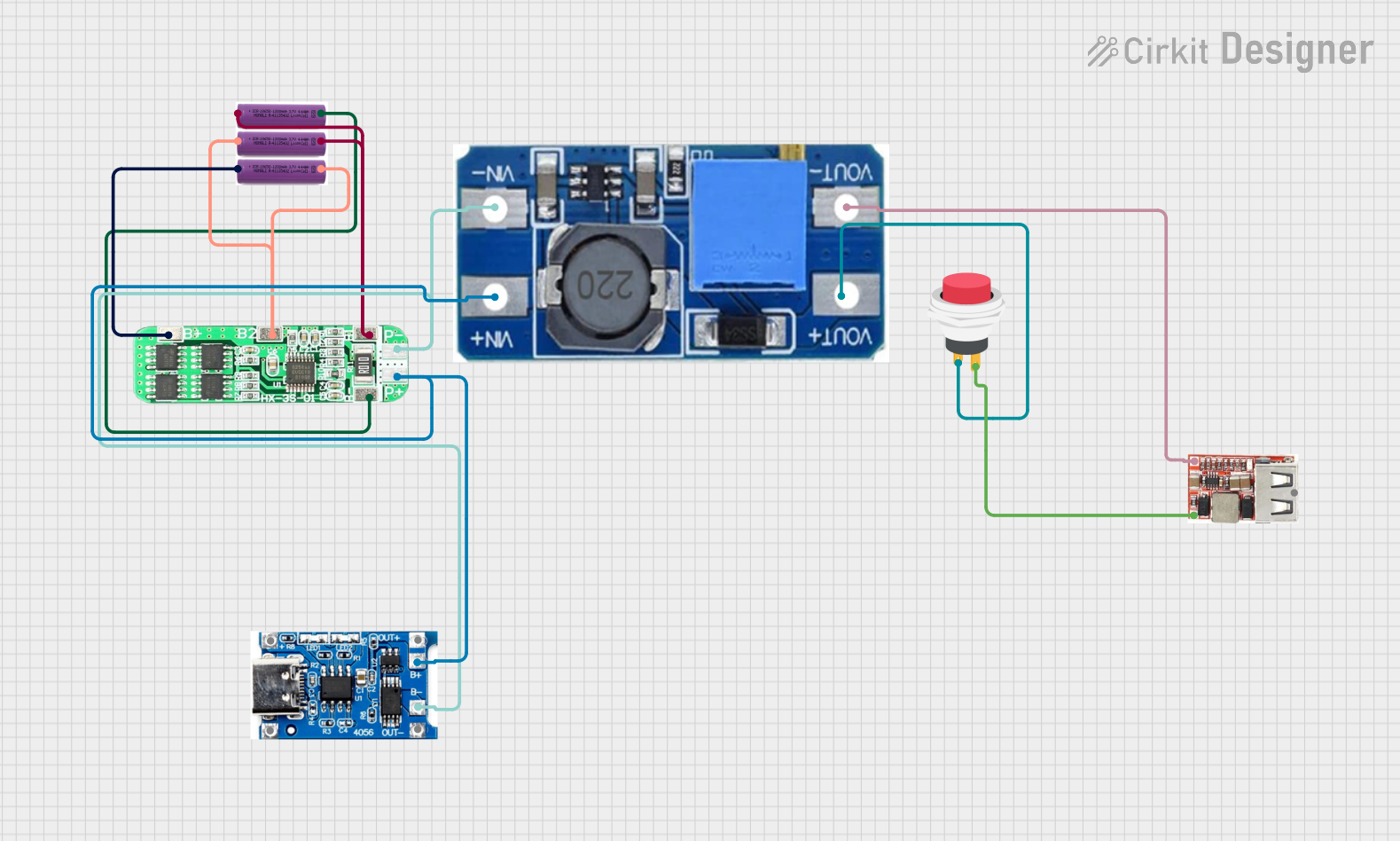
This circuit is a battery management and power supply system that uses three 3.7V batteries connected to a 3S 10A Li-ion 18650 Charger Protection Board Module for balanced charging and protection. The system includes a TP4056 Battery Charging Protection Module for additional charging safety, a Step Up Boost Power Converter to regulate and boost the voltage, and a USB regulator to provide a stable 5V output, controlled by a push switch.
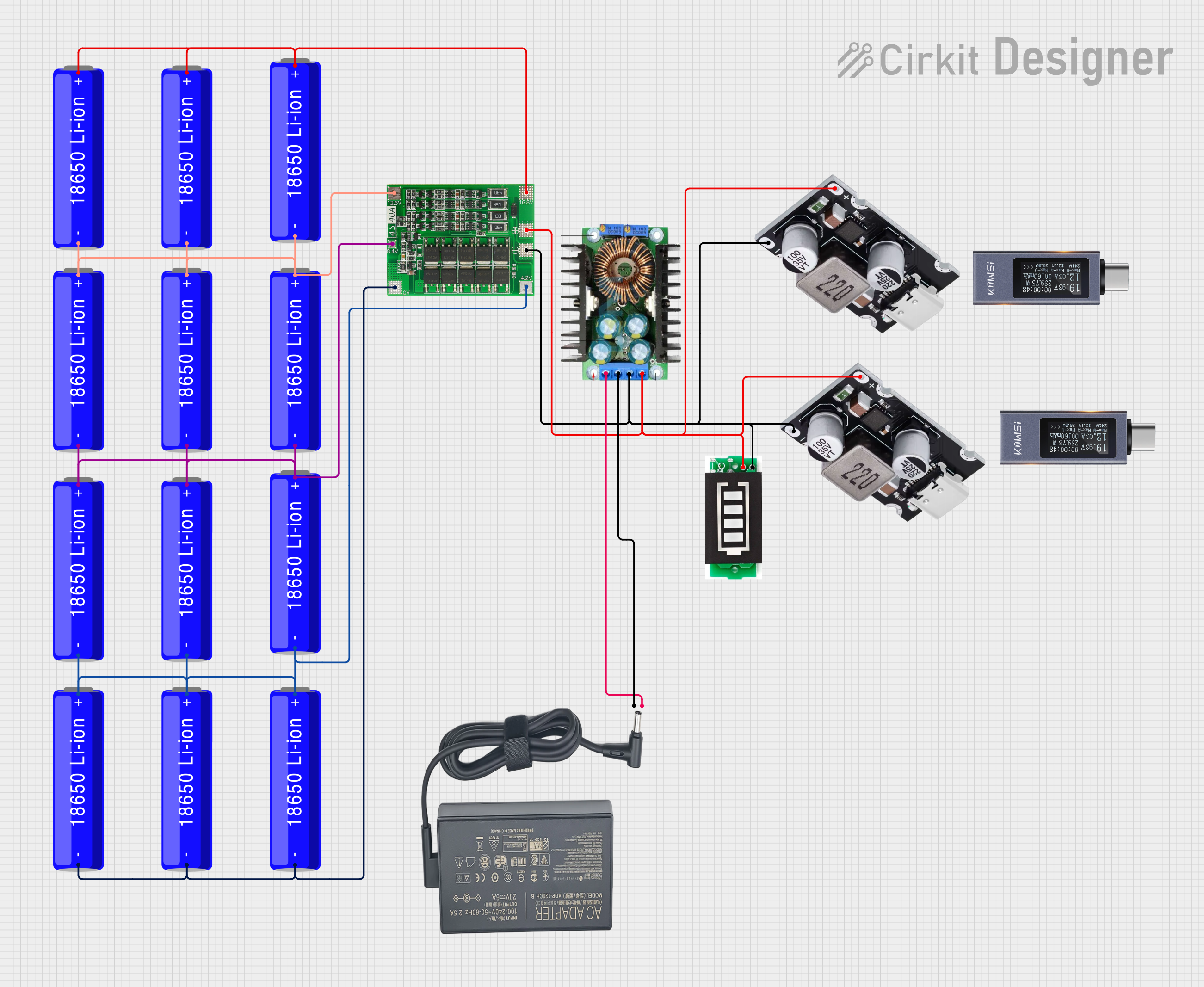
This circuit is a battery management and charging system for a 4S Li-ion battery pack. It includes multiple 18650 Li-ion batteries connected to a 4S40A BMS for balancing and protection, a battery indicator for monitoring charge status, and an XL4016 module for voltage regulation. The system is designed to be charged via a 20V input from a charger.
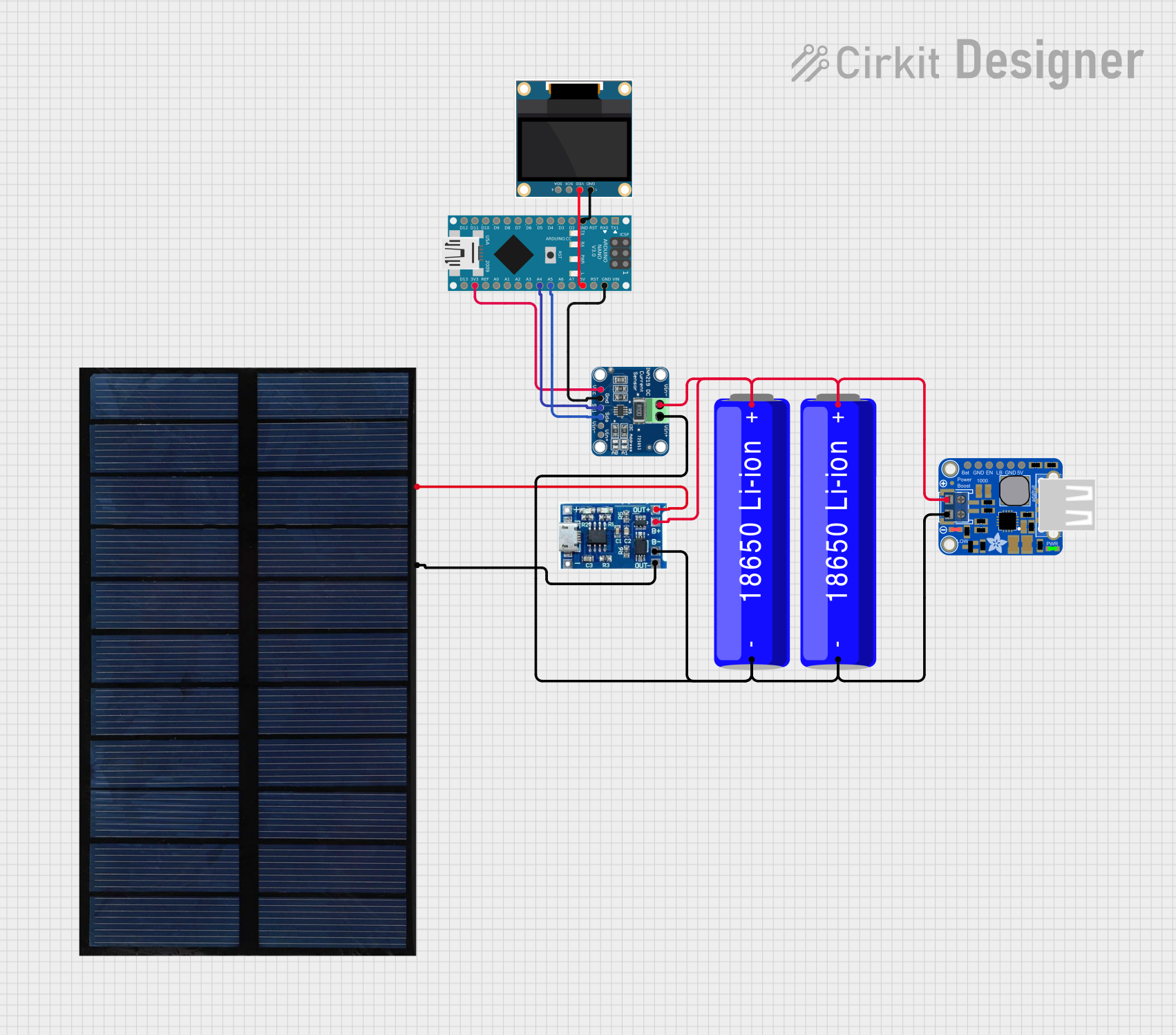
This circuit is a solar-powered battery charging and monitoring system. It uses a solar cell to charge a Li-ion battery through a lipo battery charger module, and a PowerBoost module to provide a stable 5V output. An Arduino Nano, along with an INA219 sensor, monitors the battery voltage and current, displaying the battery status and charging rate on an OLED display.
Remote-controlled (RC) vehicles, drones, and robotics
Wearable technology such as smartwatches and fitness trackers
Backup power supplies and power banks
DIY electronics projects and prototyping
Technical Specifications
Below are the key technical details for the Lipo Lithium Polymer Ion Li-polymer Battery:
Parameter
Value
Nominal Voltage
3.7V
Fully Charged Voltage
4.2V
Capacity Range
100mAh to 5000mAh (varies by model)
Discharge Rate (C-rating)
1C to 50C (depending on application)
Charging Current
Standard: 0.5C, Maximum: 1C
Operating Temperature
-20°C to 60°C
Storage Temperature
-20°C to 45°C
Cycle Life
300 to 500 cycles (depending on usage)
Protection Circuit
Optional (varies by model)
Pin Configuration and Descriptions
The battery typically comes with two or three wires for connection:
Pin/Wire
Color
Description
Positive (+)
Red
Positive terminal for power output
Negative (-)
Black
Negative terminal for power output
Balance Lead
White/Yellow (optional)
Used for balancing cells during charging
Note: Some models may include a built-in protection circuit module (PCM) to prevent overcharging, over-discharging, and short circuits.
Usage Instructions
How to Use the Component in a Circuit
Connection: Connect the red wire to the positive terminal of your circuit and the black wire to the negative terminal. If a balance lead is present, connect it to a compatible charger for balanced charging.
Charging: Use a dedicated lithium polymer battery charger to charge the battery. Ensure the charger supports the battery's voltage and capacity specifications.
Discharging: Avoid discharging the battery below 3.0V per cell to prevent damage. Use a low-voltage cutoff circuit if necessary.
Mounting: Secure the battery in your device using non-conductive materials to prevent short circuits.
Important Considerations and Best Practices
Charging Safety: Always charge the battery in a fireproof container and never leave it unattended during charging.
Storage: Store the battery at 40-60% charge in a cool, dry place to prolong its lifespan.
Handling: Avoid puncturing, bending, or exposing the battery to water or extreme temperatures.
Balancing: For multi-cell batteries, use a balance charger to ensure all cells are charged evenly.
Example: Connecting to an Arduino UNO
To power an Arduino UNO with a LiPo battery, you can use a voltage regulator or a DC-DC step-down converter to ensure the voltage is within the Arduino's operating range (7-12V for the barrel jack or 5V for the 5V pin).
Sample Code for Monitoring Battery Voltage
// This code reads the battery voltage using an analog pin on the Arduino UNO.
// Ensure a voltage divider is used to step down the battery voltage to a safe level.

const int batteryPin = A0; // Analog pin connected to the voltage divider
const float voltageDividerRatio = 2.0; // Adjust based on your resistor values
const float referenceVoltage = 5.0; // Arduino's reference voltage (5V for UNO)

void setup() {
  Serial.begin(9600); // Initialize serial communication
}

void loop() {
  int rawValue = analogRead(batteryPin); // Read the analog value
  float batteryVoltage = (rawValue / 1023.0) * referenceVoltage * voltageDividerRatio;

  Serial.print("Battery Voltage: ");
  Serial.print(batteryVoltage);
  Serial.println(" V");

  delay(1000); // Wait for 1 second before the next reading
}
Note: Use a voltage divider circuit to scale down the battery voltage to a level safe for the Arduino's analog input (0-5V).
Troubleshooting and FAQs
Common Issues and Solutions
Battery Not Charging
Cause: Charger not compatible or damaged.
Solution: Verify the charger specifications and ensure it supports the battery's voltage and capacity.
Battery Swelling
Cause: Overcharging, over-discharging, or physical damage.
Solution: Stop using the battery immediately and dispose of it safely.
Short Runtime
Cause: Battery capacity degradation or excessive current draw.
Solution: Check the battery's capacity and ensure the load is within its discharge rating.
Overheating During Use
Cause: High discharge rate or poor ventilation.
Solution: Reduce the load or improve airflow around the battery.
FAQs
Q: Can I use a LiPo battery without a protection circuit? A: It is not recommended. A protection circuit prevents overcharging, over-discharging, and short circuits, which can damage the battery or cause safety hazards.
Q: How do I dispose of a damaged LiPo battery? A: Discharge the battery completely, then take it to a certified e-waste recycling facility.
Q: Can I charge a LiPo battery with a USB charger? A: Only if the USB charger is specifically designed for LiPo batteries and matches the battery's specifications.
Q: What is the difference between LiPo and Li-ion batteries? A: LiPo batteries use a polymer electrolyte, making them lighter and more flexible, while Li-ion batteries use a liquid electrolyte and are generally more robust.
By following this documentation, users can safely and effectively integrate the Lipo Lithium Polymer Ion Li-polymer Battery into their projects.

 Open Project in Cirkit Designer