
How to Use 2.9 inch Waveshare 2.9 inch E-Ink E-Paper Display 3 colour - White - Black - Red: Examples, Pinouts, and Specs
 Design with 2.9 inch Waveshare 2.9 inch E-Ink E-Paper Display 3 colour - White - Black - Red in Cirkit Designer
Introduction
The 2.9 inch Waveshare E-Ink E-Paper Display is a compact, low-power display module that utilizes E-Ink technology to render images and text in three colors: white, black, and red. This display is ideal for applications requiring high visibility in bright light, excellent readability, and minimal energy consumption. Unlike traditional displays, E-Ink displays retain their content even when power is removed, making them perfect for battery-powered or energy-efficient designs.
Explore Projects Built with 2.9 inch Waveshare 2.9 inch E-Ink E-Paper Display 3 colour - White - Black - Red
 Open Project in Cirkit Designer
 Open Project in Cirkit Designer
 Open Project in Cirkit Designer
 Open Project in Cirkit Designer
Explore Projects Built with 2.9 inch Waveshare 2.9 inch E-Ink E-Paper Display 3 colour - White - Black - Red
Open Project in Cirkit DesignerOpen Project in Cirkit DesignerOpen Project in Cirkit DesignerOpen Project in Cirkit DesignerCommon Applications
- Electronic shelf labels
- Smart home devices (e.g., thermostats, weather stations)
- Digital signage
- Wearable devices
- Industrial equipment displays
Technical Specifications
Below are the key technical details of the 2.9 inch Waveshare E-Ink E-Paper Display:
| Parameter | Value |
|---|---|
| Display Size | 2.9 inches |
| Resolution | 296 × 128 pixels |
| Display Colors | White, Black, Red |
| Interface | SPI |
| Operating Voltage | 3.3V |
| Power Consumption | Ultra-low (refresh only) |
| Refresh Time | ~2 seconds |
| Viewing Angle | Nearly 180° |
| Dimensions | 79mm × 36.7mm × 0.98mm |
| Operating Temperature | 0°C to 50°C |
| Storage Temperature | -25°C to 70°C |
Pin Configuration and Descriptions
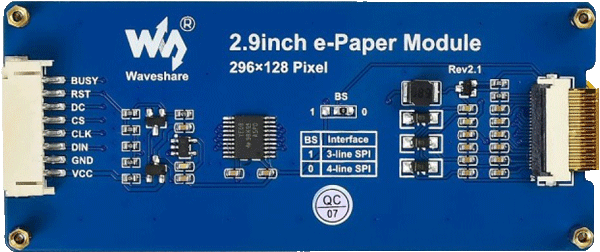
The display module uses an SPI interface for communication. Below is the pinout:
| Pin | Name | Description |
|---|---|---|
| 1 | VCC | Power supply input (3.3V) |
| 2 | GND | Ground |
| 3 | DIN | SPI data input (MOSI) |
| 4 | CLK | SPI clock input (SCK) |
| 5 | CS | Chip select (active low) |
| 6 | DC | Data/Command control pin (High for data, Low for command) |
| 7 | RST | Reset pin (active low) |
| 8 | BUSY | Busy status output (High: busy, Low: idle) |
Usage Instructions
How to Use the Component in a Circuit
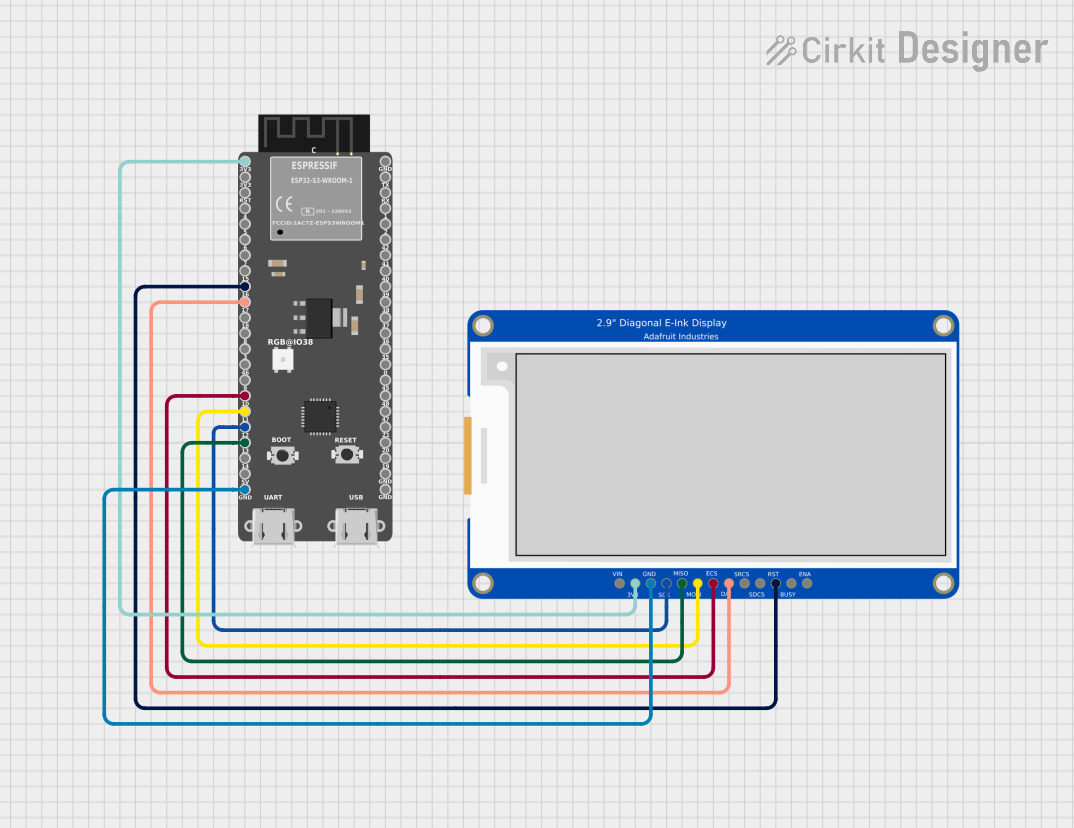
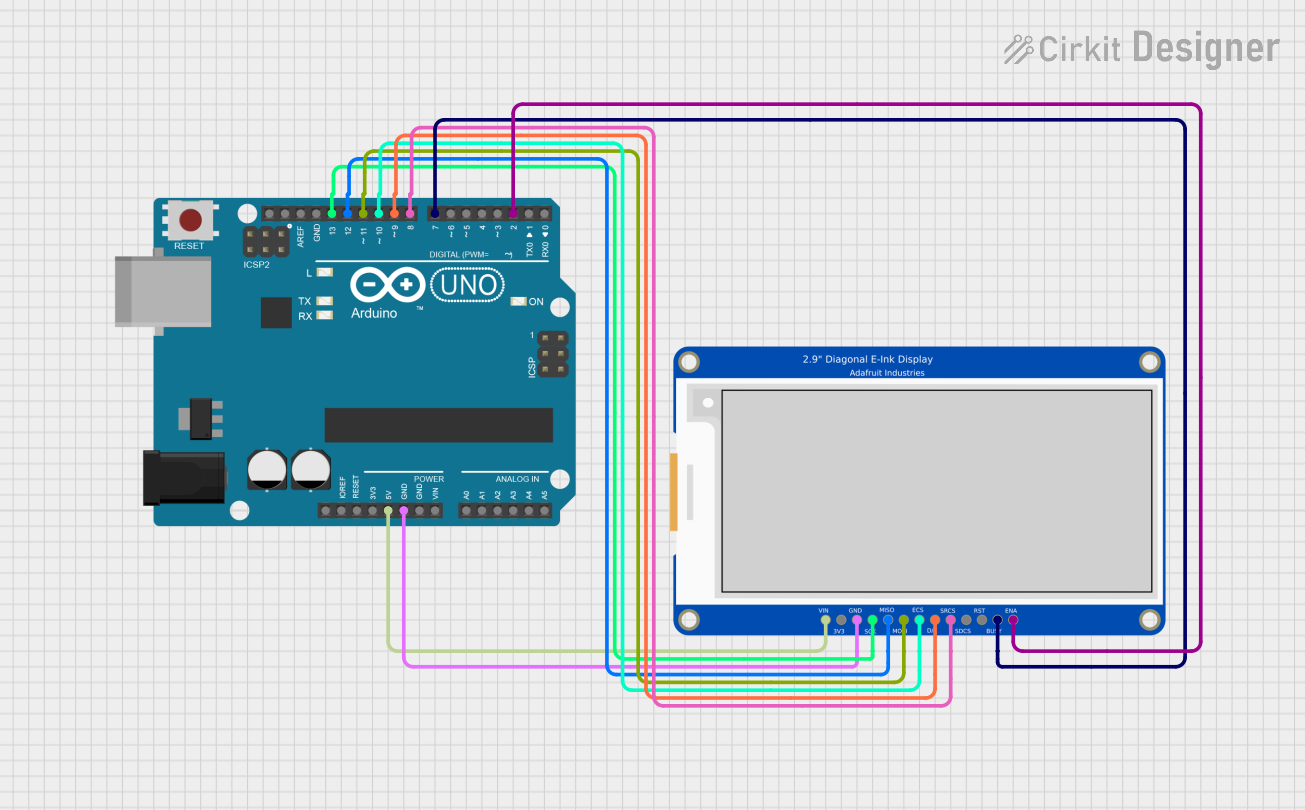
- Power Supply: Connect the VCC pin to a 3.3V power source and GND to ground.
- SPI Communication: Connect the SPI pins (DIN, CLK, CS) to the corresponding SPI pins on your microcontroller.
- Control Pins:
- Connect the DC pin to a GPIO pin to toggle between data and command modes.
- Connect the RST pin to a GPIO pin for resetting the display.
- Connect the BUSY pin to a GPIO pin to monitor the display's busy status.
- Initialization: Use the manufacturer's library or write your own initialization code to configure the display.
Important Considerations and Best Practices
- Refresh Time: The display requires ~2 seconds to refresh. Avoid sending new data during this period.
- Power Consumption: The display consumes power only during refresh. Disconnect power if the display is idle for extended periods.
- Handling: Avoid bending or applying pressure to the display surface, as it is fragile.
- Temperature: Operate the display within the specified temperature range to prevent damage.
Example Code for Arduino UNO
Below is an example of how to use the display with an Arduino UNO. This code uses the Waveshare E-Paper library, which can be downloaded from the Waveshare website or GitHub.
#include <SPI.h>
#include <EPD2in9.h> // Include the Waveshare E-Paper library

EPD2in9 epd; // Create an instance of the display

void setup() {
  Serial.begin(9600);
  if (epd.Init() != 0) {
    Serial.println("e-Paper init failed");
    return;
  }

  epd.Clear(); // Clear the display
  epd.DisplayStringAt(0, 10, "Hello, E-Ink!", EPD_BLACK); // Display text
  epd.DisplayStringAt(0, 30, "Red Text Example", EPD_RED); // Display red text
  epd.DisplayFrame(); // Refresh the display
}

void loop() {
  // The display retains content without power, so no code is needed here
}
Note: Ensure you install the Waveshare E-Paper library and connect the pins correctly as per the pin configuration table.
Troubleshooting and FAQs
Common Issues and Solutions
Display Not Initializing:
- Ensure the VCC and GND pins are connected properly.
- Verify the SPI connections (DIN, CLK, CS) and ensure they match the microcontroller's SPI pins.
- Check the RST and DC pin connections.
No Output on the Display:
- Confirm that the BUSY pin is low before sending data.
- Ensure the display is within the operating temperature range.
- Verify that the library is correctly installed and initialized.
Partial or Incorrect Refresh:
- Ensure the refresh time (~2 seconds) is respected before sending new data.
- Check for loose connections or damaged wires.
Display Appears Blank After Power-Up:
- The display requires initialization after power-up. Ensure the initialization code is executed.
FAQs
Q: Can I use this display with a 5V microcontroller?
A: The display operates at 3.3V. Use a level shifter to interface with 5V microcontrollers like Arduino UNO.
Q: How do I display images on the screen?
A: Convert the image to a monochrome bitmap (black, white, and red) and use the library's image display functions.
Q: Can the display show animations?
A: Due to the ~2-second refresh time, the display is not suitable for animations or rapidly changing content.
Q: Is the display sunlight-readable?
A: Yes, the E-Ink technology provides excellent visibility in bright light conditions.
By following this documentation, you can effectively integrate the 2.9 inch Waveshare E-Ink E-Paper Display into your projects.