
How to Use ph 4502c: Examples, Pinouts, and Specs
 Design with ph 4502c in Cirkit Designer
Introduction
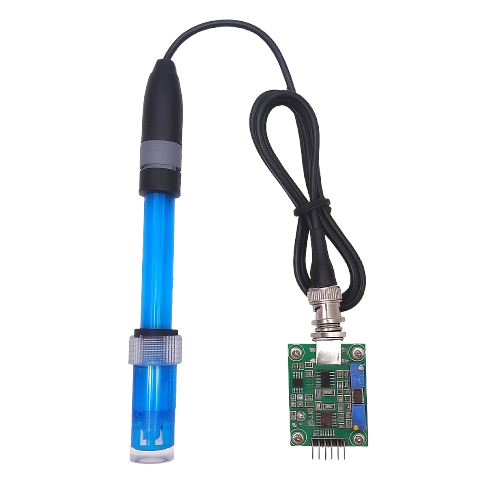
The PH 4502C is a pH sensor designed for measuring the acidity or alkalinity of a solution. It provides accurate and reliable pH readings, making it an essential tool for applications that require precise monitoring of chemical properties. This sensor is widely used in laboratory experiments, industrial processes, aquariums, hydroponics, and water quality monitoring systems. Its compact design and compatibility with microcontrollers like Arduino make it a popular choice for both professionals and hobbyists.
Explore Projects Built with ph 4502c
 Open Project in Cirkit Designer
 Open Project in Cirkit Designer
 Open Project in Cirkit Designer
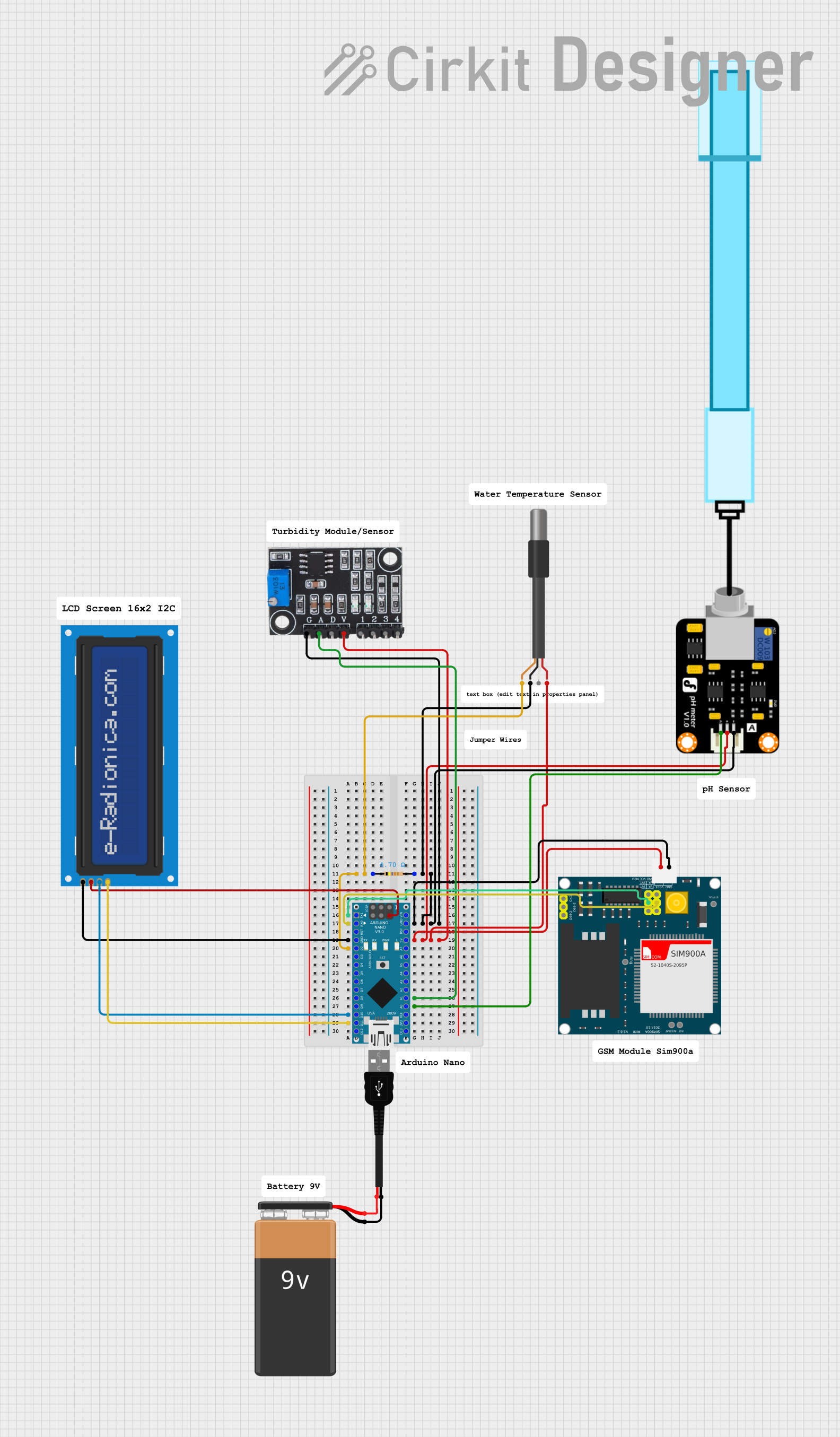 Open Project in Cirkit Designer
Explore Projects Built with ph 4502c
Open Project in Cirkit DesignerOpen Project in Cirkit DesignerOpen Project in Cirkit DesignerOpen Project in Cirkit DesignerTechnical Specifications
The PH 4502C sensor module consists of a pH probe and a signal conditioning circuit. Below are the key technical details:
General Specifications
- Measurement Range: 0 to 14 pH
- Accuracy: ±0.1 pH (at 25°C)
- Operating Voltage: 5V DC
- Output Voltage: 0 to 3.0V (analog signal)
- Temperature Range: 0°C to 60°C
- Response Time: ≤1 minute
- Probe Type: Glass electrode with BNC connector
- Calibration: Manual, using potentiometer on the module
- Dimensions: 42mm x 32mm (module)
Pin Configuration and Descriptions
The PH 4502C module has a 4-pin interface for connecting to a microcontroller or other devices. The pin configuration is as follows:
| Pin | Name | Description |
|---|---|---|
| 1 | VCC | Power supply input (5V DC) |
| 2 | GND | Ground connection |
| 3 | DO | Digital output (not commonly used; indicates threshold crossing) |
| 4 | AO | Analog output (provides pH value as a voltage signal) |
Usage Instructions
Connecting the PH 4502C to a Circuit
- Power Supply: Connect the
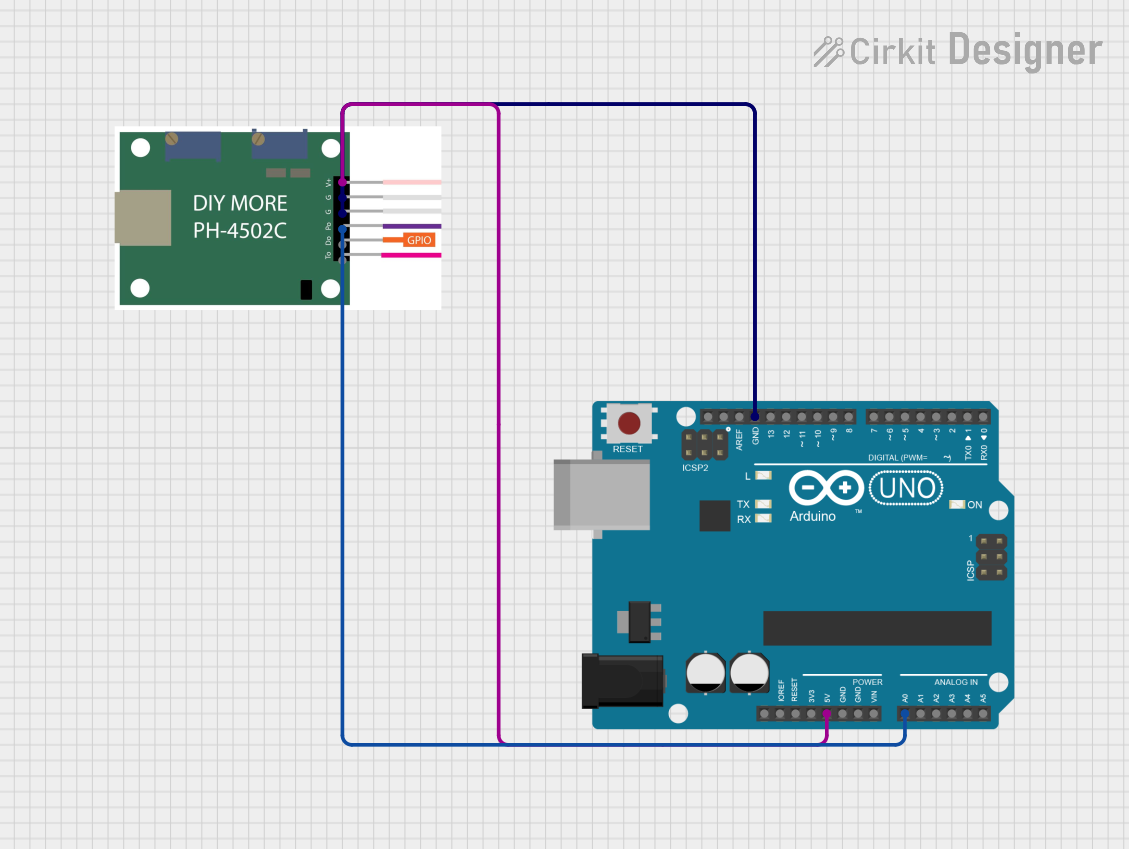
VCCpin to a 5V power source and theGNDpin to ground. - Analog Signal: Connect the
AOpin to an analog input pin on your microcontroller (e.g., Arduino). - Digital Signal (Optional): The
DOpin can be connected to a digital input pin if you want to use the threshold feature. - Probe Connection: Attach the pH probe to the module using the BNC connector.
Calibration
- Immerse the pH probe in a standard buffer solution (e.g., pH 7.0).
- Adjust the potentiometer on the module until the output voltage corresponds to the pH value of the buffer solution.
- Repeat the process with a second buffer solution (e.g., pH 4.0 or pH 10.0) for better accuracy.
Arduino Example Code
Below is an example of how to use the PH 4502C with an Arduino UNO to read pH values:
// PH 4502C pH Sensor Example Code
// Connect AO pin to Arduino analog pin A0
// Ensure the sensor is calibrated before use

const int pH_pin = A0;  // Analog pin connected to AO
float voltage;          // Variable to store sensor voltage
float pH_value;         // Variable to store calculated pH value

void setup() {
  Serial.begin(9600);   // Initialize serial communication
  pinMode(pH_pin, INPUT); // Set pH pin as input
}

void loop() {
  // Read the analog voltage from the sensor
  int sensorValue = analogRead(pH_pin);

  // Convert the analog value to voltage (assuming 5V reference)
  voltage = sensorValue * (5.0 / 1023.0);

  // Convert voltage to pH value (calibration may be required)
  pH_value = 3.5 * voltage; // Example conversion factor, adjust as needed

  // Print the pH value to the Serial Monitor
  Serial.print("pH Value: ");
  Serial.println(pH_value);

  delay(1000); // Wait 1 second before next reading
}
Important Considerations
- Calibration: Always calibrate the sensor before use to ensure accurate readings.
- Temperature Compensation: The sensor does not have built-in temperature compensation. For precise measurements, use a temperature sensor to adjust the pH value.
- Probe Maintenance: Keep the pH probe clean and store it in a pH storage solution when not in use to prolong its lifespan.
- Avoid Drying: Never let the pH probe dry out, as this can damage the glass electrode.
Troubleshooting and FAQs
Common Issues
Inaccurate Readings:
- Ensure the sensor is properly calibrated using standard buffer solutions.
- Check for contamination or damage to the pH probe.
No Output Signal:
- Verify all connections, especially the BNC connector and power supply.
- Ensure the module is receiving 5V DC.
Fluctuating Readings:
- Ensure the probe is fully immersed in the solution.
- Avoid air bubbles around the probe tip.
Sensor Not Responding:
- Check the analog input pin on the microcontroller.
- Test the module with a multimeter to confirm voltage output.
FAQs
Q: Can the PH 4502C be used with liquids other than water?
A: Yes, but ensure the liquid is compatible with the glass electrode and does not damage the probe.
Q: How often should I calibrate the sensor?
A: Calibration is recommended before each use or at least once a week for continuous monitoring.
Q: What is the lifespan of the pH probe?
A: With proper care and maintenance, the probe can last 1-2 years.
Q: Can I use the sensor with a 3.3V microcontroller?
A: The module requires a 5V power supply, but the analog output can be read by a 3.3V microcontroller with proper scaling.
By following this documentation, you can effectively use the PH 4502C sensor for accurate pH measurements in various applications.