The 18650 3S2P battery pack is a versatile and powerful energy source commonly used in various electronic applications. This configuration consists of six 18650 lithium-ion cells arranged in a combination of series and parallel connections. Three cells are connected in series (3S) to increase the voltage, and two sets of these series-connected cells are connected in parallel (2P) to double the capacity. This setup provides a balance of voltage and capacity, making it suitable for applications requiring extended run times and higher power demands, such as portable power banks, electric bicycles, and small-scale energy storage systems.
Explore Projects Built with 18650 3s2p
Use Cirkit Designer to design, explore, and prototype these projects online. Some projects support real-time simulation. Click "Open Project" to start designing instantly!
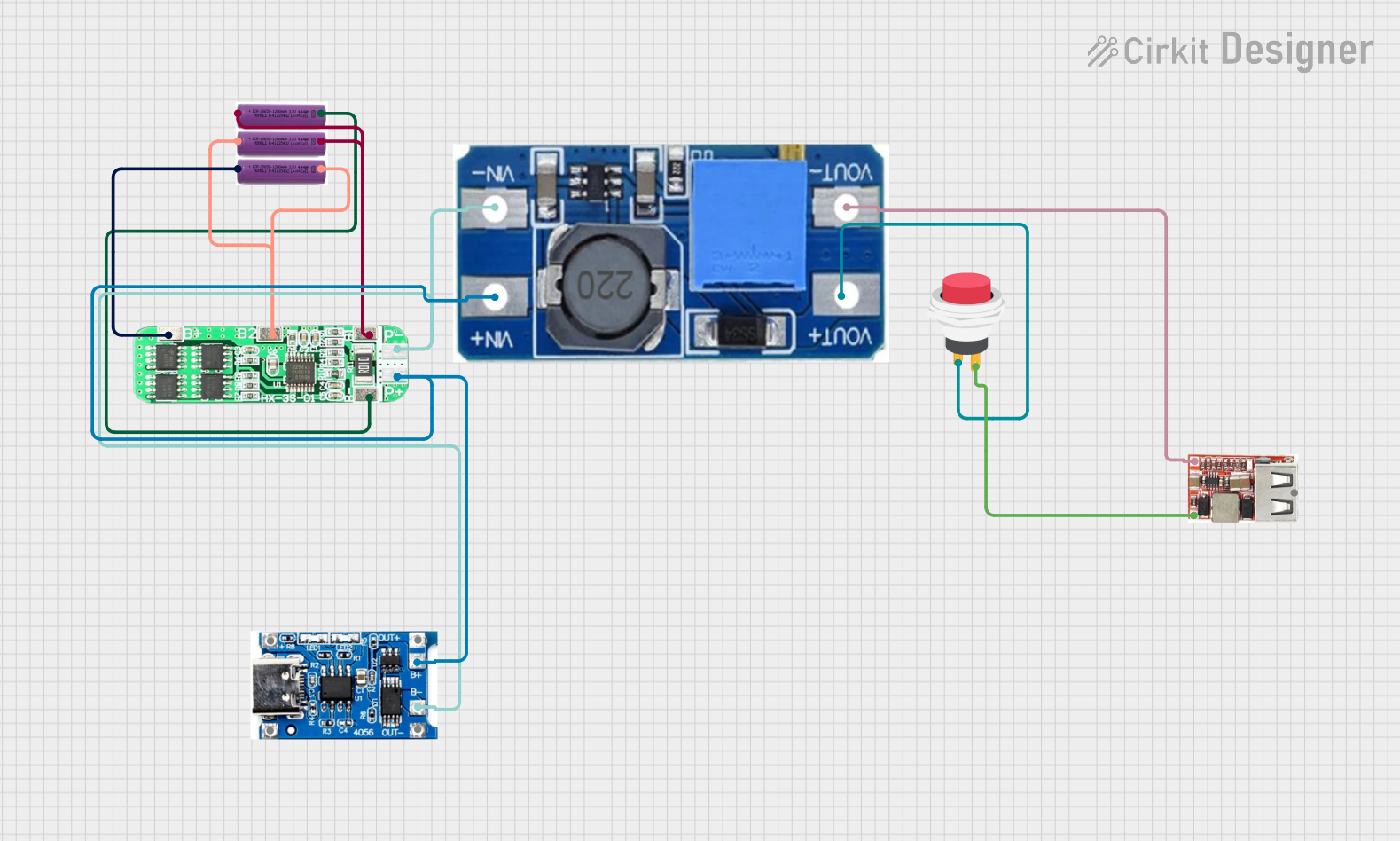
This circuit is a battery management and power supply system that uses three 3.7V batteries connected to a 3S 10A Li-ion 18650 Charger Protection Board Module for balanced charging and protection. The system includes a TP4056 Battery Charging Protection Module for additional charging safety, a Step Up Boost Power Converter to regulate and boost the voltage, and a USB regulator to provide a stable 5V output, controlled by a push switch.
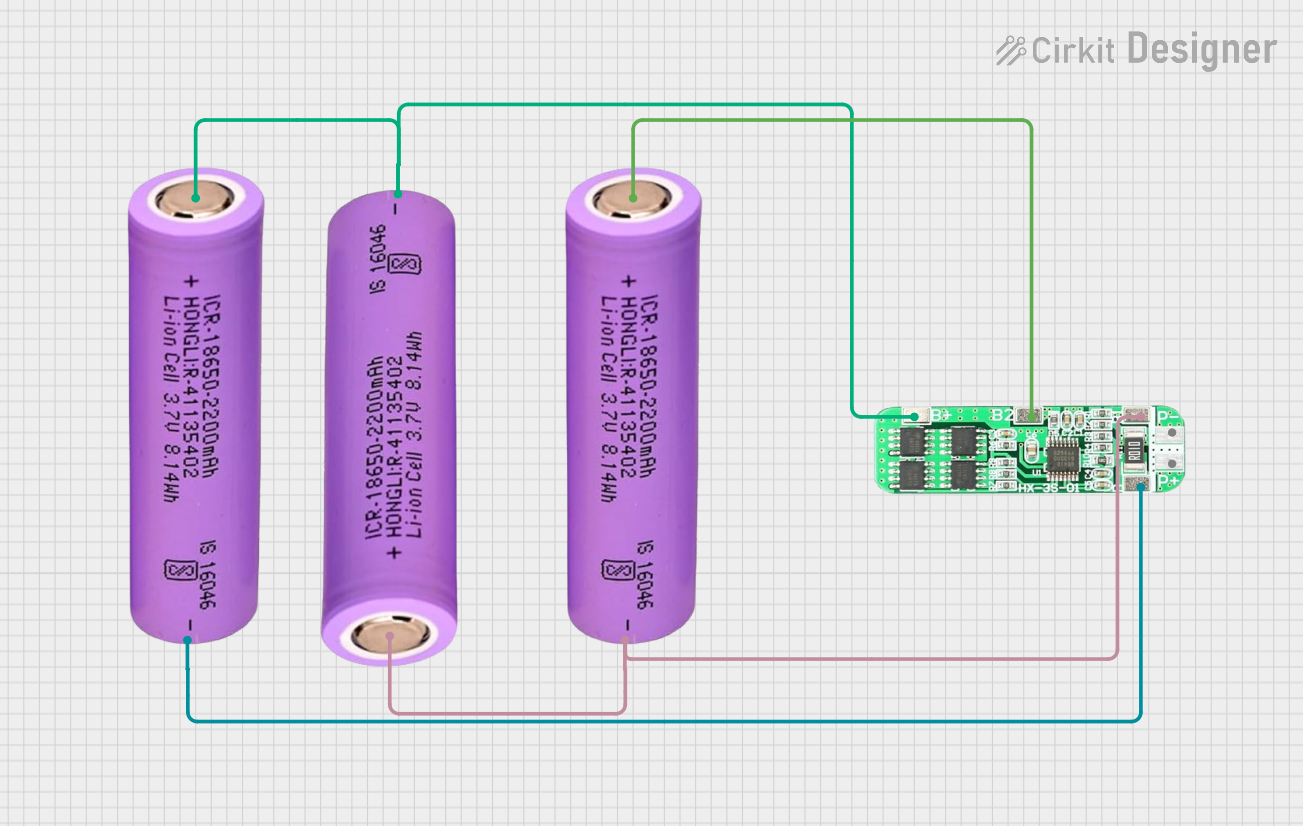
This circuit consists of three 18650 batteries connected in series to a 3S 10A Li-ion 18650 Charger Protection Board Module. The protection board manages the charging and discharging of the battery pack, ensuring safe operation by balancing the cells and providing overcharge, over-discharge, and short-circuit protection.
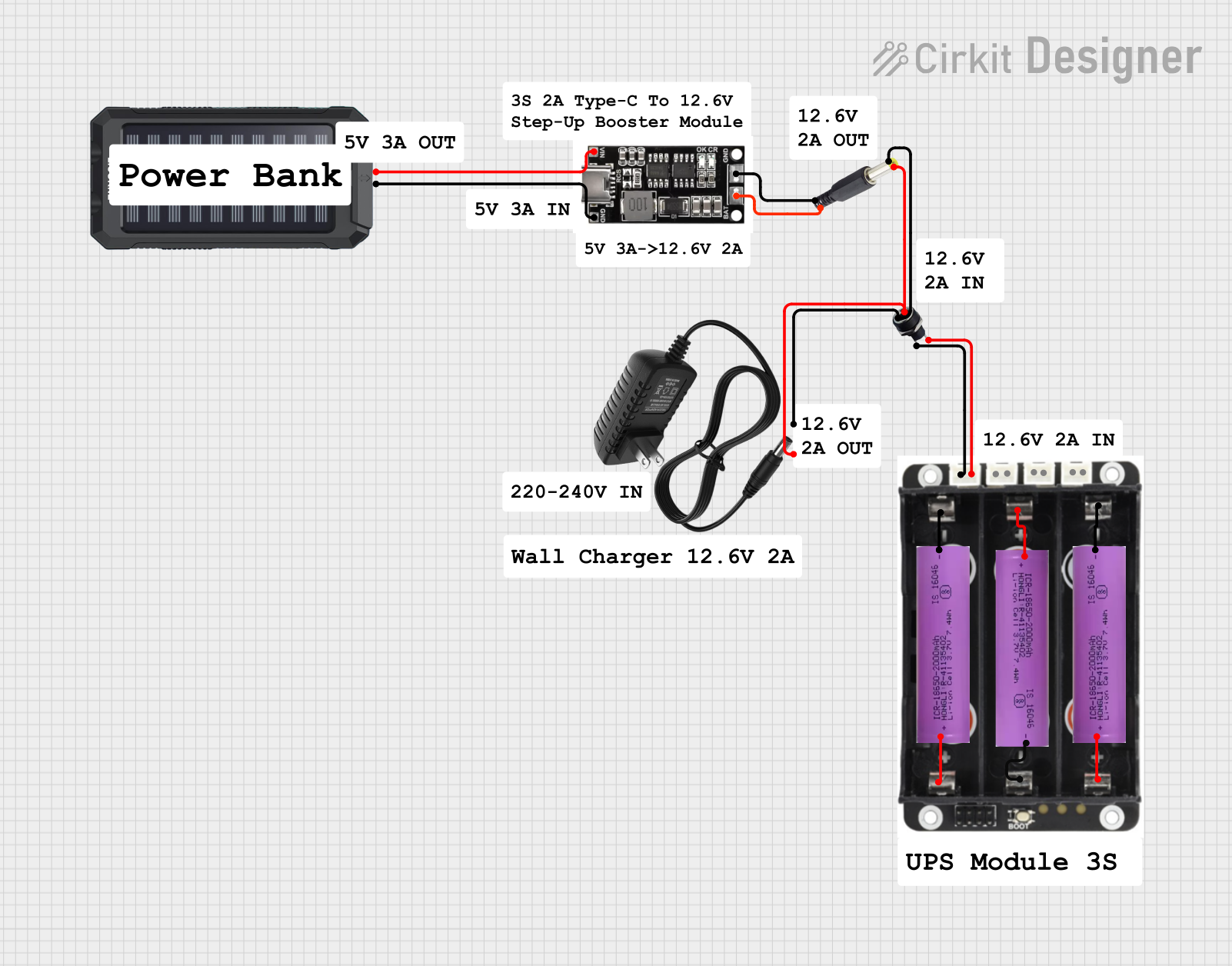
This circuit is a power management system that integrates a 12V power supply, a solar charger power bank, and multiple Li-ion batteries to provide a stable power output. The Waveshare UPS 3S manages the input from the power sources and batteries, ensuring continuous power delivery. The MRB045 module is used to interface the solar charger with the rest of the system.
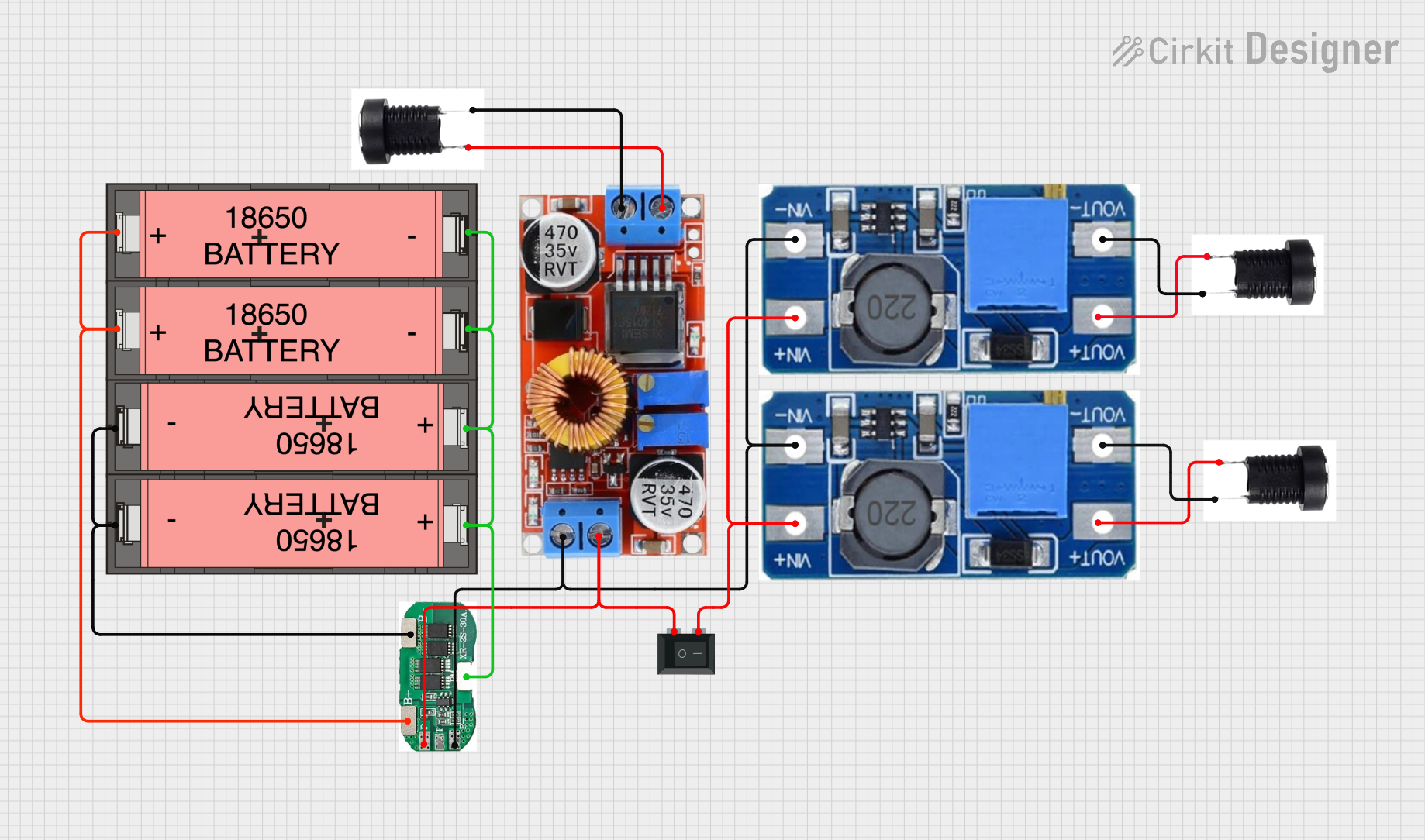
This circuit is a power management system that uses four Li-ion 18650 batteries connected to a 2S 30A BMS for battery management and protection. The system includes step-up and step-down voltage regulators to provide adjustable output voltages, controlled by a rocker switch, and multiple DC jacks for power input and output.
Capacity: Depends on the capacity of individual cells (sum of two cells in parallel)
Maximum Charge Voltage: 12.6V (4.2V per cell)
Discharge Cut-off Voltage: 9V (3.0V per cell)
Maximum Continuous Discharge Current: Depends on the cell specification
Charge Temperature Range: 0°C to 45°C
Discharge Temperature Range: -20°C to 60°C
Pin Configuration and Descriptions
Pin
Description
+
Positive terminal of the battery pack
-
Negative terminal of the battery pack
B1
Connection point between the first and second cell in series
B2
Connection point between the second and third cell in series
Usage Instructions
How to Use the Component in a Circuit
Battery Integration: Connect the positive terminal of the battery pack to the positive rail of your circuit and the negative terminal to the ground rail.
Voltage Monitoring: It is crucial to monitor the voltage across each cell using a Battery Management System (BMS) to prevent overcharging or deep discharging.
Charging: Use a dedicated lithium-ion battery charger that matches the pack's specifications. Ensure the charger's output does not exceed the maximum charge voltage.
Load Connection: Connect your load to the battery pack, ensuring it does not draw more current than the maximum continuous discharge current rating.
Important Considerations and Best Practices
Always use a BMS for charging and discharging to protect the cells from over-voltage, under-voltage, and over-current conditions.
Avoid exposing the battery pack to extreme temperatures, as it can damage the cells and reduce their lifespan.
Do not puncture, crush, or disassemble the battery pack.
Store the battery pack in a cool, dry place when not in use.
Regularly check the battery pack for any signs of damage or wear.
Troubleshooting and FAQs
Common Issues Users Might Face
Battery not charging: Ensure the charger is functioning correctly and the connections are secure. Check the BMS for any faults.
Reduced capacity or runtime: This could indicate that one or more cells are deteriorating. Test each cell individually to determine if they need replacement.
Battery pack overheating: Overheating can occur due to overcharging or drawing too much current. Ensure the load is within the battery pack's specifications.
Solutions and Tips for Troubleshooting
If the battery pack is not charging, verify the charger's output voltage and the integrity of all connections.
For reduced capacity, replace any faulty cells and ensure the BMS is correctly balancing the cells.
In case of overheating, disconnect the load immediately and allow the battery pack to cool down. Check for any short circuits or overloads in your circuit.
FAQs
Q: Can I charge the 18650 3S2P battery pack with a standard lithium-ion charger?
A: Yes, as long as the charger's output matches the battery pack's charging specifications.
Q: How do I know when the battery pack is fully charged?
A: A BMS will typically indicate when the cells have reached their maximum charge voltage. Alternatively, use a multimeter to measure the voltage across the terminals.
Q: Is it safe to leave the battery pack charging overnight?
A: It is generally safe if you are using a charger with overcharge protection and a BMS. However, it is best practice to monitor the charging process.
Q: Can I replace individual cells within the pack?
A: Yes, but it is recommended to replace cells with the same brand and capacity to ensure balanced charging and discharging.
Q: What should I do if a cell in the battery pack becomes swollen?
A: Swollen cells are a safety hazard and should be replaced immediately. Dispose of the swollen cell following local regulations for lithium-ion batteries.


 Open Project in Cirkit Designer