
How to Use GND Rail: Examples, Pinouts, and Specs
 Design with GND Rail in Cirkit Designer
Introduction
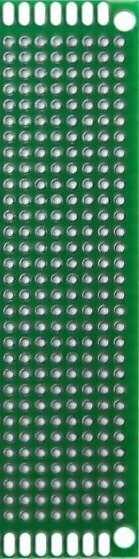
A GND rail is a critical component in electronic circuits, serving as a common reference point for all ground connections. It ensures a stable voltage reference across the circuit and helps reduce electrical noise, which is essential for reliable operation. GND rails are typically implemented as conductive traces on a PCB (Printed Circuit Board) or as a physical bus bar in larger systems.
Explore Projects Built with GND Rail
 Open Project in Cirkit Designer
 Open Project in Cirkit Designer
 Open Project in Cirkit Designer
 Open Project in Cirkit Designer
Explore Projects Built with GND Rail
Open Project in Cirkit DesignerOpen Project in Cirkit DesignerOpen Project in Cirkit DesignerOpen Project in Cirkit DesignerCommon Applications and Use Cases
- Power Distribution: Provides a shared ground reference for power supplies and components.
- Signal Integrity: Reduces noise and interference in analog and digital signals.
- Circuit Debugging: Acts as a reference point for voltage measurements.
- PCB Design: Used in multi-layer boards to create a dedicated ground plane.
Technical Specifications
While a GND rail itself does not have specific electrical ratings, its implementation depends on the circuit's requirements. Below are general considerations for designing or using a GND rail:
Key Technical Details
- Voltage Reference: 0V (ground potential).
- Current Capacity: Depends on the width and thickness of the trace or conductor.
- Material: Typically copper for PCB traces or aluminum/copper for bus bars.
- Impedance: Should be as low as possible to minimize voltage drops and noise.
Example Pin Configuration (for a PCB GND Rail)
| Pin/Connection | Description |
|---|---|
| GND | Common ground connection for all devices |
| VCC | Positive voltage supply (not part of GND rail but often paired) |
Usage Instructions
How to Use the GND Rail in a Circuit
Designing the GND Rail:
- On a PCB, use a wide trace or a dedicated ground plane to minimize resistance.
- Ensure all components requiring a ground connection are tied to the GND rail.
- For high-current circuits, consider using thicker traces or external bus bars.
Connecting Components:
- Connect the negative terminal of power supplies to the GND rail.
- Tie the ground pins of ICs, sensors, and other components to the GND rail.
- Use decoupling capacitors between the GND rail and power supply lines to filter noise.
Best Practices:
- Avoid creating ground loops, which can introduce noise.
- Use a star grounding topology for sensitive analog circuits.
- For multi-layer PCBs, dedicate one layer as a ground plane for better performance.
Example: Using a GND Rail with an Arduino UNO
When connecting an Arduino UNO to external components, the GND rail ensures all devices share a common ground reference.
Circuit Diagram
- Connect the GND pin of the Arduino UNO to the GND rail.
- Tie all other components' ground connections to the same rail.
Sample Code
// Example: Reading a sensor value with a shared GND rail

const int sensorPin = A0; // Analog pin connected to the sensor output
int sensorValue = 0;      // Variable to store the sensor reading

void setup() {
  Serial.begin(9600); // Initialize serial communication
}

void loop() {
  sensorValue = analogRead(sensorPin); // Read the sensor value
  Serial.print("Sensor Value: ");
  Serial.println(sensorValue); // Print the sensor value to the Serial Monitor
  delay(500); // Wait for 500ms before the next reading
}
Note: Ensure the sensor's ground pin is connected to the GND rail for accurate readings.
Troubleshooting and FAQs
Common Issues
Voltage Drops Across the GND Rail:
- Cause: High resistance in the GND rail due to narrow traces or poor connections.
- Solution: Use wider traces or a dedicated ground plane. For high-current circuits, use thicker wires or bus bars.
Ground Loops:
- Cause: Multiple ground paths create loops, introducing noise.
- Solution: Use a single-point ground (star grounding) or isolate ground connections.
Noise in Signals:
- Cause: Poor grounding or lack of decoupling capacitors.
- Solution: Add decoupling capacitors near power pins and ensure a low-impedance GND rail.
FAQs
Q: Can I use a single GND rail for both analog and digital circuits?
A: While it's possible, it's better to separate analog and digital grounds to reduce noise. Connect them at a single point if necessary.
Q: How wide should a PCB GND trace be?
A: The width depends on the current it needs to carry. Use PCB trace width calculators to determine the appropriate size based on current and copper thickness.
Q: What happens if the GND rail is disconnected?
A: Components will lose their reference voltage, leading to erratic behavior or failure. Always ensure a solid ground connection.
By following these guidelines, you can effectively implement and troubleshoot a GND rail in your electronic projects.