The LiPO BATTERY 7.4V 5200MAH T-PLUG is a high-performance lithium polymer (LiPo) rechargeable battery designed for applications requiring reliable power delivery. With a nominal voltage of 7.4V and a capacity of 5200mAh, this battery is ideal for powering RC vehicles, drones, robotics, and other electronic devices. The T-plug connector ensures a secure and efficient connection, making it a popular choice for hobbyists and professionals alike.
Explore Projects Built with LiPO BATTERY 7.4V 5200MAH T-PLUG
Use Cirkit Designer to design, explore, and prototype these projects online. Some projects support real-time simulation. Click "Open Project" to start designing instantly!
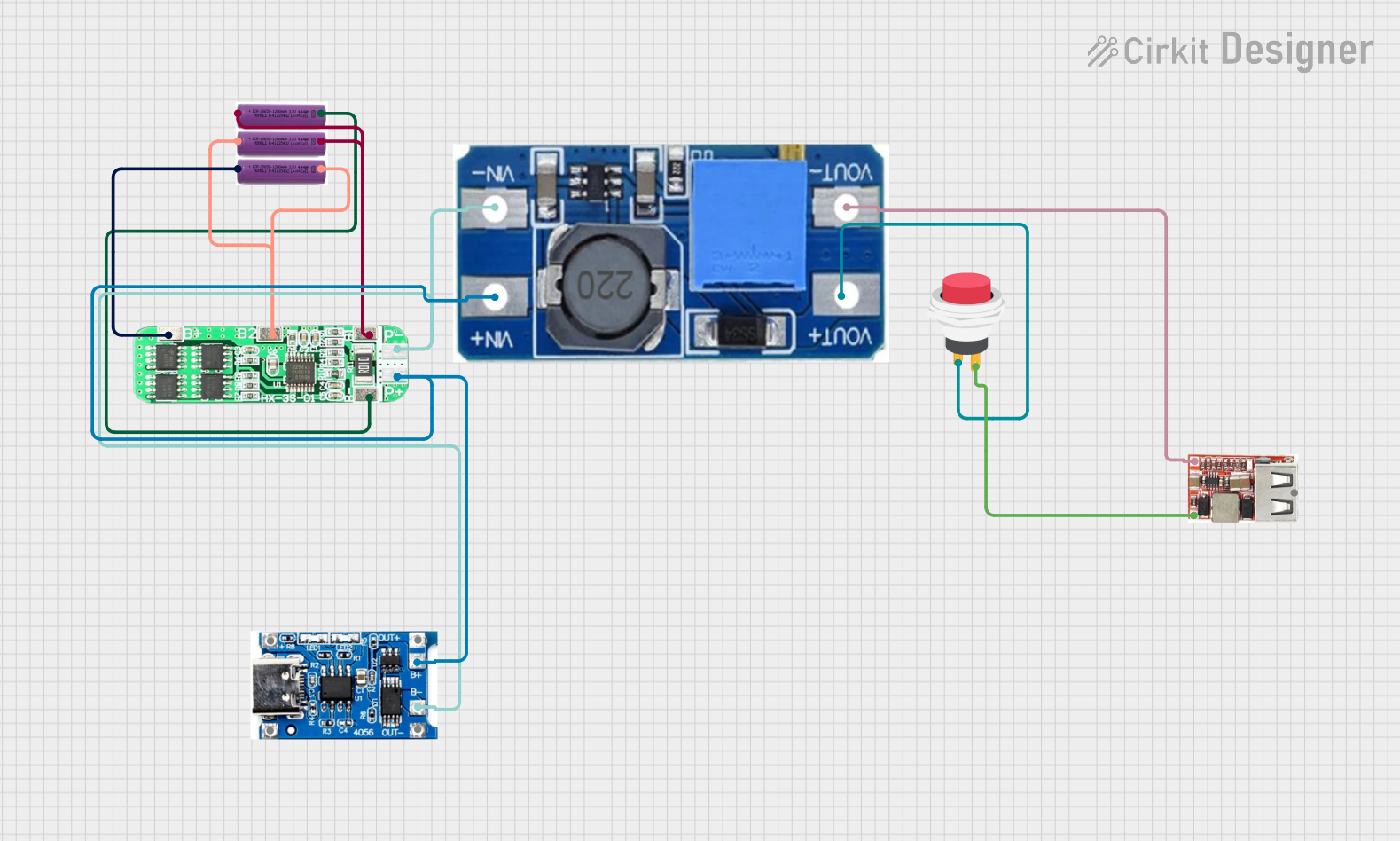
This circuit is a battery management and power supply system that uses three 3.7V batteries connected to a 3S 10A Li-ion 18650 Charger Protection Board Module for balanced charging and protection. The system includes a TP4056 Battery Charging Protection Module for additional charging safety, a Step Up Boost Power Converter to regulate and boost the voltage, and a USB regulator to provide a stable 5V output, controlled by a push switch.
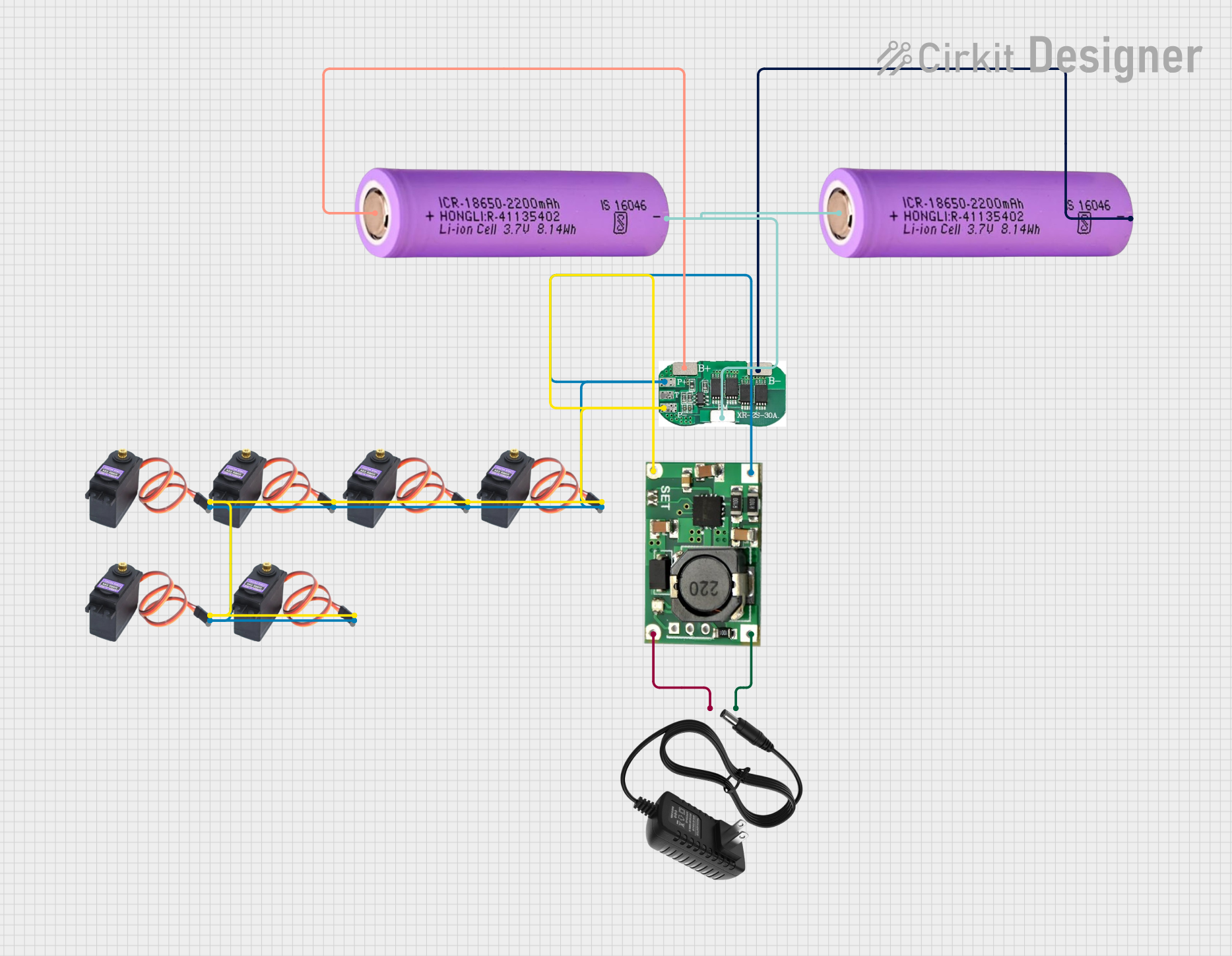
This circuit is a battery management and charging system for a 2S lithium-ion battery pack, which powers multiple MG996R servos. The TP5100 module charges the battery pack from a 12V power supply, while the 2S 30A BMS ensures safe operation and distribution of power to the servos.
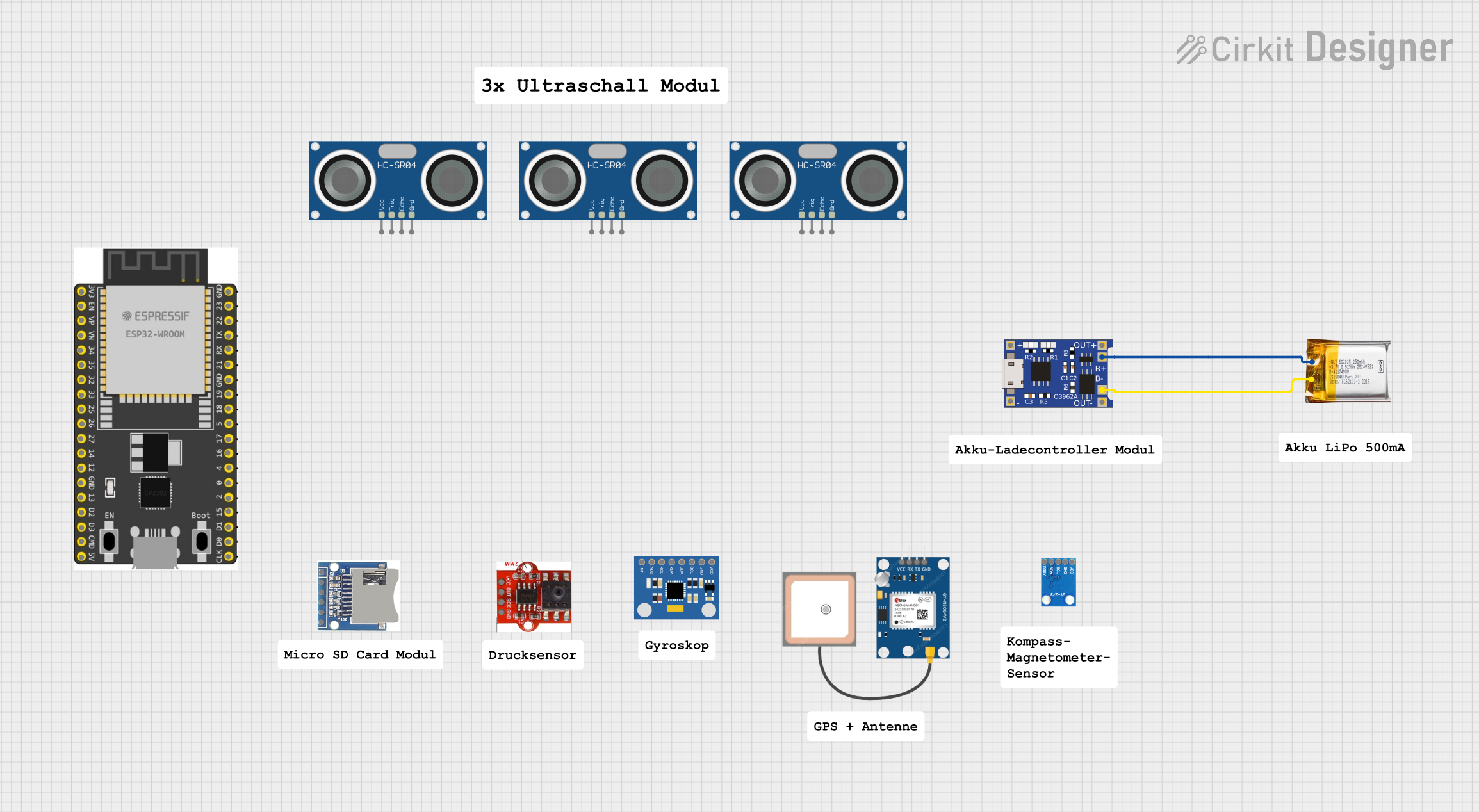
This circuit consists of a TP4056 module connected to a 3.7V LiPo battery, providing a charging interface for the battery. The TP4056 manages the charging process by connecting its B+ and B- pins to the battery's positive and ground terminals, respectively.
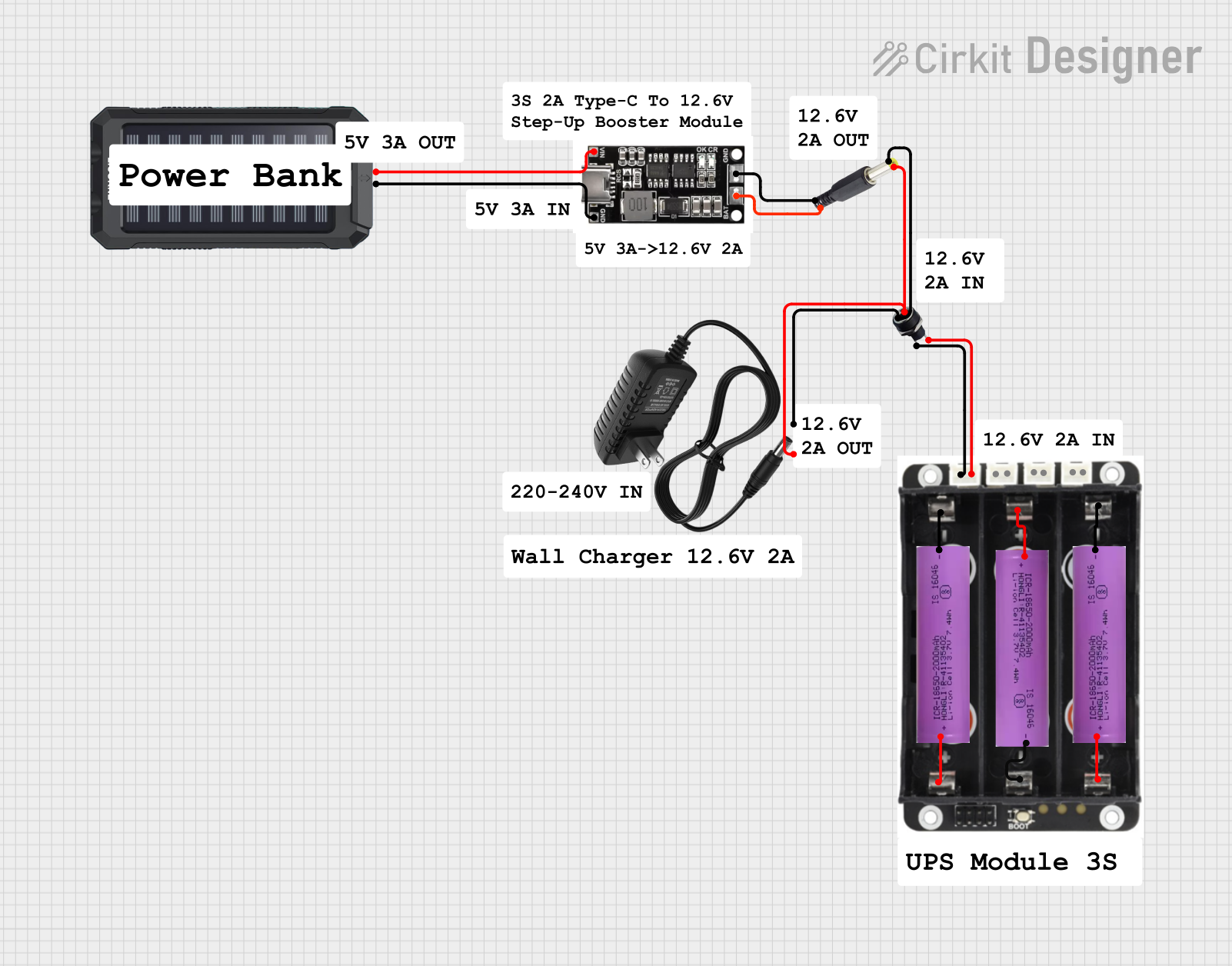
This circuit is a power management system that integrates a 12V power supply, a solar charger power bank, and multiple Li-ion batteries to provide a stable power output. The Waveshare UPS 3S manages the input from the power sources and batteries, ensuring continuous power delivery. The MRB045 module is used to interface the solar charger with the rest of the system.
The following table outlines the key technical details of the LiPO BATTERY 7.4V 5200MAH T-PLUG:
Parameter
Specification
Nominal Voltage
7.4V
Capacity
5200mAh
Battery Chemistry
Lithium Polymer (LiPo)
Connector Type
T-plug
Maximum Discharge Rate
50C (260A)
Maximum Charge Voltage
8.4V
Minimum Discharge Voltage
6.0V
Recommended Charge Current
1C (5.2A)
Dimensions
Approx. 138mm x 46mm x 25mm
Weight
Approx. 300g
Pin Configuration
The T-plug connector has two terminals:
Pin Name
Description
Positive (+)
Supplies positive voltage (7.4V nominal)
Negative (-)
Ground connection (0V)
Usage Instructions
How to Use the LiPO Battery in a Circuit
Inspect the Battery: Before use, ensure the battery is not damaged, swollen, or leaking.
Connect the T-Plug: Attach the T-plug connector to the corresponding connector on your device or circuit. Ensure proper polarity (positive to positive, negative to negative).
Charging the Battery:
Use a LiPo-compatible balance charger.
Set the charger to 2S (7.4V) mode and a charge current of 1C (5.2A) or lower.
Connect the balance lead to the charger for safe and balanced charging.
Discharging:
Avoid discharging below 6.0V to prevent damage to the battery.
Monitor the voltage during use to ensure it stays within the safe range (6.0V–8.4V).
Important Considerations and Best Practices
Storage: Store the battery at a voltage of approximately 3.8V per cell (7.6V total) for long-term storage.
Temperature: Do not charge or discharge the battery in extreme temperatures (below 0°C or above 45°C).
Safety: Never puncture, short-circuit, or expose the battery to fire or water.
Balancing: Always use a balance charger to maintain the health of the battery cells.
Connection: Ensure the T-plug is securely connected to avoid loose connections that could cause arcing or overheating.
Example: Using the Battery with an Arduino UNO
To power an Arduino UNO with the LiPO BATTERY 7.4V 5200MAH T-PLUG, you can use a DC-DC step-down (buck) converter to regulate the voltage to 5V. Below is an example circuit and code:
Circuit Setup
Connect the battery's T-plug to the input of the DC-DC converter.
Adjust the converter output to 5V using a multimeter.
Connect the converter's output to the Arduino UNO's VIN and GND pins.
Example Code
// Example code to blink an LED on Arduino UNO
// Ensure the DC-DC converter is set to 5V before connecting the battery

const int ledPin = 13; // Pin connected to the onboard LED

void setup() {
  pinMode(ledPin, OUTPUT); // Set the LED pin as an output
}

void loop() {
  digitalWrite(ledPin, HIGH); // Turn the LED on
  delay(1000);                // Wait for 1 second
  digitalWrite(ledPin, LOW);  // Turn the LED off
  delay(1000);                // Wait for 1 second
}
Troubleshooting and FAQs
Common Issues and Solutions
Battery Not Charging:
Ensure the charger is set to the correct mode (2S, 7.4V).
Check the balance lead and T-plug connections for damage or loose contacts.
Verify the charger is functioning properly.
Battery Swelling or Overheating:
Stop using the battery immediately.
Swelling indicates overcharging, over-discharging, or internal damage.
Dispose of the battery safely if it is damaged.
Device Not Powering On:
Check the T-plug connection for proper polarity and secure contact.
Measure the battery voltage to ensure it is within the operating range (6.0V–8.4V).
Short Runtime:
Verify the battery is fully charged before use.
Check for excessive current draw from the connected device.
Ensure the battery capacity (5200mAh) matches the power requirements of your application.
FAQs
Q: Can I use this battery for a 12V device?
A: No, this battery has a nominal voltage of 7.4V and cannot power 12V devices directly. Use a step-up (boost) converter if necessary.
Q: How long does it take to charge the battery?
A: At a charge rate of 1C (5.2A), it takes approximately 1 hour to fully charge the battery.
Q: Is it safe to leave the battery connected to the charger?
A: No, always disconnect the battery once charging is complete to prevent overcharging or damage.
Q: Can I use this battery in parallel with another LiPo battery?
A: Yes, but ensure both batteries have the same voltage and capacity, and use proper connectors to balance the load.
By following these guidelines, you can safely and effectively use the LiPO BATTERY 7.4V 5200MAH T-PLUG in your projects.


 Open Project in Cirkit Designer