Cirkit Designer LogoCirkit DesignerYour all-in-one circuit design IDE Launch Cirkit Designer App

How to Use 2 POLE MCB: Examples, Pinouts, and Specs

Image of 2 POLE MCBDesign with 2 POLE MCB in Cirkit Designer

Introduction

The ABB System Pro M Compact S200 Miniature Circuit Breaker (MCB) is a 2-pole safety device designed to protect electrical circuits from overloads and short circuits. It ensures the safety of both live and neutral wires, making it an essential component in residential, commercial, and industrial electrical systems. This MCB is compact, reliable, and compliant with international safety standards, offering robust protection for electrical installations.

Explore Projects Built with 2 POLE MCB

Use Cirkit Designer to design, explore, and prototype these projects online. Some projects support real-time simulation. Click "Open Project" to start designing instantly!
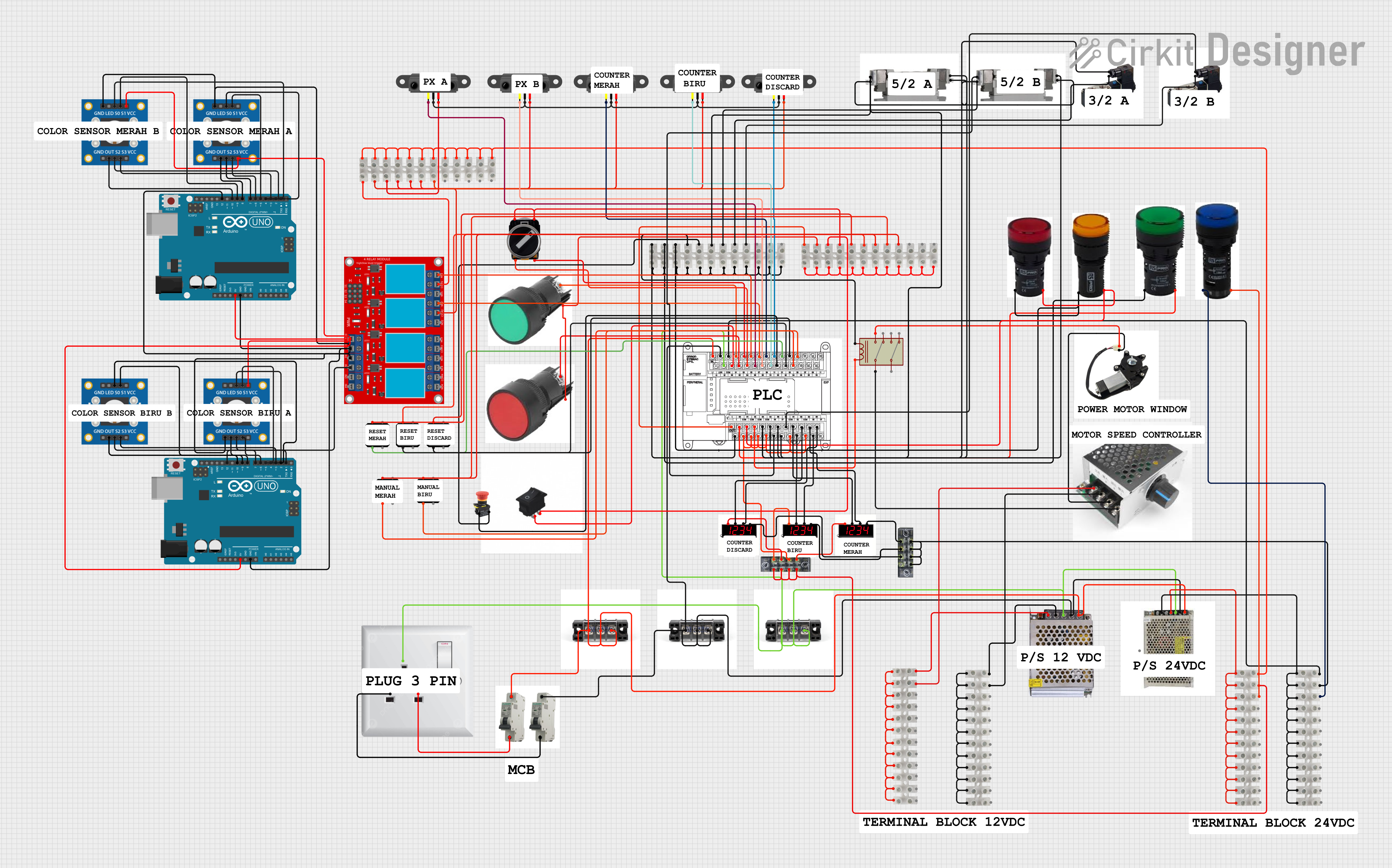
Image of PLC-Controlled Power Window System with Infrared Sensing and Relay Module: A project utilizing 2 POLE MCB in a practical application
PLC-Controlled Power Window System with Infrared Sensing and Relay Module

This circuit is designed to control a motorized window system using a PLC (Programmable Logic Controller) and an array of sensors and switches. It includes power supplies for 12V and 24V DC, an MCB (Miniature Circuit Breaker) for protection, and a relay module interfaced with an Arduino for additional control logic. The PLC manages inputs from pushbuttons, a 3-position switch, infrared proximity sensors, and an emergency stop, and it controls outputs such as the motor speed controller, lamps, and solenoid valves.

Open Project in Cirkit Designer

Common Applications and Use Cases

Technical Specifications

The following table outlines the key technical details of the ABB System Pro M Compact S200 2 Pole MCB:

Parameter Specification
Manufacturer ABB
Part ID ABB System Pro M Compact S200
Number of Poles 2
Rated Voltage Up to 440 V AC
Rated Current 0.5 A to 63 A (varies by model)
Breaking Capacity 6 kA to 25 kA (depending on variant)
Tripping Characteristics B, C, D curves (for different load types)
Frequency 50/60 Hz
Mounting Type DIN Rail Mount
Operating Temperature -25°C to +55°C
Standards Compliance IEC/EN 60898-1, IEC/EN 60947-2

Pin Configuration and Descriptions

The ABB 2 Pole MCB has the following terminal configuration:

Pin/Terminal Description
Terminal 1 (Input) Connects to the live wire of the incoming power supply.
Terminal 2 (Input) Connects to the neutral wire of the incoming power supply.
Terminal 3 (Output) Connects to the live wire of the outgoing circuit/load.
Terminal 4 (Output) Connects to the neutral wire of the outgoing circuit/load.

Usage Instructions

How to Use the Component in a Circuit

  1. Mounting the MCB:

    • Install the MCB on a standard DIN rail in the distribution box.
    • Ensure the MCB is securely locked into place.
  2. Wiring:

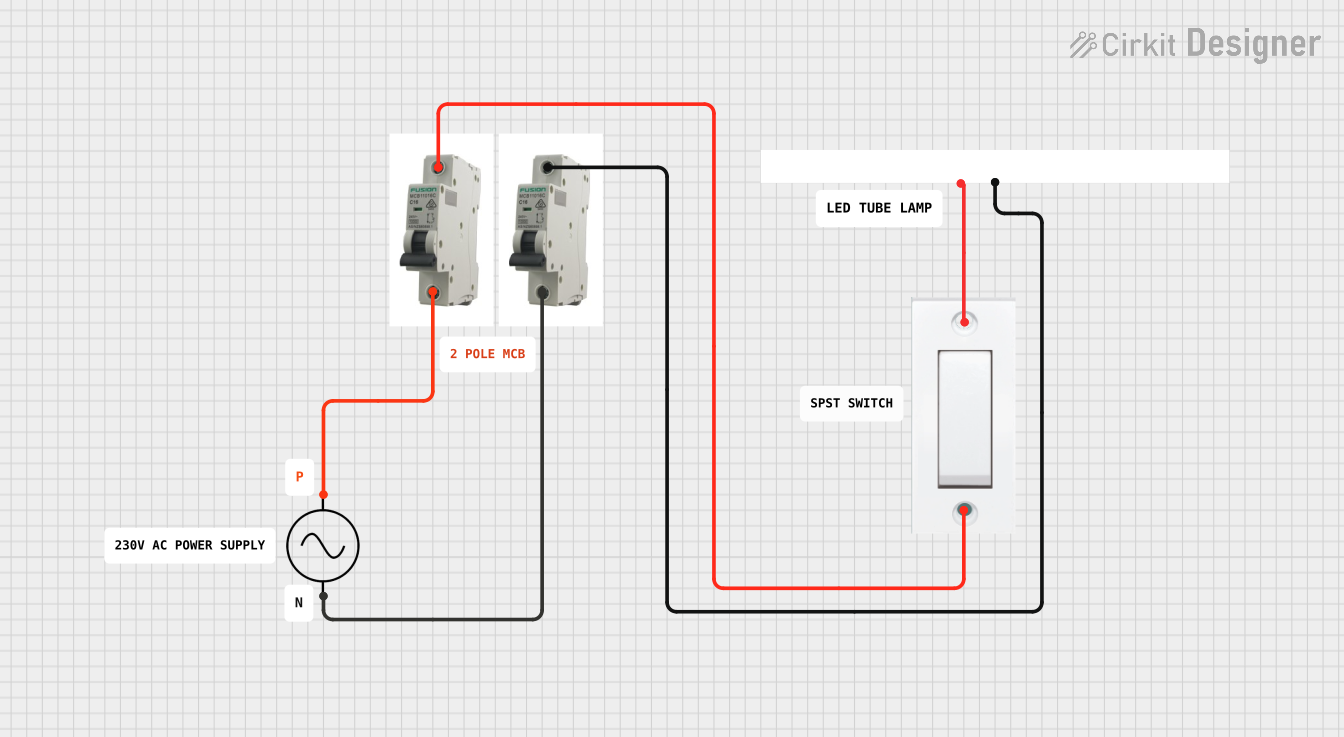
    • Connect the incoming live wire to Terminal 1 (Input) and the neutral wire to Terminal 2 (Input).
    • Connect the outgoing live wire to Terminal 3 (Output) and the neutral wire to Terminal 4 (Output).
    • Tighten the screws to ensure a secure connection.
  3. Power On:

    • Switch the MCB to the "ON" position to allow current flow through the circuit.
    • The MCB will automatically trip to the "OFF" position in case of an overload or short circuit.
  4. Testing:

    • Use the test button (if available) to verify the functionality of the MCB.

Important Considerations and Best Practices

Arduino Integration

While MCBs are not directly interfaced with microcontrollers like Arduino, they can be used in circuits that include Arduino-based systems to protect the power supply and connected devices. For example, an MCB can safeguard the power line supplying an Arduino project.

Troubleshooting and FAQs

Common Issues and Solutions

Issue Possible Cause Solution
MCB trips frequently Overloaded circuit or short circuit Reduce the load or check for wiring faults.
MCB does not trip during a fault Faulty MCB or incorrect rating Replace the MCB or select the correct rating for the application.
Loose connections Improperly tightened terminals Re-tighten all terminal screws securely.
MCB feels hot during operation Overloading or poor ventilation Reduce the load or improve ventilation around the MCB.
MCB does not switch on Internal damage or persistent fault in circuit Inspect the circuit for faults and replace the MCB if necessary.

Frequently Asked Questions

  1. What is the difference between B, C, and D tripping curves?

    • B curve: Trips at 3-5 times the rated current, suitable for residential loads.
    • C curve: Trips at 5-10 times the rated current, ideal for commercial and industrial loads.
    • D curve: Trips at 10-20 times the rated current, used for high inrush current loads like motors.
  2. Can I use a 2 Pole MCB for single-phase circuits?

    • Yes, a 2 Pole MCB can be used for single-phase circuits to protect both live and neutral wires.
  3. How do I choose the correct MCB rating?

    • Calculate the total load current of the circuit and select an MCB with a slightly higher rated current. Consider the tripping curve based on the load type.
  4. What is the lifespan of an ABB 2 Pole MCB?

    • ABB MCBs are designed for a long lifespan, typically rated for 10,000 mechanical operations and 20,000 electrical operations under normal conditions.

By following this documentation, users can effectively install, operate, and maintain the ABB System Pro M Compact S200 2 Pole MCB for safe and reliable circuit protection.